

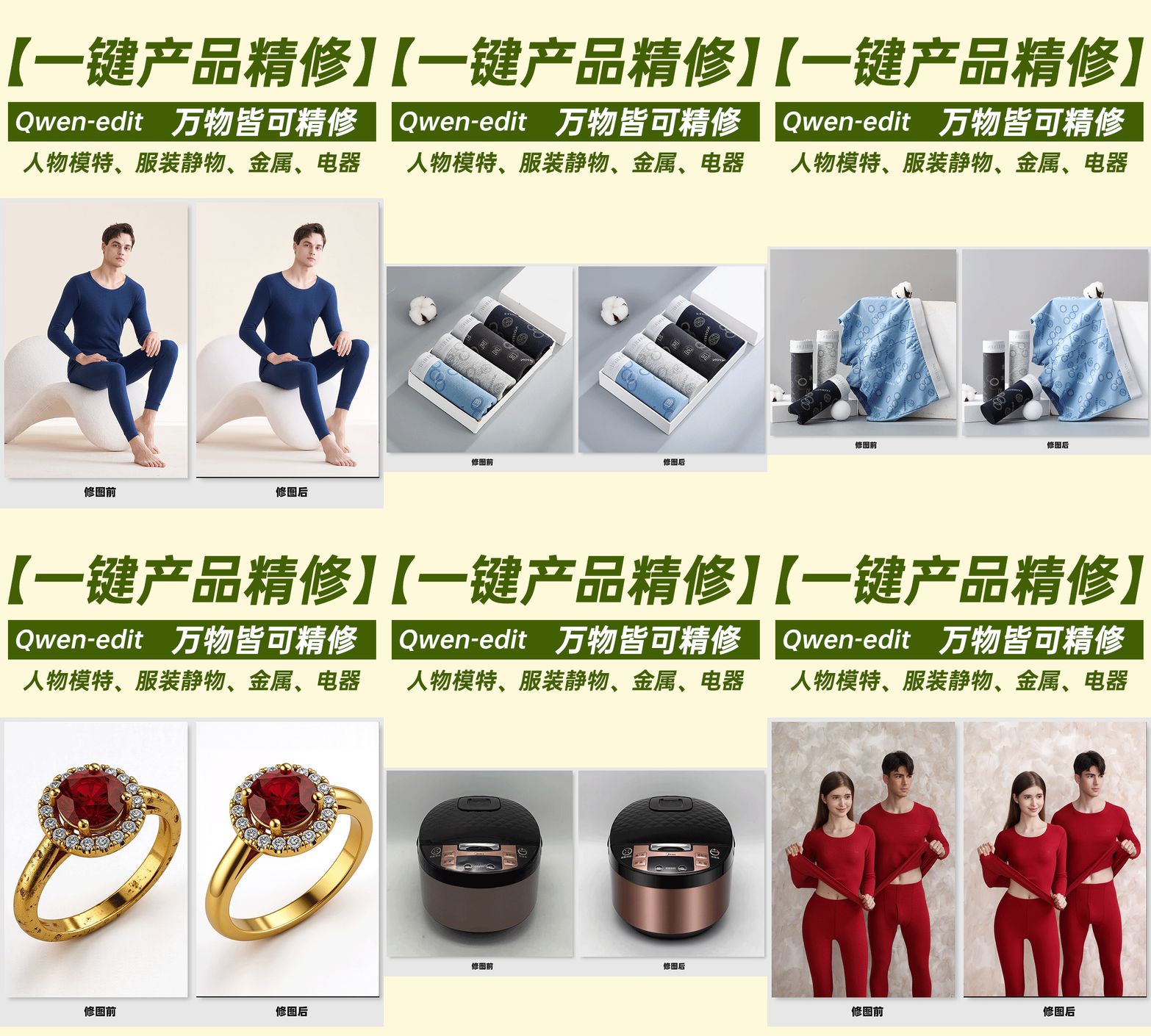
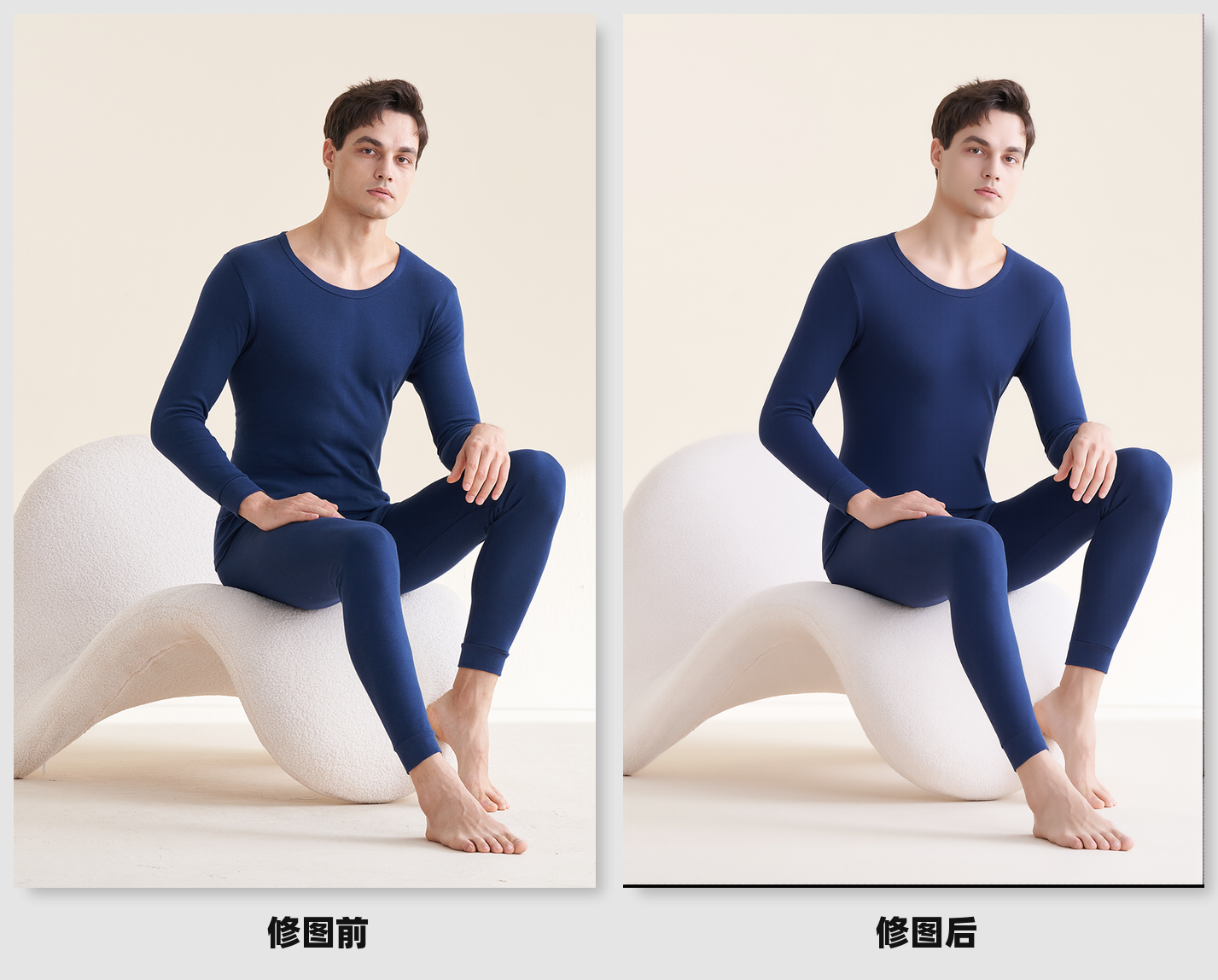
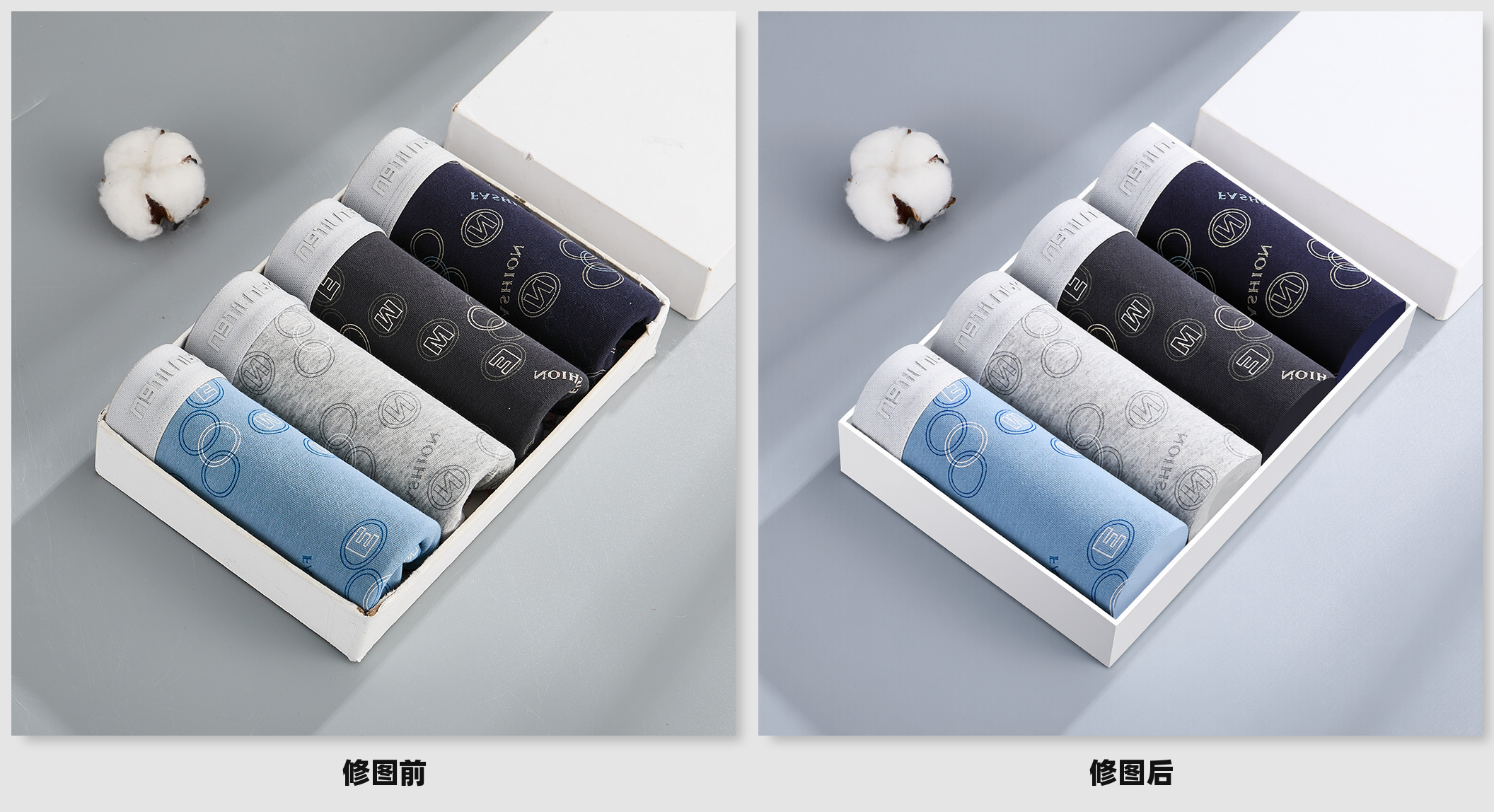
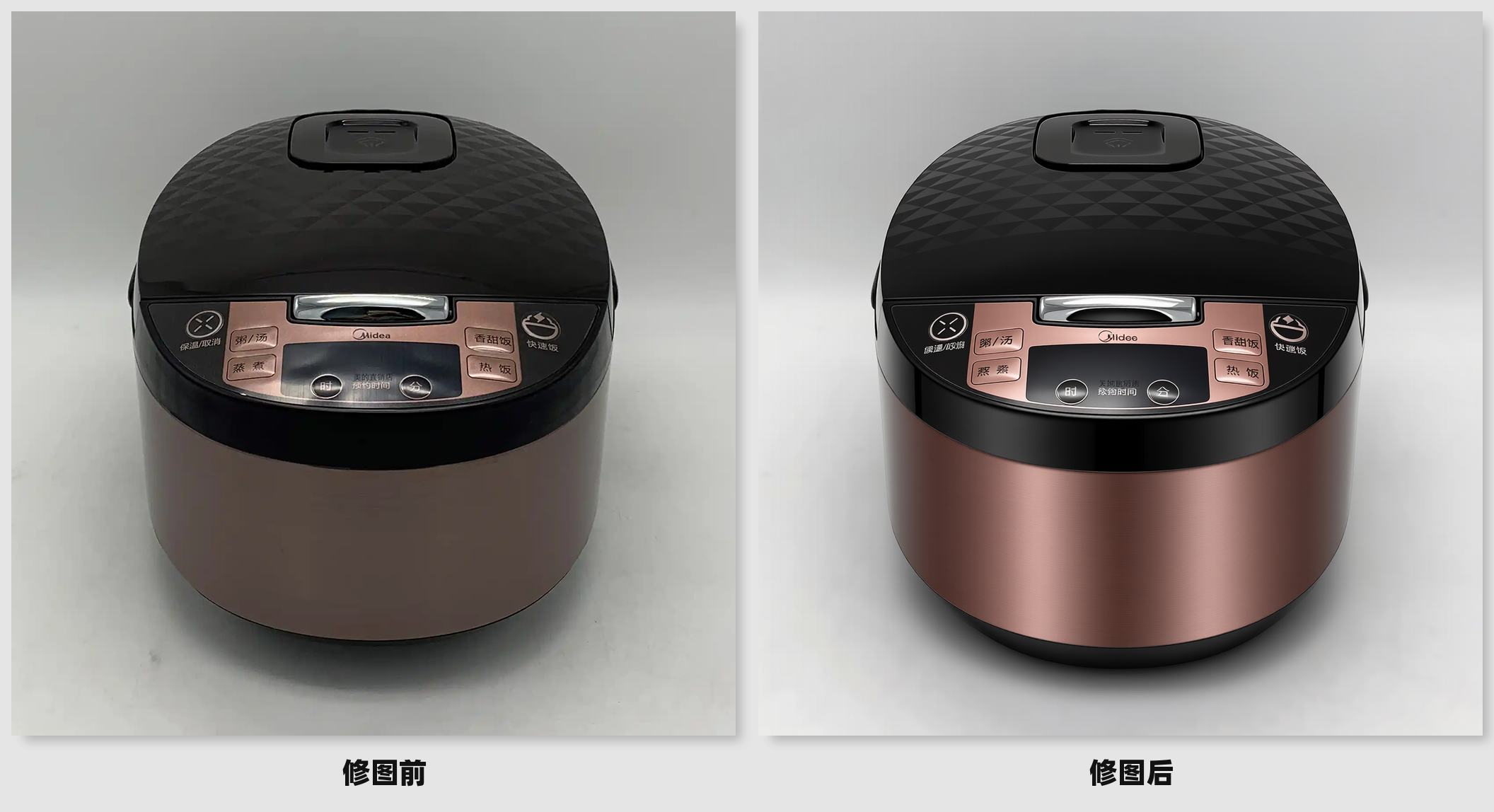
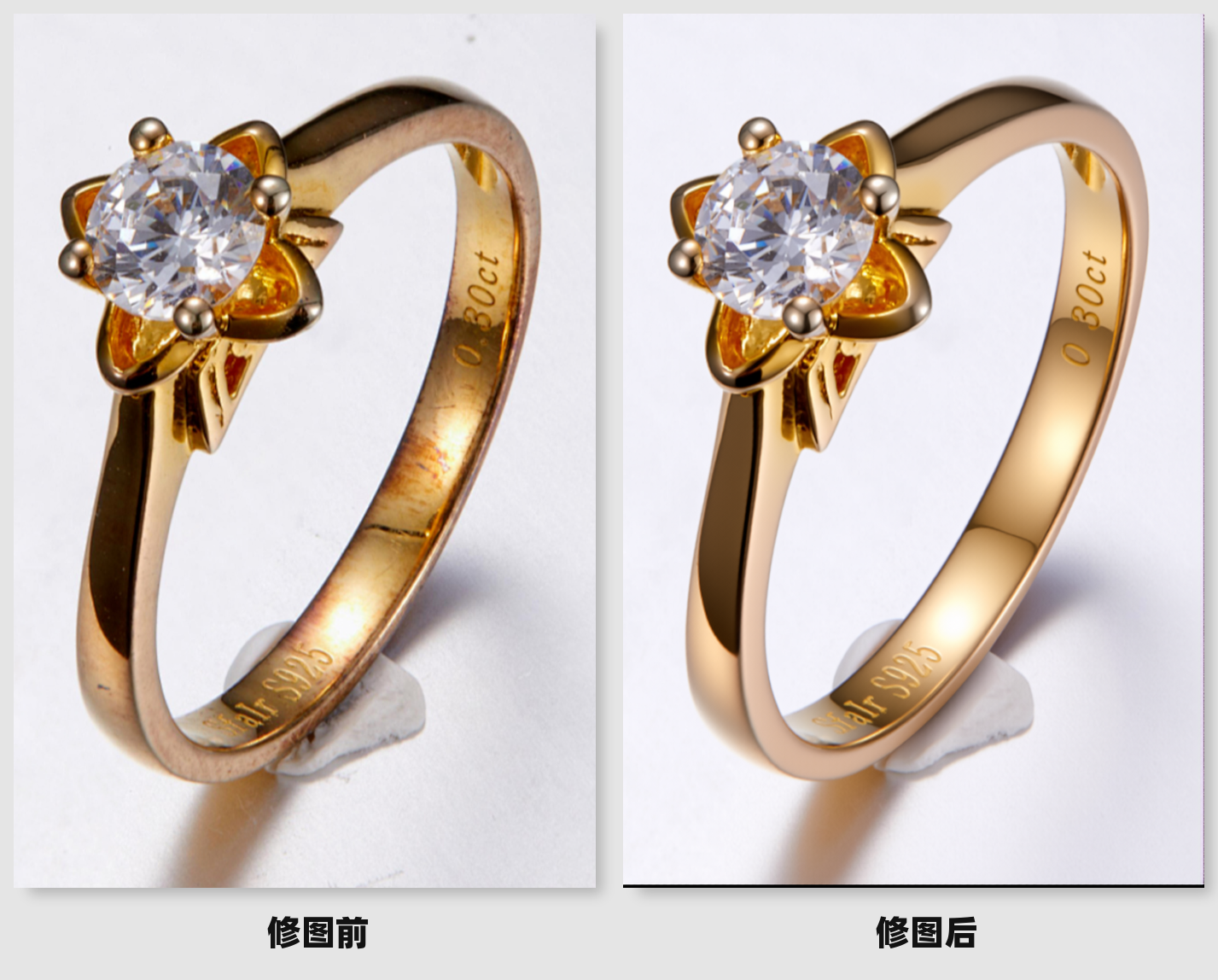
KIWI qwen edit product retouching
Model Information
Refined Product Model for Everything
V3 version LoRA weight recommendation: 0.8
V4 version LoRA weight recommendation: 1.3
Prompt Template
1. Retouching Portrait Models
Process the photo retouching. Smooth the skin and brighten it, liquify and reshape. Remove wrinkles from clothing while retaining fabric texture. Overall adjustment of light and shadow.
2. Clothing Still Life
Process the photo retouching. Remove wrinkles from clothing while retaining fabric texture. Overall adjustment of light and shadow. The background is also carefully polished to make it cleaner.
3. Metal
Refine the photo. Remove impurities on the metal product, redraw the light and shadow to make it more metallic. Remove impurities from the background to make it cleaner. Adjust the overall brightness.
4. Appliances
Process the photo retouching. Remove impurities on the product and reshape the overall light and shadow texture of the product. The background is also carefully polished to make it cleaner.
Keep the rest as default, details as follows
Negative prompt: Not needed
Base model: Qwen Edit
Sampling method: Euler
CFG: 2.5
Iteration steps: 20
Refined Product Model for Everything
V3 version LoRA weight recommendation: 0.8
V4 version LoRA weight recommendation: 1.3
Prompt Template
1. Retouching Portrait Models
Process the photo retouching. Smooth the skin and brighten it, liquify and reshape. Remove wrinkles from clothing while retaining fabric texture. Overall adjustment of light and shadow.
2. Clothing Still Life
Process the photo retouching. Remove wrinkles from clothing while retaining fabric texture. Overall adjustment of light and shadow. The background is also carefully polished to make it cleaner.
3. Metal
Refine the photo. Remove impurities on the metal product, redraw the light and shadow to make it more metallic. Remove impurities from the background to make it cleaner. Adjust the overall brightness.
4. Appliances
Process the photo retouching. Remove impurities on the product and reshape the overall light and shadow texture of the product. The background is also carefully polished to make it cleaner.
Keep the rest as default, details as follows
Negative prompt: Not needed
Base model: Qwen Edit
Sampling method: Euler
CFG: 2.5
Iteration steps: 20