

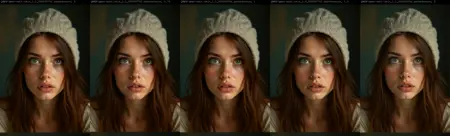
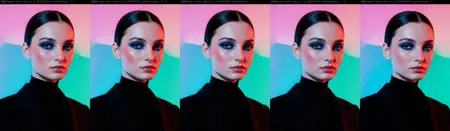
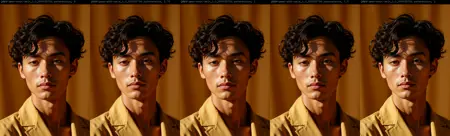
qwen edit skin skin enhancement
Model Information
Note: Please check the version differences. Taking version 1.1 as an example, I have also uploaded the training steps prior to this version. You can download the complete training files from step 1750 to step 2750 as needed. I have attached a complete comparison image for each LoRA model and each step, making it easier for you to find the settings that best suit your workflow.
You can also download the comparison workflow I created here:
https://civitai.com/models/2100345/lora xyz compare workflow
This repository contains a fine-tuned Low-Rank Adaptation (LoRA) model designed to enhance the realism and details of human skin in images. The LoRA model is trained based on the powerful Qwen/Qwen Image Edit 2509 model, leveraging its advanced image editing capabilities to focus on generating more natural and delicate skin textures.
The model was trained locally on an RTX 5090 graphics card for 5000 steps using AI Toolkit. The resulting LoRA model is ideal for photographers, digital artists, and anyone looking to improve the quality of generated or edited images of people.
Model Description
The qwen edit skin LoRA model is a specialized fine-tuned version of the Qwen/Qwen Image Edit 2509 base model. The base model is a powerful image editor that excels in multi-image editing and maintaining consistency in a single image, especially in preserving individual identity information. This LoRA model further optimizes the base model, specifically targeting the subtle nuances of human skin, adding details and realism that the original model might lack.
The training process utilized a branch version of AI Toolkit, which is a comprehensive toolkit for fine-tuning diffusion models. The dataset construction process included reverse modifications of subject skin details, with specific steps as follows:
Take multiple real-person portrait photos, ensuring exposed skin.
Label each photo as a "target" (modified) image to describe the expected final effect in the standard Qwen Edit workflow.
Edit the images in Photoshop, adding more Gaussian blur and softening skin tones so that skin textures, tones, and pores are less visible.
These images became the "control" (pre-modification) images for Qwen Edit training.
Training Details
Note: Please check the version differences. Taking version 1.1 as an example, I have also uploaded the training steps prior to this version. You can download the complete training files from step 1750 to step 2750 as needed. I have attached a complete comparison image for each LoRA model and each step, making it easier for you to find the settings that best suit your workflow.
You can also download the comparison workflow I created here:
https://civitai.com/models/2100345/lora xyz compare workflow
This repository contains a fine-tuned Low-Rank Adaptation (LoRA) model designed to enhance the realism and details of human skin in images. The LoRA model is trained based on the powerful Qwen/Qwen Image Edit 2509 model, leveraging its advanced image editing capabilities to focus on generating more natural and delicate skin textures.
The model was trained locally on an RTX 5090 graphics card for 5000 steps using AI Toolkit. The resulting LoRA model is ideal for photographers, digital artists, and anyone looking to improve the quality of generated or edited images of people.
Model Description
The qwen edit skin LoRA model is a specialized fine-tuned version of the Qwen/Qwen Image Edit 2509 base model. The base model is a powerful image editor that excels in multi-image editing and maintaining consistency in a single image, especially in preserving individual identity information. This LoRA model further optimizes the base model, specifically targeting the subtle nuances of human skin, adding details and realism that the original model might lack.
The training process utilized a branch version of AI Toolkit, which is a comprehensive toolkit for fine-tuning diffusion models. The dataset construction process included reverse modifications of subject skin details, with specific steps as follows:
Take multiple real-person portrait photos, ensuring exposed skin.
Label each photo as a "target" (modified) image to describe the expected final effect in the standard Qwen Edit workflow.
Edit the images in Photoshop, adding more Gaussian blur and softening skin tones so that skin textures, tones, and pores are less visible.
These images became the "control" (pre-modification) images for Qwen Edit training.
Training Details