

Arbitrary Pose / 2511-Arbitrary Pose-Base-000006250.
Model Information
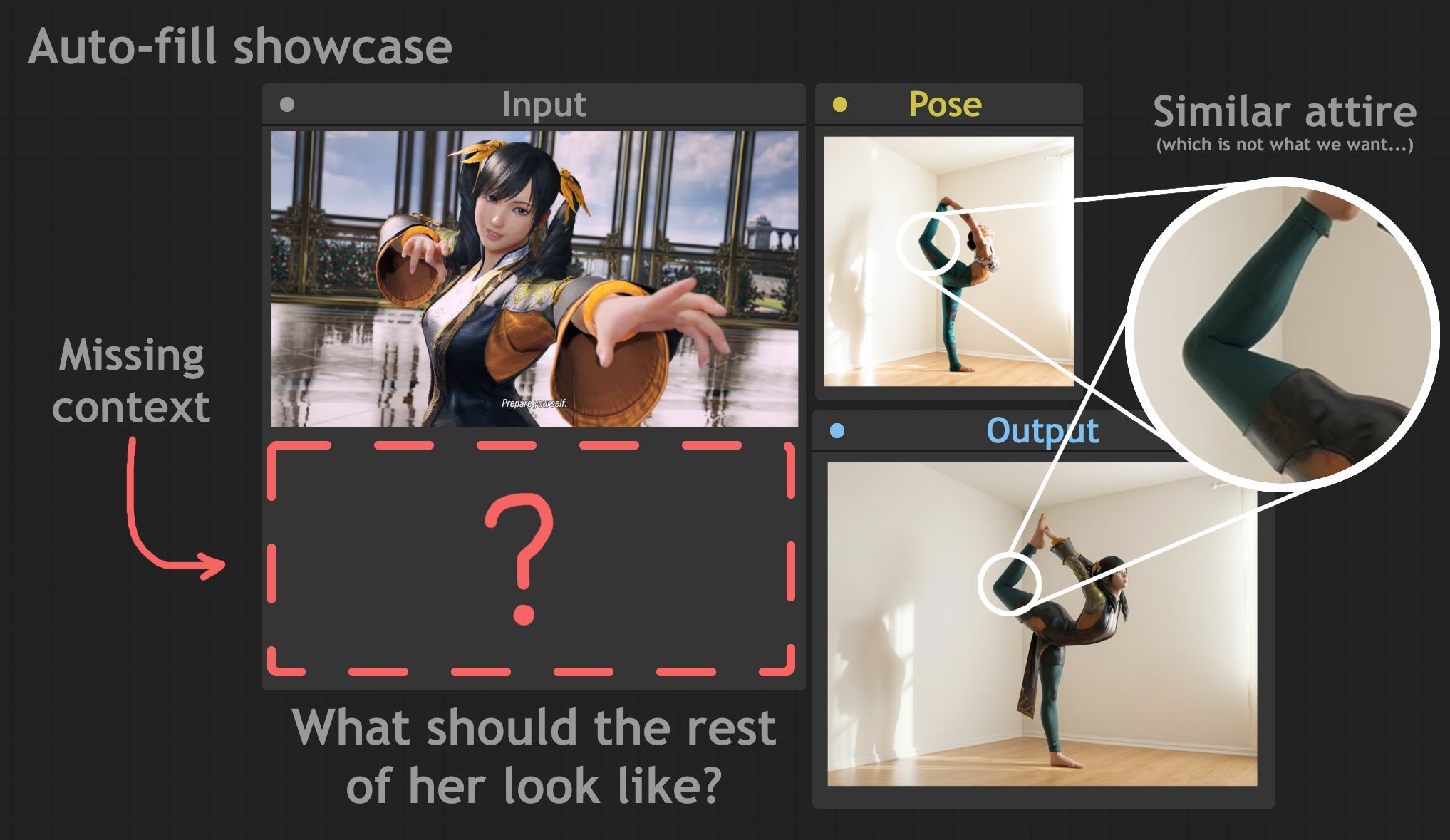
Creating poses for Qwen Image Edit (2511) or its variants can be difficult. Even with Openpose built into the model, the results can still look problematic, such as incorrect depth or poses not matching the character completely, leading to unexpected distortions. Additionally, handcrafting can take too long, especially if you use Blender's open rigging method. What if you could completely skip openpose and write a simple (albeit lengthy) prompt to copy the pose of any image on your computer?
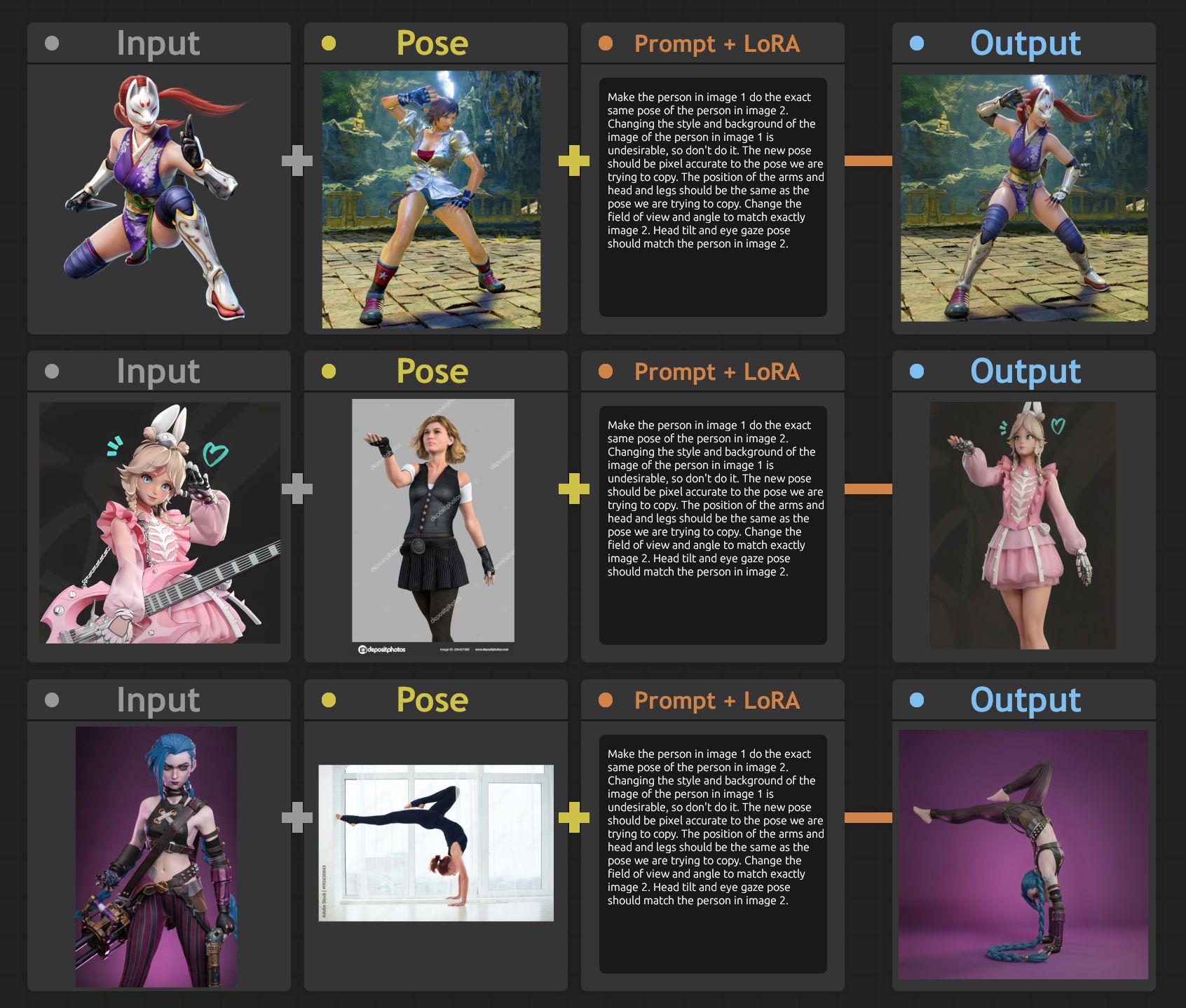
This is exactly what AnyPose LoRA attempts to do. Considering the new Qwen Image Edit 2511 Lightning LoRA is designed for fast inference, using just a single reference image as a pose guide allows you to guide any image to follow that pose. No ControlNet is required.
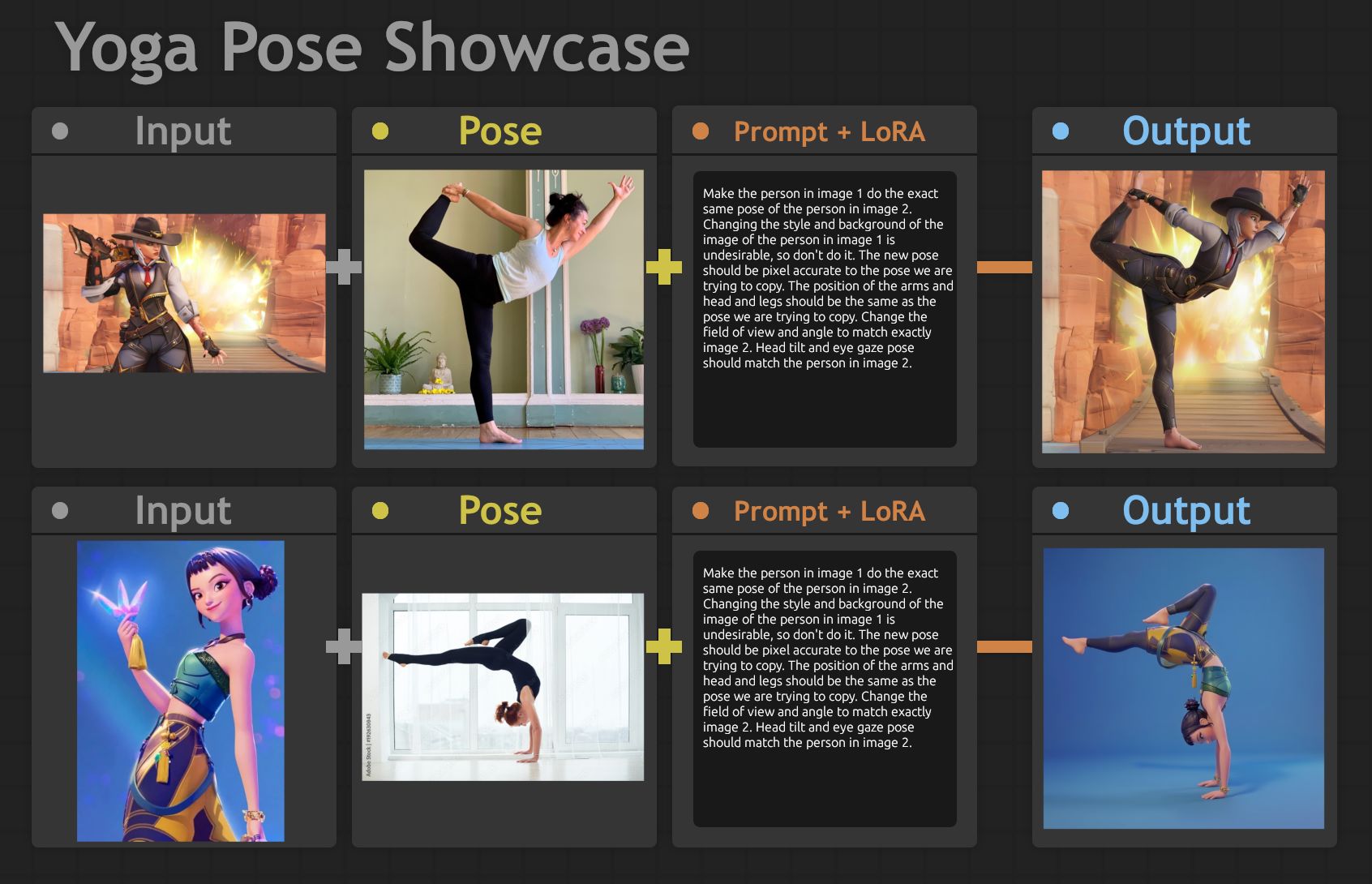
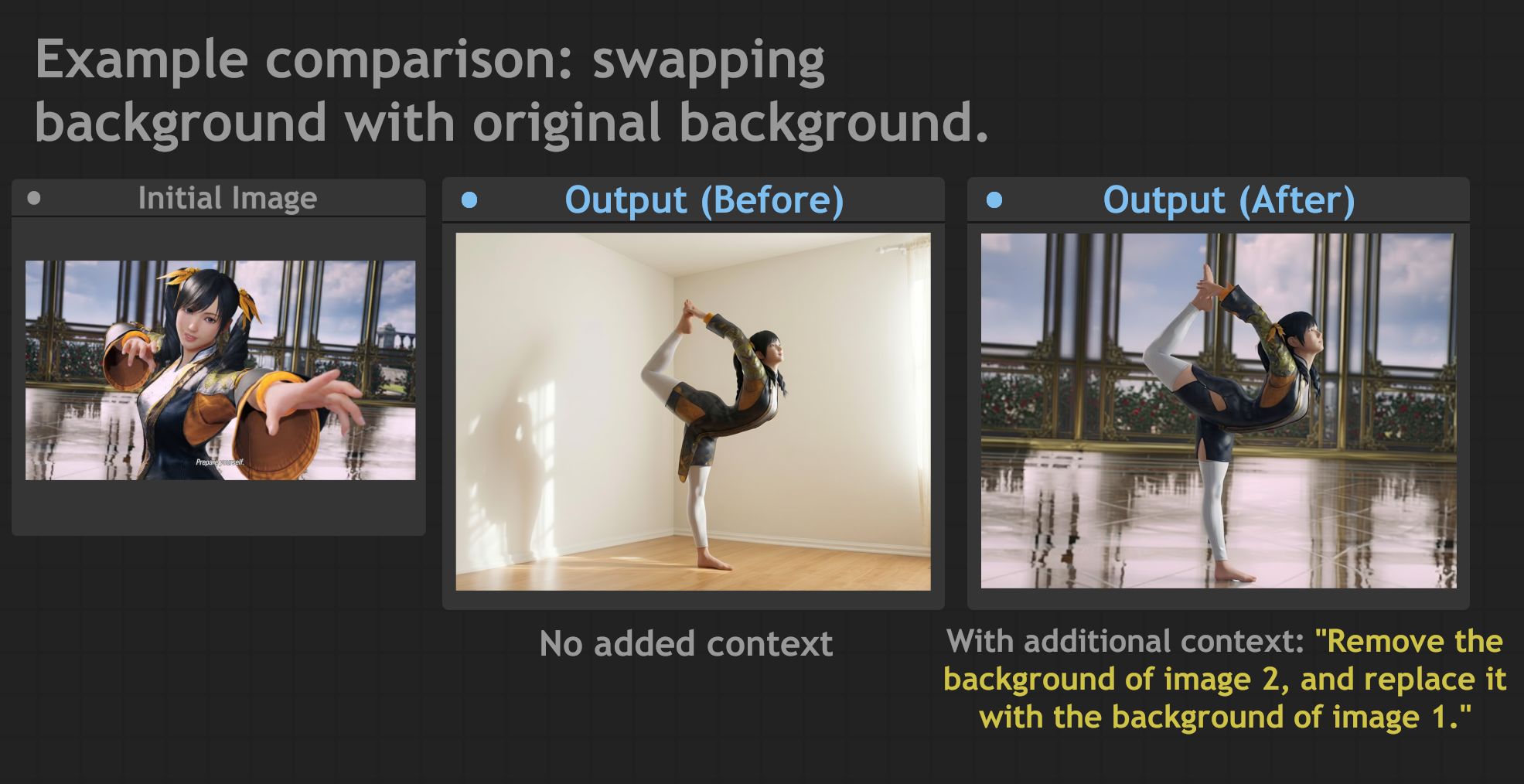
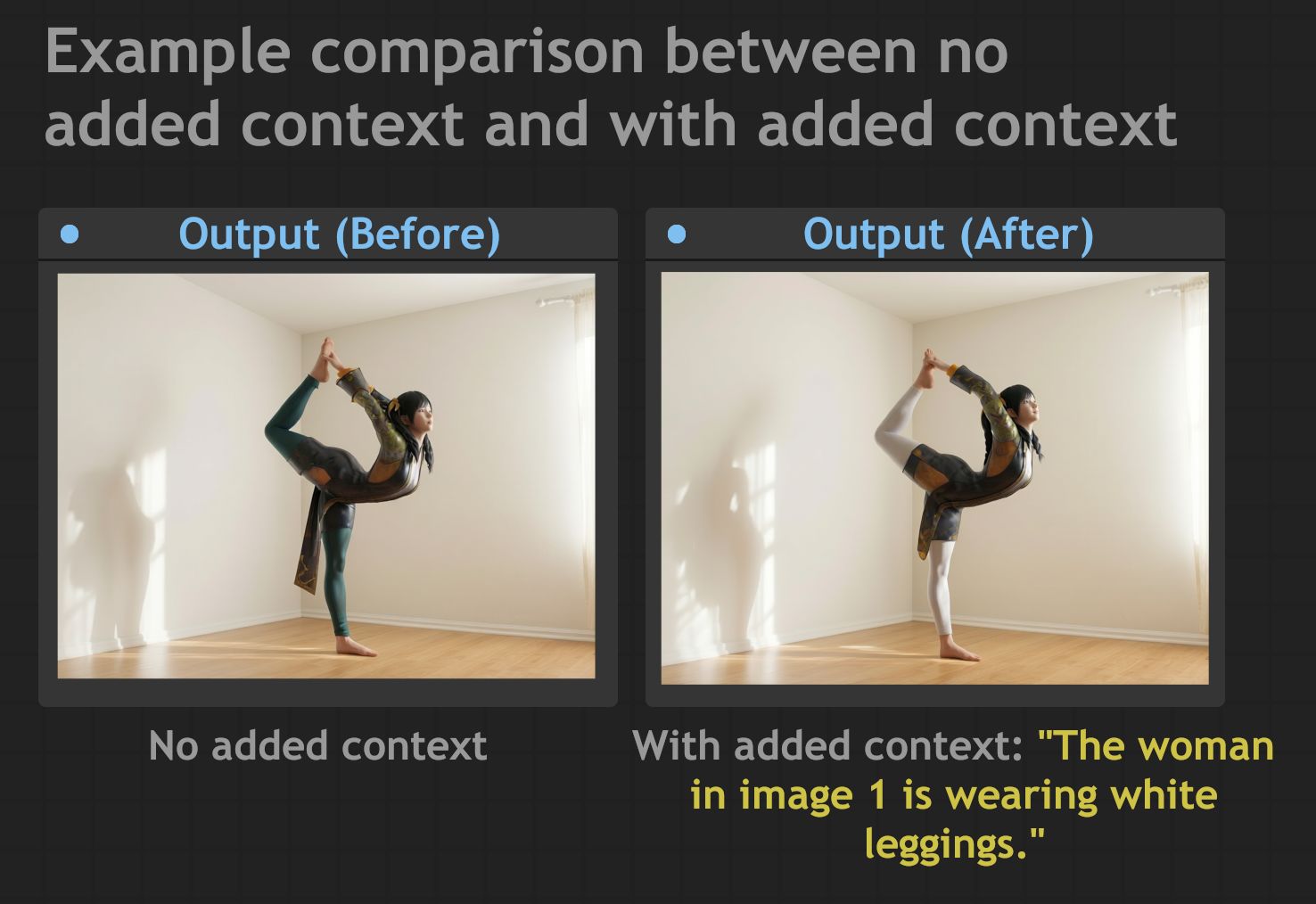
Use 4-step Lightning LoRA to edit Qwen Image Edit 2511. Set the strengths of the two AnyPose LoRA weights (base and auxiliary) to 0.7. Upload two images: one for the initial input character, and another for the pose you want to copy to the first character. Use the following prompt: "Make the person in Image 1 strike the exact same pose as the person in Image 2. Changing the style and background of the person in Image 1 is undesirable, so do not do that. The new pose should be as pixel-accurate as the pose we want to copy. The positions of the arms, head, and legs should be identical to the pose we are trying to imitate. Adjust the field of view and angle to match Image 2 precisely. The head tilt and eye gaze posture should match the person in Image 2." If extra background information is needed (such as clothing not visible on the model), you can prompt it at the end. Is the background not staying consistent with the initially input image? Append the following to the end: "Remove the background of Image 2 and replace it with the background of Image 1."
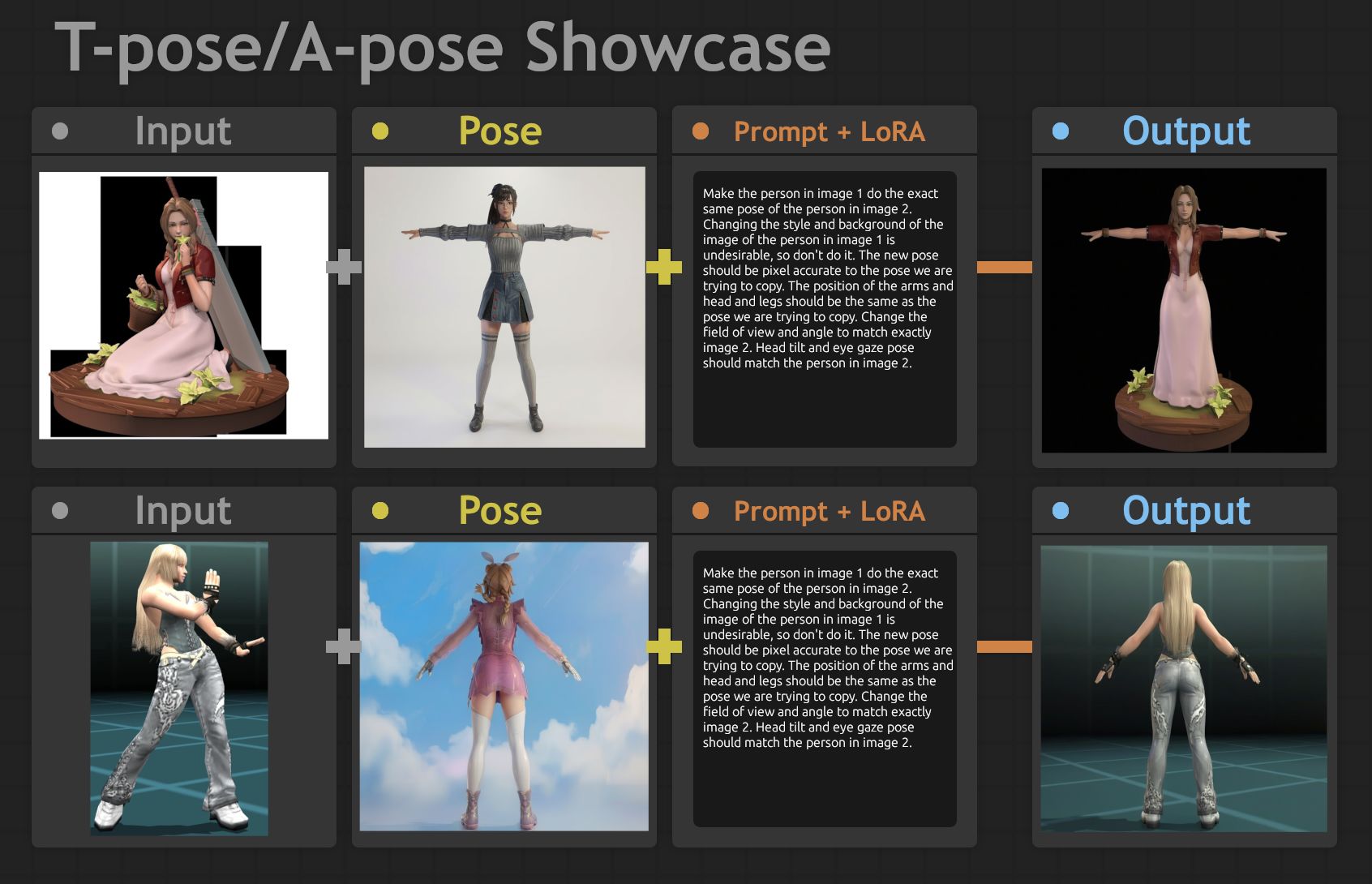
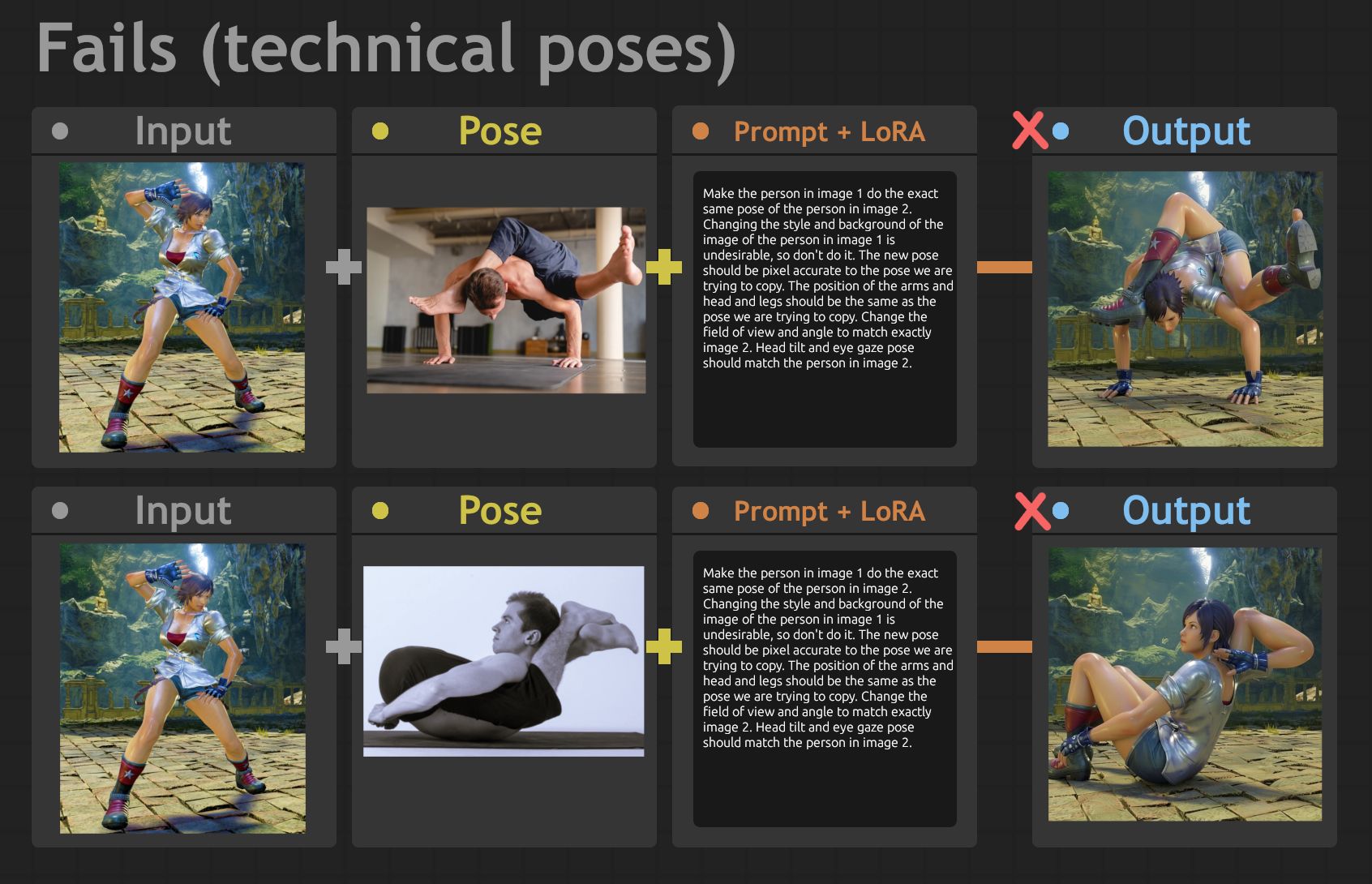
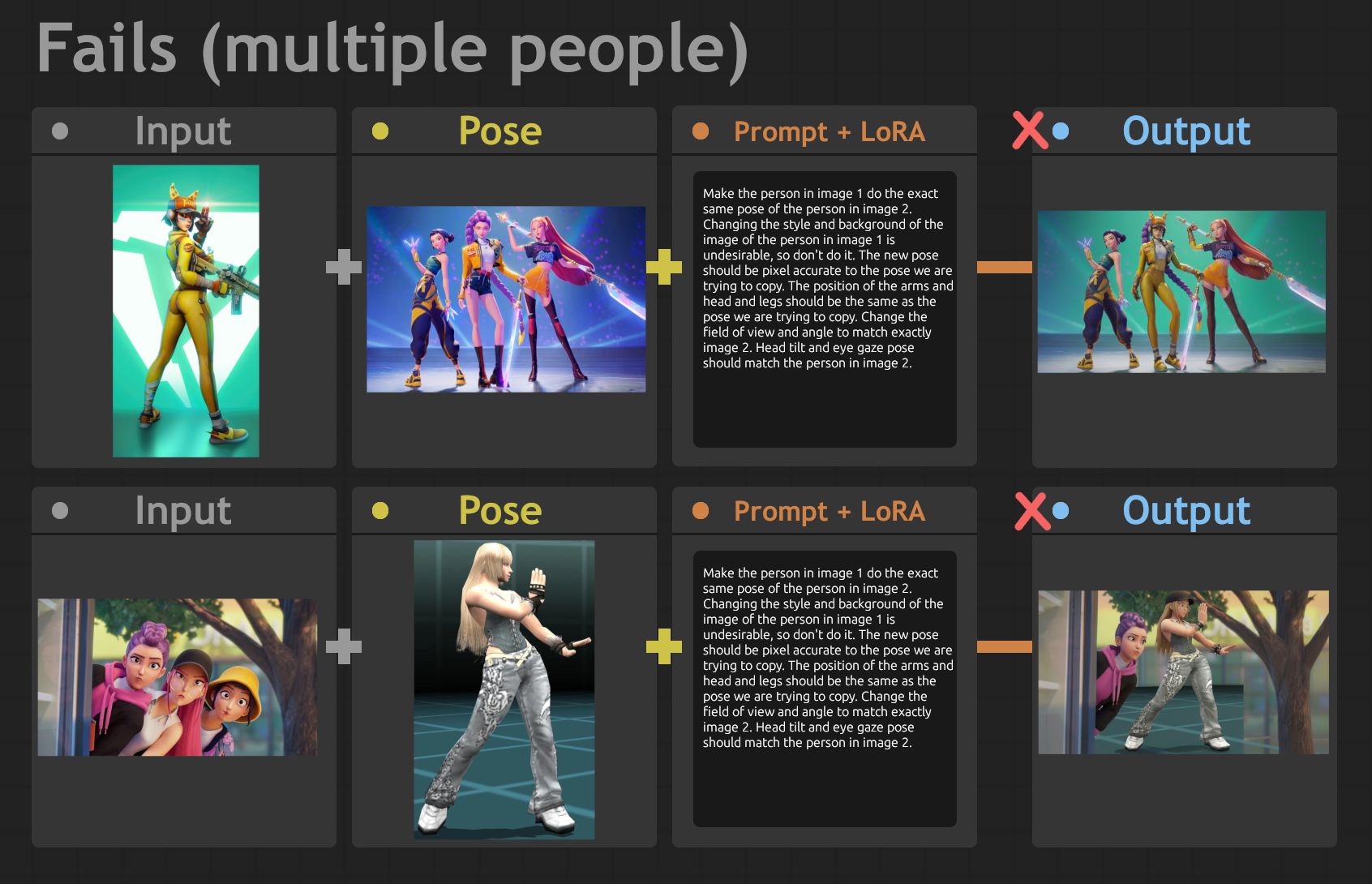
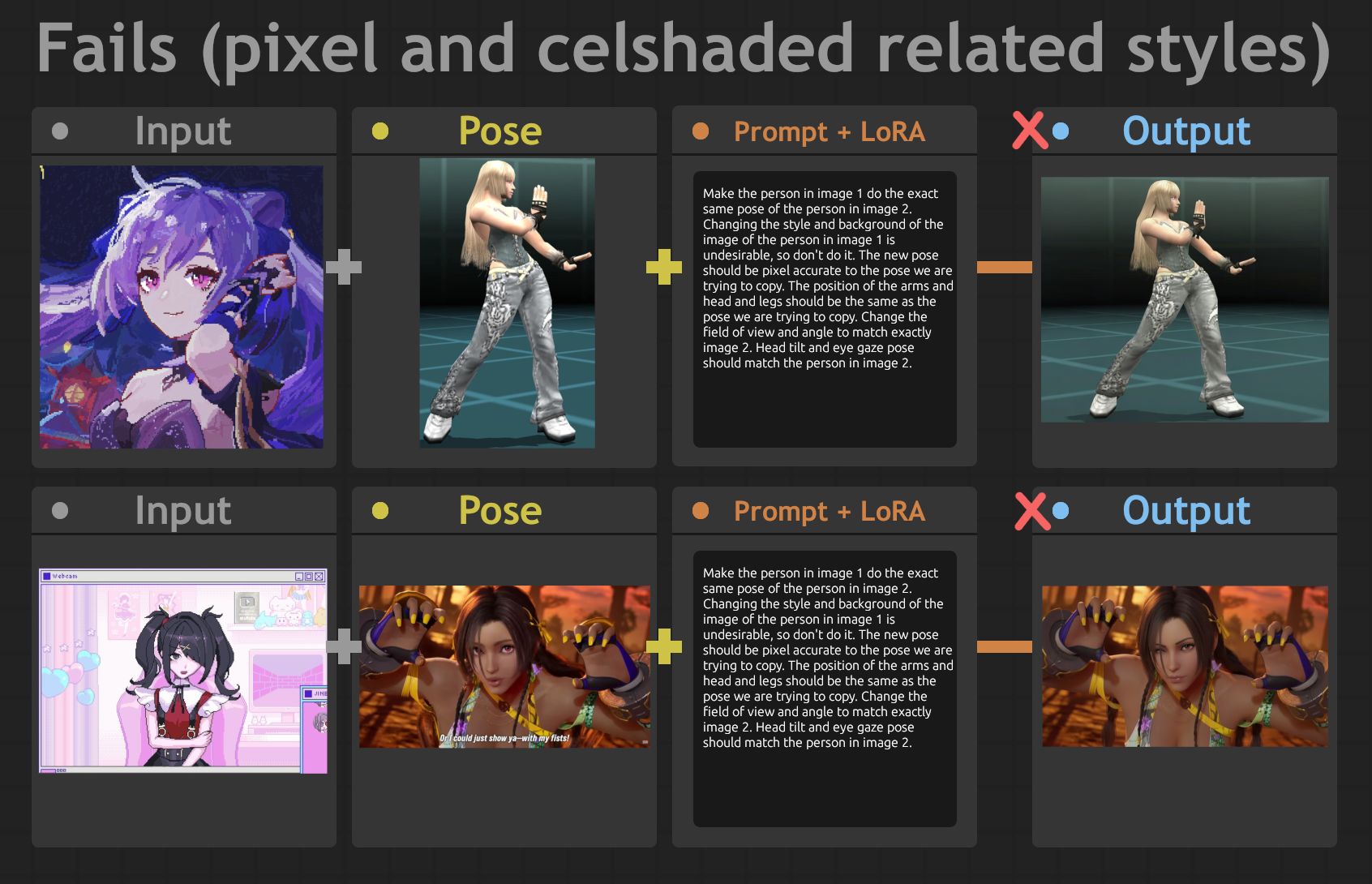
AnyPose works for simple poses, like T or A poses,
Creating poses for Qwen Image Edit (2511) or its variants can be difficult. Even with Openpose built into the model, the results can still look problematic, such as incorrect depth or poses not matching the character completely, leading to unexpected distortions. Additionally, handcrafting can take too long, especially if you use Blender's open rigging method. What if you could completely skip openpose and write a simple (albeit lengthy) prompt to copy the pose of any image on your computer?
This is exactly what AnyPose LoRA attempts to do. Considering the new Qwen Image Edit 2511 Lightning LoRA is designed for fast inference, using just a single reference image as a pose guide allows you to guide any image to follow that pose. No ControlNet is required.
Use 4-step Lightning LoRA to edit Qwen Image Edit 2511. Set the strengths of the two AnyPose LoRA weights (base and auxiliary) to 0.7. Upload two images: one for the initial input character, and another for the pose you want to copy to the first character. Use the following prompt: "Make the person in Image 1 strike the exact same pose as the person in Image 2. Changing the style and background of the person in Image 1 is undesirable, so do not do that. The new pose should be as pixel-accurate as the pose we want to copy. The positions of the arms, head, and legs should be identical to the pose we are trying to imitate. Adjust the field of view and angle to match Image 2 precisely. The head tilt and eye gaze posture should match the person in Image 2." If extra background information is needed (such as clothing not visible on the model), you can prompt it at the end. Is the background not staying consistent with the initially input image? Append the following to the end: "Remove the background of Image 2 and replace it with the background of Image 1."
AnyPose works for simple poses, like T or A poses,