
'%3e %3cg id='Vector'%3e %3c/g%3e %3cpath id='Vector_2' d='M14.504 8.522L12.746 4.49C12.6826 4.34486 12.5783 4.22136 12.4458 4.13463C12.3133 4.0479 12.1584 4.0017 12 4.0017C11.8416 4.0017 11.6867 4.0479 11.5542 4.13463C11.4217 4.22136 11.3174 4.34486 11.254 4.49L9.495 8.522C9.305 8.958 8.958 9.306 8.522 9.495L4.49 11.254C4.34486 11.3174 4.22136 11.4217 4.13463 11.5542C4.0479 11.6867 4.0017 11.8416 4.0017 12C4.0017 12.1584 4.0479 12.3133 4.13463 12.4458C4.22136 12.5783 4.34486 12.6826 4.49 12.746L8.523 14.504C8.959 14.694 9.307 15.042 9.496 15.478L11.255 19.511C11.3184 19.6561 11.4227 19.7796 11.5552 19.8664C11.6877 19.9531 11.8426 19.9993 12.001 19.9993C12.1594 19.9993 12.3143 19.9531 12.4468 19.8664C12.5793 19.7796 12.6836 19.6561 12.747 19.511L14.505 15.478C14.695 15.042 15.043 14.694 15.479 14.504L19.512 12.746C19.6571 12.6826 19.7806 12.5783 19.8674 12.4458C19.9541 12.3133 20.0003 12.1584 20.0003 12C20.0003 11.8416 19.9541 11.6867 19.8674 11.5542C19.7806 11.4217 19.6571 11.3174 19.512 11.254L15.479 9.495C15.043 9.30549 14.695 8.95782 14.505 8.522' stroke='var(--stroke-0%2c white)' stroke-width='1.25' stroke-linecap='round' stroke-linejoin='round'/%3e %3cpath id='Vector_3' d='M3 3L5 5' stroke='var(--stroke-0%2c white)' stroke-width='1.25' stroke-linecap='round' stroke-linejoin='round'/%3e %3cpath id='Vector_4' d='M21 3L19 5' stroke='var(--stroke-0%2c white)' stroke-width='1.25' stroke-linecap='round' stroke-linejoin='round'/%3e %3cpath id='Vector_5' d='M3 21L5 19' stroke='var(--stroke-0%2c white)' stroke-width='1.25' stroke-linecap='round' stroke-linejoin='round'/%3e %3cpath id='Vector_6' d='M21 21L19 19' stroke='var(--stroke-0%2c white)' stroke-width='1.25' stroke-linecap='round' stroke-linejoin='round'/%3e %3c/g%3e %3cdefs%3e %3cclipPath id='clip0_0_55'%3e %3crect width='24' height='24' fill='white'/%3e %3c/clipPath%3e %3c/defs%3e %3c/svg%3e)
'%3e %3cg id='Vector'%3e %3c/g%3e %3cpath id='Vector_2' d='M14.375 7.66667H14.385' stroke='var(--stroke-0%2c white)' stroke-width='1.25' stroke-linecap='round' stroke-linejoin='round'/%3e %3cpath id='Vector_3' d='M11.9792 20.125H5.75C4.9875 20.125 4.25624 19.8221 3.71707 19.2829C3.1779 18.7438 2.875 18.0125 2.875 17.25V5.75C2.875 4.9875 3.1779 4.25624 3.71707 3.71707C4.25624 3.1779 4.9875 2.875 5.75 2.875H17.25C18.0125 2.875 18.7438 3.1779 19.2829 3.71707C19.8221 4.25624 20.125 4.9875 20.125 5.75V11.9792' stroke='var(--stroke-0%2c white)' stroke-width='1.25' stroke-linecap='round' stroke-linejoin='round'/%3e %3cpath id='Vector_4' d='M2.875 15.3333L7.66667 10.5417C8.556 9.68587 9.65233 9.68587 10.5417 10.5417L14.375 14.375' stroke='var(--stroke-0%2c white)' stroke-width='1.25' stroke-linecap='round' stroke-linejoin='round'/%3e %3cpath id='Vector_5' d='M13.4167 13.4167L14.375 12.4583C15.0171 11.8412 15.7646 11.6687 16.4661 11.9408' stroke='var(--stroke-0%2c white)' stroke-width='1.25' stroke-linecap='round' stroke-linejoin='round'/%3e %3cpath id='Vector_6' d='M15.3333 18.2083H21.0833' stroke='var(--stroke-0%2c white)' stroke-width='1.25' stroke-linecap='round' stroke-linejoin='round'/%3e %3cpath id='Vector_7' d='M18.2083 15.3333V21.0833' stroke='var(--stroke-0%2c white)' stroke-width='1.25' stroke-linecap='round' stroke-linejoin='round'/%3e %3c/g%3e %3cdefs%3e %3cclipPath id='clip0_0_4'%3e %3crect width='23' height='23' fill='white'/%3e %3c/clipPath%3e %3c/defs%3e %3c/svg%3e)


'%3e %3cg id='Vector'%3e %3c/g%3e %3cpath id='Vector_2' d='M18.3333 10.5001V6.66667C18.3333 5.78261 17.9821 4.93477 17.357 4.30964C16.7319 3.68452 15.8841 3.33333 15 3.33333H5C4.11594 3.33333 3.2681 3.68452 2.64298 4.30964C2.01786 4.93477 1.66667 5.78261 1.66667 6.66667V13.3333C1.66667 14.2174 2.01786 15.0652 2.64298 15.6904C3.2681 16.3155 4.11594 16.6667 5 16.6667H11.6667M15.5 17.0001V12.0001M13 14.5001L15.5 12.0001L18 14.5001' stroke='var(--stroke-0%2c white)' stroke-linecap='round' stroke-linejoin='round'/%3e %3cpath id='Vector_3' d='M8.33333 7.5L12.5 10L8.33333 12.5V7.5Z' stroke='var(--stroke-0%2c white)' stroke-linecap='round' stroke-linejoin='round'/%3e %3c/g%3e %3cdefs%3e %3cclipPath id='clip0_0_4'%3e %3crect width='20' height='20' fill='white'/%3e %3c/clipPath%3e %3c/defs%3e %3c/svg%3e)
'%3e %3cg id='Vector'%3e %3c/g%3e %3cpath id='Vector_2' d='M16.25 10.8333L21.1824 8.36767C21.3475 8.28515 21.531 8.2462 21.7154 8.25451C21.8998 8.26281 22.079 8.3181 22.2361 8.41512C22.3931 8.51214 22.5228 8.64768 22.6127 8.80888C22.7026 8.97007 22.7499 9.15158 22.75 9.33617V16.6638C22.7499 16.8484 22.7026 17.0299 22.6127 17.1911C22.5228 17.3523 22.3931 17.4879 22.2361 17.5849C22.079 17.6819 21.8998 17.7372 21.7154 17.7455C21.531 17.7538 21.3475 17.7148 21.1824 17.6323L16.25 15.1667V10.8333Z' stroke='var(--stroke-0%2c white)' stroke-width='1.25' stroke-linecap='round' stroke-linejoin='round'/%3e %3cpath id='Vector_3' d='M3.25 8.66667C3.25 8.09203 3.47827 7.54093 3.8846 7.1346C4.29093 6.72827 4.84203 6.5 5.41667 6.5H14.0833C14.658 6.5 15.2091 6.72827 15.6154 7.1346C16.0217 7.54093 16.25 8.09203 16.25 8.66667V17.3333C16.25 17.908 16.0217 18.4591 15.6154 18.8654C15.2091 19.2717 14.658 19.5 14.0833 19.5H5.41667C4.84203 19.5 4.29093 19.2717 3.8846 18.8654C3.47827 18.4591 3.25 17.908 3.25 17.3333V8.66667Z' stroke='var(--stroke-0%2c white)' stroke-width='1.25' stroke-linecap='round' stroke-linejoin='round'/%3e %3cpath id='Vector_4' d='M7.58333 13H11.9167' stroke='var(--stroke-0%2c white)' stroke-width='1.25' stroke-linecap='round' stroke-linejoin='round'/%3e %3cpath id='Vector_5' d='M9.75 10.8333V15.1667' stroke='var(--stroke-0%2c white)' stroke-width='1.25' stroke-linecap='round' stroke-linejoin='round'/%3e %3c/g%3e %3cdefs%3e %3cclipPath id='clip0_0_47'%3e %3crect width='26' height='26' fill='white'/%3e %3c/clipPath%3e %3c/defs%3e %3c/svg%3e)
'%3e %3cg id='Vector'%3e %3c/g%3e %3cpath id='Vector_2' d='M4 7H7M11 7H20' stroke='var(--stroke-0%2c white)' stroke-width='1.25' stroke-linecap='round' stroke-linejoin='round'/%3e %3cpath id='Vector_3' d='M4 17H20' stroke='var(--stroke-0%2c white)' stroke-width='1.25' stroke-linecap='round' stroke-linejoin='round'/%3e %3cpath id='Vector_4' d='M7 4L7 20' stroke='var(--stroke-0%2c white)' stroke-width='1.25' stroke-linecap='round' stroke-linejoin='round'/%3e %3cpath id='Vector_5' d='M17 4V13M17 17V20' stroke='var(--stroke-0%2c white)' stroke-width='1.25' stroke-linecap='round' stroke-linejoin='round'/%3e %3c/g%3e %3cdefs%3e %3cclipPath id='clip0_0_60'%3e %3crect width='24' height='24' fill='white'/%3e %3c/clipPath%3e %3c/defs%3e %3c/svg%3e)
'%3e %3cg id='Vector'%3e %3c/g%3e %3cpath id='Vector_2' d='M6 10L4 11L12 15L20 11L18 10' stroke='var(--stroke-0%2c white)' stroke-width='1.25' stroke-linecap='round' stroke-linejoin='round'/%3e %3cpath id='Vector_3' d='M4 15L12 19L20 15' stroke='var(--stroke-0%2c white)' stroke-width='1.25' stroke-linecap='round' stroke-linejoin='round'/%3e %3cpath id='Vector_4' d='M12 4V11' stroke='var(--stroke-0%2c white)' stroke-width='1.25' stroke-linecap='round' stroke-linejoin='round'/%3e %3cpath id='Vector_5' d='M15 8L12 11L9 8' stroke='var(--stroke-0%2c white)' stroke-width='1.25' stroke-linecap='round' stroke-linejoin='round'/%3e %3c/g%3e %3cdefs%3e %3cclipPath id='clip0_0_9'%3e %3crect width='24' height='24' fill='white'/%3e %3c/clipPath%3e %3c/defs%3e %3c/svg%3e)


Redefining AI Image Creation with FLUX.1 Kontext on RunningHub: A One-Stop Guide from Generation to Editing
This article introduces FLUX.1 Kontext, a unified multimodal flow matching model developed by Black Forest Labs. It integrates text-to-image generation and context-aware image editing in one framework, featuring strong character consistency, accurate local editing, text modification and style transfer. RunningHub deeply deploys this model on cloud ComfyUI, enabling browser-based use without local setup. It offers abundant workflows, high-performance GPU, one-stop image-video-short drama tools and APIs. Users can start in three steps for scenarios like e-commerce, marketing and game art.
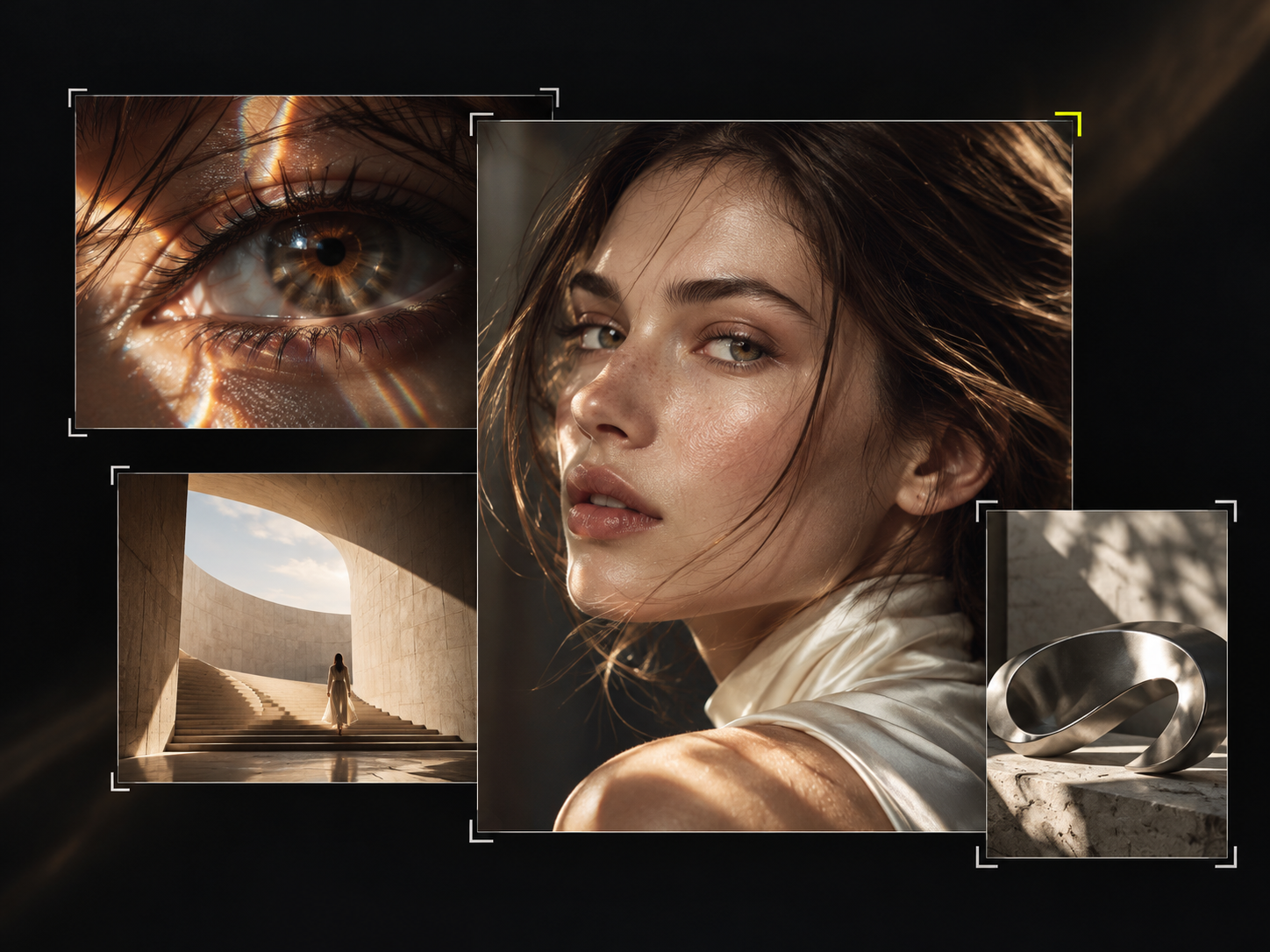
Redefining AI Image Creation with FLUX.1 Kontext on RunningHub
In the field of AI image generation, most models remain confined to the single mode of "text-to-image." Modifying elements in existing images, maintaining character consistency across scenes, or transforming photos into specific artistic styles often requires switching between multiple tools and repeatedly deploying environments. FLUX.1 Kontext is changing this landscape—and RunningHub lets you experience the full capabilities of this next-generation model directly in the cloud, without any local deployment.
Developed by Black Forest Labs (BFL), FLUX.1 Kontext is a revolutionary multimodal flow matching model that, for the first time, unifies text-to-image generation and context-aware image editing within a single architecture. Users can input both text and images simultaneously, describing modification requests in natural language, and the model can precisely complete edits while keeping the rest of the image unchanged. RunningHub, as a leading cloud-based ComfyUI creation platform in China, has deeply integrated the FLUX.1 Kontext series of models, providing full-chain support from workflow templates and GPU computing power to API access. This article will guide you through the core capabilities of FLUX.1 Kontext and show you how to get started with zero barriers and create efficiently on RunningHub.
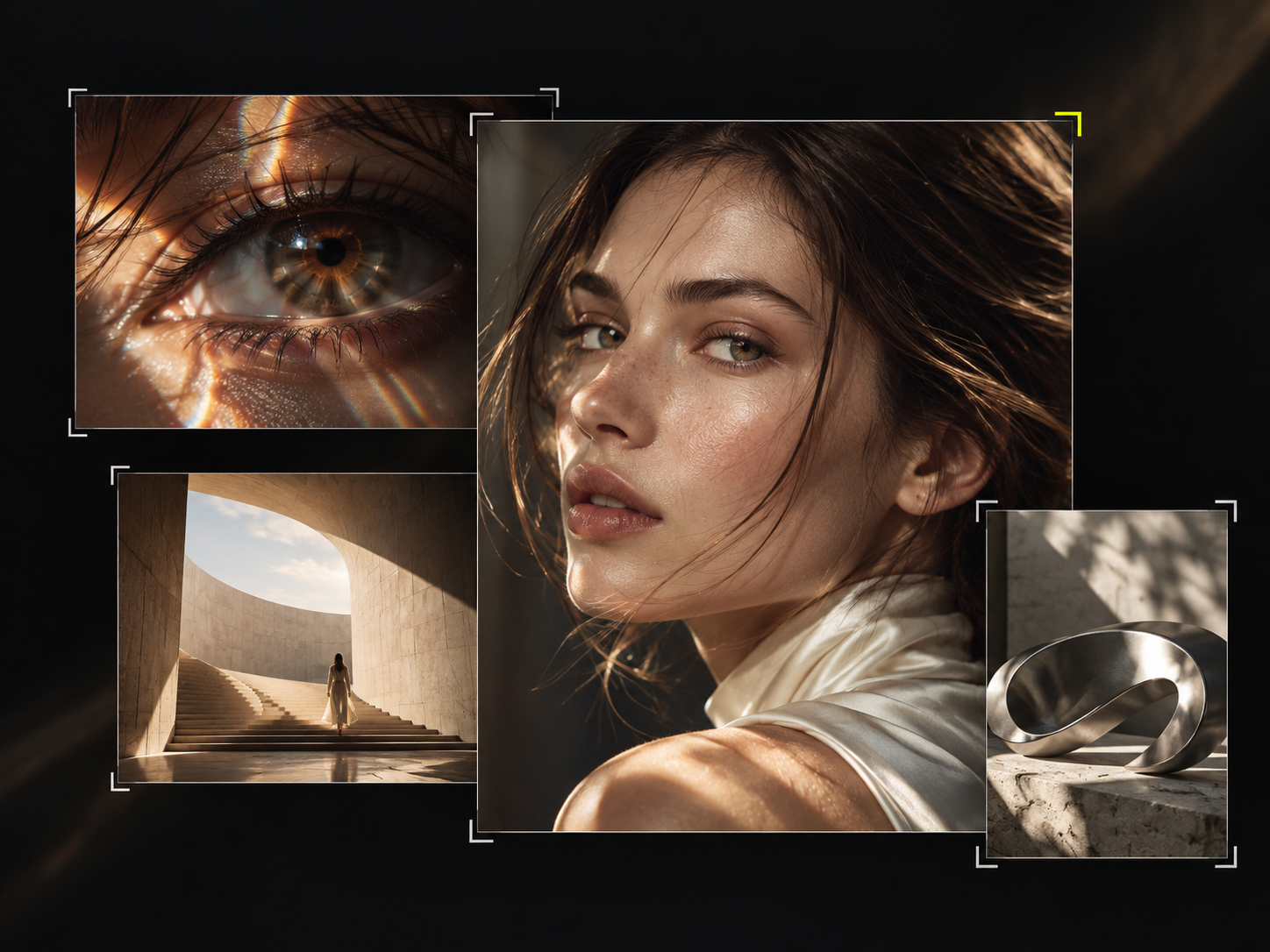
1. What is FLUX.1 Kontext?
1.1 Development Background and Model Positioning
FLUX.1 Kontext was released by German AI company Black Forest Labs in May 2025, with its technical paper simultaneously published on arXiv. The BFL team consists of core developers from the original Stable Diffusion project, with deep expertise in latent space diffusion models.
Prior to this, image generation and editing were typically two separate fields. Text-to-image models excel at creating from scratch but struggle to precisely control local modifications of existing images; specialized editing models often suffer from issues such as character feature drift and image quality degradation after multiple rounds of editing. The core positioning of FLUX.1 Kontext is to break down this barrier, using a unified model to handle both generation and editing tasks simultaneously. And on RunningHub, you don't need to worry about model downloads, environment configuration, or GPU procurement—just open your browser to access this cutting-edge capability.
1.2 Core Design Philosophy
The design philosophy of FLUX.1 Kontext can be summarized in three keywords: unification, context, and interaction. Unification means that text-to-image and image-to-image editing share the same set of model parameters; context means the model can simultaneously understand the semantics of text instructions and reference images; interaction is reflected in the 3–5 second generation speed for 1024×1024 images, making multi-round iterative editing a smooth experience.
Key difference: Traditional text-to-image models only accept text input, while FLUX.1 Kontext accepts dual text+image input, able to "understand" your images and precisely modify them according to instructions. On RunningHub, this capability is packaged as ready-to-use workflow nodes—simply drag them onto the canvas to run.
2. Five Core Capabilities, Available Now on RunningHub
2.1 Text-to-Image and Contextual Editing
FLUX.1 Kontext also possesses powerful text-to-image capabilities. When no reference image is provided, the model degenerates into pure text-conditional generation, capable of creating high-quality images based on text descriptions. Built on the FLUX.1 base model training, it achieves industry-leading performance in prompt adherence, image detail, and artistic expression.
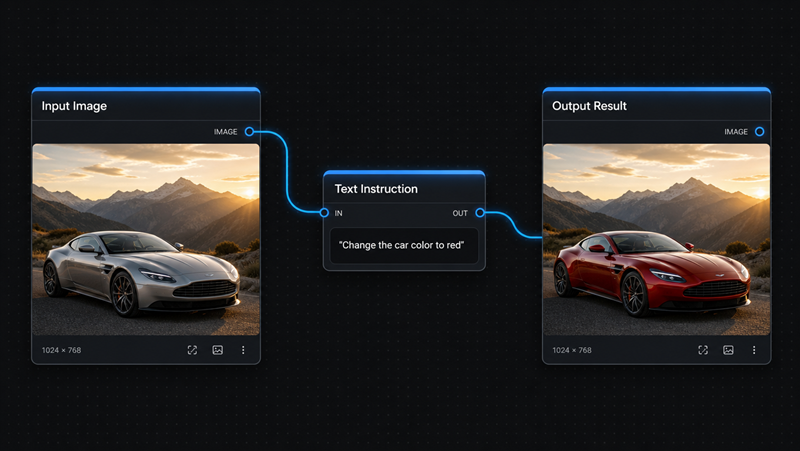
Contextual editing is its most core function. After uploading an image, users describe the modifications in natural language, such as "change the car color to red" or "remove the object on her face." The model understands the instruction semantics, precisely modifies the target area, while keeping the rest completely unchanged. Unlike traditional mask inpainting, it requires no manual mask drawing—the model automatically locates the modification target through semantic understanding, and also supports colored annotation boxes to guide local editing. In RunningHub's ComfyUI canvas, you can freely combine FLUX.1 Kontext nodes with other nodes to build a complete pipeline from generation to editing.
2.2 Character Consistency

Character consistency is the most impressive capability of FLUX.1 Kontext. In traditional editing workflows, facial features often change when a character moves across scenes or after multiple rounds of editing. Through its unique context sequence concatenation mechanism, FLUX.1 Kontext excellently maintains a character's facial features, hairstyle, clothing, and overall style across multiple iterations. Paper experiments show that after continuous multi-round editing, the cosine similarity between its generated faces and the original faces is significantly higher than competitors such as GPT-Image-1 and Runway Gen-4.
This capability is extremely valuable for brand marketing, storyboard creation, comic series, and e-commerce model images. On RunningHub, you can combine the rich FLUX + PuLID + In-Context-LoRA workflows in the community to further strengthen character consistency and batch-generate series materials. The platform's high-performance GPU cluster means batch image output no longer requires waiting for local rendering.
2.3 Text Editing and Style Transfer
FLUX.1 Kontext possesses industry-leading image text editing capabilities. Users can mark text to be replaced with quotation marks, such as "replace 'joy' in 'Choose joy' with 'BFL'," and the model precisely identifies the text area, maintaining the original font, size, color, and perspective effects during replacement. This simplifies text adjustments in poster design and advertising material modification to a single natural language instruction.
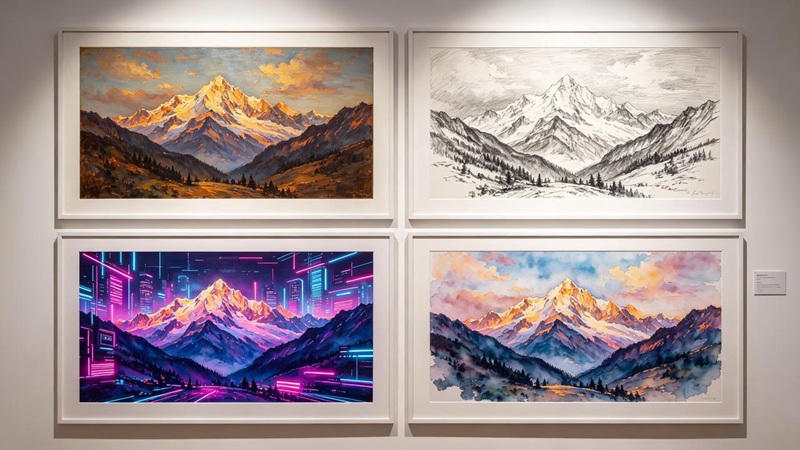
Style transfer supports two modes: direct instruction mode ("turn this photo into oil painting style") and reference-image-driven mode (upload a style reference image with the instruction "generate a new scene using this style"). The model extracts the artistic style of the reference image and applies it to new content, providing designers with a powerful creative exploration tool. RunningHub community has launched a large number of stylization workflows based on FLUX.1 Kontext, covering vertical scenarios such as e-commerce posters, character models, and figurine blind boxes—one-click reuse to produce professional-grade materials.
3. Why Choose RunningHub to Run FLUX.1 Kontext?
FLUX.1 Kontext is powerful, but to run it locally, you need a high-performance GPU, tens of GB of VRAM, complex ComfyUI environment configuration, and ongoing model update maintenance. RunningHub moves all of this to the cloud, letting you focus on creation itself.
3.1 Cloud-Based ComfyUI, Zero Deployment, Ready to Use
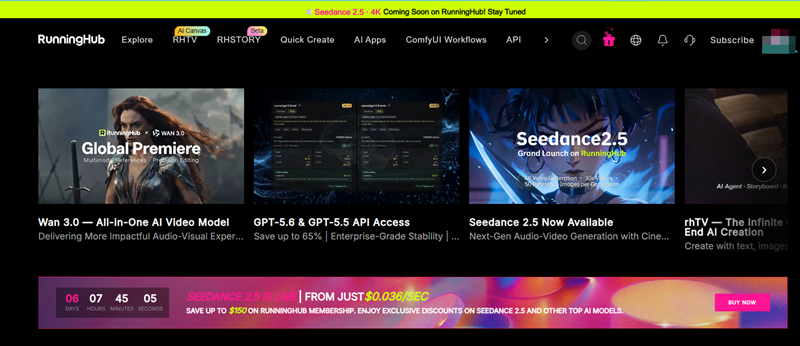
RunningHub is a one-stop AI creation platform based on cloud ComfyUI. You don't need to install any software, configure a Python environment, or download model weights—open your browser, log in to RunningHub, and you can directly use the FLUX.1 Kontext series models in the cloud canvas. The platform comes pre-installed with the latest and most comprehensive ComfyUI nodes, updated daily, completely eliminating the hassle of "missing nodes showing red errors."
3.2 8000+ Model Versions, 100,000+ Workflows
RunningHub aggregates 8000+ model versions and 100,000+ community workflows, covering multimodal creation across images, videos, short dramas, comic dramas, agents, and more. The full FLUX.1 Kontext [dev], [pro], and [max] series are already online on the platform, while the community has contributed a large number of acceleration workflows, character consistency workflows, and vertical scenario templates based on FLUX.1 Kontext. You can directly search, copy, and run, or create secondary works based on others' workflows.
3.3 High-Performance GPU Computing, Second-Level Image Generation
The FLUX.1 Kontext [pro] version generates images in just 3–5 seconds at 1024×1024 resolution. RunningHub's elastic GPU cluster ensures you always have sufficient computing power, without queuing and waiting for your local graphics card. The platform also supports FLUX.1 Kontext [dev] acceleration LoRA workflows, further compressing generation time and making interactive multi-round editing truly smooth.
3.4 One-Stop Creation Matrix: From Image to Video to Short Drama
RunningHub is not just an image generation tool, but a complete creation ecosystem:
- rhTV: Director-level AI video creation canvas, an infinite canvas driven by native AI agents
- RHSTORY: Full-process creation tool from script to short drama, one-stop fully automated comic drama
- ComfyUI Workflows: Run complex workflows in the cloud without deployment
- Vibex: The most suitable VibeCoding tool for AIGC creators
- Quick Creation: One sentence, Agent generates images and videos for you
Images generated with FLUX.1 Kontext can be directly converted to video in rhTV and woven into short drama plots in RHSTORY—from a single image to a full film, the entire process is completed in a closed loop within RunningHub.
3.5 All-Modal API and Enterprise-Grade Security
For developers and enterprise users, RunningHub provides the All-Modal API: one API to access 400+ large models, supporting full-modal content generation including images and videos. Workflows can be hosted as Serverless services and called directly through standard APIs. Pay-as-you-go billing completely eliminates server idle costs. Enterprise-grade encryption and access control ensure data privacy and security.
Try it now: Visit the https://www.runninghub.ai/zh-cn , register to receive free computing power, search for "FLUX.1 Kontext" to find curated workflows, and run with one click.
4. Get Started with FLUX.1 Kontext on RunningHub in Three Steps
4.1 Quick Start
- Register and log in: Visit RunningHub, complete registration, and claim the new user computing power gift pack.
- Choose a workflow: Search for "FLUX.1 Kontext" in the workflow marketplace, select a suitable template (such as "FLUX.1 Kontext [dev] Acceleration Workflow", "Nunchaku Kontext Official Workflow"), and click to copy to My Workflows.
- Run and create: Upload a reference image and enter prompts in the cloud ComfyUI canvas, click run, and get results in seconds. Supports multi-round iterative editing—each round of modification does not destroy previous results.
4.2 Recommended Workflows
| Workflow Name | Core Function | Applicable Scenarios |
| FLUX.1 Kontext [dev] Acceleration Workflow | Integrates acceleration LoRA, high success rate for image-to-image style transfer | Quick stylization, single-image semantic editing |
| Nunchaku FLUX.1 Kontext Ultra-Fast Workflow | Nunchaku accelerated sampling, preserves reference image structure, low-latency contextual modification | Large-batch material iteration, quick draft testing |
| Designated Product Migration (FLUX.1 Kontext Edition) | Upload product image + model reference image, keep product unchanged, automatically synthesize model wearing display | E-commerce product images, advertising materials |
| FLUX.1 Kontext Pro Image Editing | Official partner node, strong semantic contextual editing, supports image text modification and local rewriting | Professional image post-production, poster text replacement, creative retouching |
4.3 Usage Tips and Best Practices
Prompt principles: Editing mode follows "describe the modification, not the result." Don't say "a woman in a red dress standing on a snowy mountain," but rather "change her dress to red" or "change the background to a snowy mountain." This imperative writing style allows the model to more precisely locate the modification target.
Multi-round iterative workflow: The most powerful way to use it is to adjust step by step—modify one element first, check the effect, then modify the next. The model maintains good consistency across multiple rounds of editing, and each step of modification does not destroy previous results, making it especially suitable for complex image adjustments.
Annotation box local editing: When precise range control is needed, you can draw colored annotation boxes (red ellipses or rectangles) on the image and reference the annotated area in the prompt, such as "replace the text in the boxed area with 'New Title'," especially suitable for text editing tasks.
Optimization suggestions: When the result is not ideal, more clearly point out the modification target ("the car on the left" is more precise than "the car"); split complex modifications into multiple rounds of simple instructions; when character faces change, emphasize "keep facial features unchanged"; for complex editing and text processing, prioritize trying the [max] version.
5. Application Scenarios
Content creation and social media: Operators can quickly generate accompanying images with text-to-image, then use the editing function to adjust details—change backgrounds, modify colors, add elements—all done through natural language. The character consistency function helps build a unified virtual IP image. On RunningHub, generated images can directly enter rhTV to be converted into short videos, achieving one-click extension from images and text to video.
E-commerce and product photography: Quickly convert a single product photo into display images in different scenes and styles, from white background images to lifestyle scenes, from wide shots to detail close-ups. The text editing function can quickly modify product label text, significantly reducing design costs. RunningHub's "Designated Product Migration" workflow increases e-commerce image output efficiency several times over.
Brand marketing and advertising creativity: Character consistency ensures that brand spokespersons or virtual images remain unified across different materials. Style transfer helps creative teams quickly explore multiple visual directions from realistic to illustration, from retro to cyberpunk. RunningHub's batch image output capability supports A/B testing of multiple versions of materials.
Game development and concept art: The style reference function allows artists to upload reference images and quickly generate concept art for different scenes and characters based on that style. Character consistency ensures unified design for the same character across different angles and scenes.
Education and academic research: The open-source weights of the [dev] version provide valuable resources for research. The KontextBench benchmark contains 1026 image-prompt pairs, covering five categories: local editing, global editing, character reference, style reference, and text editing, providing a standardized framework for academic evaluation. Researchers can quickly reproduce experiments on RunningHub without building their own computing clusters.
6. Summary
FLUX.1 Kontext represents an important milestone in the field of AI image generation and editing. By unifying text-to-image and contextual editing within a flow matching architecture, it breaks down traditional tool barriers, making image creation and modification more intuitive, efficient, and coherent. Excellent character consistency, precise local editing, industry-leading text processing capabilities, and 3–5 second interaction speed provide creators with unprecedented freedom.
And RunningHub makes this cutting-edge capability within reach—no deployment required, no high-end hardware needed, no environment maintenance, just open your browser to call the full FLUX.1 Kontext series models in cloud ComfyUI. Combined with 100,000+ community workflows, a one-stop image-video-short-drama creation matrix, and the All-Modal API, RunningHub is the best platform for experiencing FLUX.1 Kontext and transforming creativity into productivity.
Whether you are a professional designer, content creator, developer, or AI enthusiast, visit RunningHub now, converse with images using natural language, and let creativity no longer be limited by tools.
Related Reading
- RunningHub Official Website — Cloud ComfyUI AI Creation Platform
- RunningHub All-Modal API — One API to Access 400+ Models
- ComfyUI FLUX.1 Kontext Official Tutorial
- FLUX.1 Kontext Official Page — Black Forest Labs
- Introducing FLUX.1 Kontext and the BFL Playground — BFL Official Announcement
- FLUX.1 Kontext Technical Paper — arXiv
- Flux + PuLID + In-Context-LoRA Character Consistency Workflow — RunningHub Community