
'%3e %3cg id='Vector'%3e %3c/g%3e %3cpath id='Vector_2' d='M14.504 8.522L12.746 4.49C12.6826 4.34486 12.5783 4.22136 12.4458 4.13463C12.3133 4.0479 12.1584 4.0017 12 4.0017C11.8416 4.0017 11.6867 4.0479 11.5542 4.13463C11.4217 4.22136 11.3174 4.34486 11.254 4.49L9.495 8.522C9.305 8.958 8.958 9.306 8.522 9.495L4.49 11.254C4.34486 11.3174 4.22136 11.4217 4.13463 11.5542C4.0479 11.6867 4.0017 11.8416 4.0017 12C4.0017 12.1584 4.0479 12.3133 4.13463 12.4458C4.22136 12.5783 4.34486 12.6826 4.49 12.746L8.523 14.504C8.959 14.694 9.307 15.042 9.496 15.478L11.255 19.511C11.3184 19.6561 11.4227 19.7796 11.5552 19.8664C11.6877 19.9531 11.8426 19.9993 12.001 19.9993C12.1594 19.9993 12.3143 19.9531 12.4468 19.8664C12.5793 19.7796 12.6836 19.6561 12.747 19.511L14.505 15.478C14.695 15.042 15.043 14.694 15.479 14.504L19.512 12.746C19.6571 12.6826 19.7806 12.5783 19.8674 12.4458C19.9541 12.3133 20.0003 12.1584 20.0003 12C20.0003 11.8416 19.9541 11.6867 19.8674 11.5542C19.7806 11.4217 19.6571 11.3174 19.512 11.254L15.479 9.495C15.043 9.30549 14.695 8.95782 14.505 8.522' stroke='var(--stroke-0%2c white)' stroke-width='1.25' stroke-linecap='round' stroke-linejoin='round'/%3e %3cpath id='Vector_3' d='M3 3L5 5' stroke='var(--stroke-0%2c white)' stroke-width='1.25' stroke-linecap='round' stroke-linejoin='round'/%3e %3cpath id='Vector_4' d='M21 3L19 5' stroke='var(--stroke-0%2c white)' stroke-width='1.25' stroke-linecap='round' stroke-linejoin='round'/%3e %3cpath id='Vector_5' d='M3 21L5 19' stroke='var(--stroke-0%2c white)' stroke-width='1.25' stroke-linecap='round' stroke-linejoin='round'/%3e %3cpath id='Vector_6' d='M21 21L19 19' stroke='var(--stroke-0%2c white)' stroke-width='1.25' stroke-linecap='round' stroke-linejoin='round'/%3e %3c/g%3e %3cdefs%3e %3cclipPath id='clip0_0_55'%3e %3crect width='24' height='24' fill='white'/%3e %3c/clipPath%3e %3c/defs%3e %3c/svg%3e)
'%3e %3cg id='Vector'%3e %3c/g%3e %3cpath id='Vector_2' d='M14.375 7.66667H14.385' stroke='var(--stroke-0%2c white)' stroke-width='1.25' stroke-linecap='round' stroke-linejoin='round'/%3e %3cpath id='Vector_3' d='M11.9792 20.125H5.75C4.9875 20.125 4.25624 19.8221 3.71707 19.2829C3.1779 18.7438 2.875 18.0125 2.875 17.25V5.75C2.875 4.9875 3.1779 4.25624 3.71707 3.71707C4.25624 3.1779 4.9875 2.875 5.75 2.875H17.25C18.0125 2.875 18.7438 3.1779 19.2829 3.71707C19.8221 4.25624 20.125 4.9875 20.125 5.75V11.9792' stroke='var(--stroke-0%2c white)' stroke-width='1.25' stroke-linecap='round' stroke-linejoin='round'/%3e %3cpath id='Vector_4' d='M2.875 15.3333L7.66667 10.5417C8.556 9.68587 9.65233 9.68587 10.5417 10.5417L14.375 14.375' stroke='var(--stroke-0%2c white)' stroke-width='1.25' stroke-linecap='round' stroke-linejoin='round'/%3e %3cpath id='Vector_5' d='M13.4167 13.4167L14.375 12.4583C15.0171 11.8412 15.7646 11.6687 16.4661 11.9408' stroke='var(--stroke-0%2c white)' stroke-width='1.25' stroke-linecap='round' stroke-linejoin='round'/%3e %3cpath id='Vector_6' d='M15.3333 18.2083H21.0833' stroke='var(--stroke-0%2c white)' stroke-width='1.25' stroke-linecap='round' stroke-linejoin='round'/%3e %3cpath id='Vector_7' d='M18.2083 15.3333V21.0833' stroke='var(--stroke-0%2c white)' stroke-width='1.25' stroke-linecap='round' stroke-linejoin='round'/%3e %3c/g%3e %3cdefs%3e %3cclipPath id='clip0_0_4'%3e %3crect width='23' height='23' fill='white'/%3e %3c/clipPath%3e %3c/defs%3e %3c/svg%3e)


'%3e %3cg id='Vector'%3e %3c/g%3e %3cpath id='Vector_2' d='M18.3333 10.5001V6.66667C18.3333 5.78261 17.9821 4.93477 17.357 4.30964C16.7319 3.68452 15.8841 3.33333 15 3.33333H5C4.11594 3.33333 3.2681 3.68452 2.64298 4.30964C2.01786 4.93477 1.66667 5.78261 1.66667 6.66667V13.3333C1.66667 14.2174 2.01786 15.0652 2.64298 15.6904C3.2681 16.3155 4.11594 16.6667 5 16.6667H11.6667M15.5 17.0001V12.0001M13 14.5001L15.5 12.0001L18 14.5001' stroke='var(--stroke-0%2c white)' stroke-linecap='round' stroke-linejoin='round'/%3e %3cpath id='Vector_3' d='M8.33333 7.5L12.5 10L8.33333 12.5V7.5Z' stroke='var(--stroke-0%2c white)' stroke-linecap='round' stroke-linejoin='round'/%3e %3c/g%3e %3cdefs%3e %3cclipPath id='clip0_0_4'%3e %3crect width='20' height='20' fill='white'/%3e %3c/clipPath%3e %3c/defs%3e %3c/svg%3e)
'%3e %3cg id='Vector'%3e %3c/g%3e %3cpath id='Vector_2' d='M16.25 10.8333L21.1824 8.36767C21.3475 8.28515 21.531 8.2462 21.7154 8.25451C21.8998 8.26281 22.079 8.3181 22.2361 8.41512C22.3931 8.51214 22.5228 8.64768 22.6127 8.80888C22.7026 8.97007 22.7499 9.15158 22.75 9.33617V16.6638C22.7499 16.8484 22.7026 17.0299 22.6127 17.1911C22.5228 17.3523 22.3931 17.4879 22.2361 17.5849C22.079 17.6819 21.8998 17.7372 21.7154 17.7455C21.531 17.7538 21.3475 17.7148 21.1824 17.6323L16.25 15.1667V10.8333Z' stroke='var(--stroke-0%2c white)' stroke-width='1.25' stroke-linecap='round' stroke-linejoin='round'/%3e %3cpath id='Vector_3' d='M3.25 8.66667C3.25 8.09203 3.47827 7.54093 3.8846 7.1346C4.29093 6.72827 4.84203 6.5 5.41667 6.5H14.0833C14.658 6.5 15.2091 6.72827 15.6154 7.1346C16.0217 7.54093 16.25 8.09203 16.25 8.66667V17.3333C16.25 17.908 16.0217 18.4591 15.6154 18.8654C15.2091 19.2717 14.658 19.5 14.0833 19.5H5.41667C4.84203 19.5 4.29093 19.2717 3.8846 18.8654C3.47827 18.4591 3.25 17.908 3.25 17.3333V8.66667Z' stroke='var(--stroke-0%2c white)' stroke-width='1.25' stroke-linecap='round' stroke-linejoin='round'/%3e %3cpath id='Vector_4' d='M7.58333 13H11.9167' stroke='var(--stroke-0%2c white)' stroke-width='1.25' stroke-linecap='round' stroke-linejoin='round'/%3e %3cpath id='Vector_5' d='M9.75 10.8333V15.1667' stroke='var(--stroke-0%2c white)' stroke-width='1.25' stroke-linecap='round' stroke-linejoin='round'/%3e %3c/g%3e %3cdefs%3e %3cclipPath id='clip0_0_47'%3e %3crect width='26' height='26' fill='white'/%3e %3c/clipPath%3e %3c/defs%3e %3c/svg%3e)
'%3e %3cg id='Vector'%3e %3c/g%3e %3cpath id='Vector_2' d='M4 7H7M11 7H20' stroke='var(--stroke-0%2c white)' stroke-width='1.25' stroke-linecap='round' stroke-linejoin='round'/%3e %3cpath id='Vector_3' d='M4 17H20' stroke='var(--stroke-0%2c white)' stroke-width='1.25' stroke-linecap='round' stroke-linejoin='round'/%3e %3cpath id='Vector_4' d='M7 4L7 20' stroke='var(--stroke-0%2c white)' stroke-width='1.25' stroke-linecap='round' stroke-linejoin='round'/%3e %3cpath id='Vector_5' d='M17 4V13M17 17V20' stroke='var(--stroke-0%2c white)' stroke-width='1.25' stroke-linecap='round' stroke-linejoin='round'/%3e %3c/g%3e %3cdefs%3e %3cclipPath id='clip0_0_60'%3e %3crect width='24' height='24' fill='white'/%3e %3c/clipPath%3e %3c/defs%3e %3c/svg%3e)
'%3e %3cg id='Vector'%3e %3c/g%3e %3cpath id='Vector_2' d='M6 10L4 11L12 15L20 11L18 10' stroke='var(--stroke-0%2c white)' stroke-width='1.25' stroke-linecap='round' stroke-linejoin='round'/%3e %3cpath id='Vector_3' d='M4 15L12 19L20 15' stroke='var(--stroke-0%2c white)' stroke-width='1.25' stroke-linecap='round' stroke-linejoin='round'/%3e %3cpath id='Vector_4' d='M12 4V11' stroke='var(--stroke-0%2c white)' stroke-width='1.25' stroke-linecap='round' stroke-linejoin='round'/%3e %3cpath id='Vector_5' d='M15 8L12 11L9 8' stroke='var(--stroke-0%2c white)' stroke-width='1.25' stroke-linecap='round' stroke-linejoin='round'/%3e %3c/g%3e %3cdefs%3e %3cclipPath id='clip0_0_9'%3e %3crect width='24' height='24' fill='white'/%3e %3c/clipPath%3e %3c/defs%3e %3c/svg%3e)


Where does poster design inspiration come from? 5 scenarios × theme conception — Create posters in minutes using RunningHub AI application
The hard part of making a poster isn't the drawing, but the conception: theme, layout, colors. Staring at a blank canvas for ten minutes, then opening design software without knowing where to start—every creator has experienced this. Because of this, more and more people are directly searching for "poster design inspiration" or "poster theme creativity," treating "finding inspiration" itself as the first step in the design process. In this AI application guide, we organize poster inspiration into a collection covering 5 common scenarios: event performances, e-commerce promotions, social media quotes, new brand launches, and course recruitment. Each scenario provides actionable theme directions and prompt examples, and shows you how to use the RunningHub AI application. With no local GPU required, no deployment needed, and just a browser, you can transform inspiration into a publishable finished poster in minutes.
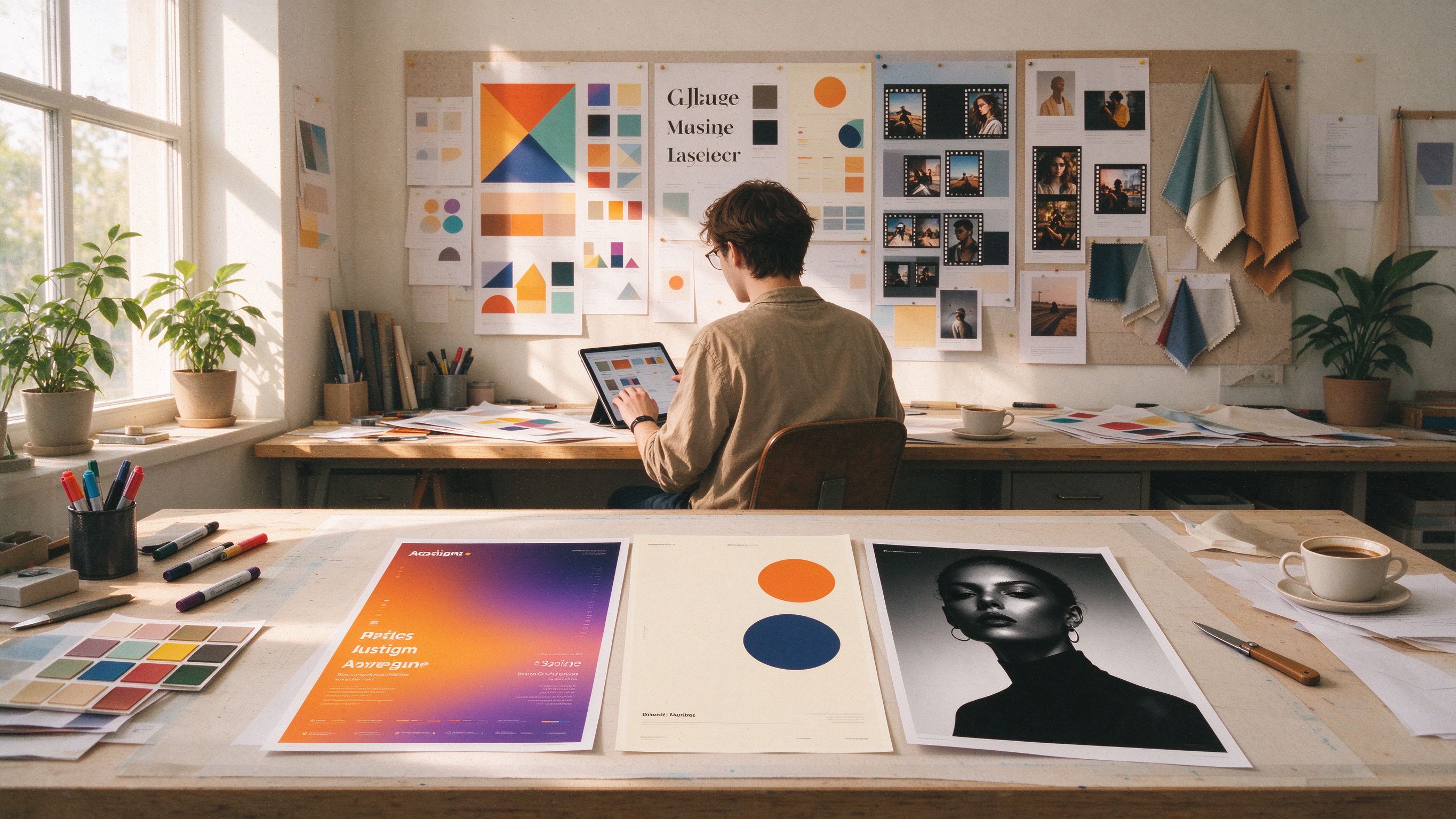
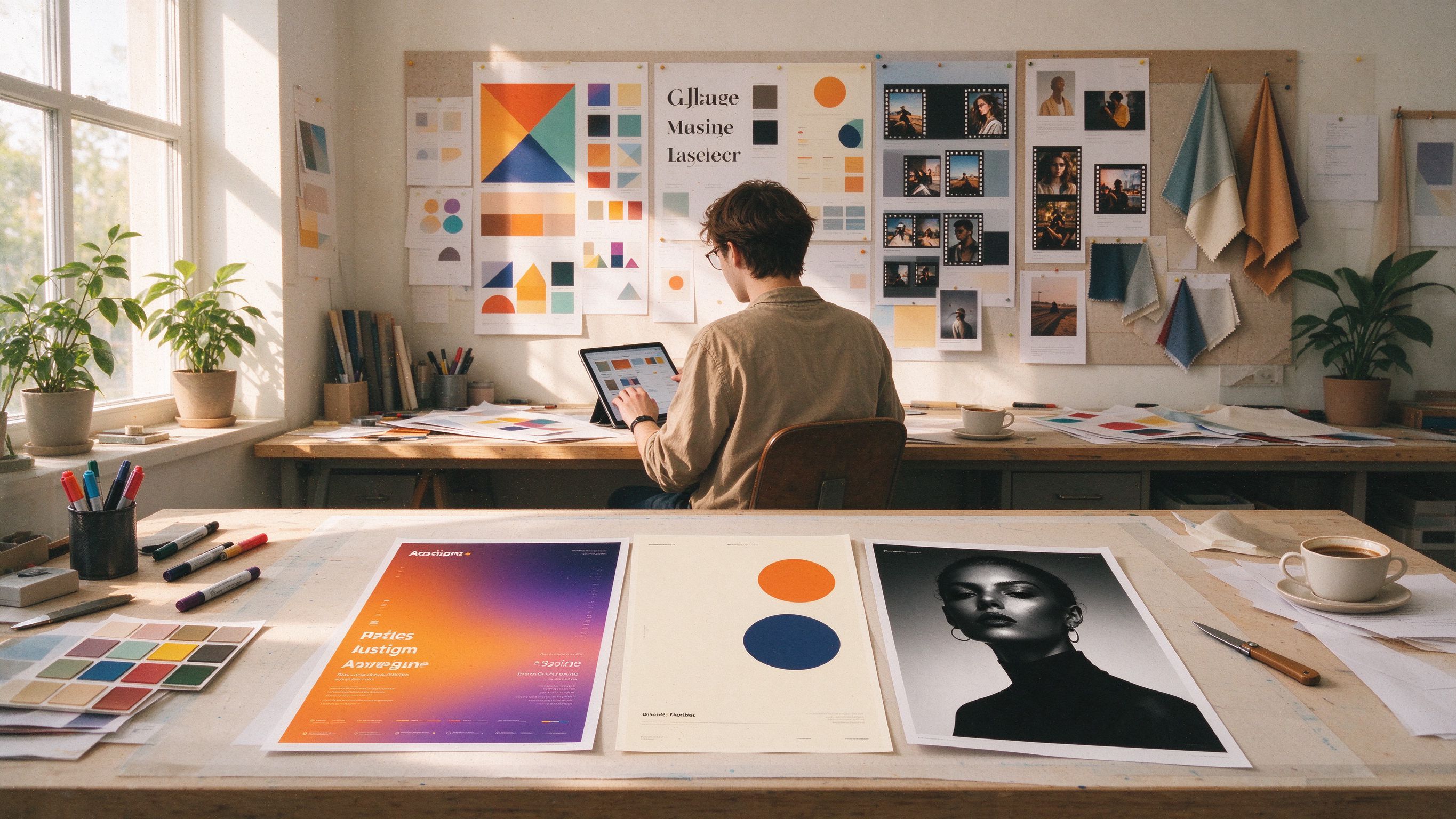 When creating posters, the difficult part is often not the drawing, but the conception: the theme, layout, and colors. Staring at a blank canvas for ten minutes and then opening design software without knowing where to start—every creator has experienced this. Because of this, more and more people are directly searching for "poster design inspiration" or "poster theme inspiration," treating "finding inspiration" itself as the first step of the design process. In this AI application guide, we have organized poster inspiration into a collection covering 5 common scenarios: events and performances, e-commerce promotions, social media quotes, new brand launches, and course recruitment. Each scenario provides usable theme directions and sample prompts, and shows you how to use
AI applications to turn inspiration into ready-to-publish exquisite posters in minutes. No local GPU required, no deployment needed—just a browser.
01 Inspiration is a Real Need: Direction First, Imagery Second
The hardest part of making a poster is often not the operation itself, but that moment when you open a design tool and face a blank canvas—"What on earth should this version look like?" Many people are used to flipping through templates and copying peers, only to end up making generic designs, revising over and over again, yet remaining unsatisfied.
Think about it from another angle: tools are getting more powerful, but creativity is becoming more valuable. When "one-click generation" becomes something everyone can do, what truly sets you apart is whether you can first sort out your direction and clearly express your ideas. Inspiration is not mysticism, nor does it descend out of thin air—it can be organized and reused.
The purpose of this article is simple: to dissect the most frequent poster scenarios—events and music festivals, e-commerce and promotions, social media quotes, brands and new products, courses and recruitment—and provide actionable inspiration directions and ready-to-use sample prompts for each scenario, paired with RunningHub AI applications to achieve one-click image generation. You don't need to struggle from scratch about "what to make"—pick a direction, tweak a few words, and you can quickly get a poster version ready for iteration.
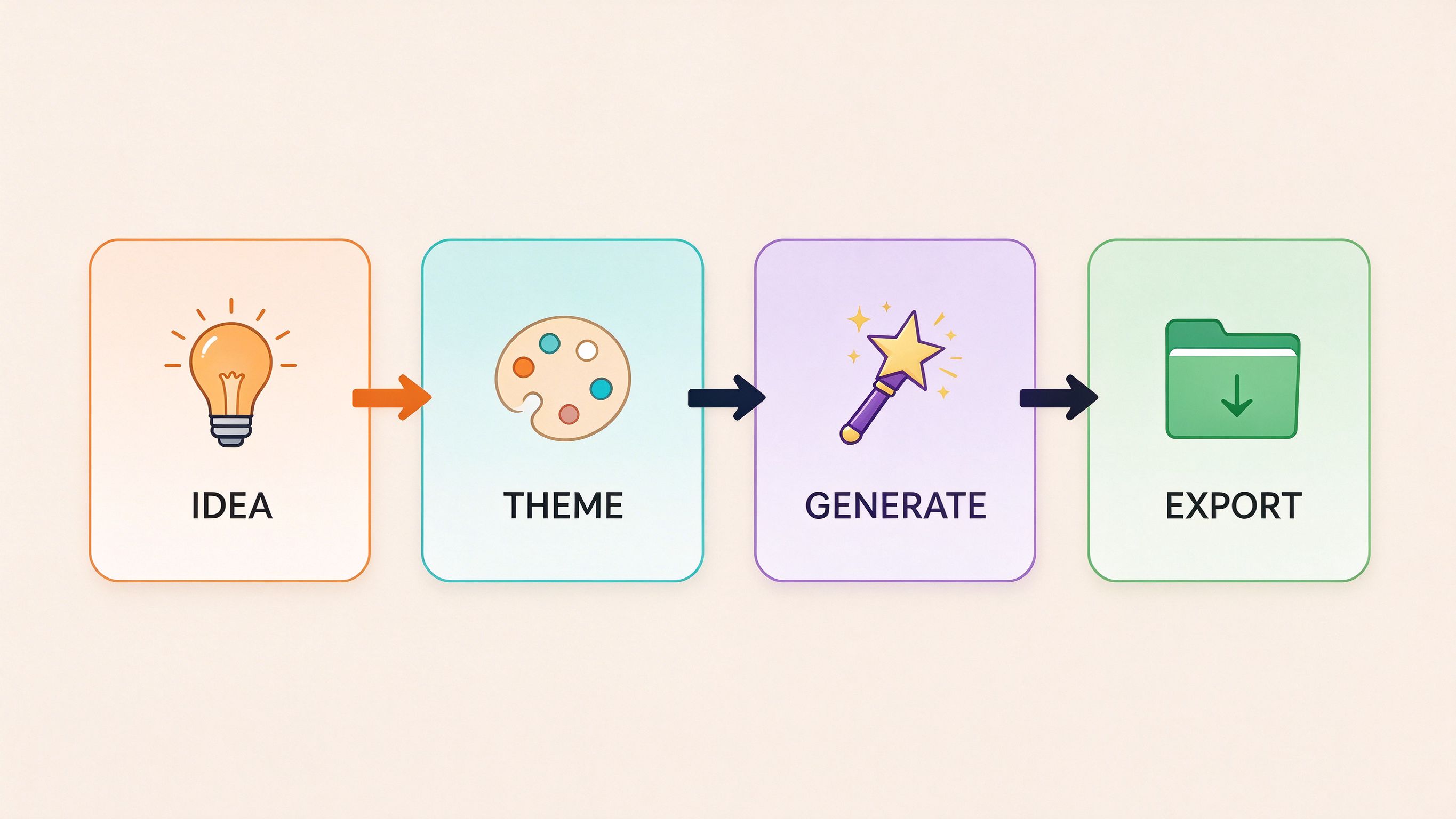
So our workflow is simple: Inspiration Direction → One-Sentence Prompt → AI Application Image Generation → Iteration and Finalization. Let's take a look at each of the following scenarios.
02 Scenario 1: Events and Music Festival Posters
Performances, parties, markets, exhibitions... The mission of an event poster is to make passersby generate the impulse of "I want to go" within three seconds. Its soul lies in atmosphere and style memorability.
Theme Inspiration Directions
- Retro Split-Bill Performance Style: Screen-print grain, sunset gradients, retro serif headlines—bringing a relaxed film-era vibe; suitable for Livehouses and independent music events.
- Memphis Color-Blocking Style: Geometric color blocks, high-saturation orange/purple/cyan clashes—youthful and vibrant; suitable for trendy markets and youth culture parties.
- Cyber Neon Style: Dark backgrounds paired with neon glow effects, full of electronic vibes; suitable for nightclubs, EDM music festivals, and tech-themed parties.
- Hand-Drawn Illustration Style: Flat illustrations paired with handwritten fonts, friendly and warm; suitable for small-scale events like family markets and handmade workshops.
Sample Prompt
Vertical music festival event poster: retro serif headline "LIVE NIGHT", orange-purple sunset gradient sky, stage silhouettes and radiating light beams, Memphis geometric color block accents, screen-print grain texture, info bar at the bottom. No watermark, no distorted text.
On RunningHub: Search for "event poster" or "performance poster" in the AI application market, pick an application, fill in the event theme and text to generate images; ready-made performance templates are also prepared in "Quick Create", ready to use upon searching.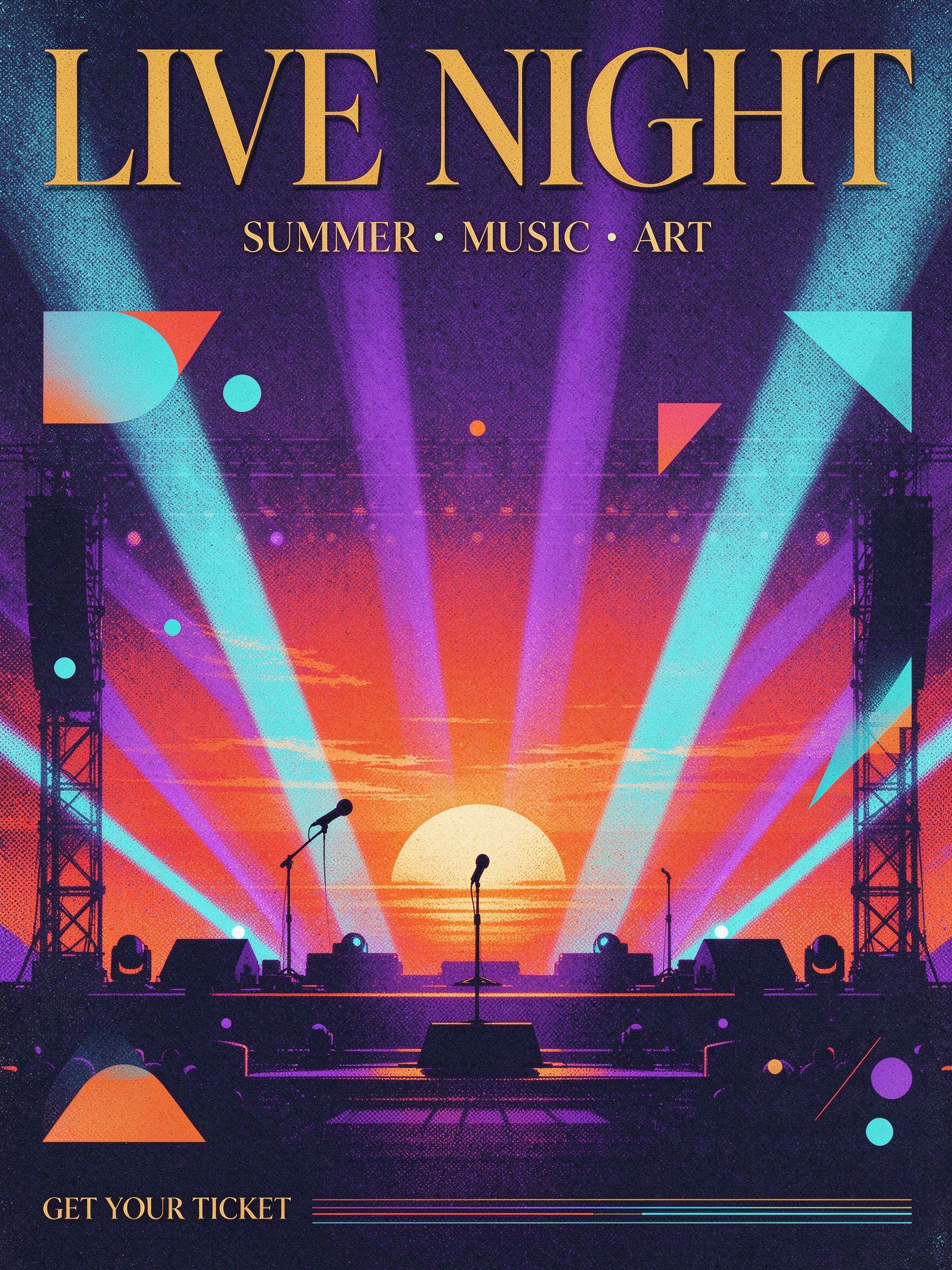
03 Scenario 2: E-commerce and Promotion Posters
A promotional poster has only one goal: to make the content clear at a glance within the information feed. It requires clean composition, a prominent main visual, and a clear call to action.
Theme Inspiration Directions
- Minimalist Promotion: Off-white background paired with oversized headlines and floating products, ample negative space—luxurious and photogenic; suitable for apparel and beauty categories.
- Carnival Color Clash: Red and yellow poster-style color collisions, rich promotional atmosphere; suitable for major shopping festivals like Double 11 and 618.
- Magazine Editorial Style: Serif fonts, grid layouts, product protagonist feel; suitable for light luxury and lifestyle brands.
- Acid Graphics: Fluid metallic textures, exaggerated fonts; suitable for trendy items and young audiences.
Sample Prompt
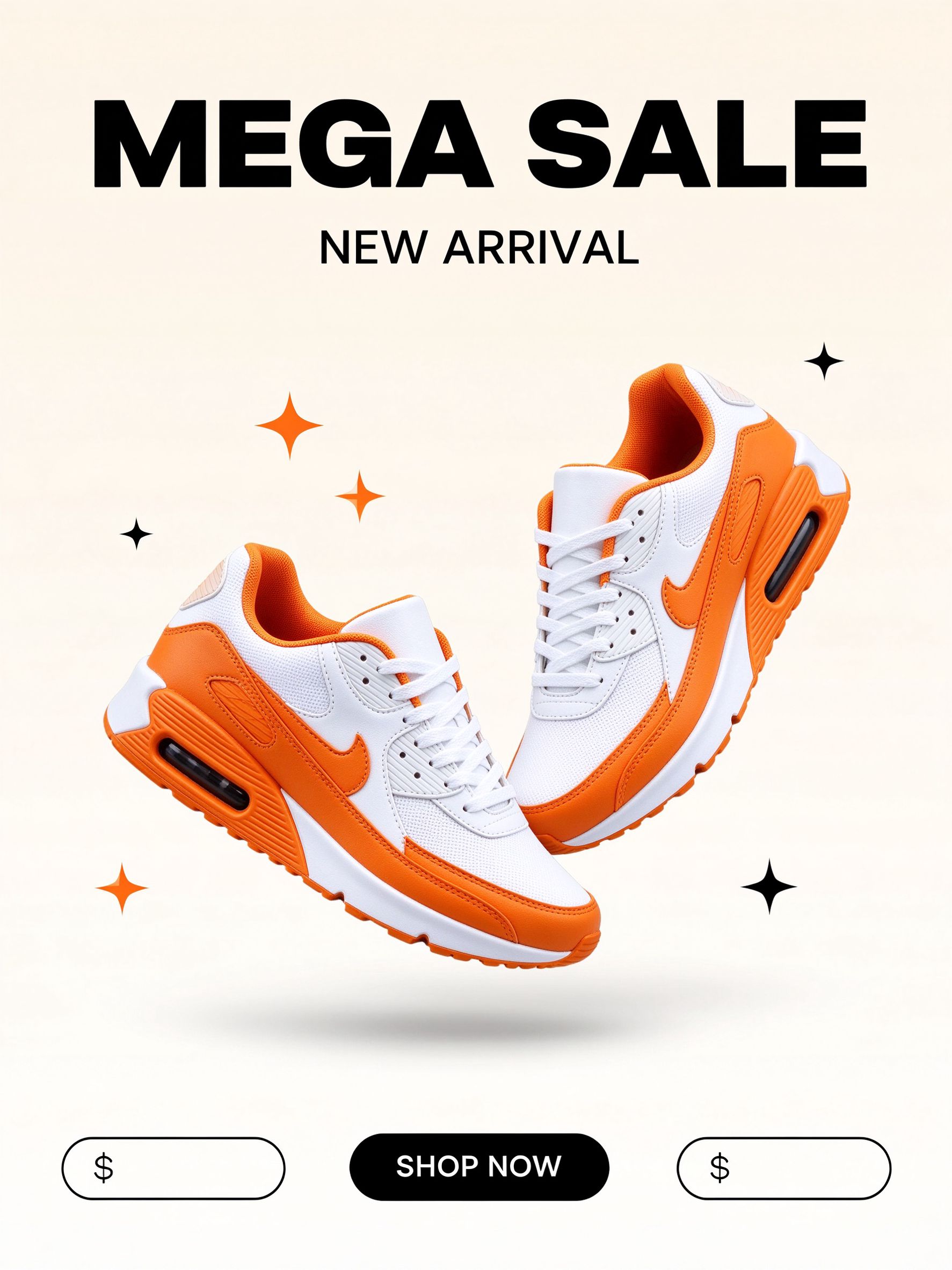
Vertical e-commerce promotional poster: cream-white background, oversized bold "MEGA SALE", white and orange two-tone sneakers floating in the center with soft shadows, bottom adorned with a "SHOP NOW" capsule button, minimalist high contrast, magazine-style negative space. No watermark.
Starting from RunningHub: E-commerce AI applications support uploading product images for image-to-image creation—directly transforming your product photos into the poster's main visual; promotional layout templates are also built into the "E-commerce Poster/Detail Page" application.
 04 Scenario 3: Social Media Quote Posters
One sentence Plus one image can create highly infectious social content. Quote posters focus on emotion and layout—the text itself is the visual protagonist.
Theme Inspiration Directions
- Pop poster style: Contrasting color blocks paired with oversized heavy fonts and outlines, strong visual impact; suitable for opinion commentary and attitude expression.
- Wabi-sabi minimalism: Cream gradients, large areas of negative space, thin line decorations, quiet and restrained; suitable for life insights and daily sharing.
- Film journal: Stickers, handwritten notes, film grain, full of everyday warmth; suitable for lifestyle bloggers.
- Black-and-white portrait with quote: High-contrast close-up portraits paired with large text, strong emotions; suitable for character story content.
Sample Text
Vertical quote poster: Pop contrasting color poster style, bright yellow and pink spliced background, oversized heavy font "GOOD VIBES" with white outlines in the center, adorned with ray lines and polka dots, a line of small text at the bottom. No watermark.
On RunningHub: Layout is a major strength of AI applications — search for "quote poster" or "layout" applications, enter your sentence, and the layout, colors, and fonts can be handled all at once.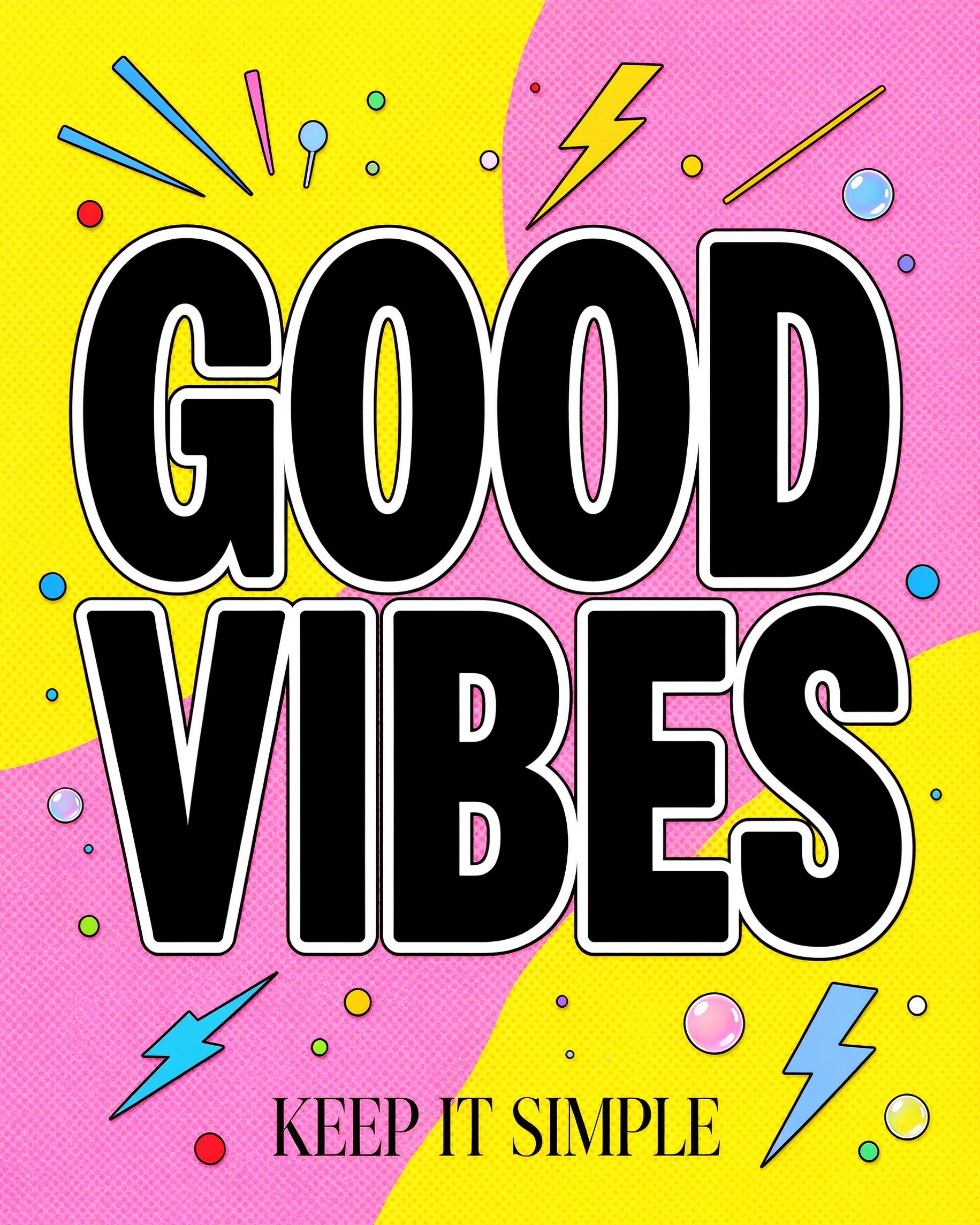
05 Scenario 4: Brand and New Product Launch Posters
Launch posters need to create a sense of "high-end" and "anticipation"—usually adopting restrained composition and exquisite lighting and shadows to make the product the absolute protagonist.
Theme Inspiration Directions
- Cinematic Lighting: Dark tone paired with a single spotlight and product silhouette—strong atmosphere and high memorability; suitable for perfumes, watches, and digital new product launches.
- Oriental Zen: Large areas of negative space, ink-wash artistic conception, low-saturation color tones; suitable for tea drinks, fragrances, and Chinese-style brands.
- Geometric Minimalism: Bauhaus-style color block segmentation, large-scale layout; rational and capable; suitable for tech and design brands.
- Future Texture: Dark backgrounds paired with metallic materials and oversized headlines—full of sci-fi feel; suitable for smart hardware new product launches.
Sample Prompt
Vertical new product launch poster: deep black background, warm golden spotlight shining on a perfume bottle silhouette, oversized sans-serif font "LAUNCH", a delicate gold line separating the information area, cinematic lighting and shadows, film grain texture. No watermark.
On RunningHub: With just one click, you can use the same prompt to switch between multiple models for output comparison—run realistic, illustration, and graphic design versions, and keep the one that best fits your brand tone.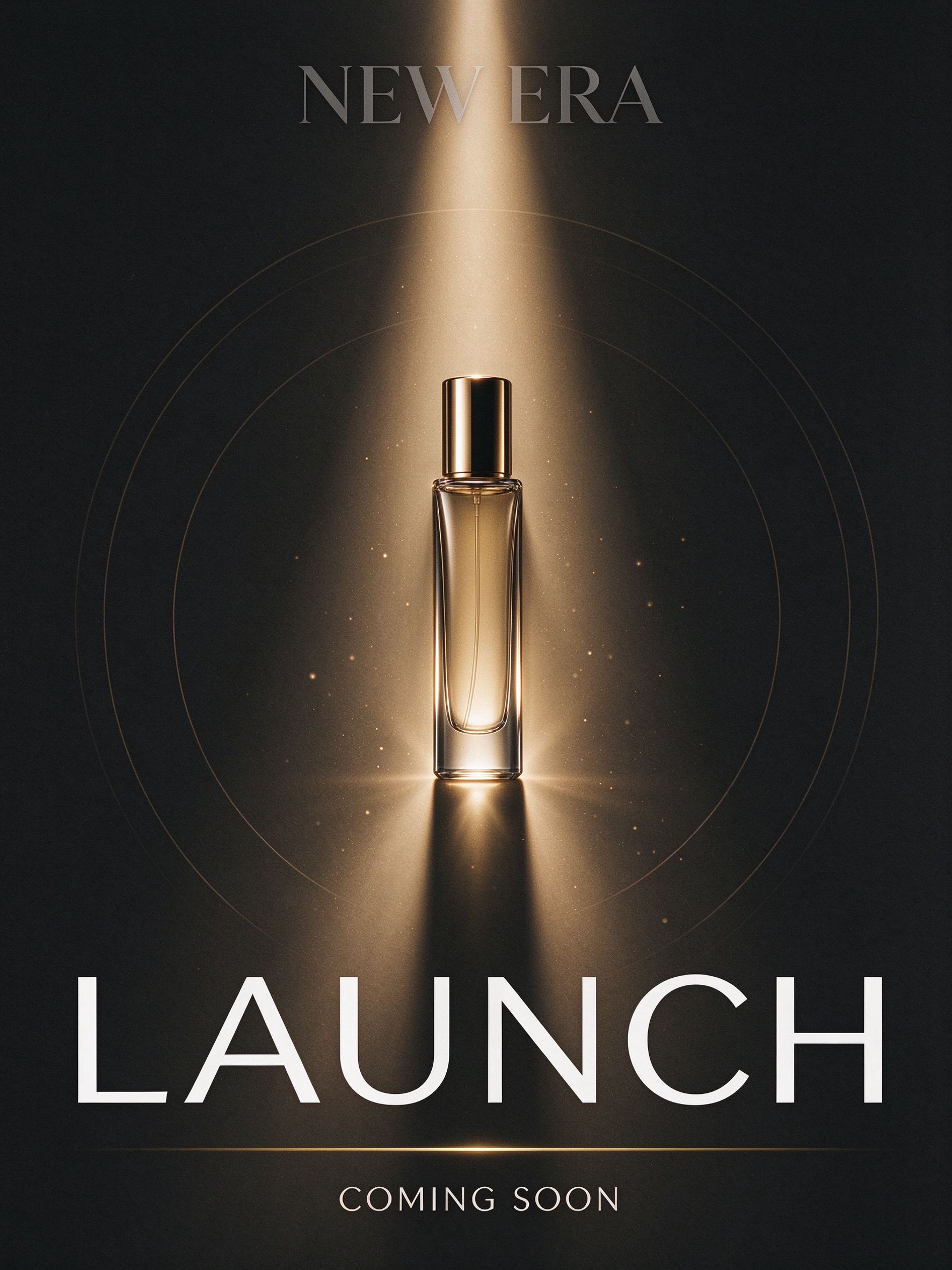
06 Scenario 5: Courses, Recruitment, and Knowledge Posters
Audiences for course registration, team recruitment, and knowledge-sharing posters come with the question "Should I join?", so information must be clear and the structure must be direct.
Theme Inspiration Directions
- Flat Illustration Recruitment: Bright color blocks paired with icon-style main visuals—friendly and reliable; suitable for bootcamps and community recruitment.
- Countdown Posters: Oversized numbers paired with copywriting that creates a sense of urgency; suitable for registration deadlines and class reminders.
- Content List: Structured list cards that directly present the course outline and instructor information on the screen.
- Institutional Notice: Formal color schemes of blue, green, and gray, left-aligned information layout; suitable for formal announcements by schools and associations.
Sample Prompt
Vertical course enrollment poster: warm orange-cream background, flat illustration—an open book with rising light bulb, pencil, and rocket icons, thick rounded font "JOIN US", with a "START TODAY" button at the bottom. No watermark.
On RunningHub: Course recruitment, countdowns, and other posters all have ready-made workflows — fill in text such as theme, time, and location to batch generate posters for different sessions.
07 Transforming Inspiration into Posters: RunningHub AI Application Guide
After preparing your inspiration library, you can start generating images. On RunningHub, the fastest method is not learning parameters, but directly using AI applications, treating packaged ComfyUI workflows as "fill-in-the-blank" tools.
Step 1: Open the AI App Marketplace
Access the RunningHub
page, enter "poster" in the search box to find packaged applications covering e-commerce posters, quote posters, event posters, portrait posters, etc.—choose one according to your specific scenario.
Step 2: Choose an App and Fill in Your Needs
Each AI application is a ready-made workflow: enter the poster theme, headline text, style direction, and aspect ratio according to the interface prompts, then click generate. You don't need to understand nodes, models, or parameters—its underlying functionality is identical to professional ComfyUI, but the entry point is a one-button tool that anyone can easily use.
Step 3: Generate, Iterate, Export
Review the first version like a designer: Is the text correct? Is the composition balanced? Is the style consistent? Not satisfied? Modify the text, switch styles, or try other applications and regenerate—each round takes only a few seconds. Once satisfied, download the finished piece; if further layout work is needed, drag the assets into the RHTV infinite canvas to continue refining.
If you want a greater shortcut, you can directly use Quick Create: describe the poster in one sentence, and the platform will automatically handle model selection, parameter settings, and generation. Popular Quick Create templates like "space expLoRAtion theme poster", "e-commerce product ad poster", "oriental zen minimalist poster", and "coffee marketing poster" are out-of-the-box inspirations, searchable and ready to use.
08 Keeping Inspiration Flowing: Three Habits
Inspiration comes from luck, but continuous output comes from methodology. Integrate these three habits into your workflow:
1. Build Your Own Inspiration Library
While browsing the RunningHub community artwork gallery, collect posters you like and deconstruct their themes, color palettes, and layouts; discover excellent workflows and fork them directly, adapting them into your own. The thicker your inspiration library, the more at ease you will be before generating.
2. Change One Variable at a Time
Modify text, switch styles, adjust proportions—change only one variable at a time. Generate a few variants under the same theme, and you'll clearly know which variable made the poster better—reuse it directly next time.
3. Turn Satisfied Versions into Templates
Exchange the Seed and use the same prompt to compare across different models, keep the best version and archive it together with the prompt. Next time you make a similar poster, start directly from the template and generate a new image in minutes.
Try it now: visit https://www.RunningHub.ai/zh-cn to register an account, claim newcomer RH Credits, and use AI applications to turn your first inspiration into a poster.
09 Sources and Further Reading
- RunningHub Official Website — https://www.RunningHub.ai/zh-cn
- RunningHub AI Apps — https://www.RunningHub.ai/zh-cn/ai-application
- RunningHub Quick Create — https://www.RunningHub.ai/ai-generator/2133100000000800375
- RunningHub RHTV (Infinite Canvas) — https://rhtv.RunningHub.ai/projects