
'%3e %3cg id='Vector'%3e %3c/g%3e %3cpath id='Vector_2' d='M14.504 8.522L12.746 4.49C12.6826 4.34486 12.5783 4.22136 12.4458 4.13463C12.3133 4.0479 12.1584 4.0017 12 4.0017C11.8416 4.0017 11.6867 4.0479 11.5542 4.13463C11.4217 4.22136 11.3174 4.34486 11.254 4.49L9.495 8.522C9.305 8.958 8.958 9.306 8.522 9.495L4.49 11.254C4.34486 11.3174 4.22136 11.4217 4.13463 11.5542C4.0479 11.6867 4.0017 11.8416 4.0017 12C4.0017 12.1584 4.0479 12.3133 4.13463 12.4458C4.22136 12.5783 4.34486 12.6826 4.49 12.746L8.523 14.504C8.959 14.694 9.307 15.042 9.496 15.478L11.255 19.511C11.3184 19.6561 11.4227 19.7796 11.5552 19.8664C11.6877 19.9531 11.8426 19.9993 12.001 19.9993C12.1594 19.9993 12.3143 19.9531 12.4468 19.8664C12.5793 19.7796 12.6836 19.6561 12.747 19.511L14.505 15.478C14.695 15.042 15.043 14.694 15.479 14.504L19.512 12.746C19.6571 12.6826 19.7806 12.5783 19.8674 12.4458C19.9541 12.3133 20.0003 12.1584 20.0003 12C20.0003 11.8416 19.9541 11.6867 19.8674 11.5542C19.7806 11.4217 19.6571 11.3174 19.512 11.254L15.479 9.495C15.043 9.30549 14.695 8.95782 14.505 8.522' stroke='var(--stroke-0%2c white)' stroke-width='1.25' stroke-linecap='round' stroke-linejoin='round'/%3e %3cpath id='Vector_3' d='M3 3L5 5' stroke='var(--stroke-0%2c white)' stroke-width='1.25' stroke-linecap='round' stroke-linejoin='round'/%3e %3cpath id='Vector_4' d='M21 3L19 5' stroke='var(--stroke-0%2c white)' stroke-width='1.25' stroke-linecap='round' stroke-linejoin='round'/%3e %3cpath id='Vector_5' d='M3 21L5 19' stroke='var(--stroke-0%2c white)' stroke-width='1.25' stroke-linecap='round' stroke-linejoin='round'/%3e %3cpath id='Vector_6' d='M21 21L19 19' stroke='var(--stroke-0%2c white)' stroke-width='1.25' stroke-linecap='round' stroke-linejoin='round'/%3e %3c/g%3e %3cdefs%3e %3cclipPath id='clip0_0_55'%3e %3crect width='24' height='24' fill='white'/%3e %3c/clipPath%3e %3c/defs%3e %3c/svg%3e)
'%3e %3cg id='Vector'%3e %3c/g%3e %3cpath id='Vector_2' d='M14.375 7.66667H14.385' stroke='var(--stroke-0%2c white)' stroke-width='1.25' stroke-linecap='round' stroke-linejoin='round'/%3e %3cpath id='Vector_3' d='M11.9792 20.125H5.75C4.9875 20.125 4.25624 19.8221 3.71707 19.2829C3.1779 18.7438 2.875 18.0125 2.875 17.25V5.75C2.875 4.9875 3.1779 4.25624 3.71707 3.71707C4.25624 3.1779 4.9875 2.875 5.75 2.875H17.25C18.0125 2.875 18.7438 3.1779 19.2829 3.71707C19.8221 4.25624 20.125 4.9875 20.125 5.75V11.9792' stroke='var(--stroke-0%2c white)' stroke-width='1.25' stroke-linecap='round' stroke-linejoin='round'/%3e %3cpath id='Vector_4' d='M2.875 15.3333L7.66667 10.5417C8.556 9.68587 9.65233 9.68587 10.5417 10.5417L14.375 14.375' stroke='var(--stroke-0%2c white)' stroke-width='1.25' stroke-linecap='round' stroke-linejoin='round'/%3e %3cpath id='Vector_5' d='M13.4167 13.4167L14.375 12.4583C15.0171 11.8412 15.7646 11.6687 16.4661 11.9408' stroke='var(--stroke-0%2c white)' stroke-width='1.25' stroke-linecap='round' stroke-linejoin='round'/%3e %3cpath id='Vector_6' d='M15.3333 18.2083H21.0833' stroke='var(--stroke-0%2c white)' stroke-width='1.25' stroke-linecap='round' stroke-linejoin='round'/%3e %3cpath id='Vector_7' d='M18.2083 15.3333V21.0833' stroke='var(--stroke-0%2c white)' stroke-width='1.25' stroke-linecap='round' stroke-linejoin='round'/%3e %3c/g%3e %3cdefs%3e %3cclipPath id='clip0_0_4'%3e %3crect width='23' height='23' fill='white'/%3e %3c/clipPath%3e %3c/defs%3e %3c/svg%3e)


'%3e %3cg id='Vector'%3e %3c/g%3e %3cpath id='Vector_2' d='M18.3333 10.5001V6.66667C18.3333 5.78261 17.9821 4.93477 17.357 4.30964C16.7319 3.68452 15.8841 3.33333 15 3.33333H5C4.11594 3.33333 3.2681 3.68452 2.64298 4.30964C2.01786 4.93477 1.66667 5.78261 1.66667 6.66667V13.3333C1.66667 14.2174 2.01786 15.0652 2.64298 15.6904C3.2681 16.3155 4.11594 16.6667 5 16.6667H11.6667M15.5 17.0001V12.0001M13 14.5001L15.5 12.0001L18 14.5001' stroke='var(--stroke-0%2c white)' stroke-linecap='round' stroke-linejoin='round'/%3e %3cpath id='Vector_3' d='M8.33333 7.5L12.5 10L8.33333 12.5V7.5Z' stroke='var(--stroke-0%2c white)' stroke-linecap='round' stroke-linejoin='round'/%3e %3c/g%3e %3cdefs%3e %3cclipPath id='clip0_0_4'%3e %3crect width='20' height='20' fill='white'/%3e %3c/clipPath%3e %3c/defs%3e %3c/svg%3e)
'%3e %3cg id='Vector'%3e %3c/g%3e %3cpath id='Vector_2' d='M16.25 10.8333L21.1824 8.36767C21.3475 8.28515 21.531 8.2462 21.7154 8.25451C21.8998 8.26281 22.079 8.3181 22.2361 8.41512C22.3931 8.51214 22.5228 8.64768 22.6127 8.80888C22.7026 8.97007 22.7499 9.15158 22.75 9.33617V16.6638C22.7499 16.8484 22.7026 17.0299 22.6127 17.1911C22.5228 17.3523 22.3931 17.4879 22.2361 17.5849C22.079 17.6819 21.8998 17.7372 21.7154 17.7455C21.531 17.7538 21.3475 17.7148 21.1824 17.6323L16.25 15.1667V10.8333Z' stroke='var(--stroke-0%2c white)' stroke-width='1.25' stroke-linecap='round' stroke-linejoin='round'/%3e %3cpath id='Vector_3' d='M3.25 8.66667C3.25 8.09203 3.47827 7.54093 3.8846 7.1346C4.29093 6.72827 4.84203 6.5 5.41667 6.5H14.0833C14.658 6.5 15.2091 6.72827 15.6154 7.1346C16.0217 7.54093 16.25 8.09203 16.25 8.66667V17.3333C16.25 17.908 16.0217 18.4591 15.6154 18.8654C15.2091 19.2717 14.658 19.5 14.0833 19.5H5.41667C4.84203 19.5 4.29093 19.2717 3.8846 18.8654C3.47827 18.4591 3.25 17.908 3.25 17.3333V8.66667Z' stroke='var(--stroke-0%2c white)' stroke-width='1.25' stroke-linecap='round' stroke-linejoin='round'/%3e %3cpath id='Vector_4' d='M7.58333 13H11.9167' stroke='var(--stroke-0%2c white)' stroke-width='1.25' stroke-linecap='round' stroke-linejoin='round'/%3e %3cpath id='Vector_5' d='M9.75 10.8333V15.1667' stroke='var(--stroke-0%2c white)' stroke-width='1.25' stroke-linecap='round' stroke-linejoin='round'/%3e %3c/g%3e %3cdefs%3e %3cclipPath id='clip0_0_47'%3e %3crect width='26' height='26' fill='white'/%3e %3c/clipPath%3e %3c/defs%3e %3c/svg%3e)
'%3e %3cg id='Vector'%3e %3c/g%3e %3cpath id='Vector_2' d='M4 7H7M11 7H20' stroke='var(--stroke-0%2c white)' stroke-width='1.25' stroke-linecap='round' stroke-linejoin='round'/%3e %3cpath id='Vector_3' d='M4 17H20' stroke='var(--stroke-0%2c white)' stroke-width='1.25' stroke-linecap='round' stroke-linejoin='round'/%3e %3cpath id='Vector_4' d='M7 4L7 20' stroke='var(--stroke-0%2c white)' stroke-width='1.25' stroke-linecap='round' stroke-linejoin='round'/%3e %3cpath id='Vector_5' d='M17 4V13M17 17V20' stroke='var(--stroke-0%2c white)' stroke-width='1.25' stroke-linecap='round' stroke-linejoin='round'/%3e %3c/g%3e %3cdefs%3e %3cclipPath id='clip0_0_60'%3e %3crect width='24' height='24' fill='white'/%3e %3c/clipPath%3e %3c/defs%3e %3c/svg%3e)
'%3e %3cg id='Vector'%3e %3c/g%3e %3cpath id='Vector_2' d='M6 10L4 11L12 15L20 11L18 10' stroke='var(--stroke-0%2c white)' stroke-width='1.25' stroke-linecap='round' stroke-linejoin='round'/%3e %3cpath id='Vector_3' d='M4 15L12 19L20 15' stroke='var(--stroke-0%2c white)' stroke-width='1.25' stroke-linecap='round' stroke-linejoin='round'/%3e %3cpath id='Vector_4' d='M12 4V11' stroke='var(--stroke-0%2c white)' stroke-width='1.25' stroke-linecap='round' stroke-linejoin='round'/%3e %3cpath id='Vector_5' d='M15 8L12 11L9 8' stroke='var(--stroke-0%2c white)' stroke-width='1.25' stroke-linecap='round' stroke-linejoin='round'/%3e %3c/g%3e %3cdefs%3e %3cclipPath id='clip0_0_9'%3e %3crect width='24' height='24' fill='white'/%3e %3c/clipPath%3e %3c/defs%3e %3c/svg%3e)


How to Create Posters with AI: A Complete Guide to Prompt Writing, Parameter Tuning, and Hands-on Workflow — Generate Stunning Posters in Minutes on RunningHub
This guide walks you through the complete hands-on workflow for creating posters with AI: how to write prompts that actually produce great designs, how to tune parameters for screen and print scenarios, and how to iterate from a rough first draft to a polished final product. Along the way, we'll show you how to run the entire process on RunningHub — a native AI-agent-driven content creation platform that brings together thousands of model versions and a vast library of community workflows. No local GPU, no Python environment, no deployment. One browser, one prompt, a few clicks.
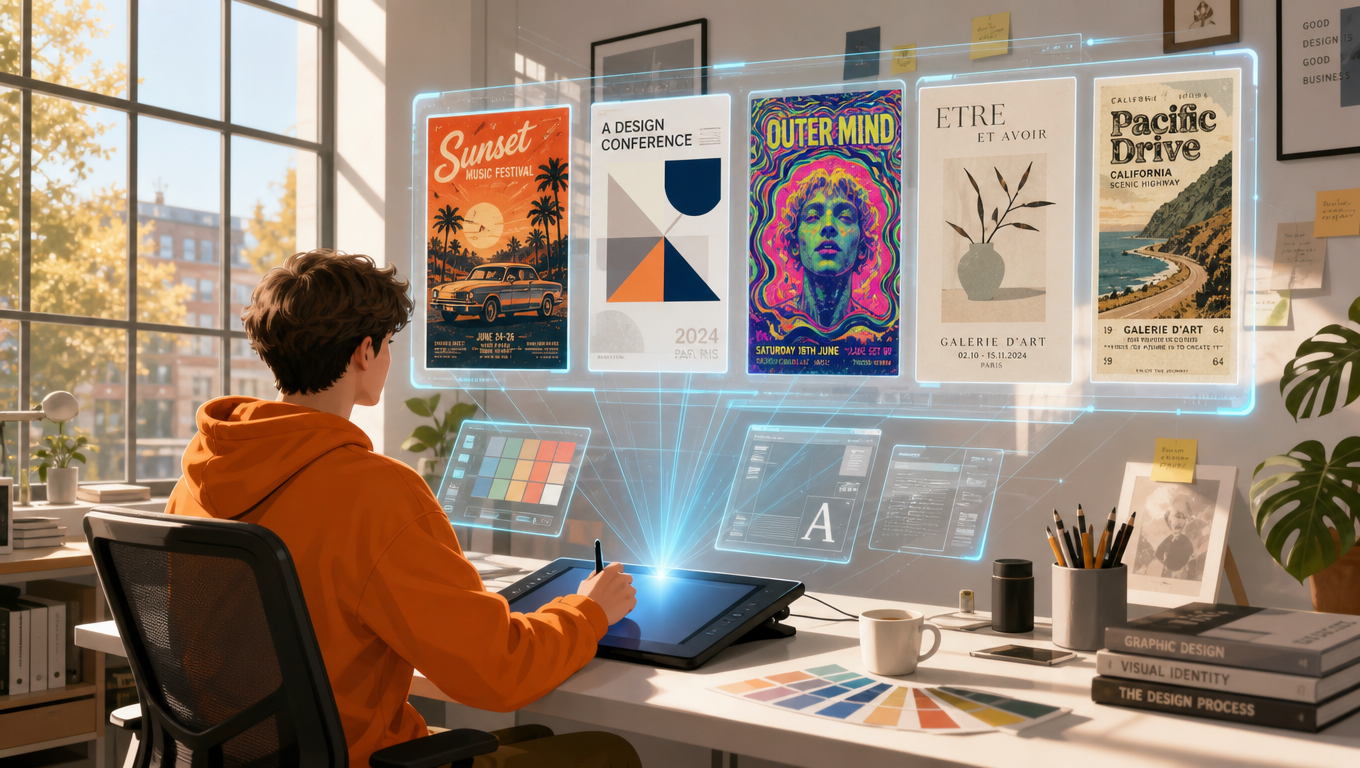
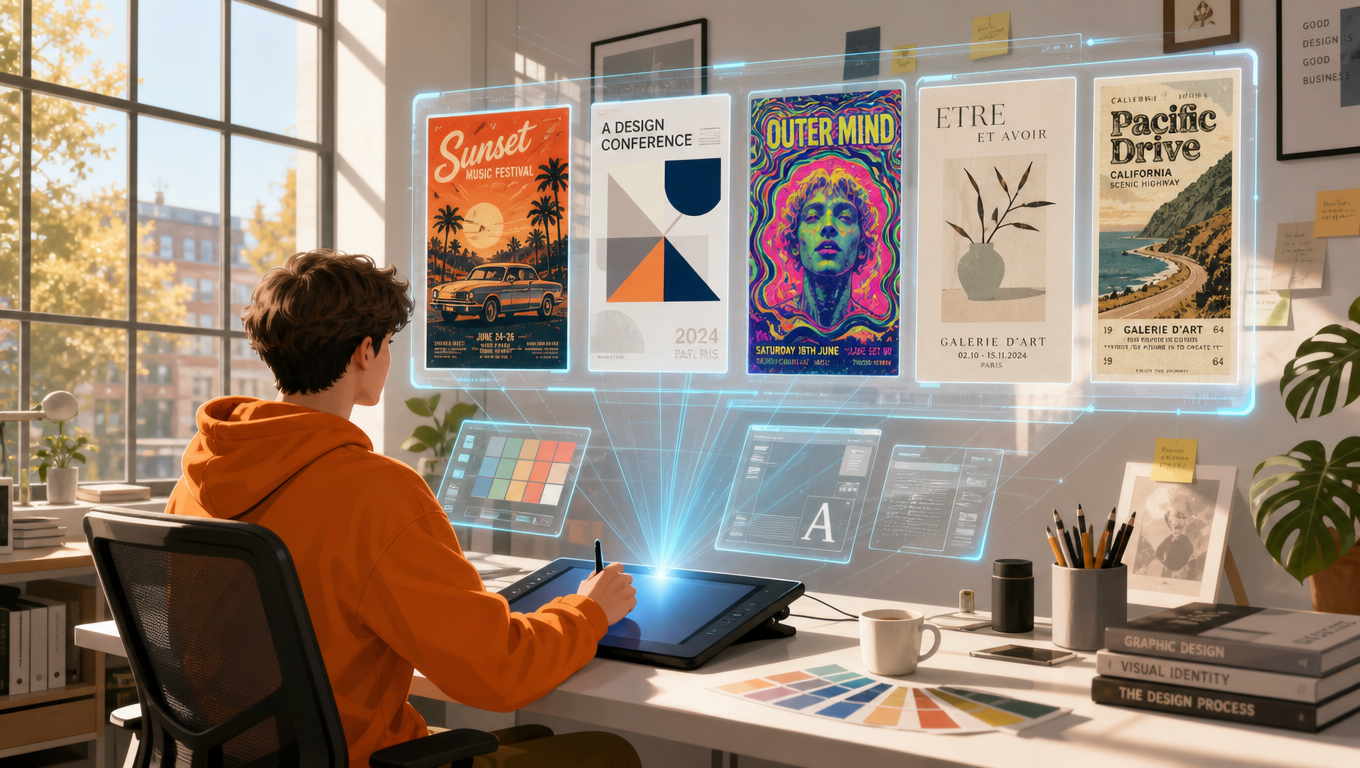 Designing a poster used to mean spending hours in design software — hunting for fonts, adjusting layers, and starting over whenever the result fell short. Today, with AI image generation, a complete, publishable poster can go from idea to export in minutes. More and more people have noticed: in search data, keywords like "create a poster with AI", "make a poster with AI", and "create poster with AI" keep appearing, as creators, marketers, and small businesses look for faster ways to design.
This guide walks you through the complete hands-on workflow for creating posters with AI: how to write prompts that actually produce great designs, how to tune parameters for screen and print scenarios, and how to iterate from a rough first draft to a polished final product. Along the way, we'll show you how to run the entire process on RunningHub — a native AI-agent-driven content creation platform that brings together thousands of model versions and a vast library of community workflows. No local GPU, no Python environment, no deployment. One browser, one prompt, a few clicks.
01 Why Make Posters with AI? The Demand Is Real
Posters have always been one of the most efficient communication formats — events, product launches, promotions, social media, and brand campaigns all rely on them. But professional design comes at a cost: either pay a designer or spend hours of your own time learning the tools. AI removes that dilemma: execution that used to take hours now takes seconds, and the cost of iteration drops to nearly zero — change one word and an entirely new design appears.
Search data reflects this shift. Real users are actively searching for AI poster tools, with queries like: "create a poster with AI", "create a poster ai", "make a poster ai", "create poster with ai".
Behind these searches is a simple need: people want results — a beautiful poster — without becoming design experts. That's exactly what AI creation platforms like RunningHub do.
02 Before You Start: Prepare Three Things
Before opening any tool, prepare three things — they'll save you from aimless trial-and-error generation.
1. A clear goal
What is the poster for? An event announcement, a product promotion, a social media quote, or a brand campaign? The use case determines the composition, the mood, and the text on the poster. A music festival poster and a minimalist quote poster should feel completely different.
2. A style direction
Collect references: posters, color palettes, fonts, and atmospheres you admire. You don't need to copy them — you need to be able to describe them in words. "Memphis geometric color blocks, sunset gradient, silkscreen grain" is far more useful to an AI model than "make it look cool".
3. The right platform
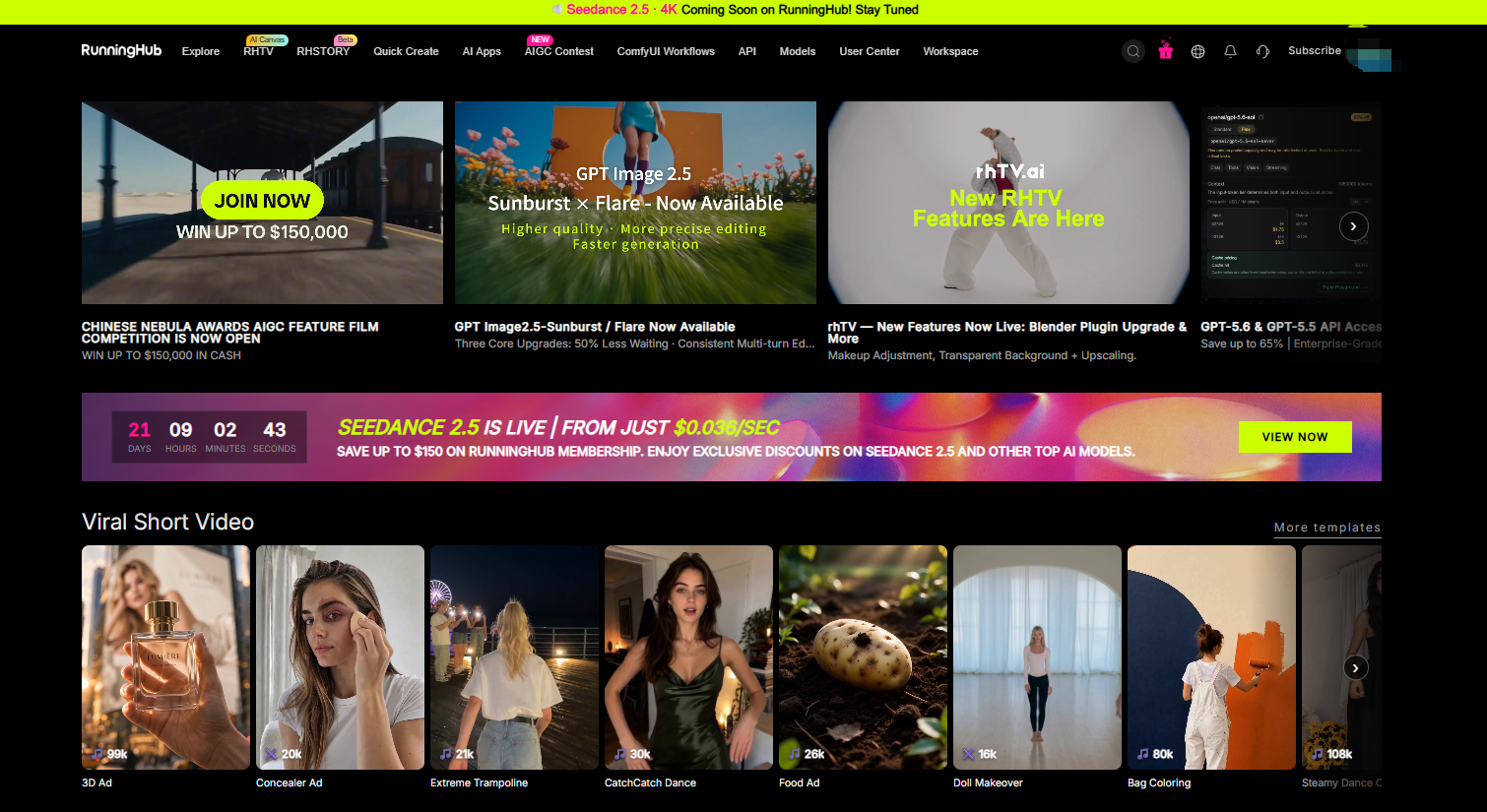
Choose a platform that lets you focus on creating: RunningHub runs entirely in the cloud, supports mainstream models out of the box, and offers one-click creation tools — you never have to touch a terminal or GPU drivers.
03 Core Skill: Write Effective Prompts
A good poster prompt isn't a single sentence — it's a small, structured requirements spec. Use this formula as your checklist:
[Subject & Scene] + [Style] + [Composition] + [Color & Lighting] + [Key Details] + [Poster Text] + [Negative Prompt]
Here's what each part does:
- Subject & Scene: the core visual of the image — what's in the poster. Be specific: "a stage silhouette under a sunset, one microphone" rather than "something with a musical vibe".
- Style: the visual language — Memphis, flat illustration, Swiss minimalism, silkscreen, art deco, film grain, and so on. One or two style words are usually enough.
- Composition: how the elements are arranged — centered, asymmetric, a large headline on top, a main visual in the middle, an information bar at the bottom.
- Color & Lighting: the palette and atmosphere — "high-saturation orange-purple contrast, warm golden light" instantly changes the character of a design.
- Key Details: textures, materials, and finishing touches — paper grain, neon glow, geometric ornaments. Details are what make an image a "generic picture" or a "designed poster".
- Poster Text: if the poster needs text (a title or tagline), write it out explicitly — for example, a large title at the top reading "LIVE MUSIC". The model will render what you specify.
- Negative Prompt: what you don't want — "no watermark, no distorted text, no extra objects". This is your quality guardrail.
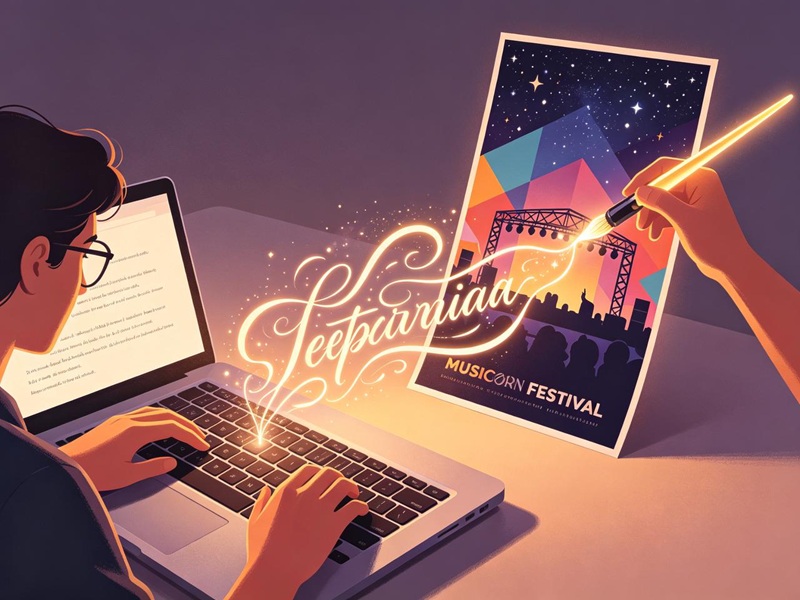 Compare a weak prompt with a strong one:
Weak prompt: "a poster about a music festival" — the model has to guess everything, and the result is inevitably mediocre.
Strong prompt: "A vertical event poster for a music festival. Main visual: a stage silhouette under a sunset gradient sky with colorful light beams, Memphis-style geometric blocks, high-saturation orange, purple and cyan, silkscreen grain texture. Big gold title at the top reads LIVE MUSIC, simple information bar at the bottom. No watermark, no distorted text."
The second prompt gives the model a clear design brief — that's the whole trick. The more precisely you describe layout, color, style, and text, the closer the output gets to a professional designer's work.
04 Tune Parameters Like a Professional
Prompts decide what to draw; parameters decide how to draw it. Here are the settings you'll interact with most.
Aspect ratio: match the poster to your publishing channel
| Ratio | Best for |
| 1:1 | Square social posts, feed ads, simple announcements |
| 3:4 / 4:5 | Vertical event posters, social cards, share-friendly layouts |
| 9:16 | Stories, mobile-first posters, phone-wallpaper-style designs |
| 16:9 | Slides, web banners, thumbnails, desktop wallpapers |
Resolution
Generate drafts at 1K — it's fast and cheap, perfect for exploring ideas. Only upgrade to 2K or 4K for the final version, especially for posters that will be printed or shown on large screens. Higher resolution costs more and takes longer, so think "low-res drafts, high-res finals".
Steps
Usually 20–40 steps. More steps refine the details, but beyond a certain point the gains are marginal. When the image already looks complete, don't waste compute.
Random seed
The seed controls the random base of the image. Keeping the same seed and prompt makes results reproducible — useful when you need to recreate a version. Changing the seed lets you explore different variations under the same prompt.
Prompt guidance strength (CFG / similarity)
Controls how closely the model follows your prompt. Higher values stay more faithful to the text but are prone to artifacts and harsh colors; lower values give more freedom but may drift from what you want. Start from a middle value and nudge it one notch at a time.
Model selection
Different models have different strengths — some excel at photorealistic photography, some at illustration, some at graphic design styles. On RunningHub, you can switch models in one click and even compare different models' outputs using the same prompt, keeping the version that best suits your poster.
Rule of thumb: change only one parameter at a time. If you change the prompt, aspect ratio, and seed all at once, you'll never know which one made the poster better.
05 The Complete Hands-on Workflow: From Idea to Finished Poster
Here is the complete workflow, from a blank canvas to a downloadable poster. The same loop applies to any AI platform; at each step we'll point out where it lives in RunningHub.
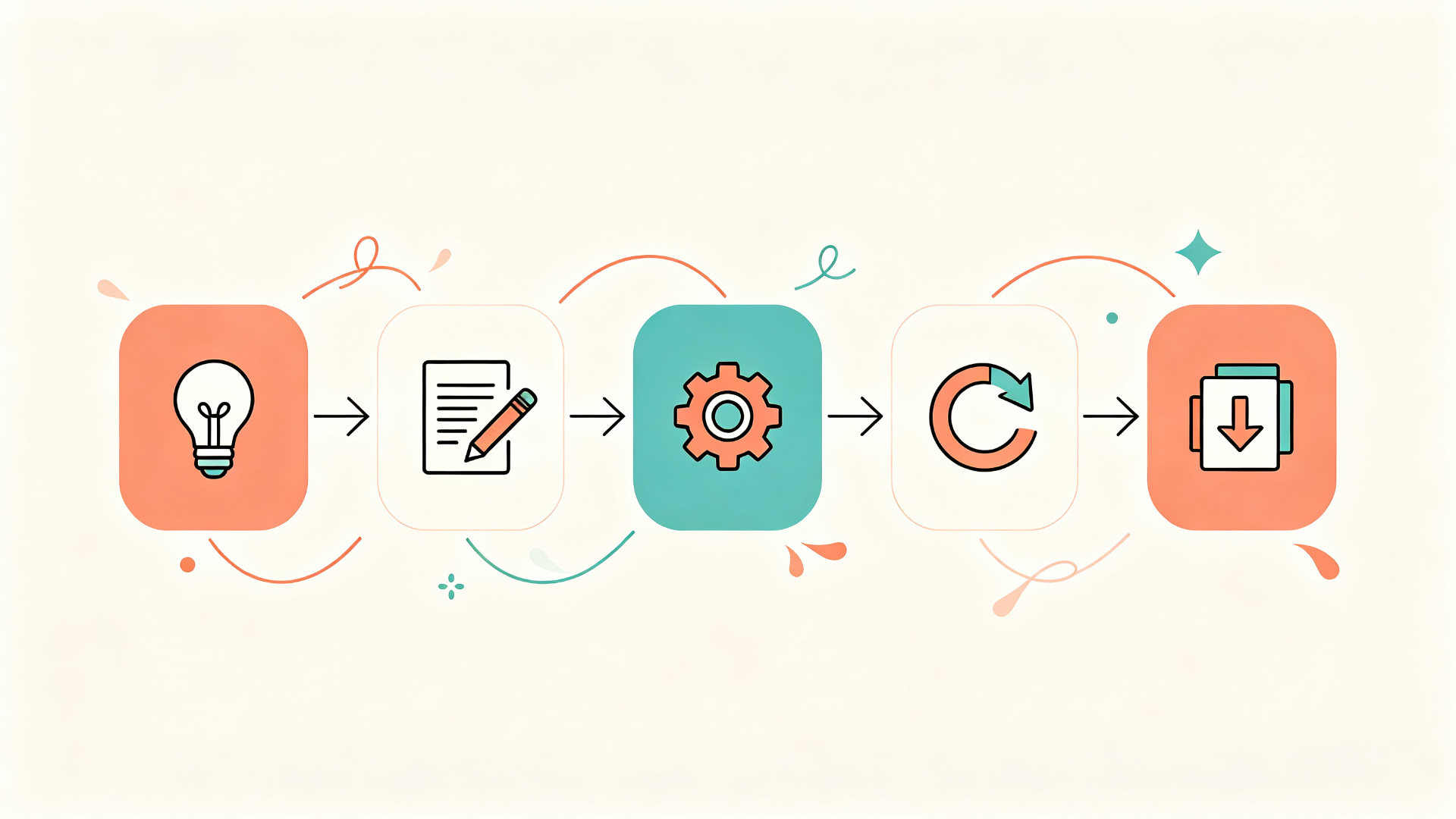
Figure 4: the five-step process — define the goal, write the prompt, set parameters, generate, export
Step 1 — Define the goal
Answer three questions: Who is the audience? What is the core message? Where will the poster appear? Write it down. For example: "A music night event for young people, core message LIVE MUSIC, published on Instagram at 3:4."
Step 2 — Write the prompt
Apply the formula from Section 03, filling in the subject, style, composition, color, details, poster text, and negative prompt. In RunningHub's Quick Create, you only need to describe the image in the input box — the platform's built-in generation assistant can also help polish your wording.
Step 3 — Choose the model and parameters
Choose a model based on your style, set the aspect ratio and resolution, and adjust the steps and seed. In RunningHub, all of this happens in a single panel: pick a model, pick an aspect ratio (say 3:4), and click generate.
Step 4 — Generate and iterate
Review the result like a designer: Is the text correct? Is the composition balanced? Is the style consistent? Not satisfied? Change the prompt, switch the seed, or swap the model, and regenerate. Keep the best version from each round. This "prompt — generate — review — adjust" iteration loop is where the real craft lies, and each round takes just seconds, not hours.
Step 5 — Export and finalize
Once you're happy, generate and download the poster at the final resolution. For final tweaks (a logo, QR code, or fine text), finish them in any lightweight editor, then publish. On RunningHub, your work is saved in your personal gallery — download it, share it, or regenerate in one click with the same parameters.
On RunningHub, the entire loop happens inside your browser: Quick Create turns one sentence into an image, AI Apps provide packaged one-click tools, and ComfyUI workflows serve creators who want node-level, full control.
06 Three Real Cases, One Workflow
To show the workflow in action, here are three AI-generated posters. Each follows the same five-step process, with a different goal.
Case 1 — Event poster (music festival)
Goal: a vibrant event poster for social sharing. Prompt highlights: sunset stage silhouette, Memphis geometric color blocks, high-saturation orange-purple-cyan contrast, gold headline "LIVE MUSIC". Parameters: 3:4 ratio, 1K drafts first, upgrading to 2K for the final.
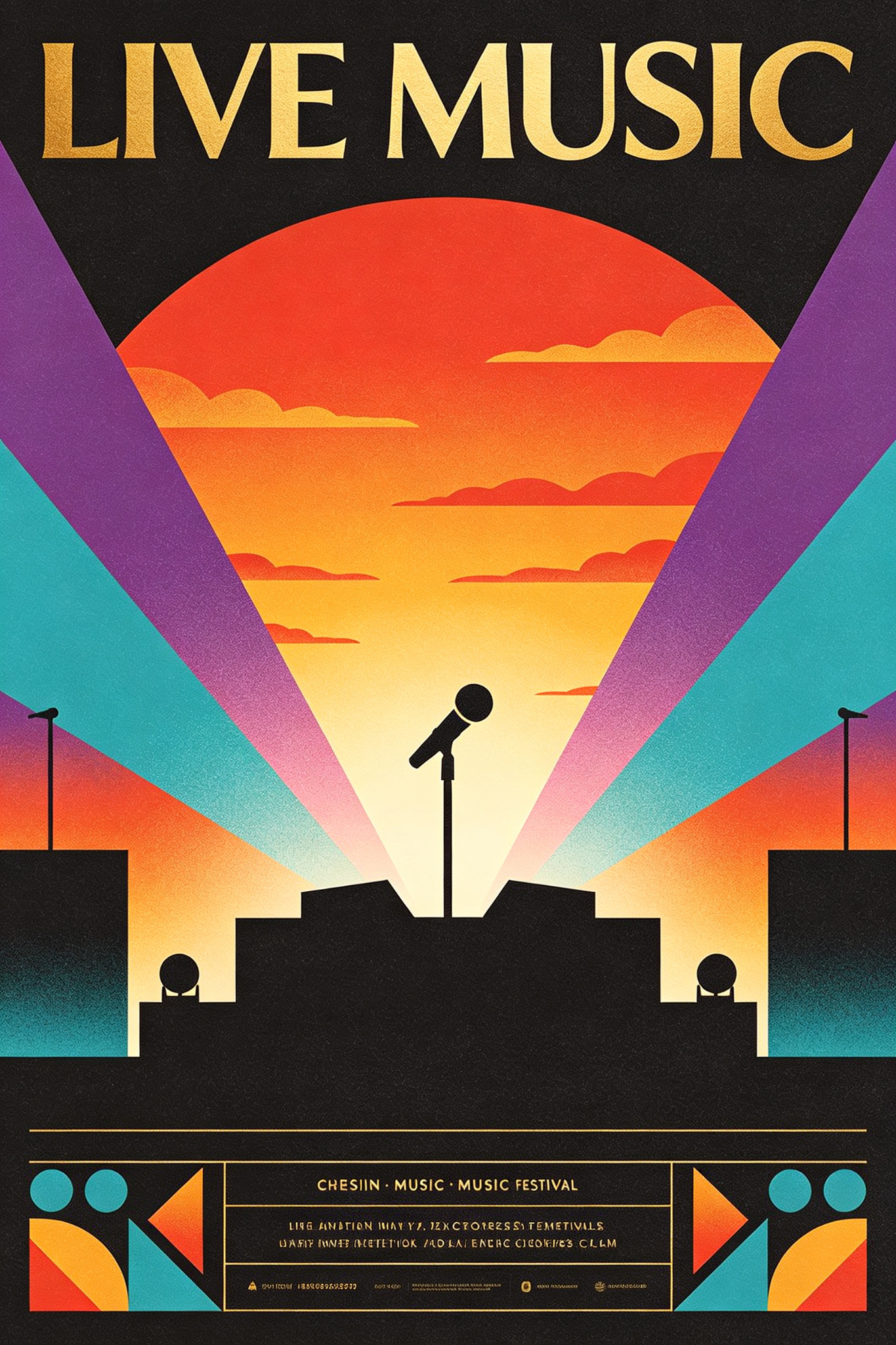
Figure 5: music festival event poster generated on RunningHub
Case 2 — Product promo poster
Goal: a clean e-commerce promotion image. Prompt highlights: minimalist layout, a floating sneaker as the main visual, warm white background, coral orange accents, an eye-catching "SALE" headline, price-tag graphics, and a clear buy-button area. Parameters: 3:4 ratio, fewer steps for a clean, flat look.
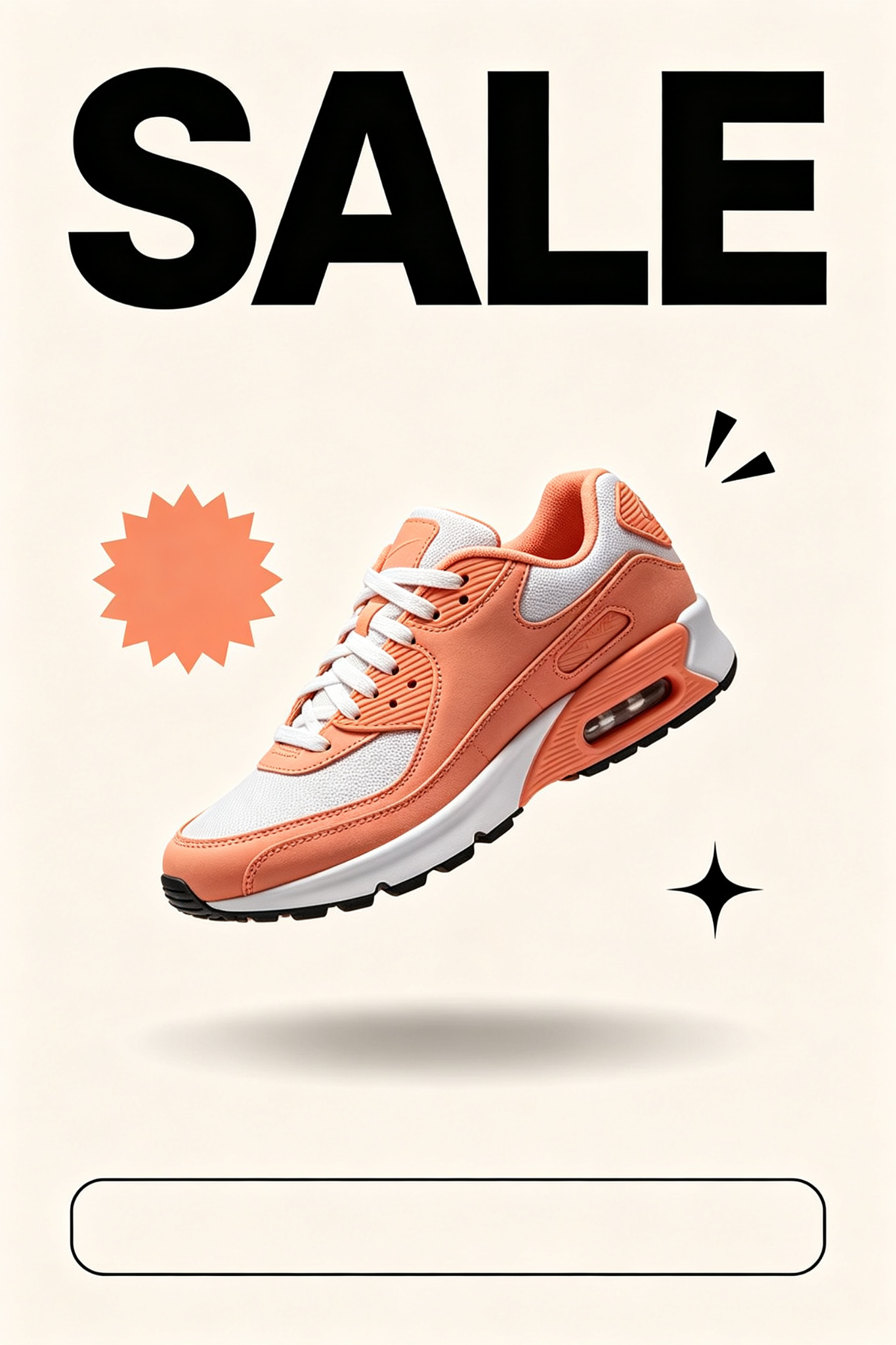
Figure 6: product promo poster generated on RunningHub
Case 3 — Quote-style social poster
Goal: a minimalist, elegant poster for quotes or daily messages. Prompt highlights: cream gradient background, oversized quotation marks, a centered elegant sans-serif "CREATE", plant-leaf shadows with fine line ornaments, generous whitespace, wabi-sabi combined with Swiss typography. Parameters: 4:5 ratio, higher prompt guidance strength to keep the layout clean.

Figure 7: minimalist quote poster generated on RunningHub
Three different goals, three strikingly different posters — all produced with the same loop: define the goal, write the prompt, set parameters, generate, export. That's the power of treating AI as a design partner rather than a magic button.
07 Why Run Your Poster Workflow on RunningHub
There are many places that can generate images, but RunningHub was built to make the whole creation loop smooth — from the first prompt to scaled production.
Zero deployment, zero hardware
No software to install, no Python to configure, no models to download, no local GPU needed. Everything runs on cloud GPUs, so you can open a browser on any device, anywhere, and start designing.
A vast ecosystem of models and workflows
RunningHub brings together thousands of model versions and a huge library of community workflows, covering image, video, audio, and more. Whether you prefer photorealistic rendering, illustration, or a specific artistic style, you'll find a matching model and a ready-made workflow instead of building from scratch. Popular models are search-and-use ready within seconds.
Quick Create: one sentence to a poster
The fastest path: describe the poster you want in one sentence, and the platform automatically handles model selection, parameter settings, and generation. For beginners who want results immediately, this is the ideal entry point.
AI Apps: packaged poster tools
AI Apps wrap powerful ComfyUI workflows into simple one-click tools — pick a poster template, fill in your text, and get your result. No node knowledge required, while the underlying model capabilities remain fully open to users who want deeper control.
Canvas, Agents, and community inspiration
On the infinite canvas (RHTV), you can freely arrange posters, assets, and videos, and the Canvas Agent comes with built-in specialized skills such as poster design and brand design. The community gallery provides a constant stream of inspiration: browse other creators' posters and workflows, and fork them into your own work in one click.
From a single poster to a production pipeline
When posters become a business need — batch generation, automated production, or integration into your own product — the RunningHub API lets you call models, AI Apps, and workflows programmatically, billed by usage. The poster workflow you learn today can become a production line tomorrow.
08 Three Steps to Your First AI Poster
Ready to create your first AI poster? Here's the shortest path:
Step 1 — Open RunningHub and sign up
Visit https://www.runninghub.ai/ and create an account. New users can claim welcome RH credits and start creating right away — and if you invite friends to sign up, both of you earn bonus RH credits.
Step 2 — Type one sentence
Open Quick Create (or pick a poster-themed AI App), describe your poster using the prompt formula from this guide, choose the aspect ratio and resolution, and click generate.
Step 3 — Iterate and download
Review the result, tweak the prompt or the seed, and regenerate until you're satisfied. Then download at the final resolution and publish. Done — a poster that used to take hours now takes minutes.
Try it now: sign up at https://www.runninghub.ai/, claim your RH credits, and let AI design your first poster.
09 Sources and Further Reading
- RunningHub official website — https://www.runninghub.ai/
- RunningHub Quick Create — https://www.runninghub.ai/ai-generator/2133100000000800375
- RunningHub RHTV (infinite canvas) — https://rhtv.runninghub.ai/projects