
'%3e %3cg id='Vector'%3e %3c/g%3e %3cpath id='Vector_2' d='M14.504 8.522L12.746 4.49C12.6826 4.34486 12.5783 4.22136 12.4458 4.13463C12.3133 4.0479 12.1584 4.0017 12 4.0017C11.8416 4.0017 11.6867 4.0479 11.5542 4.13463C11.4217 4.22136 11.3174 4.34486 11.254 4.49L9.495 8.522C9.305 8.958 8.958 9.306 8.522 9.495L4.49 11.254C4.34486 11.3174 4.22136 11.4217 4.13463 11.5542C4.0479 11.6867 4.0017 11.8416 4.0017 12C4.0017 12.1584 4.0479 12.3133 4.13463 12.4458C4.22136 12.5783 4.34486 12.6826 4.49 12.746L8.523 14.504C8.959 14.694 9.307 15.042 9.496 15.478L11.255 19.511C11.3184 19.6561 11.4227 19.7796 11.5552 19.8664C11.6877 19.9531 11.8426 19.9993 12.001 19.9993C12.1594 19.9993 12.3143 19.9531 12.4468 19.8664C12.5793 19.7796 12.6836 19.6561 12.747 19.511L14.505 15.478C14.695 15.042 15.043 14.694 15.479 14.504L19.512 12.746C19.6571 12.6826 19.7806 12.5783 19.8674 12.4458C19.9541 12.3133 20.0003 12.1584 20.0003 12C20.0003 11.8416 19.9541 11.6867 19.8674 11.5542C19.7806 11.4217 19.6571 11.3174 19.512 11.254L15.479 9.495C15.043 9.30549 14.695 8.95782 14.505 8.522' stroke='var(--stroke-0%2c white)' stroke-width='1.25' stroke-linecap='round' stroke-linejoin='round'/%3e %3cpath id='Vector_3' d='M3 3L5 5' stroke='var(--stroke-0%2c white)' stroke-width='1.25' stroke-linecap='round' stroke-linejoin='round'/%3e %3cpath id='Vector_4' d='M21 3L19 5' stroke='var(--stroke-0%2c white)' stroke-width='1.25' stroke-linecap='round' stroke-linejoin='round'/%3e %3cpath id='Vector_5' d='M3 21L5 19' stroke='var(--stroke-0%2c white)' stroke-width='1.25' stroke-linecap='round' stroke-linejoin='round'/%3e %3cpath id='Vector_6' d='M21 21L19 19' stroke='var(--stroke-0%2c white)' stroke-width='1.25' stroke-linecap='round' stroke-linejoin='round'/%3e %3c/g%3e %3cdefs%3e %3cclipPath id='clip0_0_55'%3e %3crect width='24' height='24' fill='white'/%3e %3c/clipPath%3e %3c/defs%3e %3c/svg%3e)
'%3e %3cg id='Vector'%3e %3c/g%3e %3cpath id='Vector_2' d='M14.375 7.66667H14.385' stroke='var(--stroke-0%2c white)' stroke-width='1.25' stroke-linecap='round' stroke-linejoin='round'/%3e %3cpath id='Vector_3' d='M11.9792 20.125H5.75C4.9875 20.125 4.25624 19.8221 3.71707 19.2829C3.1779 18.7438 2.875 18.0125 2.875 17.25V5.75C2.875 4.9875 3.1779 4.25624 3.71707 3.71707C4.25624 3.1779 4.9875 2.875 5.75 2.875H17.25C18.0125 2.875 18.7438 3.1779 19.2829 3.71707C19.8221 4.25624 20.125 4.9875 20.125 5.75V11.9792' stroke='var(--stroke-0%2c white)' stroke-width='1.25' stroke-linecap='round' stroke-linejoin='round'/%3e %3cpath id='Vector_4' d='M2.875 15.3333L7.66667 10.5417C8.556 9.68587 9.65233 9.68587 10.5417 10.5417L14.375 14.375' stroke='var(--stroke-0%2c white)' stroke-width='1.25' stroke-linecap='round' stroke-linejoin='round'/%3e %3cpath id='Vector_5' d='M13.4167 13.4167L14.375 12.4583C15.0171 11.8412 15.7646 11.6687 16.4661 11.9408' stroke='var(--stroke-0%2c white)' stroke-width='1.25' stroke-linecap='round' stroke-linejoin='round'/%3e %3cpath id='Vector_6' d='M15.3333 18.2083H21.0833' stroke='var(--stroke-0%2c white)' stroke-width='1.25' stroke-linecap='round' stroke-linejoin='round'/%3e %3cpath id='Vector_7' d='M18.2083 15.3333V21.0833' stroke='var(--stroke-0%2c white)' stroke-width='1.25' stroke-linecap='round' stroke-linejoin='round'/%3e %3c/g%3e %3cdefs%3e %3cclipPath id='clip0_0_4'%3e %3crect width='23' height='23' fill='white'/%3e %3c/clipPath%3e %3c/defs%3e %3c/svg%3e)


'%3e %3cg id='Vector'%3e %3c/g%3e %3cpath id='Vector_2' d='M18.3333 10.5001V6.66667C18.3333 5.78261 17.9821 4.93477 17.357 4.30964C16.7319 3.68452 15.8841 3.33333 15 3.33333H5C4.11594 3.33333 3.2681 3.68452 2.64298 4.30964C2.01786 4.93477 1.66667 5.78261 1.66667 6.66667V13.3333C1.66667 14.2174 2.01786 15.0652 2.64298 15.6904C3.2681 16.3155 4.11594 16.6667 5 16.6667H11.6667M15.5 17.0001V12.0001M13 14.5001L15.5 12.0001L18 14.5001' stroke='var(--stroke-0%2c white)' stroke-linecap='round' stroke-linejoin='round'/%3e %3cpath id='Vector_3' d='M8.33333 7.5L12.5 10L8.33333 12.5V7.5Z' stroke='var(--stroke-0%2c white)' stroke-linecap='round' stroke-linejoin='round'/%3e %3c/g%3e %3cdefs%3e %3cclipPath id='clip0_0_4'%3e %3crect width='20' height='20' fill='white'/%3e %3c/clipPath%3e %3c/defs%3e %3c/svg%3e)
'%3e %3cg id='Vector'%3e %3c/g%3e %3cpath id='Vector_2' d='M16.25 10.8333L21.1824 8.36767C21.3475 8.28515 21.531 8.2462 21.7154 8.25451C21.8998 8.26281 22.079 8.3181 22.2361 8.41512C22.3931 8.51214 22.5228 8.64768 22.6127 8.80888C22.7026 8.97007 22.7499 9.15158 22.75 9.33617V16.6638C22.7499 16.8484 22.7026 17.0299 22.6127 17.1911C22.5228 17.3523 22.3931 17.4879 22.2361 17.5849C22.079 17.6819 21.8998 17.7372 21.7154 17.7455C21.531 17.7538 21.3475 17.7148 21.1824 17.6323L16.25 15.1667V10.8333Z' stroke='var(--stroke-0%2c white)' stroke-width='1.25' stroke-linecap='round' stroke-linejoin='round'/%3e %3cpath id='Vector_3' d='M3.25 8.66667C3.25 8.09203 3.47827 7.54093 3.8846 7.1346C4.29093 6.72827 4.84203 6.5 5.41667 6.5H14.0833C14.658 6.5 15.2091 6.72827 15.6154 7.1346C16.0217 7.54093 16.25 8.09203 16.25 8.66667V17.3333C16.25 17.908 16.0217 18.4591 15.6154 18.8654C15.2091 19.2717 14.658 19.5 14.0833 19.5H5.41667C4.84203 19.5 4.29093 19.2717 3.8846 18.8654C3.47827 18.4591 3.25 17.908 3.25 17.3333V8.66667Z' stroke='var(--stroke-0%2c white)' stroke-width='1.25' stroke-linecap='round' stroke-linejoin='round'/%3e %3cpath id='Vector_4' d='M7.58333 13H11.9167' stroke='var(--stroke-0%2c white)' stroke-width='1.25' stroke-linecap='round' stroke-linejoin='round'/%3e %3cpath id='Vector_5' d='M9.75 10.8333V15.1667' stroke='var(--stroke-0%2c white)' stroke-width='1.25' stroke-linecap='round' stroke-linejoin='round'/%3e %3c/g%3e %3cdefs%3e %3cclipPath id='clip0_0_47'%3e %3crect width='26' height='26' fill='white'/%3e %3c/clipPath%3e %3c/defs%3e %3c/svg%3e)
'%3e %3cg id='Vector'%3e %3c/g%3e %3cpath id='Vector_2' d='M4 7H7M11 7H20' stroke='var(--stroke-0%2c white)' stroke-width='1.25' stroke-linecap='round' stroke-linejoin='round'/%3e %3cpath id='Vector_3' d='M4 17H20' stroke='var(--stroke-0%2c white)' stroke-width='1.25' stroke-linecap='round' stroke-linejoin='round'/%3e %3cpath id='Vector_4' d='M7 4L7 20' stroke='var(--stroke-0%2c white)' stroke-width='1.25' stroke-linecap='round' stroke-linejoin='round'/%3e %3cpath id='Vector_5' d='M17 4V13M17 17V20' stroke='var(--stroke-0%2c white)' stroke-width='1.25' stroke-linecap='round' stroke-linejoin='round'/%3e %3c/g%3e %3cdefs%3e %3cclipPath id='clip0_0_60'%3e %3crect width='24' height='24' fill='white'/%3e %3c/clipPath%3e %3c/defs%3e %3c/svg%3e)
'%3e %3cg id='Vector'%3e %3c/g%3e %3cpath id='Vector_2' d='M6 10L4 11L12 15L20 11L18 10' stroke='var(--stroke-0%2c white)' stroke-width='1.25' stroke-linecap='round' stroke-linejoin='round'/%3e %3cpath id='Vector_3' d='M4 15L12 19L20 15' stroke='var(--stroke-0%2c white)' stroke-width='1.25' stroke-linecap='round' stroke-linejoin='round'/%3e %3cpath id='Vector_4' d='M12 4V11' stroke='var(--stroke-0%2c white)' stroke-width='1.25' stroke-linecap='round' stroke-linejoin='round'/%3e %3cpath id='Vector_5' d='M15 8L12 11L9 8' stroke='var(--stroke-0%2c white)' stroke-width='1.25' stroke-linecap='round' stroke-linejoin='round'/%3e %3c/g%3e %3cdefs%3e %3cclipPath id='clip0_0_9'%3e %3crect width='24' height='24' fill='white'/%3e %3c/clipPath%3e %3c/defs%3e %3c/svg%3e)


AI Agent Use Cases: 10 Practical Examples & Guide
Explore practical AI agent use cases in work, customer service, analytics, and content creation, plus a step-by-step guide to using AI agents.
AI agents are moving beyond simple question-and-answer chatbots.
Instead of asking an AI to generate one response, you can give an agent a goal, provide the necessary context, and let it work through multiple steps to produce a useful result.
That difference makes AI agent use cases particularly interesting for repetitive business tasks, customer support, research, data analysis, marketing, and creative production.
For example, a customer-service agent might read a request, identify the issue, retrieve relevant information, prepare a response, and escalate the case if human intervention is required. In data analytics, an agent can help identify anomalies, summarize patterns, and turn data into a report for human review.
For creators, the same idea can be applied to a different type of workflow: instead of learning which model, settings, or production steps to use first, you can describe the creative result you want and refine the request through conversation.
This guide explains what AI agents are, where they are useful, and how creators, marketers, e-commerce sellers, and designers can apply the same agent-based approach to visual content creation with RunningHub.
What Is an AI Agent?
An AI agent is an AI-powered system designed to work toward a goal rather than simply return a single answer.
A traditional chatbot might answer:
“What should I include in a product advertisement?”
An AI agent can be designed to go further by interpreting the goal, deciding which steps are needed, using available tools or information, and producing an output.
The exact level of autonomy depends on the system and the tools connected to it. Some agents handle relatively simple workflows, while others can coordinate several steps across business applications.
This distinction is important when evaluating use cases of AI agents.
An AI agent is most useful when a task has some combination of:
- A clear objective
- Multiple steps
- Repetitive manual work
- Structured information or instructions
- A predictable output
- A need to adapt based on the user's request
That is why current AI agent applications commonly appear in customer service, data analysis, HR, sales, IT, and marketing. For example, agents can classify support requests, retrieve information, analyze customer data, or assist employees with repetitive operational tasks.
For creative work, the same principle can simplify the path from “I have an idea” to “I have a usable visual result.”
What Problems Can AI Agents Solve?
A useful way to evaluate an AI agent is not to ask:
“What can AI do?”
Instead, ask:
“Which multi-step task am I currently doing manually?”
For example:
| Task | Traditional workflow | Agent-based approach |
| Customer support | Read → search → reply | Interpret → retrieve → draft → escalate |
| Data analysis | Collect → analyze → summarize | Analyze → identify patterns → summarize |
| Marketing | Research → write → revise | Define goal → generate → refine |
| E-commerce | Prepare product → design → revise | Describe objective → create → iterate |
| Content creation | Choose tools → configure → generate | Describe result → generate → refine |
The important point is that AI agents are not automatically better for every task. They are particularly useful when the work involves several connected decisions or steps.
10 Practical AI Agent Use Cases
The most useful AI agent use cases are usually tied to a specific operational problem.
Here are 10 examples across business and creative workflows.
1. Customer Support Ticket Triage
Best for: Customer service teams
A support agent can analyze incoming tickets, identify the customer's intent, retrieve relevant information, and suggest the next action.
For example, an e-commerce support workflow could distinguish between:
- Order tracking
- Refund requests
- Product questions
- Account problems
- Technical issues
More advanced workflows can combine ticket information with customer records and internal documentation before preparing a response. IBM describes similar agent-based customer-service workflows, including ticket resolution, information retrieval, personalized support, and escalation.
Practical result: Support employees spend less time gathering basic context before handling the actual problem.
2. Customer Feedback Analysis
Best for: Customer experience and marketing teams
Customer feedback is often spread across reviews, support tickets, surveys, emails, and social media.
An AI agent can help organize this information into categories such as:
- Product complaints
- Feature requests
- Positive feedback
- Delivery problems
- Pricing concerns
- Repeated customer questions
The agent can then summarize recurring themes for human review.
This is useful when the problem is not a lack of information, but the amount of information that needs to be processed.
3. Data Analysis and Reporting
Best for: Analysts, managers, and operations teams
Data-analysis agents can help users query datasets in natural language, identify unusual patterns, summarize findings, or prepare reports.
For example:
“Compare this month's sales with the previous three months and identify the biggest changes.”
The agent can help structure the analytical process instead of requiring every user to manually inspect the data.
IBM identifies data-quality monitoring, dashboard generation, anomaly detection, narrative reporting, and natural-language data queries as potential enterprise AI-agent applications.
Important: Analytical outputs should still be reviewed when the decision has financial, legal, operational, or other high-impact consequences.
4. HR and Recruiting Assistance
Best for: HR teams
Recruiting contains many repetitive information-processing tasks.
An AI agent can assist with:
- Resume screening
- Candidate information extraction
- Interview scheduling
- Job-description drafting
- Candidate communication
- Interview-note summarization
These applications are generally more suitable for assistance and workflow support than fully autonomous hiring decisions.
Human review remains important when evaluating candidates.
5. Sales Lead Research
Best for: Sales and business-development teams
A sales workflow may require a representative to:
- Find potential leads.
- Research each company.
- Identify relevant information.
- Organize prospects.
- Draft personalized outreach.
An AI agent can help coordinate parts of this workflow.
The useful idea is not simply “generate sales emails,” but reducing the amount of repetitive research that happens before a salesperson makes a decision.
6. Internal Knowledge Search
Best for: Growing teams
As companies accumulate documents, product information, FAQs, policies, meeting notes, and internal guides, employees can spend considerable time searching for the right information.
An AI agent connected to approved knowledge sources can help retrieve relevant information and summarize it.
For example:
“What is the current process for handling an enterprise refund request?”
Instead of searching through multiple documents manually, the employee can receive a structured answer based on the available knowledge base.
7. Marketing Content Planning
Best for: Marketers and social media teams
Marketing teams often repeat the same planning process for every campaign:
brief → audience → concept → copy → creative → revisions
An AI agent can assist with several stages of this process.
For example, a marketer could provide:
Product + target audience + campaign objective + platform
The agent could then help develop content concepts, messaging directions, and creative requirements.
The human marketer can review and refine the result before publication.
8. E-Commerce Creative Production
Best for: E-commerce sellers, brand teams, and product marketers
This is one of the more practical agent AI use cases for visual creators.
A seller may start with:
- A product image
- Product features
- Target audience
- Advertising platform
- Desired visual style
The goal could be to create several visual directions for an advertisement.
Instead of manually deciding which image-generation workflow to use first, a creator can describe the intended result and iterate from there.
For example:
“Create a premium lifestyle advertisement for this skincare product. Keep the product packaging accurate, use soft natural lighting, and create a clean editorial composition suitable for a social media campaign.”
The creator can then continue refining the request.
9. Social Media Visual Creation
Best for: Social media managers and content creators
Social teams frequently need multiple creative variations from one idea.
An agent-assisted workflow can help turn a brief into different visual directions:
- Product-focused
- Lifestyle
- Editorial
- Seasonal
- Promotional
- Storytelling
The advantage is not simply generating one image.
It is reducing the number of decisions between creative brief and first usable draft.
10. AI-Assisted Image Editing and Creative Iteration
Best for: Designers, photographers, creators, and marketing teams
Another useful AI agent use case is conversational creative refinement.
Instead of rewriting an entire prompt every time, the creator can start with a basic requirement and then add instructions such as:
“Make the background more minimal.”
Then:
“Keep the product unchanged but make the lighting warmer.”
Then:
“Create another version with a premium studio-advertising feel.”
This workflow is particularly useful for users who know what result they want but do not want to spend time learning complex model settings or production workflows.
Practical AI Agent Prompt Examples for Creators
If your goal is visual content creation, you do not need to start with a complicated technical prompt.
The most useful prompts usually contain four elements:
Goal + subject + visual direction + constraints
Here are three practical examples.
Use Case 1: E-Commerce Product Advertisement
Best for: E-commerce sellers and brand marketers
Scenario: Turn a product image into a polished advertising visual.
Recommended method: Image + text instruction
Prompt:
Create a premium e-commerce advertisement using the uploaded product image.
Keep the product shape, packaging, logo, and key visual details accurate.
Place the product in a clean modern studio environment with soft directional lighting.
Use a minimal luxury advertising style with realistic materials and natural shadows.
The product should remain the main visual focus.
Create a polished composition suitable for a social media product campaign.
Replaceable elements:
- product
- background style
・lighting style
- campaign platform
Tip: If product accuracy is important, explicitly tell the agent which visual elements must remain unchanged.
Use Case 2: Social Media Campaign Visual
Best for: Social media operators and content creators
Scenario: Create multiple visual directions for the same campaign.
Recommended method: Text + reference image
Prompt:
Create three visual directions for a social media campaign promoting this product.
Version 1: clean editorial photography.
Version 2: energetic lifestyle advertising.
Version 3: futuristic AI-inspired visual design.
Keep the main product recognizable and visually consistent across all versions.
Each concept should have a clear focal point and a composition suitable for social media.
Avoid unnecessary text and decorative elements that distract from the product.
Use this when: You need to explore several creative directions before choosing a final design.
Tip: Ask for distinct visual concepts rather than three minor variations of the same composition.
Use Case 3: Conversational Image Editing
Best for: Designers, photographers, and creators
Scenario: Start with one image and refine it through several instructions.
Recommended method: Image + conversational instructions
Prompt:
Edit the uploaded image into a polished commercial visual.
First, preserve the main subject and composition.
Then simplify the background and improve the lighting.
Keep the subject's important visual characteristics unchanged.
Create a clean, professional result suitable for online marketing.
After generating the first version, prepare to refine the image based on additional instructions.
After the first output, you can continue with:
“Make the background warmer.”
“Keep the product unchanged.”
“Create a darker premium version.”
“Make the composition more suitable for a square social post.”
This is where an agent workflow becomes useful: the creative process can continue as a conversation instead of restarting from scratch each time.
Try this creative workflow on RunningHub
Why Use RunningHub for AI Agent Creative Workflows?
RunningHub is positioned as an AI content-creation platform combining AI agents with creative tools such as Quick Create, AI Apps, ComfyUI Workflows, an infinite canvas, and model/API integrations.
For users interested in AI agent use cases for creative work, the main advantage of an agent-oriented workflow is that you can begin with the desired outcome rather than starting with technical configuration.
This is particularly useful for:
- AI image creators
- Designers
- E-commerce sellers
- Social media operators
- Brand marketers
- Photographers
- Content creators
Instead of asking:
“Which workflow should I use?”
you can start with:
“What do I want to create?”
For example:
“Create a premium product advertisement from this product image.”
The creative process can then be refined through additional instructions.
Try Quick Create on RunningHub
How to Use RunningHub for AI Agent Creation
The workflow can be kept simple for beginners.
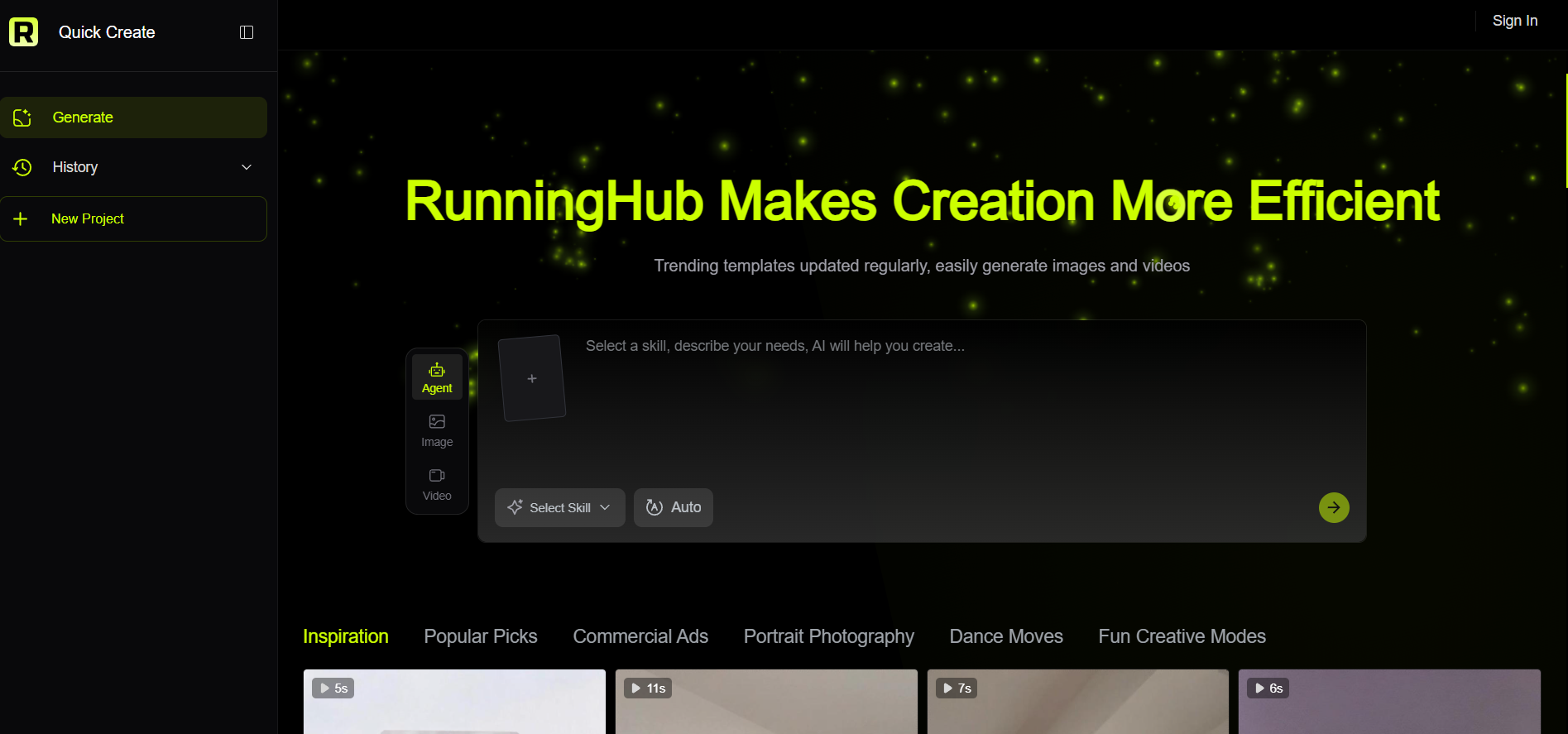
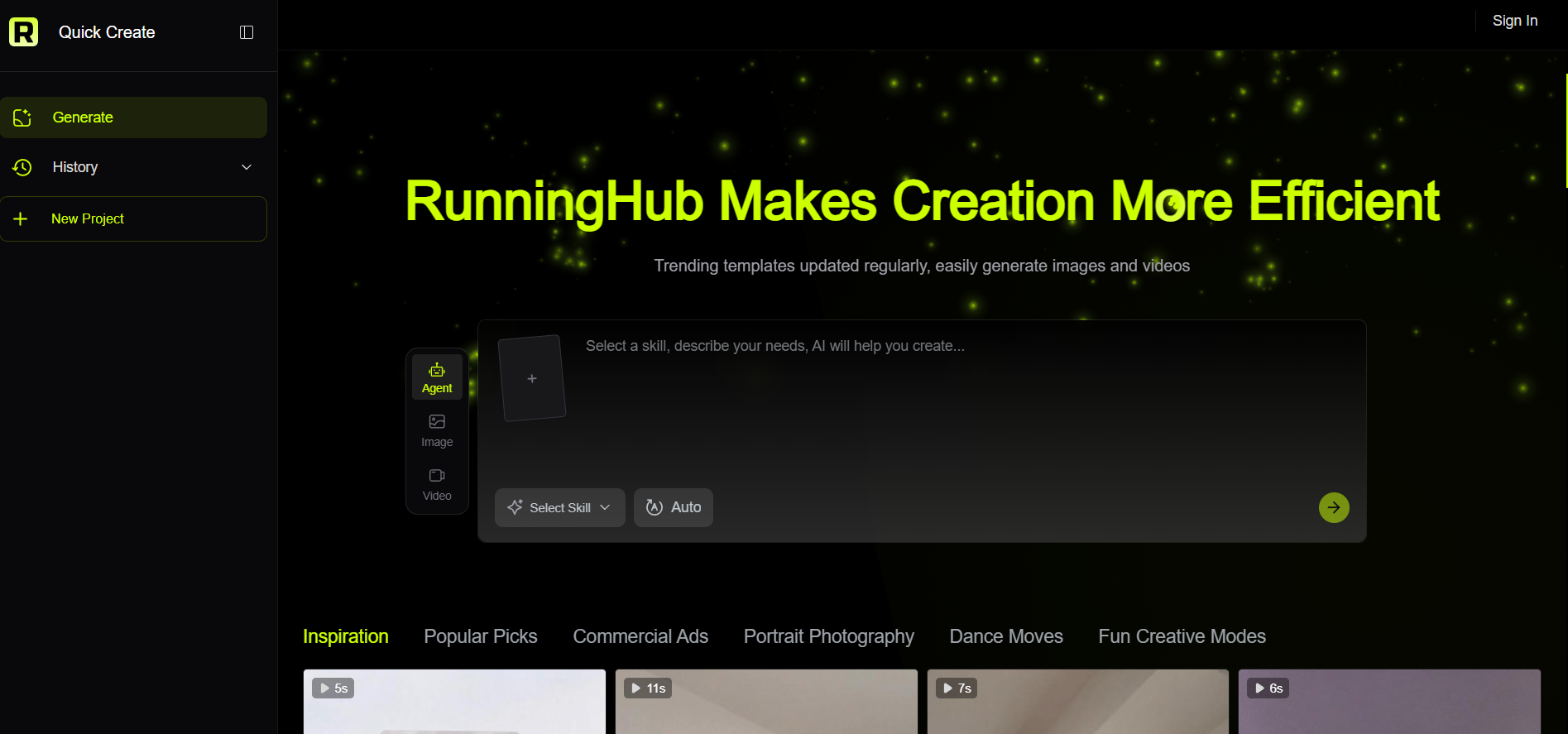
Step 1: Open Quick Create
Enter the Quick Create page and access the Agent feature.
The goal at this stage is not to configure every technical parameter.
Start by thinking about the final result you want.
For example:
“I want to create a product advertisement for a new skincare product.
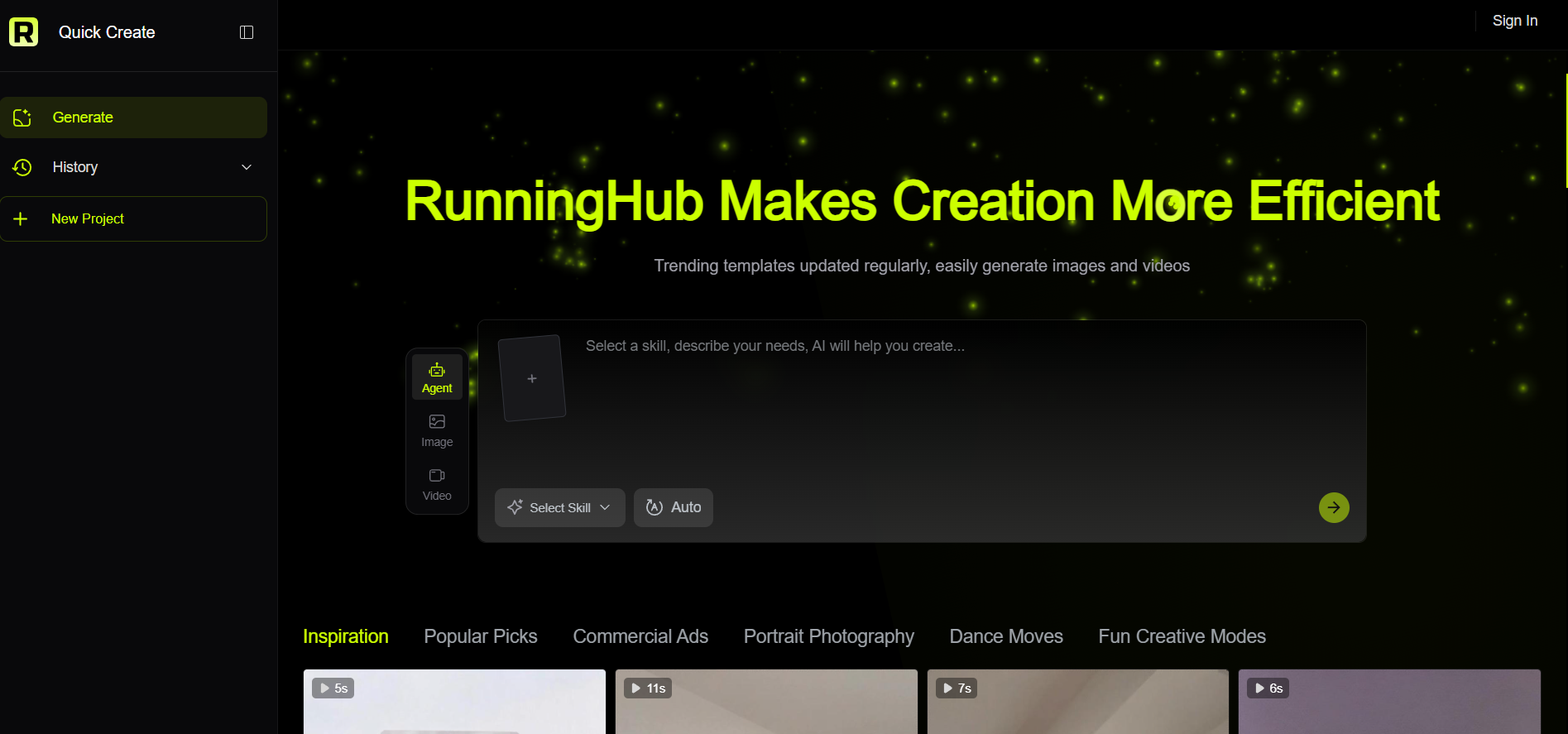
Step 2: Select a Skill and Choose AUTO
Click Agent, then select Select Skill.
Choose AUTO when you want the agent-oriented workflow to determine an appropriate creation path based on your request.
This approach is useful for users who are unfamiliar with different AI production workflows.
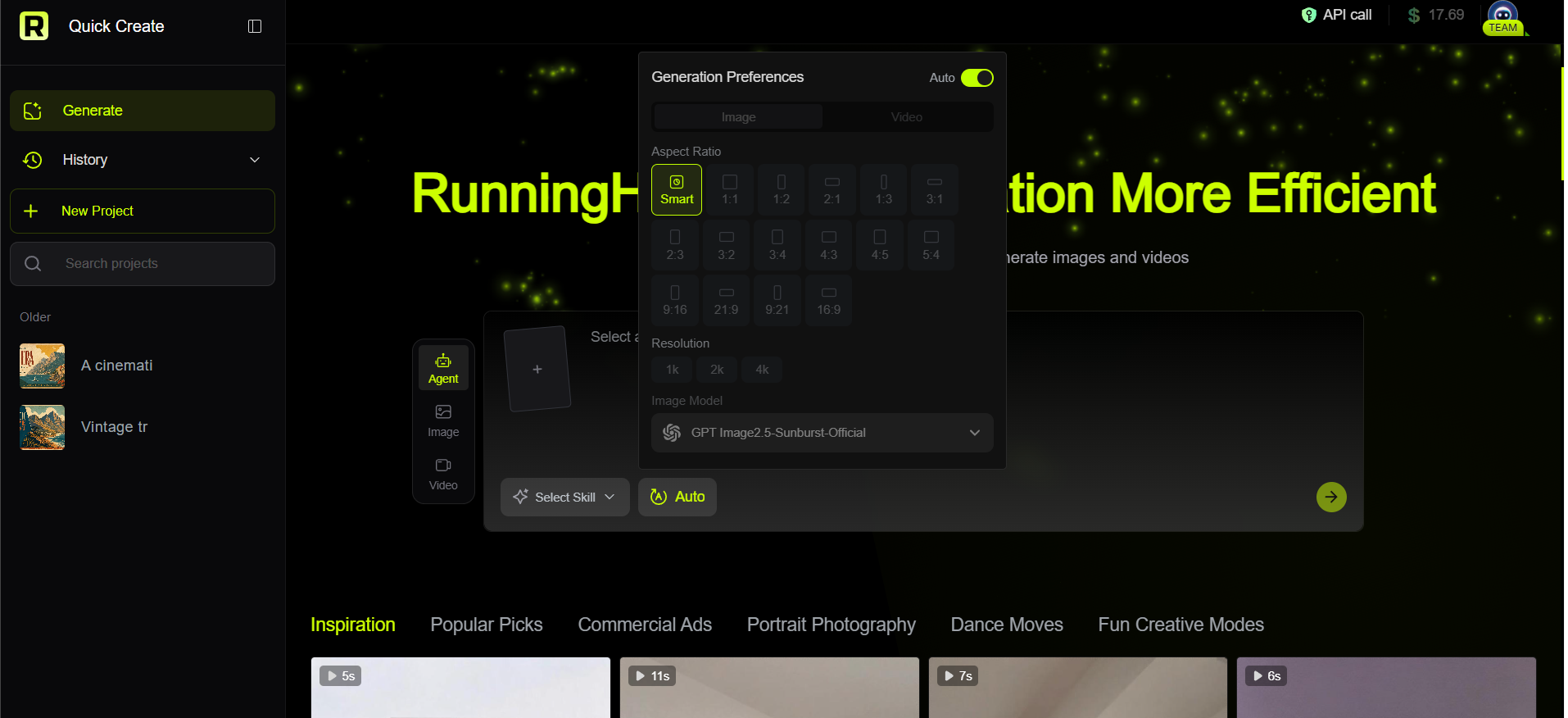
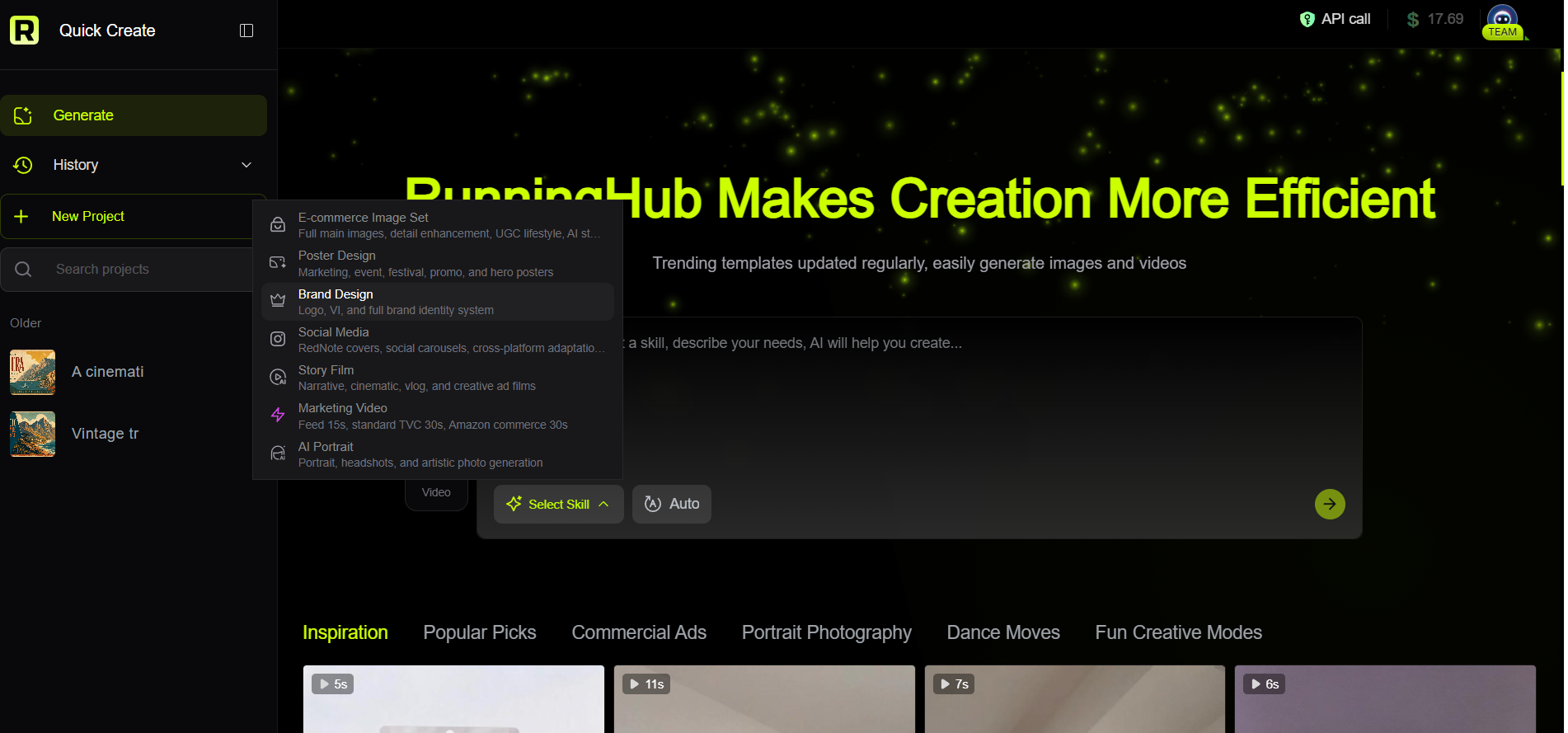
Step 3: Enter Your Requirement and Instruction
Describe:
- What you want to create
- What materials you have
- Who the content is for
- What visual style you prefer
- What should remain unchanged
For example:
Create a premium product advertisement using my uploaded product image.
Target audience: young skincare consumers.
Style: clean, modern, premium.
Lighting: soft studio lighting.
Composition: product-focused with a minimal background.
Keep the product packaging and logo recognizable.
Then click the arrow to start generation.
Step 4: Refine the Result in the Chat
The first result does not need to be the final result.
This is one of the most useful aspects of a conversational agent workflow.
You can continue with instructions such as:
“Make the background more luxurious.”
“Use a warmer lighting style.”
“Keep the product unchanged.”
“Create a version suitable for a 1:1 social media post.”
“Try a more editorial photography style.”
Instead of writing a completely new prompt every time, you can build on the current creative direction.
Where AI Agents Fit Into a Creative Workflow
AI agents should not necessarily replace every creative decision.
A more practical workflow is:
Human defines the goal → AI agent helps execute the workflow → Human reviews the result → Agent assists with refinement
This model is especially useful for creators who want to reduce repetitive work while keeping control over the final output.
For example:
E-commerce seller
Product image → creative brief → AI-generated advertisement → revisions → final asset
Social media marketer
Campaign idea → visual directions → multiple concepts → selection → refinement
Designer
Reference image → editing instruction → first version → feedback → revised version
Content creator
Story idea → visual concept → generated image/video → iterative adjustments
This human-in-the-loop approach is also consistent with how many enterprise AI-agent workflows are being designed: agents handle defined tasks while humans remain responsible for important decisions and review.
Frequently Asked Questions About AI Agent Use Cases
1. What are the most common AI agent use cases?
Common use cases include customer-service ticket handling, data analysis, knowledge retrieval, HR assistance, sales research, marketing workflows, and content creation.
The most suitable tasks are usually repetitive, multi-step workflows where an agent can work with defined information and tools.
2. What are some AI agent use cases for creators?
Creators can use agent-based workflows for image generation, image editing, product advertising, social media visuals, creative concept development, and iterative content refinement.
For example, a creator can provide a product image and describe the desired advertising style, then refine the result through additional instructions.
3. Are AI agents suitable for beginners?
They can be, particularly when the interface allows users to describe their goals in natural language instead of requiring complex configuration.
RunningHub Quick Create is designed to provide a more direct creation path: enter the Agent workflow, select Select Skill → AUTO, describe the task, generate the result, and continue refining it through the chat.
4. What should I include in an AI agent prompt?
Start with the goal, subject, visual direction, constraints, and intended use.
For image creation, you can also specify:
- Composition
- Lighting
- Background
- Style
- Aspect ratio or intended platform
- Elements that must remain unchanged
Avoid adding unnecessary keywords simply to make the prompt longer.
5. Can AI-generated content be used commercially?
Commercial use depends on the specific platform terms, model terms, content involved, and applicable usage restrictions.
Before publishing or monetizing generated content, check the current RunningHub platform rules and the terms or usage requirements of the relevant model.
Final Thoughts: Start With the Task, Not the Tool
The most useful way to understand AI agent use cases is to start with a real task.
If you repeatedly spend time researching information, organizing customer requests, analyzing data, creating marketing materials, or producing visual assets, an AI agent may be able to handle part of that workflow.
For creative users, the starting point can be even simpler: describe the image or visual content you want, provide the necessary reference material, and refine the result through conversation.
With RunningHub Quick Create, you can enter the Agent workflow, select AUTO, describe your creative requirement, generate an initial result, and continue refining it through the chat.
You do not need to understand every underlying model or workflow before starting.