

How to Create Japanese-Style Portraits with Dola Seedream 5.0 Pro: Tutorial and Prompt Examples
Learn how to create Japanese-style portraits with Dola Seedream 5.0 Pro through RunningHub Quick Creation. This guide includes a step-by-step workflow, practical prompt tips, and reusable examples for natural film-inspired portraits.
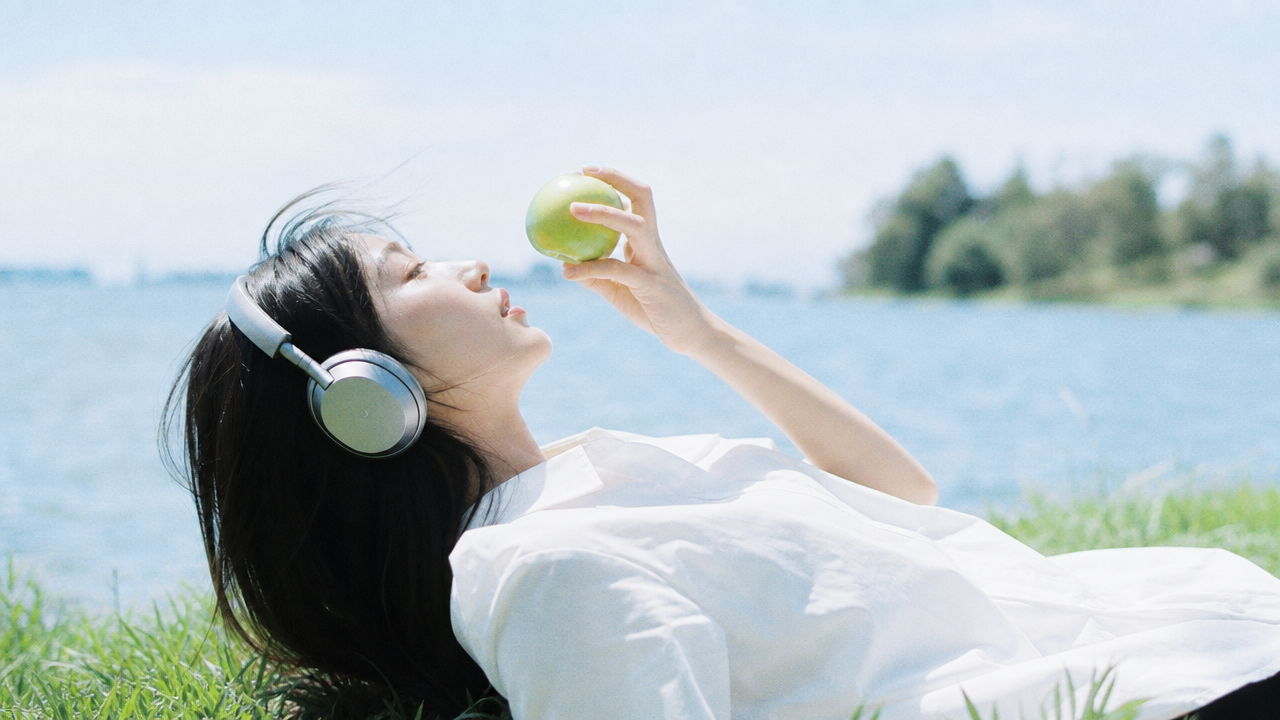
How to Create Japanese-Style Portraits with Dola Seedream 5.0 Pro: Tutorial and Prompt Examples
The appeal of Japanese-style portrait photography often comes from its natural, relaxed, and everyday atmosphere rather than elaborate sets or highly polished styling. A quiet street, a seaside railway station, a sunlit room, or a city after the rain can all become compelling settings for a portrait.
In the past, producing a complete Japanese-style portrait series usually required location scouting, wardrobe preparation, a photographer, and extensive post-production. Today, with Quick Creation and Dola Seedream 5.0 Pro, users can generate portraits in different settings, outfits, and lighting conditions from a simple text description or an existing portrait photo.
In this tutorial, we will explain how to use Dola Seedream 5.0 Pro through RunningHub Quick Creation to generate Japanese-style portraits. We will also provide reusable prompt examples to help you develop a simple idea into a complete portrait concept.
Quick Creation: https://www.runninghub.ai/ai-generator/2133000000000504075
1. Why Is Dola Seedream 5.0 Pro Suitable for Japanese-Style Portraits?
Japanese-style portraits are different from conventional commercial photography. They usually avoid intense studio lighting, excessive skin smoothing, and overly polished poses. Instead, they often feature natural light, muted colors, subtle film grain, and everyday surroundings.
For example, the subject may walk through a quiet residential street in a white shirt, read by the window in a café, or stand near a seaside railway station at sunset. The pose does not need to be dramatic. A natural expression, soft lighting, and a simple gesture are often enough to create a sense of story.
Dola Seedream 5.0 Pro is well suited to natural-looking portraits and environmental lighting. Through Quick Creation, users can enter a prompt or upload an image, then adjust the setting, clothing, composition, lighting, and overall visual style without building a complex workflow.
Create a Japanese-style portrait with Quick Creation
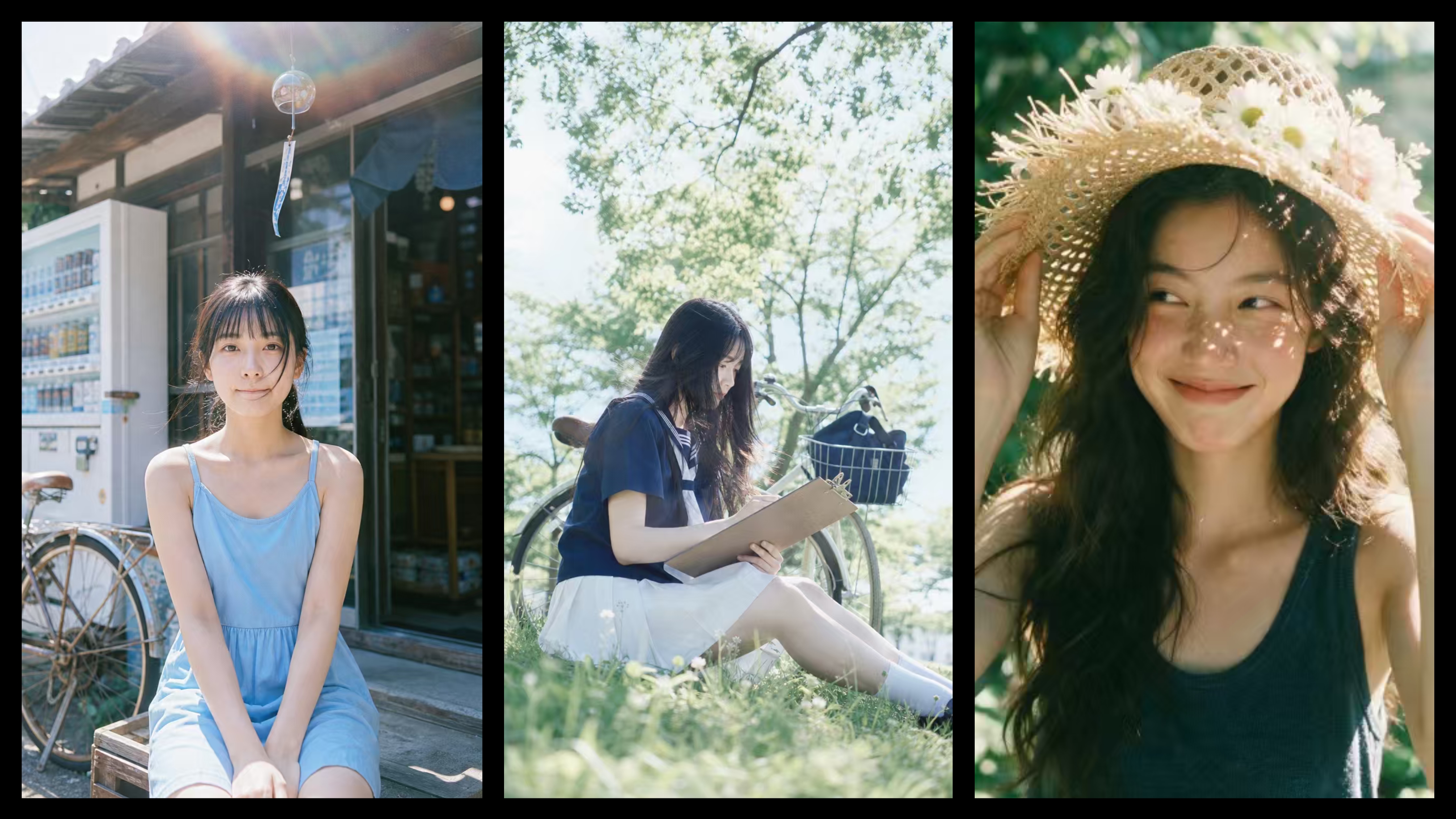 2. What Should You Prepare Before Generating a Portrait?
Before you start, it helps to define the subject, setting, and overall visual style. Clear decisions at this stage can reduce conflicting instructions in the prompt and make the output more consistent.
1. Choose How to Create the Subject
If you do not have an existing portrait, you can use text-to-image generation and describe the subject’s age, hairstyle, clothing, makeup, and general mood.
If you want to create portraits based on an existing photo, upload a clear reference image. The face should not be heavily covered by hair, sunglasses, a mask, or strong shadows.
2. Choose a Portrait Setting
Common settings for Japanese-style portraits include residential streets in Tokyo, the coast of Kamakura, railway platforms, convenience stores, Japanese cafés, wooden interiors, school corridors, summer fireworks festivals, rainy streets, and cherry blossom paths.
A single clear location usually works better than a prompt filled with too many environmental details. You can then add a specific time of day and weather condition to create a more unified mood.
3. Choose the Visual Style
Japanese-style portrait photography can include several different looks, such as bright editorial photography, muted film photography, warm lifestyle portraits, quiet literary portraits, youthful summer photography, rainy cinematic scenes, retro Showa-inspired portraits, and nighttime street photography.
Choosing one main direction before generation helps keep the clothing, lighting, setting, and color palette consistent.
3. How to Create Japanese-Style Portraits with Dola Seedream 5.0 Pro
Here is a beginner-friendly workflow.
Step 1: Open the Quick Creation Page
Open the Dola Seedream 5.0 Pro Quick Creation page and enter the image creation workspace.
If you only want to explore the Japanese portrait style, you can start with a text prompt. If you want to create images around a specific person, you can upload a portrait photo as a reference.
Step 2: Enter a Text Description or Upload a Portrait
Without a reference image, describe the subject clearly in the prompt. You can include age, hairstyle, outfit, makeup, and overall personality.
For example:
A young Asian woman with medium-length black hair, natural makeup, a white cotton shirt, and a calm, gentle presence.
When using a reference image, focus on the elements you want to adjust, such as clothing, location, pose, lighting, and photographic style.
For better results, choose a front-facing or slightly angled portrait with clear facial features, natural lighting, a simple background, and minimal beauty filters.
Step 3: Define the Setting and Portrait Style
A prompt such as “create a Japanese-style portrait” is too broad. The model may not know whether you want an editorial look, film photography, street photography, or a retro portrait.
Start with a specific concept, such as “a summer portrait near the coast of Kamakura.” Then add the outfit, action, camera position, lighting, and color palette.
Step 4: Write the Portrait Prompt
A strong portrait prompt does not need to contain a long list of technical photography terms. It should simply keep the subject, environment, and mood consistent.
For example:
Summer retro Japanese-style portrait photography. A young woman with long wavy hair is facing the camera in a half-body close-up shot, wearing a dark blue-gray knit tank top and naturally holding a wide-brimmed hollow straw hat with both hands. The edge of the hat is decorated with white daisies, pale pink flowers, and բնական-looking fringes. Sunlight filters through the brim, casting delicate speckled light on her nose, cheeks, and around her eyes. She glances slightly to the side with a soft, restrained smile, looking relaxed and lively. The background is made up of blurred green plants and summer tree shadows, with a shallow depth of field, warm backlighting, soft highlights, and a slightly green-toned vintage film color palette. Low contrast, fine grain, realistic skin texture, and naturally voluminous hair. The overall image feels fresh, gentle, and cinematic, with the mood of a youthful summer film. A close-range candid photography effect, centered subject, clear facial features, vertical magazine-style portrait composition.
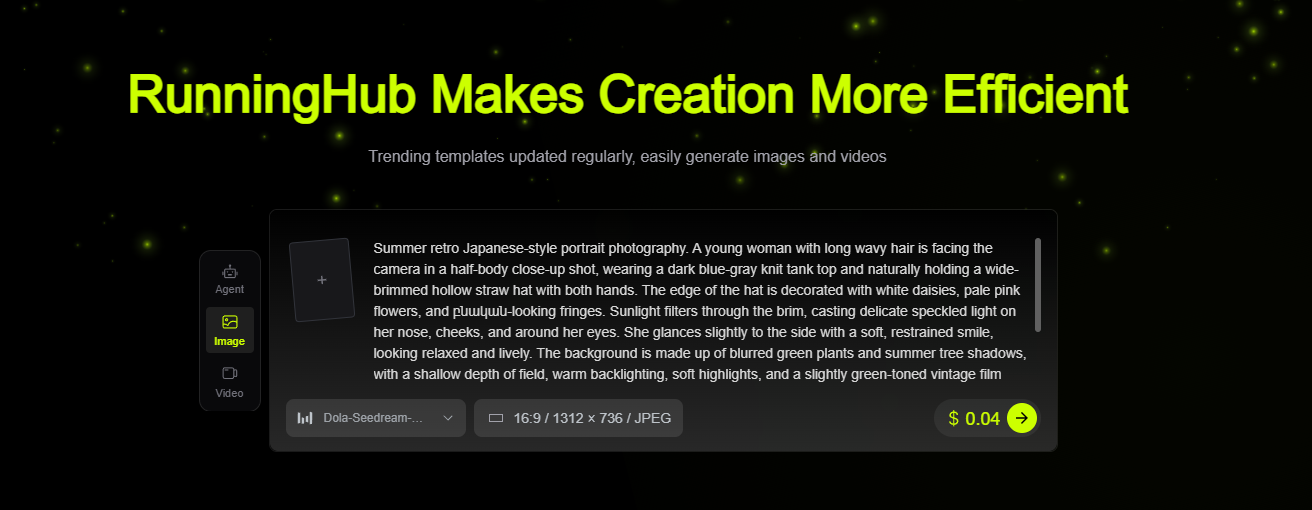
Step 5: Generate the Image and Refine the Details
After the first generation, check whether the facial features look natural, the hands are correctly formed, the outfit matches the description, the background is not too busy, and the lighting feels consistent across the subject and environment.
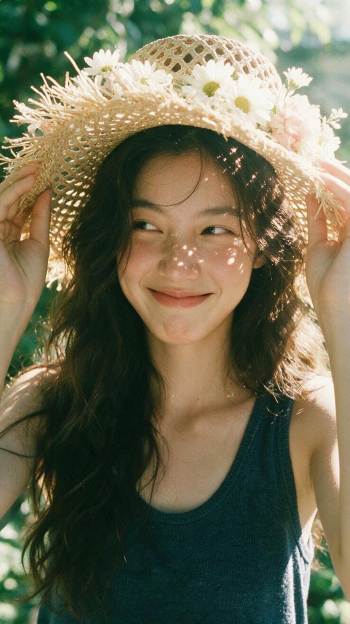
If the overall image works but one area needs improvement, keep the current image and use a more focused editing instruction.
If several elements need to change, edit them in stages. Adjust the background and clothing first, then refine the lighting, color, hair, and expression. This is often more reliable than requesting many changes at once.
Create your Japanese-style portrait now
4. How to Write a More Reliable Japanese Portrait Prompt
You can use the following structure:
Subject + Outfit + Setting + Action + Time and Weather + Lighting + Composition + Color and Texture + Restrictions
The most important elements are the subject’s mood, the setting, natural movement, lighting, and color palette. These details should support one another rather than introduce conflicting styles.
1. Subject
Describe the approximate age, hairstyle, makeup, and personality. There is no need to overdescribe every facial feature.
For example:
A young Asian woman with shoulder-length black hair, natural makeup, and a quiet, relaxed presence.
2. Setting
Avoid descriptions that are too general, such as “a street in Japan.” Add a few recognizable environmental details.
For example:
A quiet residential street in Tokyo with low-rise houses, a vending machine, utility poles, and a few green plants.
3. Action
Natural movements help create an authentic lifestyle atmosphere. Useful actions include walking slowly, turning back slightly, adjusting the hair, reading by a window, sitting on a step, looking into the distance, or giving a subtle smile.
4. Lighting and Color
Common lighting choices include soft summer daylight, overcast light, sunset backlight, window light, and cool rainy-day lighting.
For the color palette, you can use muted blue-green tones, warm cream tones, vintage film colors, or cool gray tones.
5. Restrictions
To reduce distortion and clutter, you can add the following instructions at the end of the prompt:
Natural facial features, realistic skin texture, anatomically correct hands, accurate body proportions, clean background, no excessive skin smoothing, no heavy makeup, no extra people, no text, and no watermark.
5. Japanese-Style Portrait Prompt Examples
Prompt Example 1: Summer Seaside Film Portrait
A young Asian woman standing beside a seaside railway station in Kamakura, Japan. Her medium-length black hair moves gently in the sea breeze. She wears a white short-sleeved shirt, a light blue long skirt, and canvas shoes. She holds a thin magazine and looks naturally into the distance. Soft summer afternoon sunlight falls across her face and hair. Railway tracks, the sea, road signs, and a quiet street appear in the background. Youthful Japanese film portrait photography, muted blue-green tones, subtle grain, clean and airy atmosphere, candid feeling, 35mm lens, medium shot, natural facial features, realistic skin texture, anatomically correct hands, no extra pedestrians, no text, and no watermark.
Prompt Example 2: Rainy Convenience Store Street Portrait
A young Asian woman holding a transparent umbrella outside a convenience store on a Japanese street corner. She wears a light gray cardigan, a white long skirt, and black flats. She looks slightly downward at the wet pavement with a calm and natural expression. It has just rained in the early evening. Soft reflections appear on the road, while warm convenience store light glows in the background. Japanese cinematic portrait photography, a contrast between cool gray tones and warm yellow light, muted colors, fine film grain, gentle depth of field, clear subject, soft background, no dramatic lighting, no excessive skin smoothing, no extra people, no text, and no watermark.
Prompt Example 3: Indoor Lifestyle Portrait
A young Asian woman sitting beside a window in a Japanese wooden room. She has short black hair, natural makeup, and wears an oversized white cotton shirt with beige trousers. One hand gently adjusts her hair while the other rests beside an open book. She looks relaxed and does not look directly at the camera. Afternoon sunlight passes through white curtains, creating soft shadows across the wooden floor and her face. Japanese lifestyle portrait photography, warm cream tones, natural skin texture, quiet and relaxed mood, subtle film grain, side-angle medium close-up, simple background, no commercial studio look, no heavy makeup, no excessive sharpening, no text, and no watermark.
Use these prompts to create a Japanese-style portrait
6. Frequently Asked Questions
Q1: Is Dola Seedream 5.0 Pro suitable for portrait photography?
Yes. Dola Seedream 5.0 Pro can be used to create natural and realistic portraits, lifestyle photography, Japanese-style portraits, and cinematic character images. It can also adjust backgrounds, clothing, and visual styles based on an uploaded image.
Q2: Can I upload my own photo?
Yes. Use a clear portrait with natural lighting and a simple background. Add instructions such as “preserve the person’s identity,” “do not change the face shape,” and “do not change the age.”
Before using another person’s image, make sure you have their permission. Avoid using unauthorized portraits to create misleading content.
Q3: How long should a Japanese portrait prompt be?
A prompt does not need to be especially long. It only needs to explain the subject, setting, action, lighting, and visual texture clearly. A focused paragraph is usually enough.
If the prompt is too short, the style may be unclear. If it includes too many details, the instructions may conflict with one another.
Q4: Why does the image look like a commercial advertisement?
This may happen if the prompt includes terms such as “luxury campaign,” “high-fashion editorial,” “glamorous makeup,” or “studio lighting.”
For a more natural Japanese lifestyle look, use expressions such as “natural light,” “candid,” “relaxed,” “muted colors,” “realistic skin texture,” “everyday atmosphere,” and “subtle film grain.”
Q5: Why does the subject not resemble the uploaded image?
First, make sure the uploaded image is clear and that the face is not covered by hair, accessories, or shadows. You can also reduce the number of changes to clothing, pose, and environment while emphasizing that the facial features, face shape, hairstyle, and age should remain unchanged.
If only the background or clothing needs improvement, refine the current result instead of generating the entire image again.
Q6: How can I create several portraits of the same person?
Use the same portrait image and keep the identity-related instructions consistent. Only change the setting, clothing, pose, and lighting.
For example, you can create a Kamakura seaside portrait, a rainy Tokyo street portrait, a Japanese café portrait, a wooden-room lifestyle portrait, and a summer fireworks portrait of the same person.
Avoid changing too many personal features at once. This makes it easier to maintain visual consistency.
Q7: Can the generated images be used commercially?
Commercial use depends on the current rules of RunningHub and the relevant model. Before using an image in advertising, branded content, or paid media, confirm that you have the necessary rights to the portrait, uploaded image, clothing patterns, brand elements, and other visual materials.
7. Conclusion: Create Japanese-Style Portraits with Dola Seedream 5.0 Pro
A convincing Japanese-style portrait does not depend on adding as many Japanese elements as possible. The key is to create a consistent relationship between the subject, environment, lighting, and mood.
A quiet location, a natural outfit, a simple gesture, soft light, and subtle film tones are often enough to create a portrait with atmosphere and narrative depth.
With Dola Seedream 5.0 Pro, users can generate portraits from text or upload an existing image to explore different settings, including seaside streets, cafés, rainy cities, railway stations, and indoor lifestyle scenes. The clothing, background, lighting, and local details can then be refined without rebuilding the entire image.
If you already have a clear portrait photo or want to explore a new visual style, enter RunningHub Quick Creation and start creating your own Japanese-style portrait.