

How to Use RunningHub API with veo3.1 for AI Video Generation
This article introduces how to use the RunningHub API with the veo3.1 AI video generation model to easily build automated video creation workflows. It explains how developers and creators can generate high-quality product videos and short AI clips through simple API calls, without complex prompt writing or local deployment. The guide focuses on practical use cases like e-commerce video production, social media content creation, and batch marketing asset generation, helping users quickly integrate AI video generation into their own systems for scalable and efficient content production.

How to Use RunningHub API with veo3.1 for AI Video Generation
If you are building an e-commerce platform, content automation system, or AI-driven creative tool, producing high-quality video content at scale is often expensive, slow, and operationally complex. Traditional production requires filming, editing, and coordination, while many AI tools still depend on prompt engineering and manual workflows.
With RunningHub API, you can integrate AI video generation directly into your own system. The first mention of veo3.1 enables developers to generate product videos and AI clips from images, prompts, or structured parameters.
RunningHub provides workflow hosting, API key management, online debugging, task management, usage statistics, and team collaboration, allowing teams to focus on building applications instead of maintaining infrastructure.
What Problems Does This Feature Solve?
The integrated AI video generation workflow is designed for e-commerce sellers, marketing teams, designers, studios, developers, and enterprise users who need consistent video output at scale.
Typical Use Cases
High-quality product showcase videos AI-generated short promotional clips Social media marketing videos Automated content generation pipelines Bulk video creation for advertising campaigns
By using RunningHub API, users can transform simple input materials into ready-to-publish video assets.
Why Use RunningHub API?
- Developer-friendly integration
- Hosted workflow management
- Batch processing
- Permission and team collaboration
- Unified AI creation platform
How to Use the API
Step 1. Open the API Page
Select the appropriate workflow from the API center.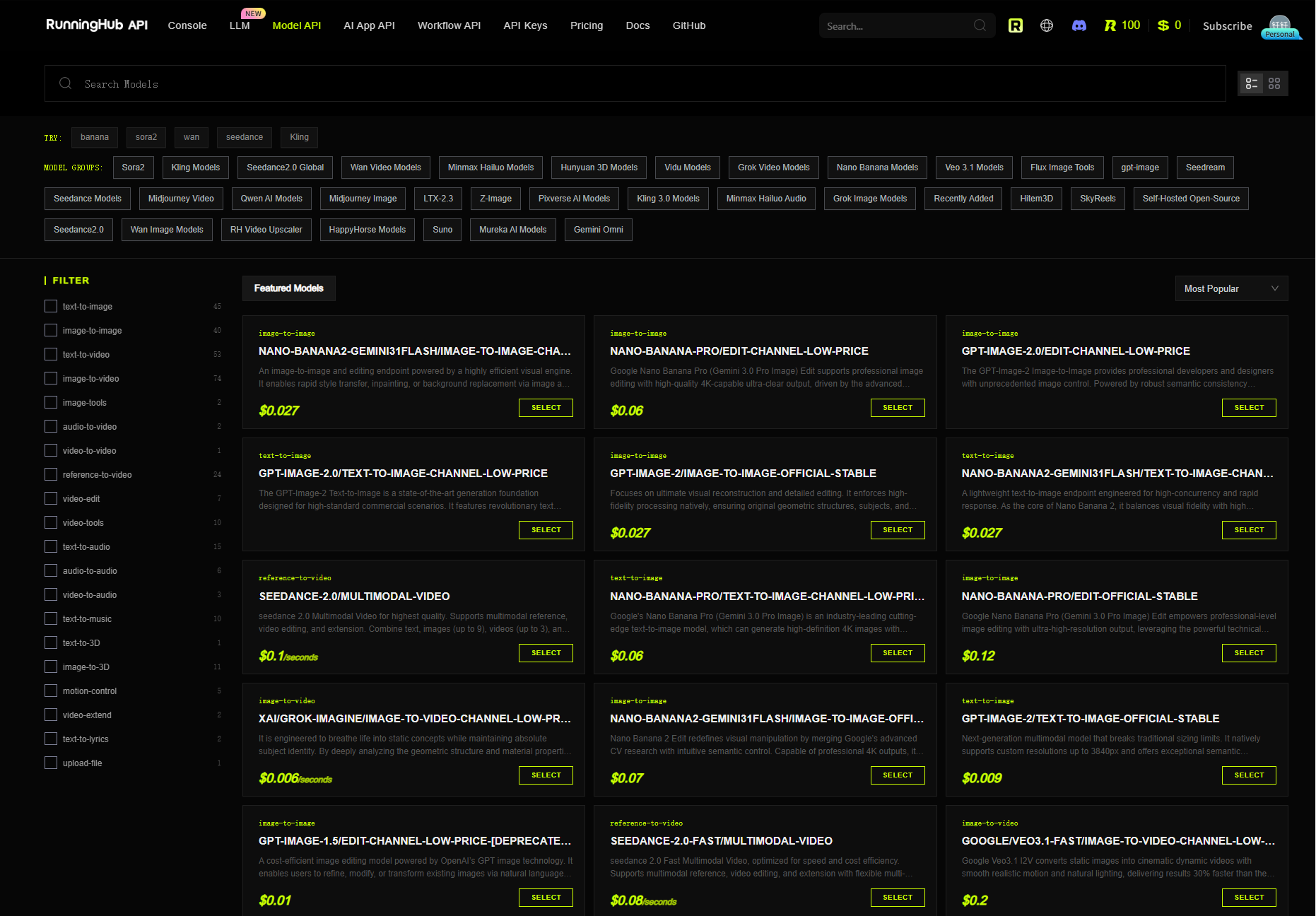
Step 2. Review Parameters
Note: Supported request fields depend on the selected workflow. Always refer to the latest official API documentation.
Step 3. Prepare Inputs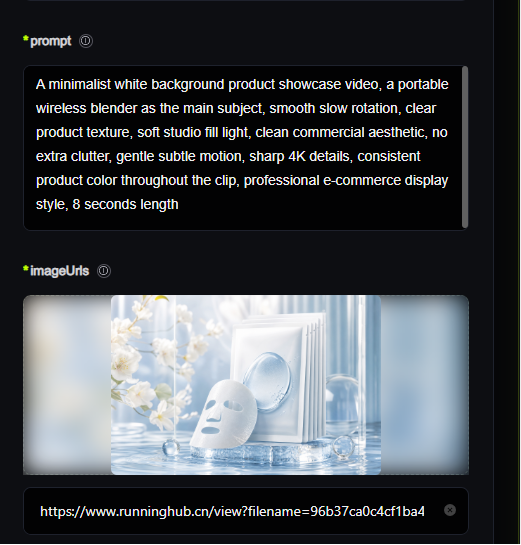
Step 4. Submit Request
After processing, typical outputs include product videos, promotional clips, and short-form marketing videos.
API Use Case Example
Best Practices
- Start with small-scale testing.
- Use structured prompts: Subject + Scene + Motion + Style.
- Implement retry, timeout, and queue handling.
- Use batch processing for production workloads.
- Integrate into CMS, automation platforms, or e-commerce systems.
[Insert Image 4: Workflow Strategy Diagram]
FAQ
Q1: Is it beginner-friendly?Yes. Developers benefit most, but non-technical users can also use hosted workflows.
Q2: What inputs are supported?Images, prompts, or structured parameters depending on the workflow.
Q3: How can I improve quality?Use clear prompts and high-quality images.
Q4: Can generated videos be used commercially?Please refer to the official RunningHub documentation and the applicable model terms.
Conclusion
By integrating RunningHub API with AI video generation workflows, organizations can automate scalable video production while improving efficiency and reducing production costs.