

How to Create High-Quality AI Motion Comics with RHTV: A Complete AI Canvas Workflow Tutorial
Learn how to create AI motion comics, short videos, and branded storytelling with RHTV Canvas. Explore the complete workflow from storyboarding to video generation.

How to Create High-Quality AI Motion Comics with RHTV Canvas: A Complete Workflow Guide
Creating AI motion comics, cinematic short videos, and animated storytelling content often requires multiple creative tools, repeated editing, and complex asset management. Maintaining character consistency, organizing storyboards, and producing publishable content efficiently can become challenging as projects grow.
This guide explains how to use RHTVCanvas to build an end-to-end AI motion comic workflow. You'll learn how to organize scenes, upload creative assets, generate videos, and refine projects inside one visual AI Canvas without constantly switching between different applications.
Whether you're an AI creator, designer, content marketer, creative studio, or developer exploring AI video generation workflows, this tutorial demonstrates how to transform images and ideas into high-quality motion comic videos with a structured production process.
Why Create Motion Comics with AI?
Short-form video continues to dominate social platforms, but producing engaging animated content remains expensive and time-consuming using traditional production methods.
A typical workflow often includes multiple disconnected tools for image generation, prompt writing, storyboard planning, animation, video editing, and asset management. Even a 20-second motion comic may require hours of manual work across different software.
An AI-powered workflow makes it possible to streamline these production stages while improving creative efficiency and maintaining visual consistency throughout a project.
Common Challenges
Using an AI creative canvas helps creators organize the entire production process visually instead of treating video generation as a single isolated task.
Why Choose RunningHub RHTV Canvas?
Unlike many AI video generation tools that focus only on producing individual clips, RHTV Canvas provides a visual workspace for planning, organizing, generating, and refining complete video projects.
Instead of restarting every iteration from scratch, creators can manage multiple scenes, reuse assets, compare outputs, and continuously improve projects inside one infinite canvas.
This workflow is especially suitable for multi-scene storytelling, serialized content production, branded campaigns, and AI motion comics.
Main Advantages
Typical Use Cases
Rather than producing one isolated result, RHTV Canvas is designed to support the entire content creation lifecycle—from planning and generation to refinement and publishing.
AI motion comic generated with RHTV Canvas workflow.
Workflow: How to Create an AI Motion Comic
Step 1. Open the RHTV Canvas Workspace
Begin by opening the RHTV Canvas project workspace.
The visual canvas serves as the production center for your entire project, allowing you to organize scenes, generation nodes, reference materials, and creative assets in one place.
Instead of managing separate folders and editing software, every production stage remains connected within the same workflow.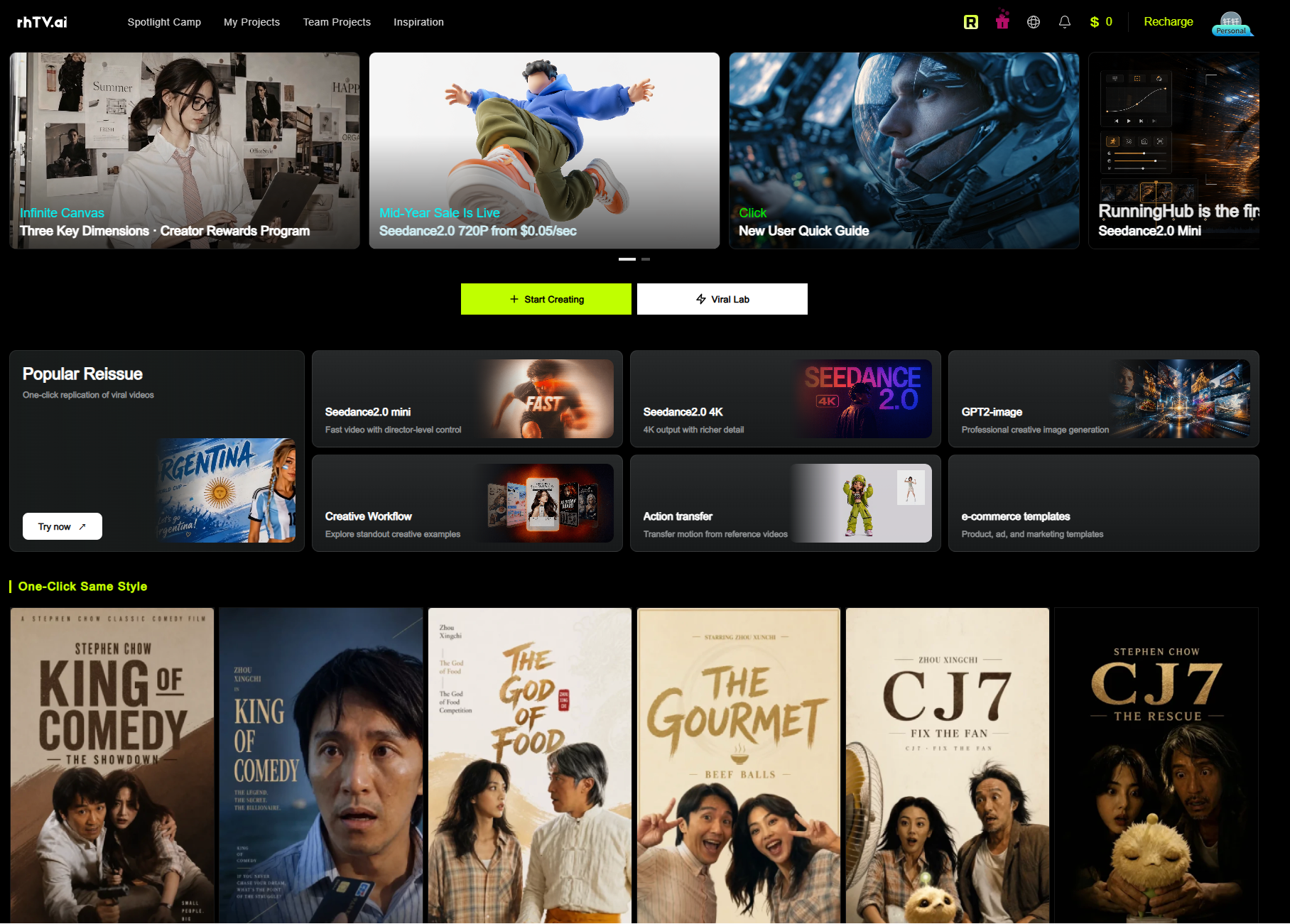
Step 2. Choose a Template or Start a New Project
After entering the workspace, choose the production method that best fits your project.
Templates help accelerate production while maintaining a structured workflow. For motion comic creation, starting from a storyboard template is generally recommended because it simplifies scene organization and narrative planning.
At this stage, creators should begin outlining the sequence of scenes, camera perspectives, and storytelling flow before generating any visuals.
Planning the structure first usually results in better consistency and fewer revisions later in the production process.
Start Creating Motion Comics with RHTV Canvas →
Step 3. Upload Assets and Configure Your Scenes
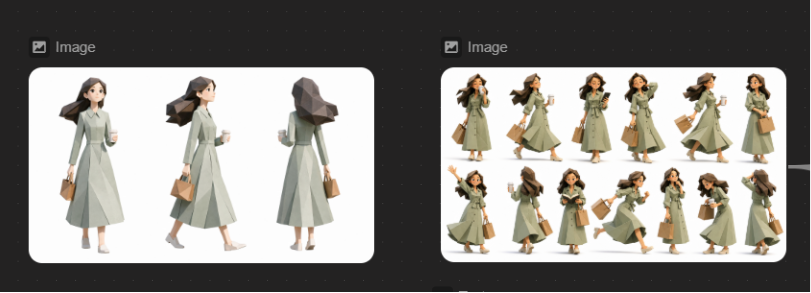
Once your project structure is ready, upload the assets needed for your motion comic. RHTV Canvas allows you to organize different types of materials within the same workspace, making it easier to manage complex projects. After importing your materials, define the overall scene structure before generating videos. Instead of focusing on a single prompt, think about how each scene connects to the next. This structured workflow makes later adjustments significantly easier than editing individual video clips separately.
Step 4. Generate Videos and Create Multiple Versions
After configuring your scenes, generate the first version of your motion comic.
Because every asset and scene remains visible inside the canvas, you can continue refining the project without rebuilding the workflow.
Keeping every iteration inside one workspace makes version management much easier, especially for long-form storytelling or serialized content.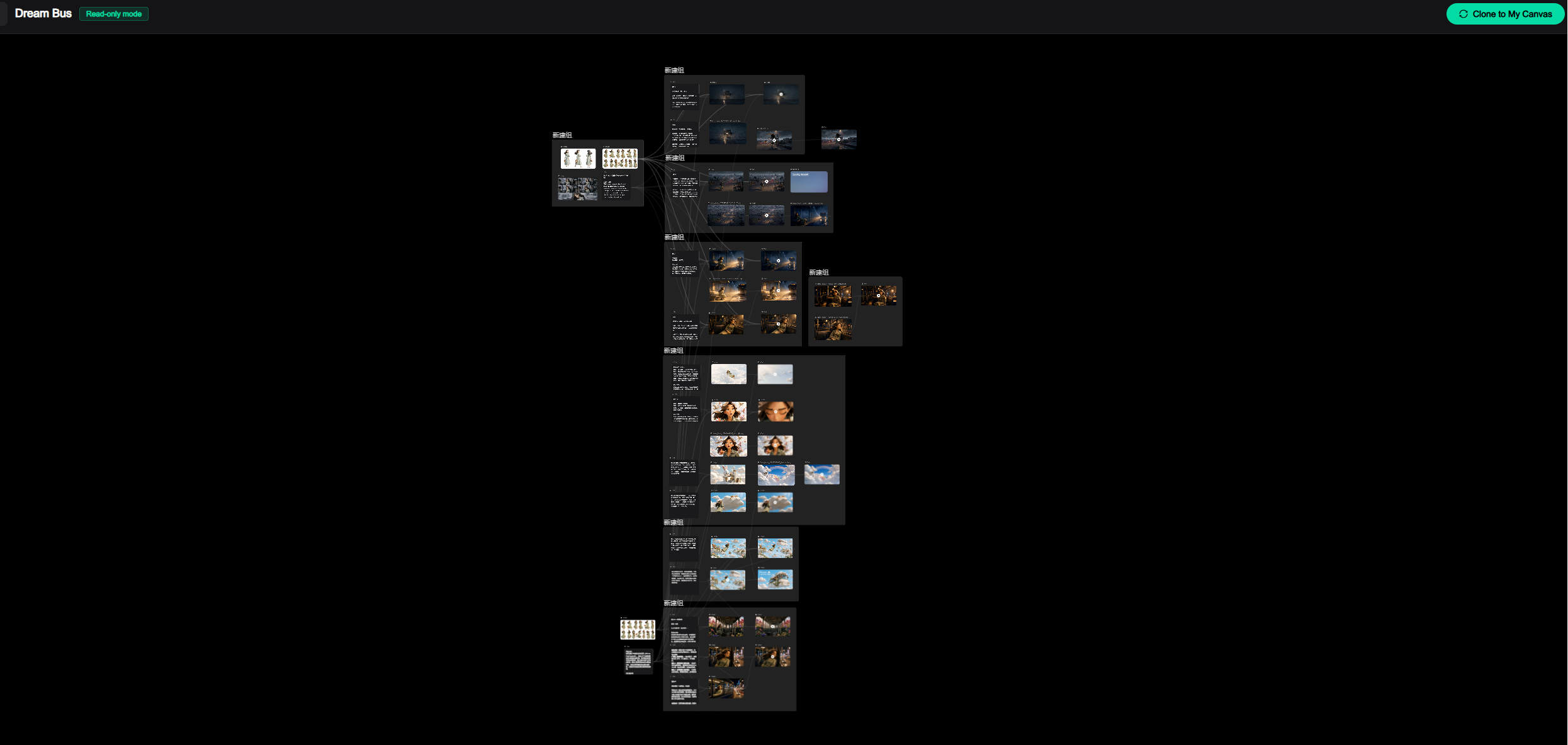
Frequently Asked Questions
Is RHTV Canvas suitable for beginners?
Yes. Beginners can start with templates or existing creative assets instead of building an entire workflow from scratch. This reduces the learning curve while still providing a structured production process.
What materials should I prepare?
Common assets include character illustrations, product images, background artwork, concept sketches, reference images, story outlines, and brand resources. The exact requirements depend on your creative project.
How should I write prompts for AI motion comics?
Describe the key visual elements clearly, including:
Combining high-quality reference images with descriptive prompts generally improves visual consistency.
What if the generated results are not ideal?
Consider refining:
Testing multiple versions and comparing outputs often leads to better creative results.
Can generated content be used commercially?
Commercial usage depends on the latest RunningHub platform policies and the licensing terms of the AI models used. Always review the current documentation before publishing commercial projects.
Does API integration require development experience?
API integration requirements vary depending on the implementation scenario. Refer to the latest API documentation for supported features, authentication methods, and integration requirements. Do not rely on example code without verifying the official documentation.
Do ComfyUI workflows require local deployment?
Not necessarily. Different ComfyUI workflows have different deployment methods and input requirements. Always review the corresponding workflow documentation before use and avoid assuming identical node configurations across projects.
Conclusion
Creating motion comics no longer requires a complicated production pipeline involving multiple disconnected tools. By combining storyboarding, asset management, scene organization, AI generation, and project refinement within a single visual workspace, RHTV Canvas helps streamline the entire creative workflow.
Whether you're producing AI storytelling videos, branded campaigns, educational content, or serialized motion comics, a structured workflow makes it easier to transform creative ideas into publishable video content while maintaining consistency throughout the project.