
'%3e %3cg id='Vector'%3e %3c/g%3e %3cpath id='Vector_2' d='M14.504 8.522L12.746 4.49C12.6826 4.34486 12.5783 4.22136 12.4458 4.13463C12.3133 4.0479 12.1584 4.0017 12 4.0017C11.8416 4.0017 11.6867 4.0479 11.5542 4.13463C11.4217 4.22136 11.3174 4.34486 11.254 4.49L9.495 8.522C9.305 8.958 8.958 9.306 8.522 9.495L4.49 11.254C4.34486 11.3174 4.22136 11.4217 4.13463 11.5542C4.0479 11.6867 4.0017 11.8416 4.0017 12C4.0017 12.1584 4.0479 12.3133 4.13463 12.4458C4.22136 12.5783 4.34486 12.6826 4.49 12.746L8.523 14.504C8.959 14.694 9.307 15.042 9.496 15.478L11.255 19.511C11.3184 19.6561 11.4227 19.7796 11.5552 19.8664C11.6877 19.9531 11.8426 19.9993 12.001 19.9993C12.1594 19.9993 12.3143 19.9531 12.4468 19.8664C12.5793 19.7796 12.6836 19.6561 12.747 19.511L14.505 15.478C14.695 15.042 15.043 14.694 15.479 14.504L19.512 12.746C19.6571 12.6826 19.7806 12.5783 19.8674 12.4458C19.9541 12.3133 20.0003 12.1584 20.0003 12C20.0003 11.8416 19.9541 11.6867 19.8674 11.5542C19.7806 11.4217 19.6571 11.3174 19.512 11.254L15.479 9.495C15.043 9.30549 14.695 8.95782 14.505 8.522' stroke='var(--stroke-0%2c white)' stroke-width='1.25' stroke-linecap='round' stroke-linejoin='round'/%3e %3cpath id='Vector_3' d='M3 3L5 5' stroke='var(--stroke-0%2c white)' stroke-width='1.25' stroke-linecap='round' stroke-linejoin='round'/%3e %3cpath id='Vector_4' d='M21 3L19 5' stroke='var(--stroke-0%2c white)' stroke-width='1.25' stroke-linecap='round' stroke-linejoin='round'/%3e %3cpath id='Vector_5' d='M3 21L5 19' stroke='var(--stroke-0%2c white)' stroke-width='1.25' stroke-linecap='round' stroke-linejoin='round'/%3e %3cpath id='Vector_6' d='M21 21L19 19' stroke='var(--stroke-0%2c white)' stroke-width='1.25' stroke-linecap='round' stroke-linejoin='round'/%3e %3c/g%3e %3cdefs%3e %3cclipPath id='clip0_0_55'%3e %3crect width='24' height='24' fill='white'/%3e %3c/clipPath%3e %3c/defs%3e %3c/svg%3e)
'%3e %3cg id='Vector'%3e %3c/g%3e %3cpath id='Vector_2' d='M14.375 7.66667H14.385' stroke='var(--stroke-0%2c white)' stroke-width='1.25' stroke-linecap='round' stroke-linejoin='round'/%3e %3cpath id='Vector_3' d='M11.9792 20.125H5.75C4.9875 20.125 4.25624 19.8221 3.71707 19.2829C3.1779 18.7438 2.875 18.0125 2.875 17.25V5.75C2.875 4.9875 3.1779 4.25624 3.71707 3.71707C4.25624 3.1779 4.9875 2.875 5.75 2.875H17.25C18.0125 2.875 18.7438 3.1779 19.2829 3.71707C19.8221 4.25624 20.125 4.9875 20.125 5.75V11.9792' stroke='var(--stroke-0%2c white)' stroke-width='1.25' stroke-linecap='round' stroke-linejoin='round'/%3e %3cpath id='Vector_4' d='M2.875 15.3333L7.66667 10.5417C8.556 9.68587 9.65233 9.68587 10.5417 10.5417L14.375 14.375' stroke='var(--stroke-0%2c white)' stroke-width='1.25' stroke-linecap='round' stroke-linejoin='round'/%3e %3cpath id='Vector_5' d='M13.4167 13.4167L14.375 12.4583C15.0171 11.8412 15.7646 11.6687 16.4661 11.9408' stroke='var(--stroke-0%2c white)' stroke-width='1.25' stroke-linecap='round' stroke-linejoin='round'/%3e %3cpath id='Vector_6' d='M15.3333 18.2083H21.0833' stroke='var(--stroke-0%2c white)' stroke-width='1.25' stroke-linecap='round' stroke-linejoin='round'/%3e %3cpath id='Vector_7' d='M18.2083 15.3333V21.0833' stroke='var(--stroke-0%2c white)' stroke-width='1.25' stroke-linecap='round' stroke-linejoin='round'/%3e %3c/g%3e %3cdefs%3e %3cclipPath id='clip0_0_4'%3e %3crect width='23' height='23' fill='white'/%3e %3c/clipPath%3e %3c/defs%3e %3c/svg%3e)


'%3e %3cg id='Vector'%3e %3c/g%3e %3cpath id='Vector_2' d='M18.3333 10.5001V6.66667C18.3333 5.78261 17.9821 4.93477 17.357 4.30964C16.7319 3.68452 15.8841 3.33333 15 3.33333H5C4.11594 3.33333 3.2681 3.68452 2.64298 4.30964C2.01786 4.93477 1.66667 5.78261 1.66667 6.66667V13.3333C1.66667 14.2174 2.01786 15.0652 2.64298 15.6904C3.2681 16.3155 4.11594 16.6667 5 16.6667H11.6667M15.5 17.0001V12.0001M13 14.5001L15.5 12.0001L18 14.5001' stroke='var(--stroke-0%2c white)' stroke-linecap='round' stroke-linejoin='round'/%3e %3cpath id='Vector_3' d='M8.33333 7.5L12.5 10L8.33333 12.5V7.5Z' stroke='var(--stroke-0%2c white)' stroke-linecap='round' stroke-linejoin='round'/%3e %3c/g%3e %3cdefs%3e %3cclipPath id='clip0_0_4'%3e %3crect width='20' height='20' fill='white'/%3e %3c/clipPath%3e %3c/defs%3e %3c/svg%3e)
'%3e %3cg id='Vector'%3e %3c/g%3e %3cpath id='Vector_2' d='M16.25 10.8333L21.1824 8.36767C21.3475 8.28515 21.531 8.2462 21.7154 8.25451C21.8998 8.26281 22.079 8.3181 22.2361 8.41512C22.3931 8.51214 22.5228 8.64768 22.6127 8.80888C22.7026 8.97007 22.7499 9.15158 22.75 9.33617V16.6638C22.7499 16.8484 22.7026 17.0299 22.6127 17.1911C22.5228 17.3523 22.3931 17.4879 22.2361 17.5849C22.079 17.6819 21.8998 17.7372 21.7154 17.7455C21.531 17.7538 21.3475 17.7148 21.1824 17.6323L16.25 15.1667V10.8333Z' stroke='var(--stroke-0%2c white)' stroke-width='1.25' stroke-linecap='round' stroke-linejoin='round'/%3e %3cpath id='Vector_3' d='M3.25 8.66667C3.25 8.09203 3.47827 7.54093 3.8846 7.1346C4.29093 6.72827 4.84203 6.5 5.41667 6.5H14.0833C14.658 6.5 15.2091 6.72827 15.6154 7.1346C16.0217 7.54093 16.25 8.09203 16.25 8.66667V17.3333C16.25 17.908 16.0217 18.4591 15.6154 18.8654C15.2091 19.2717 14.658 19.5 14.0833 19.5H5.41667C4.84203 19.5 4.29093 19.2717 3.8846 18.8654C3.47827 18.4591 3.25 17.908 3.25 17.3333V8.66667Z' stroke='var(--stroke-0%2c white)' stroke-width='1.25' stroke-linecap='round' stroke-linejoin='round'/%3e %3cpath id='Vector_4' d='M7.58333 13H11.9167' stroke='var(--stroke-0%2c white)' stroke-width='1.25' stroke-linecap='round' stroke-linejoin='round'/%3e %3cpath id='Vector_5' d='M9.75 10.8333V15.1667' stroke='var(--stroke-0%2c white)' stroke-width='1.25' stroke-linecap='round' stroke-linejoin='round'/%3e %3c/g%3e %3cdefs%3e %3cclipPath id='clip0_0_47'%3e %3crect width='26' height='26' fill='white'/%3e %3c/clipPath%3e %3c/defs%3e %3c/svg%3e)
'%3e %3cg id='Vector'%3e %3c/g%3e %3cpath id='Vector_2' d='M4 7H7M11 7H20' stroke='var(--stroke-0%2c white)' stroke-width='1.25' stroke-linecap='round' stroke-linejoin='round'/%3e %3cpath id='Vector_3' d='M4 17H20' stroke='var(--stroke-0%2c white)' stroke-width='1.25' stroke-linecap='round' stroke-linejoin='round'/%3e %3cpath id='Vector_4' d='M7 4L7 20' stroke='var(--stroke-0%2c white)' stroke-width='1.25' stroke-linecap='round' stroke-linejoin='round'/%3e %3cpath id='Vector_5' d='M17 4V13M17 17V20' stroke='var(--stroke-0%2c white)' stroke-width='1.25' stroke-linecap='round' stroke-linejoin='round'/%3e %3c/g%3e %3cdefs%3e %3cclipPath id='clip0_0_60'%3e %3crect width='24' height='24' fill='white'/%3e %3c/clipPath%3e %3c/defs%3e %3c/svg%3e)
'%3e %3cg id='Vector'%3e %3c/g%3e %3cpath id='Vector_2' d='M6 10L4 11L12 15L20 11L18 10' stroke='var(--stroke-0%2c white)' stroke-width='1.25' stroke-linecap='round' stroke-linejoin='round'/%3e %3cpath id='Vector_3' d='M4 15L12 19L20 15' stroke='var(--stroke-0%2c white)' stroke-width='1.25' stroke-linecap='round' stroke-linejoin='round'/%3e %3cpath id='Vector_4' d='M12 4V11' stroke='var(--stroke-0%2c white)' stroke-width='1.25' stroke-linecap='round' stroke-linejoin='round'/%3e %3cpath id='Vector_5' d='M15 8L12 11L9 8' stroke='var(--stroke-0%2c white)' stroke-width='1.25' stroke-linecap='round' stroke-linejoin='round'/%3e %3c/g%3e %3cdefs%3e %3cclipPath id='clip0_0_9'%3e %3crect width='24' height='24' fill='white'/%3e %3c/clipPath%3e %3c/defs%3e %3c/svg%3e)


How to Create 4K AI Product Videos with Seedance 2.0
Learn how to create 4K AI product videos with Seedance 2.0 on RunningHub. Use Quick Create, follow a simple workflow, and copy prompts for e-commerce ads.
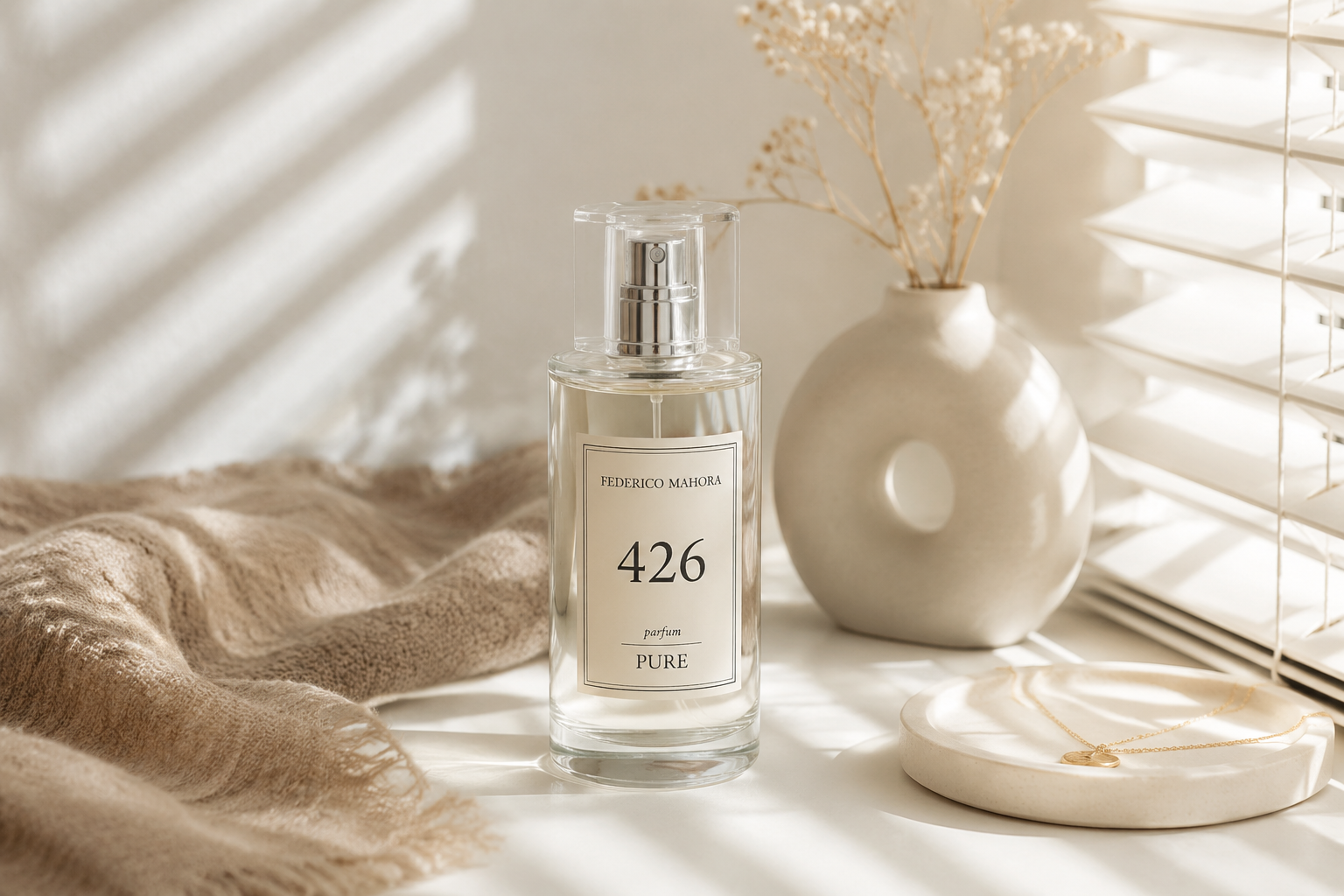
How to Create 4K AI Product Videos with Seedance 2.0
Product videos have become an important part of e-commerce, social media marketing, product launches, and brand campaigns. A static product image can show what an item looks like, but a short video can make the product feel more premium, dynamic, and ready for real promotion.
With Seedance 2.0 on RunningHub, you can turn product images or text ideas into 4K AI product videos. Instead of planning a full product shoot, you can start from a product photo, write a clear prompt, and use RunningHub Quick Create to generate product videos for e-commerce pages, ads, landing pages, and social media content.
This guide explains how to create a 4K AI product video with Seedance 2.0 using a simple workflow. It is designed for e-commerce sellers, marketers, designers, and creators who want to create product video assets faster.
Start Creating AI Product Videos
Why Use Seedance 2.0 for 4K AI Product Videos?
Product videos need to keep the product clear, stable, and recognizable while adding motion, lighting, and a polished commercial style. This is especially important for online stores and brand campaigns, where the product itself must remain the focus of the video.
Seedance 2.0 4K is suitable for creating high-quality product videos because it can help transform product images into dynamic video assets with a more premium visual feel. For example, a skincare bottle can be shown with soft reflections, a tech product can appear in a clean futuristic scene, and a drink can be displayed with bright summer lighting and subtle motion.
Using Seedance 2.0 for product videos is useful when you want to create:
For most product-focused users, image-to-video is the easiest way to start. You can upload a product image and use a prompt to control the scene, motion, camera movement, lighting, and style.
Suggested content: A simple grid showing different product video styles, such as beauty, tech, food, and fashion products. Alt text: 4K AI product video examples created with Seedance 2.0.
Why Start with RunningHub Quick Create?
If you are new to AI video generation, starting from a complex workflow can feel overwhelming. You may need to choose a model, understand different settings, prepare input files, and write prompts from scratch.
RunningHub Quick Create makes the process more direct. Instead of starting with technical settings, you can start from the type of content you want to create. For product videos, this means you can upload a product image, enter a prompt, and generate a video without building a full workflow.
Quick Create is especially useful if you want to:
The main advantage is speed. You can focus on the product, the scene, the camera movement, and the final look instead of spending too much time setting up a production process.
[RunningHub Quick Create Entry]
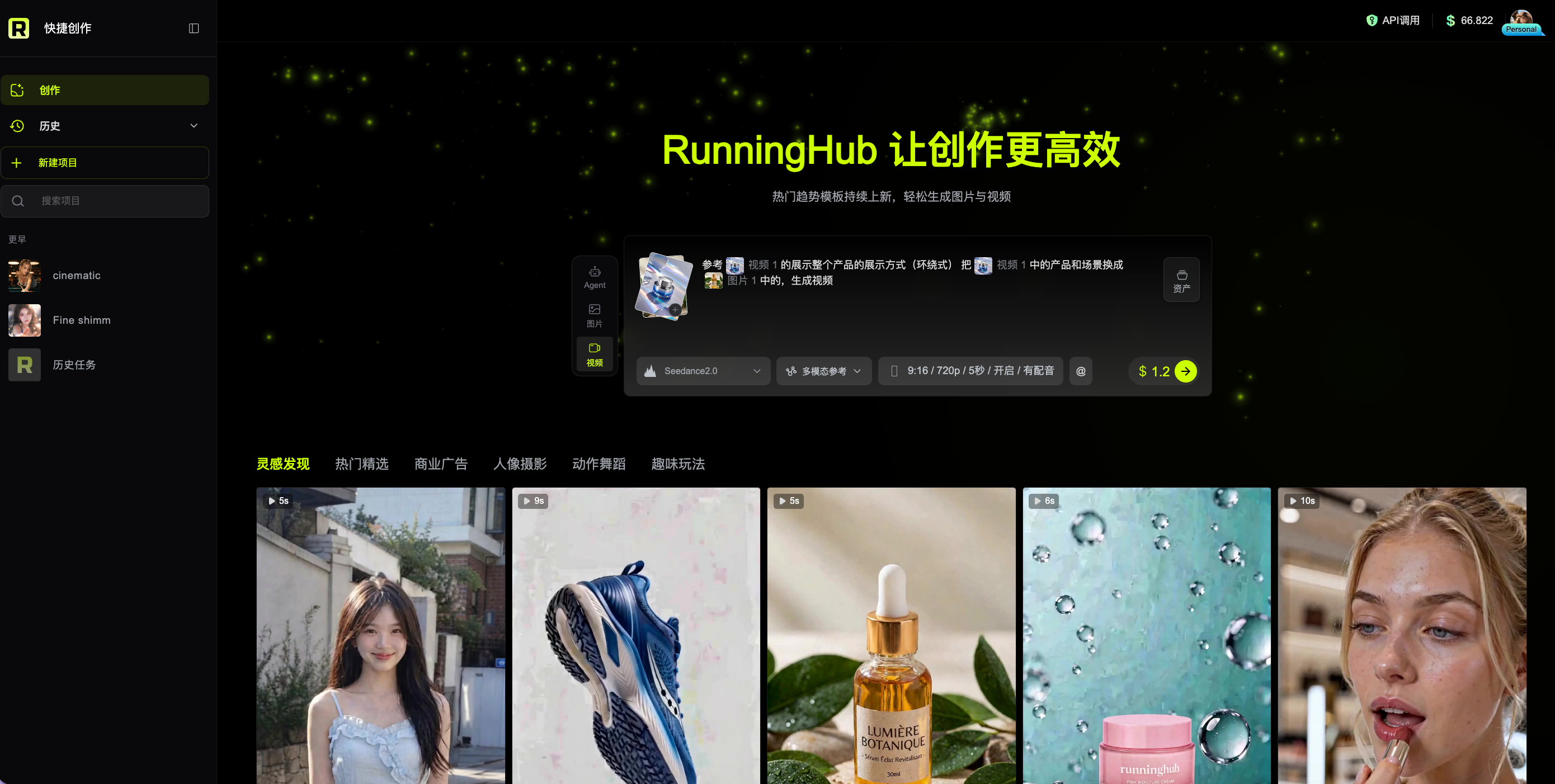
How to Create a 4K AI Product Video with Seedance 2.0
Here is a simple workflow you can follow to create a 4K AI product video with Seedance 2.0 on RunningHub.
Step 1: Open Quick Create
Go to RunningHub and open Quick Create. Choose a video generation, product video, image-to-video, or ad-style creation entry depending on the options available on your page.
If your goal is to create a product ad, choose an entry that matches the result you want. For example, a product showcase style may work well for e-commerce pages, while a more cinematic style may be better for a launch campaign.
Step 2: Upload a Product Image
If you already have a product photo, upload it as the reference image. A clear and centered product image usually works better than a cluttered image with too many props.
The clearer the product shape is, the easier it is to keep the final video stable.
Step 3: Write a Clear Product Video Prompt
A strong product video prompt should describe the product, the scene, the motion, the camera movement, the lighting, the style, and the stability requirements.
Instead of writing:
Create a premium product video.
You can write:
A luxury skincare serum bottle placed on a soft golden water surface, slowly rotating as gentle ripples move around the base. The camera slowly pushes in from the front, with warm highlights, clean reflections, premium commercial lighting, sharp product details, stable product shape, and an elegant minimal background.
This prompt is more useful because it tells the model what the product is, where it appears, how it moves, how the camera moves, and what style the final video should have.
Step 4: Generate and Review the Result
After generating the video, check whether the product stays stable, whether the label or shape changes too much, and whether the camera movement feels natural.
If the result is not good enough, adjust the prompt instead of changing everything at once. You can make the motion simpler, describe the background more clearly, or add constraints such as “stable product shape,” “sharp label details,” or “clean background.”
[Case Showcase]
Create Your First Product Video
Seedance 2.0 Product Video Prompt Formula
To make your prompt easier to control, use this structure:
Product + Scene + Motion + Camera Movement + Lighting + Style + Quality + Constraints
Product: Describe the main item, such as a serum bottle, wireless earbud case, drink can, handbag, watch, or snack package.
Scene: Describe where the product appears, such as a clean studio, golden water surface, dark matte platform, marble table, or bright summer background.
Motion: Describe how the product or scene moves, such as slowly rotating, floating, light sweeping across the surface, bubbles rising, or water ripples moving around the base.
Camera movement: Describe how the camera moves, such as slow push-in, smooth side orbit, close-up reveal, or gentle zoom.
Lighting: Describe the light style, such as soft golden highlights, blue neon light, clean studio lighting, or bright natural sunlight.
Style: Describe the final visual direction, such as premium commercial ad, futuristic product launch, clean e-commerce video, or social media product ad.
Quality and constraints: Add stability requirements, such as sharp product details, stable label, stable product shape, clean background, and no extra text.
A Reusable Prompt Template for 4K AI Product Videos
If you do not have time to prepare multiple product video cases, you can start with one reusable prompt template and adjust it for different products.
Copyable prompt template:
A [product name] placed in a [scene or background], [main motion]. The camera [camera movement], with [lighting style], [visual mood], sharp product details, stable product shape, clean background, premium commercial style, suitable for an e-commerce product video or social media product ad.
Example:
A premium wireless earbud case placed on a dark matte platform, slowly rotating as blue light sweeps across the surface. The camera moves in a smooth side orbit, with subtle particles in the background, clean reflections, crisp product edges, stable product shape, futuristic commercial style, suitable for a product launch video or e-commerce product ad.
You can replace the product, background, motion, lighting, and style based on your own campaign. This is enough for a simple product video tutorial article without building a full prompt case library.
Tips for Better AI Product Video Results
To get better product videos, start with a clean input image and a focused prompt. Product videos require more control than fantasy or cinematic scenes because the product must remain recognizable.
Use a clear product image. A centered product with a clean outline usually works better than a busy lifestyle image.
Keep the motion simple. For product ads, slow rotation, camera push-in, floating motion, and light sweeps are often enough.
Control the background. Use clear background descriptions such as “minimal studio,” “soft golden water,” “dark matte platform,” or “bright summer setting.”
Add stability constraints. Use phrases such as “stable product shape,” “sharp product details,” “stable label,” “clean background,” and “no extra text.”
Create more than one version. Generate several variations with different lighting, backgrounds, or camera movements. This gives you more options for product pages, ads, and social content.
FAQ
Can Seedance 2.0 create 4K AI product videos?
Seedance 2.0 4K is suitable for creating high-detail AI product videos, especially when you want a polished commercial look. For the most accurate output options and availability, always check the current RunningHub product page.
Do I need a product image to create a product video?
A product image is recommended because it helps preserve the product shape, packaging, and visual identity. You can also start from text, but image-to-video is usually more practical for real e-commerce products.
What should I include in a Seedance 2.0 product video prompt?
A strong prompt should include the product, scene, motion, camera movement, lighting, style, quality, and constraints. This gives the model a clearer direction and helps make the result more stable.
Can I use AI product videos for e-commerce or ads?
Commercial use depends on the model, your input assets, and RunningHub’s current platform rules. Before publishing or running paid ads, check the model usage terms and make sure you have the right to use the product images, logos, packaging, and other brand assets.
Why use Quick Create instead of a complex workflow?
Quick Create is better when you want to create a product video quickly without setting up a full workflow. It is especially useful for sellers, marketers, and designers who want to start from a product image and generate a usable video asset fast.
Conclusion: Create 4K AI Product Videos Faster with Seedance 2.0
Seedance 2.0 can help turn product images into polished 4K AI product videos for e-commerce, ads, launches, and social media campaigns. The key is to start with a clear product image, write a focused prompt, and generate a few variations until you find the right visual direction.
With RunningHub Quick Create, you can move from product image to product video without building a complex workflow. Whether you are creating content for a product page, social campaign, or brand launch, Quick Create gives you a faster way to produce product video assets.