
'%3e %3cg id='Vector'%3e %3c/g%3e %3cpath id='Vector_2' d='M14.504 8.522L12.746 4.49C12.6826 4.34486 12.5783 4.22136 12.4458 4.13463C12.3133 4.0479 12.1584 4.0017 12 4.0017C11.8416 4.0017 11.6867 4.0479 11.5542 4.13463C11.4217 4.22136 11.3174 4.34486 11.254 4.49L9.495 8.522C9.305 8.958 8.958 9.306 8.522 9.495L4.49 11.254C4.34486 11.3174 4.22136 11.4217 4.13463 11.5542C4.0479 11.6867 4.0017 11.8416 4.0017 12C4.0017 12.1584 4.0479 12.3133 4.13463 12.4458C4.22136 12.5783 4.34486 12.6826 4.49 12.746L8.523 14.504C8.959 14.694 9.307 15.042 9.496 15.478L11.255 19.511C11.3184 19.6561 11.4227 19.7796 11.5552 19.8664C11.6877 19.9531 11.8426 19.9993 12.001 19.9993C12.1594 19.9993 12.3143 19.9531 12.4468 19.8664C12.5793 19.7796 12.6836 19.6561 12.747 19.511L14.505 15.478C14.695 15.042 15.043 14.694 15.479 14.504L19.512 12.746C19.6571 12.6826 19.7806 12.5783 19.8674 12.4458C19.9541 12.3133 20.0003 12.1584 20.0003 12C20.0003 11.8416 19.9541 11.6867 19.8674 11.5542C19.7806 11.4217 19.6571 11.3174 19.512 11.254L15.479 9.495C15.043 9.30549 14.695 8.95782 14.505 8.522' stroke='var(--stroke-0%2c white)' stroke-width='1.25' stroke-linecap='round' stroke-linejoin='round'/%3e %3cpath id='Vector_3' d='M3 3L5 5' stroke='var(--stroke-0%2c white)' stroke-width='1.25' stroke-linecap='round' stroke-linejoin='round'/%3e %3cpath id='Vector_4' d='M21 3L19 5' stroke='var(--stroke-0%2c white)' stroke-width='1.25' stroke-linecap='round' stroke-linejoin='round'/%3e %3cpath id='Vector_5' d='M3 21L5 19' stroke='var(--stroke-0%2c white)' stroke-width='1.25' stroke-linecap='round' stroke-linejoin='round'/%3e %3cpath id='Vector_6' d='M21 21L19 19' stroke='var(--stroke-0%2c white)' stroke-width='1.25' stroke-linecap='round' stroke-linejoin='round'/%3e %3c/g%3e %3cdefs%3e %3cclipPath id='clip0_0_55'%3e %3crect width='24' height='24' fill='white'/%3e %3c/clipPath%3e %3c/defs%3e %3c/svg%3e)
'%3e %3cg id='Vector'%3e %3c/g%3e %3cpath id='Vector_2' d='M14.375 7.66667H14.385' stroke='var(--stroke-0%2c white)' stroke-width='1.25' stroke-linecap='round' stroke-linejoin='round'/%3e %3cpath id='Vector_3' d='M11.9792 20.125H5.75C4.9875 20.125 4.25624 19.8221 3.71707 19.2829C3.1779 18.7438 2.875 18.0125 2.875 17.25V5.75C2.875 4.9875 3.1779 4.25624 3.71707 3.71707C4.25624 3.1779 4.9875 2.875 5.75 2.875H17.25C18.0125 2.875 18.7438 3.1779 19.2829 3.71707C19.8221 4.25624 20.125 4.9875 20.125 5.75V11.9792' stroke='var(--stroke-0%2c white)' stroke-width='1.25' stroke-linecap='round' stroke-linejoin='round'/%3e %3cpath id='Vector_4' d='M2.875 15.3333L7.66667 10.5417C8.556 9.68587 9.65233 9.68587 10.5417 10.5417L14.375 14.375' stroke='var(--stroke-0%2c white)' stroke-width='1.25' stroke-linecap='round' stroke-linejoin='round'/%3e %3cpath id='Vector_5' d='M13.4167 13.4167L14.375 12.4583C15.0171 11.8412 15.7646 11.6687 16.4661 11.9408' stroke='var(--stroke-0%2c white)' stroke-width='1.25' stroke-linecap='round' stroke-linejoin='round'/%3e %3cpath id='Vector_6' d='M15.3333 18.2083H21.0833' stroke='var(--stroke-0%2c white)' stroke-width='1.25' stroke-linecap='round' stroke-linejoin='round'/%3e %3cpath id='Vector_7' d='M18.2083 15.3333V21.0833' stroke='var(--stroke-0%2c white)' stroke-width='1.25' stroke-linecap='round' stroke-linejoin='round'/%3e %3c/g%3e %3cdefs%3e %3cclipPath id='clip0_0_4'%3e %3crect width='23' height='23' fill='white'/%3e %3c/clipPath%3e %3c/defs%3e %3c/svg%3e)


'%3e %3cg id='Vector'%3e %3c/g%3e %3cpath id='Vector_2' d='M18.3333 10.5001V6.66667C18.3333 5.78261 17.9821 4.93477 17.357 4.30964C16.7319 3.68452 15.8841 3.33333 15 3.33333H5C4.11594 3.33333 3.2681 3.68452 2.64298 4.30964C2.01786 4.93477 1.66667 5.78261 1.66667 6.66667V13.3333C1.66667 14.2174 2.01786 15.0652 2.64298 15.6904C3.2681 16.3155 4.11594 16.6667 5 16.6667H11.6667M15.5 17.0001V12.0001M13 14.5001L15.5 12.0001L18 14.5001' stroke='var(--stroke-0%2c white)' stroke-linecap='round' stroke-linejoin='round'/%3e %3cpath id='Vector_3' d='M8.33333 7.5L12.5 10L8.33333 12.5V7.5Z' stroke='var(--stroke-0%2c white)' stroke-linecap='round' stroke-linejoin='round'/%3e %3c/g%3e %3cdefs%3e %3cclipPath id='clip0_0_4'%3e %3crect width='20' height='20' fill='white'/%3e %3c/clipPath%3e %3c/defs%3e %3c/svg%3e)
'%3e %3cg id='Vector'%3e %3c/g%3e %3cpath id='Vector_2' d='M16.25 10.8333L21.1824 8.36767C21.3475 8.28515 21.531 8.2462 21.7154 8.25451C21.8998 8.26281 22.079 8.3181 22.2361 8.41512C22.3931 8.51214 22.5228 8.64768 22.6127 8.80888C22.7026 8.97007 22.7499 9.15158 22.75 9.33617V16.6638C22.7499 16.8484 22.7026 17.0299 22.6127 17.1911C22.5228 17.3523 22.3931 17.4879 22.2361 17.5849C22.079 17.6819 21.8998 17.7372 21.7154 17.7455C21.531 17.7538 21.3475 17.7148 21.1824 17.6323L16.25 15.1667V10.8333Z' stroke='var(--stroke-0%2c white)' stroke-width='1.25' stroke-linecap='round' stroke-linejoin='round'/%3e %3cpath id='Vector_3' d='M3.25 8.66667C3.25 8.09203 3.47827 7.54093 3.8846 7.1346C4.29093 6.72827 4.84203 6.5 5.41667 6.5H14.0833C14.658 6.5 15.2091 6.72827 15.6154 7.1346C16.0217 7.54093 16.25 8.09203 16.25 8.66667V17.3333C16.25 17.908 16.0217 18.4591 15.6154 18.8654C15.2091 19.2717 14.658 19.5 14.0833 19.5H5.41667C4.84203 19.5 4.29093 19.2717 3.8846 18.8654C3.47827 18.4591 3.25 17.908 3.25 17.3333V8.66667Z' stroke='var(--stroke-0%2c white)' stroke-width='1.25' stroke-linecap='round' stroke-linejoin='round'/%3e %3cpath id='Vector_4' d='M7.58333 13H11.9167' stroke='var(--stroke-0%2c white)' stroke-width='1.25' stroke-linecap='round' stroke-linejoin='round'/%3e %3cpath id='Vector_5' d='M9.75 10.8333V15.1667' stroke='var(--stroke-0%2c white)' stroke-width='1.25' stroke-linecap='round' stroke-linejoin='round'/%3e %3c/g%3e %3cdefs%3e %3cclipPath id='clip0_0_47'%3e %3crect width='26' height='26' fill='white'/%3e %3c/clipPath%3e %3c/defs%3e %3c/svg%3e)
'%3e %3cg id='Vector'%3e %3c/g%3e %3cpath id='Vector_2' d='M4 7H7M11 7H20' stroke='var(--stroke-0%2c white)' stroke-width='1.25' stroke-linecap='round' stroke-linejoin='round'/%3e %3cpath id='Vector_3' d='M4 17H20' stroke='var(--stroke-0%2c white)' stroke-width='1.25' stroke-linecap='round' stroke-linejoin='round'/%3e %3cpath id='Vector_4' d='M7 4L7 20' stroke='var(--stroke-0%2c white)' stroke-width='1.25' stroke-linecap='round' stroke-linejoin='round'/%3e %3cpath id='Vector_5' d='M17 4V13M17 17V20' stroke='var(--stroke-0%2c white)' stroke-width='1.25' stroke-linecap='round' stroke-linejoin='round'/%3e %3c/g%3e %3cdefs%3e %3cclipPath id='clip0_0_60'%3e %3crect width='24' height='24' fill='white'/%3e %3c/clipPath%3e %3c/defs%3e %3c/svg%3e)
'%3e %3cg id='Vector'%3e %3c/g%3e %3cpath id='Vector_2' d='M6 10L4 11L12 15L20 11L18 10' stroke='var(--stroke-0%2c white)' stroke-width='1.25' stroke-linecap='round' stroke-linejoin='round'/%3e %3cpath id='Vector_3' d='M4 15L12 19L20 15' stroke='var(--stroke-0%2c white)' stroke-width='1.25' stroke-linecap='round' stroke-linejoin='round'/%3e %3cpath id='Vector_4' d='M12 4V11' stroke='var(--stroke-0%2c white)' stroke-width='1.25' stroke-linecap='round' stroke-linejoin='round'/%3e %3cpath id='Vector_5' d='M15 8L12 11L9 8' stroke='var(--stroke-0%2c white)' stroke-width='1.25' stroke-linecap='round' stroke-linejoin='round'/%3e %3c/g%3e %3cdefs%3e %3cclipPath id='clip0_0_9'%3e %3crect width='24' height='24' fill='white'/%3e %3c/clipPath%3e %3c/defs%3e %3c/svg%3e)


Best AI API Platforms: 9 Top APIs Compared for Developers
Compare the best AI API platforms for model access, API features, pricing, documentation, and reliability, including RunningHub for multi-model AI development.
Adding AI to a product can start with one request: write a description, generate an image, or summarize a document. Choosing the platform becomes harder when your application needs several models, reliable task handling, and predictable costs.
The best AI API platform depends on what you are building. A chatbot, a video editor, and an internal enterprise assistant have different requirements.
This guide compares nine platforms across model coverage, integration, pricing, and developer support. The RunningHub section includes an integration example to show how those considerations apply to a product combining language models and generated images.
Pricing examples are in USD, with source checks dated November 10, 2026. Model versions, configurations, and service tiers affect the final bill.
Best AI APIs at a Glance
Start with your workload, then compare the integration, production requirements, and billing model.
| Platform | Model coverage | Integration | Production checks | Main billing considerations |
| RunningHub | LLMs, image, video, audio, and workflows | LLM, Model, AI App, and Workflow APIs | Endpoint limits and task lifecycle | Model-specific tokens, outputs, or workflow resources |
| OpenAI | Language, vision, image, and audio | Native APIs and SDKs | Model limits and processing tier | Tokens, media usage, and tools |
| Anthropic | Claude for text, vision, coding, and agents | Messages API and SDKs | Token limits and retry behavior | Input/output tokens, caching, and tools |
| Google Gemini | Multimodal understanding and generation | Gemini API and developer SDKs | Tier quotas and model availability | Model, modality, tier, and extra features |
| Amazon Bedrock | Multiple model providers within AWS | AWS APIs and SDKs | Region and model compatibility | Model, region, and service tier |
| Microsoft Foundry | Microsoft, partner, and community models | Model-specific APIs and Azure tooling | Deployment quotas and support ownership | Deployment, model meters, and related services |
| OpenRouter | Multiple model providers and routing | Shared API and compatible SDKs | Provider routing and fallbacks | Model rates plus applicable platform fees |
| Replicate | Hosted models and custom deployments | Predictions API and client libraries | Model versions and deployment capacity | Outputs or hardware runtime |
| fal | Image, video, audio, and other media | Model APIs, SDKs, and queues | Queue handling and concurrency | Output units or deployment compute |
9 AI API Platforms Compared
1. RunningHub: Multi-Model APIs and Creative Workflows
RunningHub is worth considering when a product needs several kinds of AI output. An ecommerce application might compare language models for product copy, generate campaign concepts, and later add video or a repeatable creative workflow.
Its API options address different tasks:
- LLM API: language-model requests, with model-dependent capabilities.
- Model API: individual media-generation and processing endpoints.
- AI App API: packaged AI applications.
- Workflow API: hosted ComfyUI workflows.
The RunningHub API documentation explains key types, task handling, and integration examples. Direct LLM and Model API calls require an Enterprise-Shared API Key. Media, AI App, and workflow requests generally use task submission followed by result retrieval; LLM calls use supported language-model protocols.
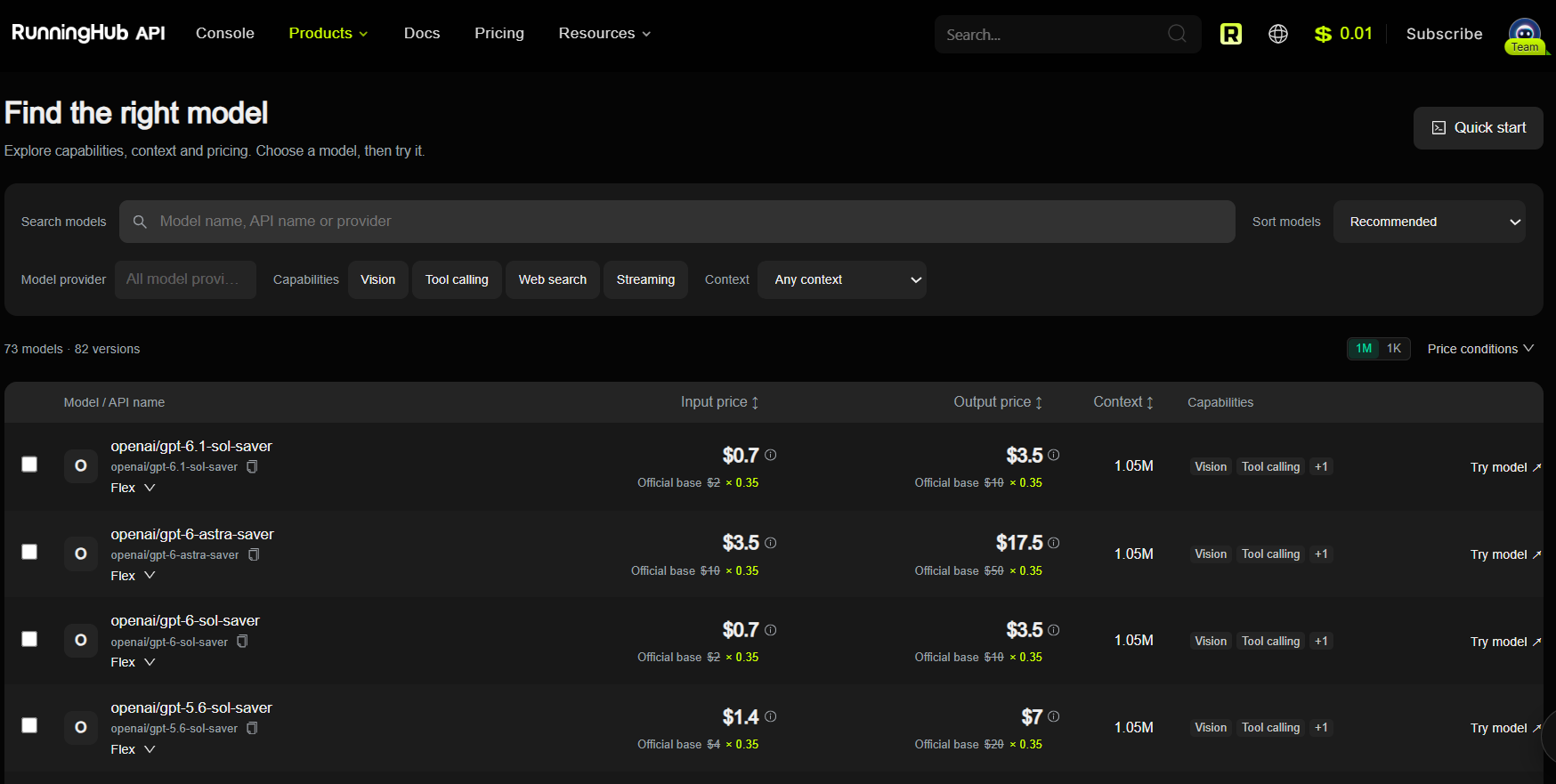
The RunningHub LLM catalog lists models from providers including Alibaba, Google, Anthropic, and OpenAI. For example, Qwen 3.8 Flash Next was listed at $0.118 per million input tokens and $0.398 per million output tokens. Media and workflow charges follow their own applicable units. Check the selected route, capabilities, and price conditions before integrating.
Practical example: sneaker copy and concept art
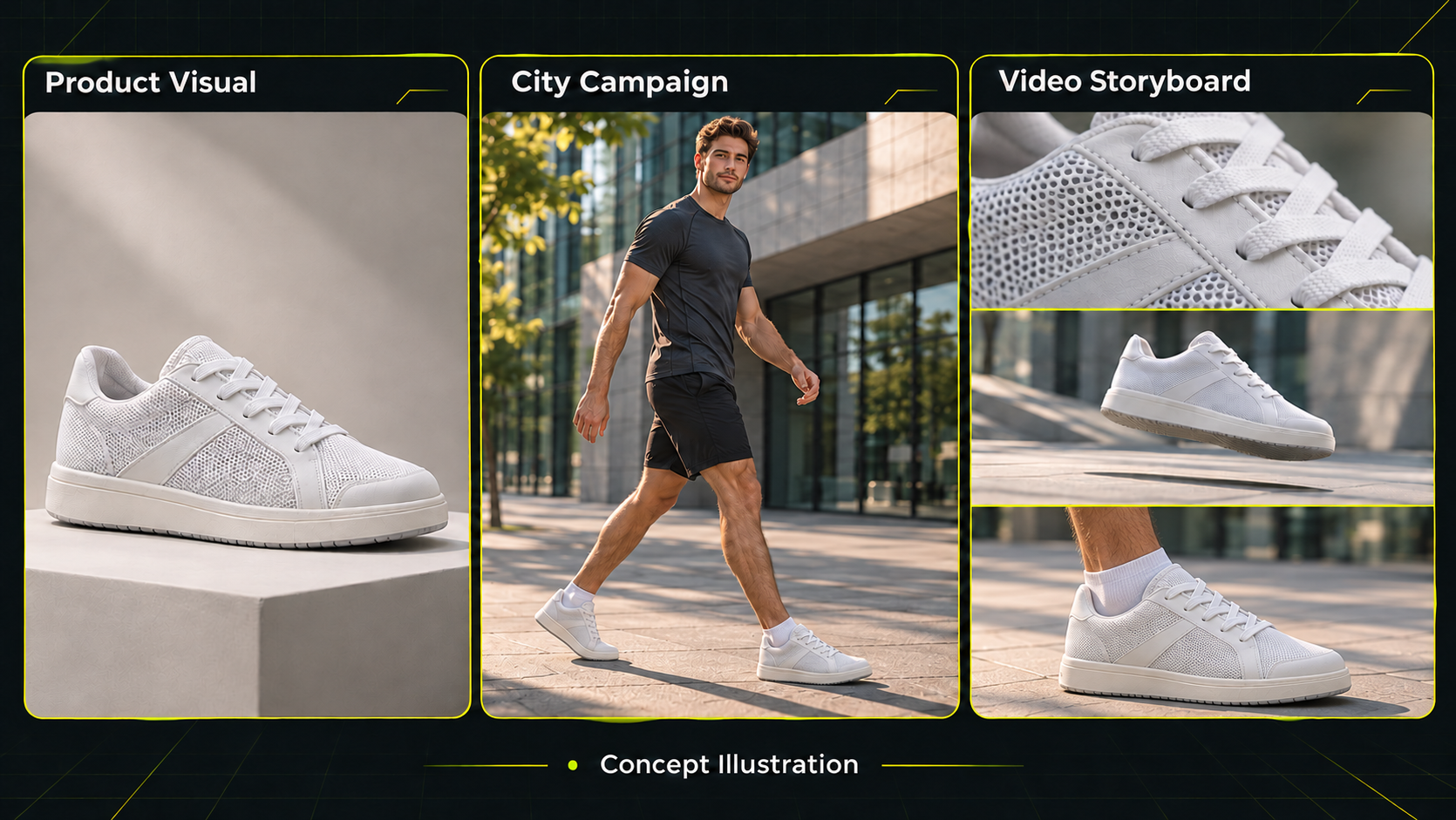
Suppose your application receives a brief for an unbranded white sneaker with a mesh upper and rubber sole. First, compare two LLMs using identical facts and instructions.
Copy-generation prompt:
Write three ecommerce product descriptions for an unbranded white sneaker with a mesh upper and rubber sole. Each description must contain 35–45 words and use a different angle: everyday styling, visual design, and casual city use. Use only the supplied facts. Do not invent performance claims, certifications, materials, prices, or sustainability benefits. Return a numbered list.
After creating the appropriate API key, choose a language model in the catalog and follow its documented calling method. Use the same brief with a second available model, such as Gemini 3.5 Flash. Compare factual accuracy, instruction following, completion time, and recorded usage. Refine one instruction at a time so that you can see what changes the result.
Next, select an image-generation service, such as the documented Seedream 4.5 text-to-image API, to create a campaign concept from a separate visual prompt.
Image-generation prompt:
Commercial concept photograph of an unbranded white sneaker with a white mesh upper and white rubber sole, three-quarter side view, resting on pale concrete in a modern city plaza. Soft morning sunlight, realistic materials, subtle shadows, premium editorial styling, clean background, no people, no logos, no text.
Choose the supported output dimensions, submit the generation task, and use the returned task identifier to check its status and retrieve the image. Review the shoe shape, materials, lighting, and composition before accepting the result. A text-to-image request creates concept art; an existing product requires a supported image-editing service and a product photograph when appearance must match a specific SKU.
If the concept is visually close but the background is too busy, simplify the setting in the prompt. If the product itself needs precise correction, move to an appropriate editing mode. Record the selected model, settings, and number of attempts alongside the output so that later cost comparisons remain meaningful.
These are separate calls coordinated by your application. The benefit is access to different capabilities within one platform; each API retains its own request requirements. Documentation supports implementation, while production concurrency and support arrangements still need checking for your account.
2. OpenAI API
OpenAI suits projects that want direct access to its models and native developer features. Its APIs cover language and vision tasks, image generation, and audio, with features such as structured outputs and tool calling available on supported models.
Developers use REST or official SDKs, commonly through the Responses API for language applications. Documentation includes API references, guides, and model comparisons.
For an illustrative language-model price, GPT-6.1 Sol standard short-context rates are $2 per million input tokens and $10 per million output tokens. Media and tool charges differ. Check context thresholds and processing tiers when budgeting. The catalog focuses on OpenAI models rather than cross-vendor selection.
3. Anthropic API
Anthropic is a useful direct option for applications centered on Claude. Its models support text and vision workloads, with tool use and coding applications depending on the selected model.
The Messages API supports direct interactions; official SDKs handle request formatting, streaming, retries, and errors. Token counting and message batches provide additional development and cost-management options.
Claude Sonnet 5.5 base pricing is $2 per million input tokens and $10 per million output tokens. Caching and server-side tools introduce separate billing considerations. The documentation explains model selection, limits, and versioning. Choose this route when Claude-specific capabilities matter more than a broad media-model catalog.
4. Google Gemini API
Google Gemini is relevant when an application needs multimodal understanding or generation within Google's developer ecosystem. Capabilities differ across language, image, audio, and video models; accepting video as input does not automatically mean a model generates video.
Developers can prototype in Google AI Studio and integrate through REST or Google's SDKs. Documentation organizes model capabilities and usage examples.
A published Gemini 3.1 Flash-Lite example is $0.25 per million text input tokens and $1.50 per million output tokens. Free-tier eligibility, caching, grounding, and media generation require separate checks. Distinguish Gemini Developer API pricing from Google Cloud deployment pricing.
5. Amazon Bedrock
Amazon Bedrock fits teams already building within AWS. It provides access to models from multiple providers, with language, embedding, and media capabilities depending on the model.
AWS SDKs and runtime APIs support integration. Converse provides a shared conversational interface for compatible models; other API families serve different requirements. Verify model-level API compatibility.
Pricing varies by model, modality, region, and processing tier. Provisioned capacity and additional services can change the total. AWS documentation, service quotas, monitoring tools, and applicable support plans are relevant to production operations. Bedrock merits consideration when existing AWS permissions and infrastructure are central to the project.
6. Microsoft Foundry
Microsoft Foundry offers a catalog spanning Microsoft, Azure OpenAI, partner, and community models. It is relevant to teams combining AI with existing Azure services and deployment management.
Integration uses the API and SDK appropriate to the selected model and deployment. Catalog availability does not mean every model shares identical authentication, features, or hosting arrangements.
Charges depend on model meters, deployment type, and related Azure resources. Token-based inference, hosted deployments, search, and storage can create different cost components. Microsoft Learn provides deployment and cost-management guidance; support responsibility varies between Azure-sold and partner models. Budget for the complete architecture and verify regional availability.
7. OpenRouter
OpenRouter suits developers comparing models from multiple providers through a common integration. Its routing and fallback features can help applications manage provider choices, subject to supported models and plan features.
Developers can use HTTP, client SDKs, or compatible OpenAI SDK integrations. Documentation covers routing, model capabilities, and usage controls.
Model inference follows posted provider prices. Standard credit purchases carry a 5.5% platform fee; Business credit purchases carry 8%. These fees apply when buying credits, rather than to each individual request. Standard and Business list email support. Compare the underlying provider, supported parameters, and total funding cost before switching traffic.
8. Replicate
Replicate combines hosted public models with options for deploying custom models. Its catalog includes open and proprietary models across image, video, language, and other tasks.
Developers create predictions through HTTP or client libraries. Documentation covers Python and Node.js integration, model versions, prediction status, webhooks, and deployments.
Billing uses model-specific outputs or hardware runtime. For example, FLUX 1.1 Pro is listed at $0.04 per output image. Most private deployments also charge for setup and idle time while instances remain online, with exceptions such as fast-booting fine-tunes. Replicate is worth evaluating when model experimentation and custom deployment are both relevant.
9. fal
fal is relevant to products centered on generated images, video, audio, and other media. Its Model APIs expose available models, while separate serverless options support custom applications.
Python and JavaScript clients, HTTP examples, asynchronous queues, and model references support integration. Certain models also support streaming or real-time connections; check the endpoint.
Billing varies by output unit. The pricing page lists FLUX.1 schnell at $0.003 per megapixel, illustrating why image count and resolution must be considered together. Custom serverless deployments have different compute billing. Documentation, community channels, and support options help developers investigate integration issues. Evaluate queue handling and concurrency against your expected traffic.
How to Choose the Best Generative AI API
Model Coverage: Match Models to Your Tasks
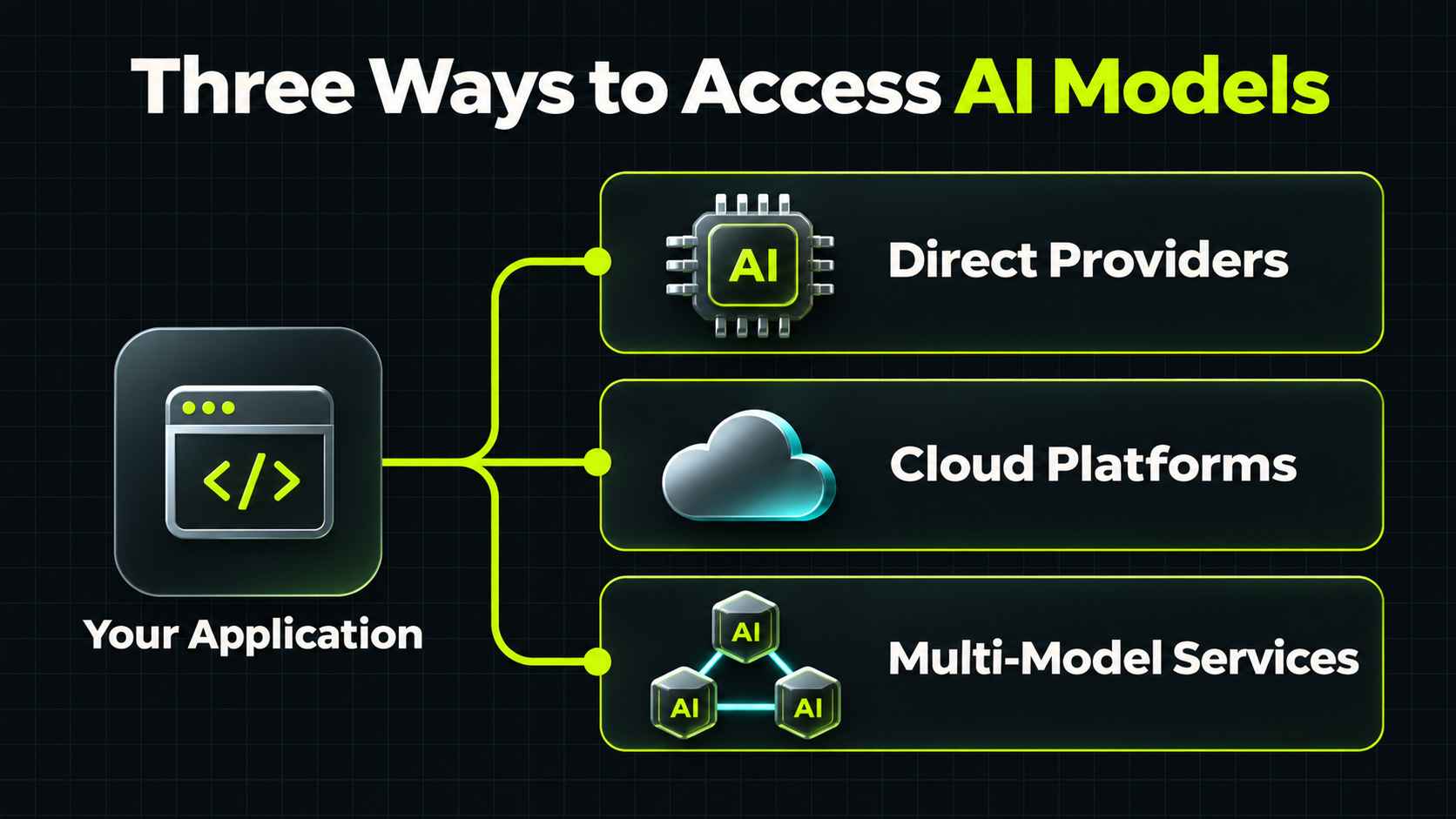
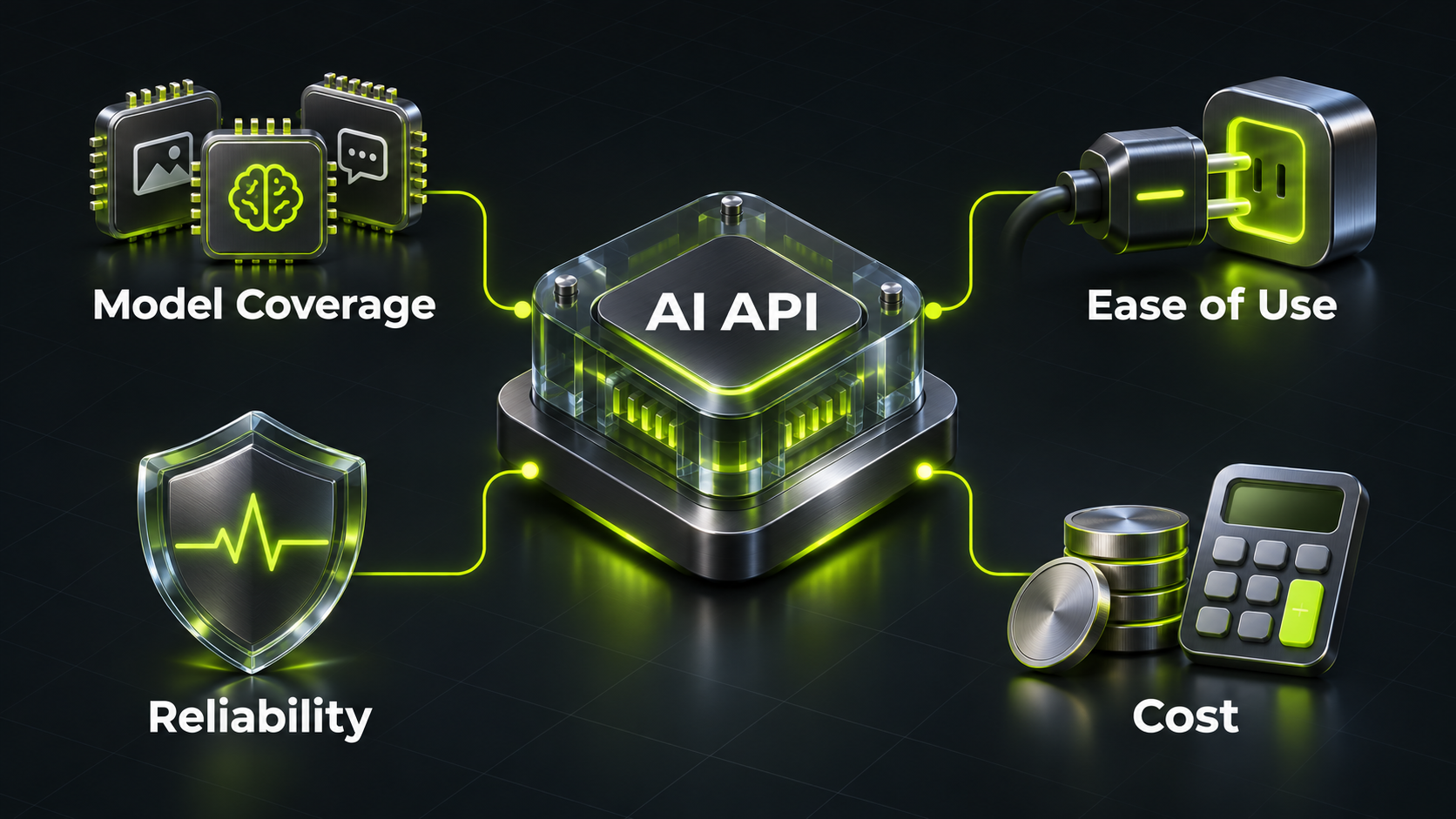
List the tasks your product must complete, then verify exact models and supported inputs. RunningHub combines model access with application and workflow options; direct providers concentrate on their own models; cloud platforms add deployment choices. A larger catalog helps when its available endpoints match your requirements.
Ease of Use and Developer Support
Try one representative request and one failure case. Can you identify the model version, understand the response, retrieve a delayed result, and interpret an error? Compare SDK coverage, examples, changelogs, and support entitlements. OpenAI compatibility can reduce migration work, but tools and optional parameters still need validation.
What Makes a Top API Reliable?
Assess published limits, status history, timeout behavior, and any applicable SLA. Then measure your own workload: text applications need time to first token and completion time; media applications need queue time and successful completion rates. Match versions and settings where possible, and use the results to establish an operating baseline.
Choosing the Best API for Your Budget
For text, calculate input and output separately. At $2 per million input tokens and $10 per million output tokens, a request using 1,000 input and 300 output tokens costs $0.005. Ten thousand identical requests would cost $50 before other charges.
For media, compare the same resolution, duration, and task. Include platform fees, retries, extra tools, and idle resources where applicable. Track cost per accepted result to understand how many attempts your workflow actually needs.
Best APIs by Use Case
| Your priority | Useful starting point |
| Language models plus media and creative workflows | Evaluate RunningHub's relevant API categories |
| Native features from a particular model developer | Compare OpenAI, Anthropic, or Gemini directly |
| Existing AWS or Azure infrastructure | Evaluate Bedrock or Microsoft Foundry |
| Cross-provider model comparison and routing | Compare OpenRouter with other suitable multimodel services |
| Hosted model experimentation and custom deployment | Evaluate Replicate |
| A product primarily built around generated media | Compare fal and RunningHub on the required endpoints |
Build a shortlist of two or three options and evaluate them with your actual inputs. Document quality, integration effort, failure handling, and cost together.
FAQ
What is the best AI API for beginners?
Choose a platform with a documented example for your exact task, clear billing units, and understandable errors. Begin with one model and a small usage budget.
Can one API platform provide access to multiple models?
Yes. RunningHub, OpenRouter, and cloud model platforms offer multiple-model access, but catalogs, protocols, and capabilities differ. Confirm the specific endpoint you need.
How much do AI APIs cost?
Costs depend on the model and task. Language models commonly separate input and output token charges; media models may charge by image, megapixel, video duration, or compute time.
How do I choose between direct and multi-model API platforms?
Direct access is useful when one provider's native features meet your needs. A multi-model platform is worth evaluating when your application needs several providers or output types. Compare feature availability, integration effort, support, and total cost for the actual task.
When should developers consider RunningHub?
Consider RunningHub when you want to compare language models, add media generation, or connect supported AI applications and creative workflows within the same product.
Conclusion
The best AI API platform is the one that fits your product's tasks, integration requirements, and operating budget. Direct providers, cloud platforms, and multimodel services each address different needs.
RunningHub offers a useful starting point for projects combining language models, generated media, and creative workflows. Begin with the relevant API category, confirm model capabilities and pricing, and evaluate representative requests. Expand the integration as your product's requirements become clearer.