
'%3e %3cg id='Vector'%3e %3c/g%3e %3cpath id='Vector_2' d='M14.504 8.522L12.746 4.49C12.6826 4.34486 12.5783 4.22136 12.4458 4.13463C12.3133 4.0479 12.1584 4.0017 12 4.0017C11.8416 4.0017 11.6867 4.0479 11.5542 4.13463C11.4217 4.22136 11.3174 4.34486 11.254 4.49L9.495 8.522C9.305 8.958 8.958 9.306 8.522 9.495L4.49 11.254C4.34486 11.3174 4.22136 11.4217 4.13463 11.5542C4.0479 11.6867 4.0017 11.8416 4.0017 12C4.0017 12.1584 4.0479 12.3133 4.13463 12.4458C4.22136 12.5783 4.34486 12.6826 4.49 12.746L8.523 14.504C8.959 14.694 9.307 15.042 9.496 15.478L11.255 19.511C11.3184 19.6561 11.4227 19.7796 11.5552 19.8664C11.6877 19.9531 11.8426 19.9993 12.001 19.9993C12.1594 19.9993 12.3143 19.9531 12.4468 19.8664C12.5793 19.7796 12.6836 19.6561 12.747 19.511L14.505 15.478C14.695 15.042 15.043 14.694 15.479 14.504L19.512 12.746C19.6571 12.6826 19.7806 12.5783 19.8674 12.4458C19.9541 12.3133 20.0003 12.1584 20.0003 12C20.0003 11.8416 19.9541 11.6867 19.8674 11.5542C19.7806 11.4217 19.6571 11.3174 19.512 11.254L15.479 9.495C15.043 9.30549 14.695 8.95782 14.505 8.522' stroke='var(--stroke-0%2c white)' stroke-width='1.25' stroke-linecap='round' stroke-linejoin='round'/%3e %3cpath id='Vector_3' d='M3 3L5 5' stroke='var(--stroke-0%2c white)' stroke-width='1.25' stroke-linecap='round' stroke-linejoin='round'/%3e %3cpath id='Vector_4' d='M21 3L19 5' stroke='var(--stroke-0%2c white)' stroke-width='1.25' stroke-linecap='round' stroke-linejoin='round'/%3e %3cpath id='Vector_5' d='M3 21L5 19' stroke='var(--stroke-0%2c white)' stroke-width='1.25' stroke-linecap='round' stroke-linejoin='round'/%3e %3cpath id='Vector_6' d='M21 21L19 19' stroke='var(--stroke-0%2c white)' stroke-width='1.25' stroke-linecap='round' stroke-linejoin='round'/%3e %3c/g%3e %3cdefs%3e %3cclipPath id='clip0_0_55'%3e %3crect width='24' height='24' fill='white'/%3e %3c/clipPath%3e %3c/defs%3e %3c/svg%3e)
'%3e %3cg id='Vector'%3e %3c/g%3e %3cpath id='Vector_2' d='M14.375 7.66667H14.385' stroke='var(--stroke-0%2c white)' stroke-width='1.25' stroke-linecap='round' stroke-linejoin='round'/%3e %3cpath id='Vector_3' d='M11.9792 20.125H5.75C4.9875 20.125 4.25624 19.8221 3.71707 19.2829C3.1779 18.7438 2.875 18.0125 2.875 17.25V5.75C2.875 4.9875 3.1779 4.25624 3.71707 3.71707C4.25624 3.1779 4.9875 2.875 5.75 2.875H17.25C18.0125 2.875 18.7438 3.1779 19.2829 3.71707C19.8221 4.25624 20.125 4.9875 20.125 5.75V11.9792' stroke='var(--stroke-0%2c white)' stroke-width='1.25' stroke-linecap='round' stroke-linejoin='round'/%3e %3cpath id='Vector_4' d='M2.875 15.3333L7.66667 10.5417C8.556 9.68587 9.65233 9.68587 10.5417 10.5417L14.375 14.375' stroke='var(--stroke-0%2c white)' stroke-width='1.25' stroke-linecap='round' stroke-linejoin='round'/%3e %3cpath id='Vector_5' d='M13.4167 13.4167L14.375 12.4583C15.0171 11.8412 15.7646 11.6687 16.4661 11.9408' stroke='var(--stroke-0%2c white)' stroke-width='1.25' stroke-linecap='round' stroke-linejoin='round'/%3e %3cpath id='Vector_6' d='M15.3333 18.2083H21.0833' stroke='var(--stroke-0%2c white)' stroke-width='1.25' stroke-linecap='round' stroke-linejoin='round'/%3e %3cpath id='Vector_7' d='M18.2083 15.3333V21.0833' stroke='var(--stroke-0%2c white)' stroke-width='1.25' stroke-linecap='round' stroke-linejoin='round'/%3e %3c/g%3e %3cdefs%3e %3cclipPath id='clip0_0_4'%3e %3crect width='23' height='23' fill='white'/%3e %3c/clipPath%3e %3c/defs%3e %3c/svg%3e)


'%3e %3cg id='Vector'%3e %3c/g%3e %3cpath id='Vector_2' d='M18.3333 10.5001V6.66667C18.3333 5.78261 17.9821 4.93477 17.357 4.30964C16.7319 3.68452 15.8841 3.33333 15 3.33333H5C4.11594 3.33333 3.2681 3.68452 2.64298 4.30964C2.01786 4.93477 1.66667 5.78261 1.66667 6.66667V13.3333C1.66667 14.2174 2.01786 15.0652 2.64298 15.6904C3.2681 16.3155 4.11594 16.6667 5 16.6667H11.6667M15.5 17.0001V12.0001M13 14.5001L15.5 12.0001L18 14.5001' stroke='var(--stroke-0%2c white)' stroke-linecap='round' stroke-linejoin='round'/%3e %3cpath id='Vector_3' d='M8.33333 7.5L12.5 10L8.33333 12.5V7.5Z' stroke='var(--stroke-0%2c white)' stroke-linecap='round' stroke-linejoin='round'/%3e %3c/g%3e %3cdefs%3e %3cclipPath id='clip0_0_4'%3e %3crect width='20' height='20' fill='white'/%3e %3c/clipPath%3e %3c/defs%3e %3c/svg%3e)
'%3e %3cg id='Vector'%3e %3c/g%3e %3cpath id='Vector_2' d='M16.25 10.8333L21.1824 8.36767C21.3475 8.28515 21.531 8.2462 21.7154 8.25451C21.8998 8.26281 22.079 8.3181 22.2361 8.41512C22.3931 8.51214 22.5228 8.64768 22.6127 8.80888C22.7026 8.97007 22.7499 9.15158 22.75 9.33617V16.6638C22.7499 16.8484 22.7026 17.0299 22.6127 17.1911C22.5228 17.3523 22.3931 17.4879 22.2361 17.5849C22.079 17.6819 21.8998 17.7372 21.7154 17.7455C21.531 17.7538 21.3475 17.7148 21.1824 17.6323L16.25 15.1667V10.8333Z' stroke='var(--stroke-0%2c white)' stroke-width='1.25' stroke-linecap='round' stroke-linejoin='round'/%3e %3cpath id='Vector_3' d='M3.25 8.66667C3.25 8.09203 3.47827 7.54093 3.8846 7.1346C4.29093 6.72827 4.84203 6.5 5.41667 6.5H14.0833C14.658 6.5 15.2091 6.72827 15.6154 7.1346C16.0217 7.54093 16.25 8.09203 16.25 8.66667V17.3333C16.25 17.908 16.0217 18.4591 15.6154 18.8654C15.2091 19.2717 14.658 19.5 14.0833 19.5H5.41667C4.84203 19.5 4.29093 19.2717 3.8846 18.8654C3.47827 18.4591 3.25 17.908 3.25 17.3333V8.66667Z' stroke='var(--stroke-0%2c white)' stroke-width='1.25' stroke-linecap='round' stroke-linejoin='round'/%3e %3cpath id='Vector_4' d='M7.58333 13H11.9167' stroke='var(--stroke-0%2c white)' stroke-width='1.25' stroke-linecap='round' stroke-linejoin='round'/%3e %3cpath id='Vector_5' d='M9.75 10.8333V15.1667' stroke='var(--stroke-0%2c white)' stroke-width='1.25' stroke-linecap='round' stroke-linejoin='round'/%3e %3c/g%3e %3cdefs%3e %3cclipPath id='clip0_0_47'%3e %3crect width='26' height='26' fill='white'/%3e %3c/clipPath%3e %3c/defs%3e %3c/svg%3e)
'%3e %3cg id='Vector'%3e %3c/g%3e %3cpath id='Vector_2' d='M4 7H7M11 7H20' stroke='var(--stroke-0%2c white)' stroke-width='1.25' stroke-linecap='round' stroke-linejoin='round'/%3e %3cpath id='Vector_3' d='M4 17H20' stroke='var(--stroke-0%2c white)' stroke-width='1.25' stroke-linecap='round' stroke-linejoin='round'/%3e %3cpath id='Vector_4' d='M7 4L7 20' stroke='var(--stroke-0%2c white)' stroke-width='1.25' stroke-linecap='round' stroke-linejoin='round'/%3e %3cpath id='Vector_5' d='M17 4V13M17 17V20' stroke='var(--stroke-0%2c white)' stroke-width='1.25' stroke-linecap='round' stroke-linejoin='round'/%3e %3c/g%3e %3cdefs%3e %3cclipPath id='clip0_0_60'%3e %3crect width='24' height='24' fill='white'/%3e %3c/clipPath%3e %3c/defs%3e %3c/svg%3e)
'%3e %3cg id='Vector'%3e %3c/g%3e %3cpath id='Vector_2' d='M6 10L4 11L12 15L20 11L18 10' stroke='var(--stroke-0%2c white)' stroke-width='1.25' stroke-linecap='round' stroke-linejoin='round'/%3e %3cpath id='Vector_3' d='M4 15L12 19L20 15' stroke='var(--stroke-0%2c white)' stroke-width='1.25' stroke-linecap='round' stroke-linejoin='round'/%3e %3cpath id='Vector_4' d='M12 4V11' stroke='var(--stroke-0%2c white)' stroke-width='1.25' stroke-linecap='round' stroke-linejoin='round'/%3e %3cpath id='Vector_5' d='M15 8L12 11L9 8' stroke='var(--stroke-0%2c white)' stroke-width='1.25' stroke-linecap='round' stroke-linejoin='round'/%3e %3c/g%3e %3cdefs%3e %3cclipPath id='clip0_0_9'%3e %3crect width='24' height='24' fill='white'/%3e %3c/clipPath%3e %3c/defs%3e %3c/svg%3e)


Best AI API Providers: Top Platforms for Developers in 2025–2026
Compare the best AI API providers in 2025–2026, including RunningHub, OpenAI, Anthropic, Gemini, DeepSeek, and more. Explore API features, pricing, free access, and developer tools.
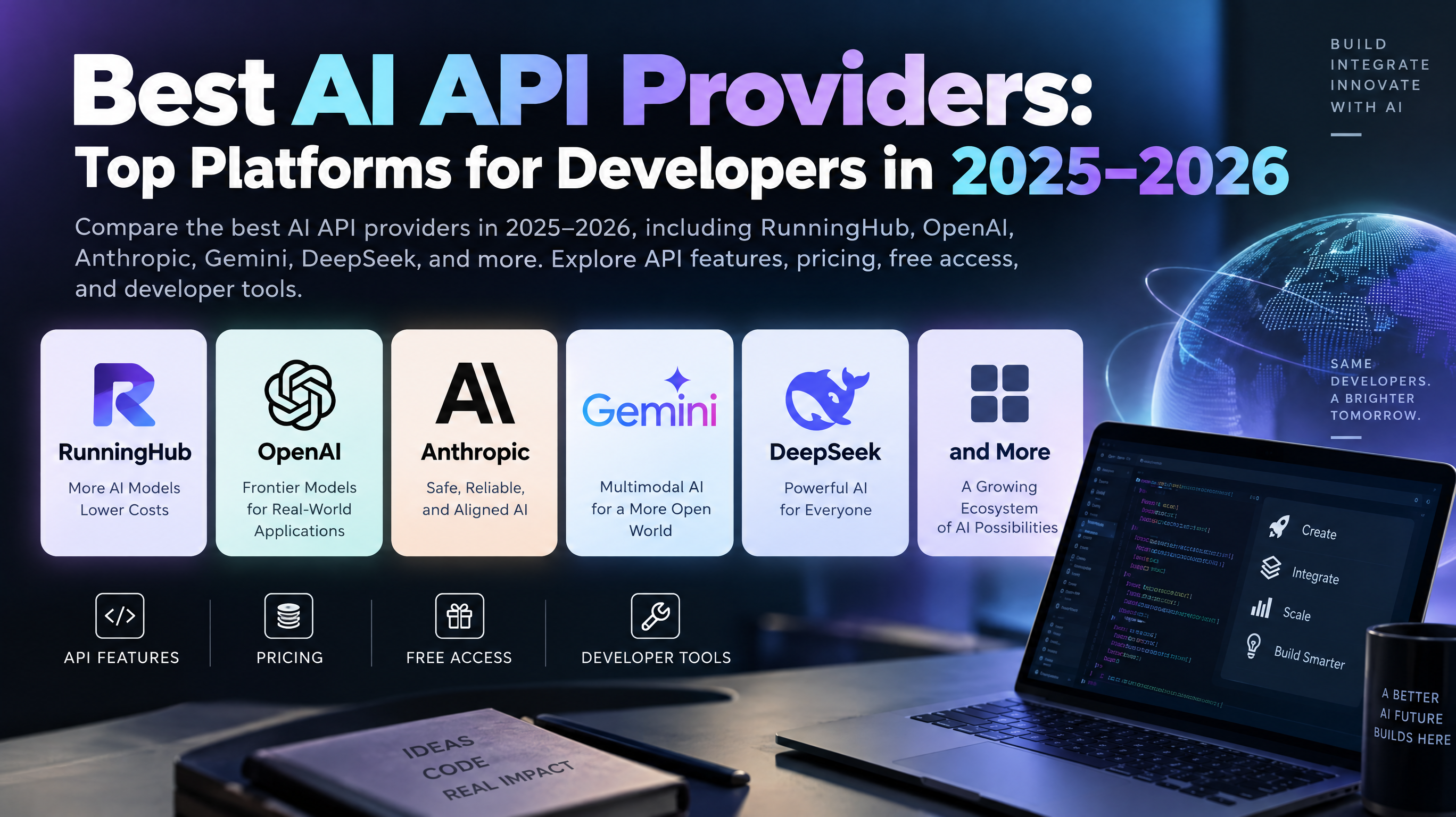
Choosing an AI API provider in 2026 involves more than finding the most powerful model or lowest token price. Developers must consider model availability, integration, response latency, rate limits, scalability, and reliability.
AI API providers serve different needs. Some specialize in general-purpose large language models (LLMs), while others focus on high-throughput inference, multimodal generation, or unified access to multiple models. Creative AI platforms also combine cloud-based models with ready-to-use applications and workflows.
This guide compares ten popular AI API providers by their positioning, model coverage, API capabilities, pricing, advantages, and limitations. It also reviews free LLM API options and API key providers to help developers choose suitable services.
Popular AI API Providers 2025–2026 List: 10 Platforms to Compare
These platforms represent different parts of the AI API ecosystem and should not all be treated as direct competitors.
| Provider | Core Positioning | Model Coverage | Pricing | Best For |
| RunningHub | AI creation and workflows | LLM, image, video, audio | Usage-based | Creative AI |
| OpenAI | Foundation models | GPT and multimodal models | Token-based | General-purpose AI |
| Anthropic | Foundation models | Claude | Token-based | Reasoning and coding |
| Google Gemini | Multimodal AI | Gemini | Free tier and usage-based | Multimodal apps |
| DeepSeek | Foundation models | DeepSeek | Token-based | Cost-conscious LLMs |
| Mistral AI | Models and APIs | Mistral and open-weight models | Token-based | Enterprise and open models |
| Groq | Inference infrastructure | Hosted models | Usage-based | Fast inference |
| Together AI | Model inference | Open and hosted models | Usage-based | Model experimentation |
| OpenRouter | API aggregator | Multiple providers | Model pricing and fees | Unified access |
| Amazon Bedrock | Cloud AI platform | Multiple model families | Usage-based | Enterprise deployment |
The comparison considers API availability, model coverage, developer accessibility, and product differentiation as of November 2026.
Best AI API Providers: Detailed Reviews and Comparisons
1. RunningHub API: A Flexible Platform for AI Models and Cloud Workflows

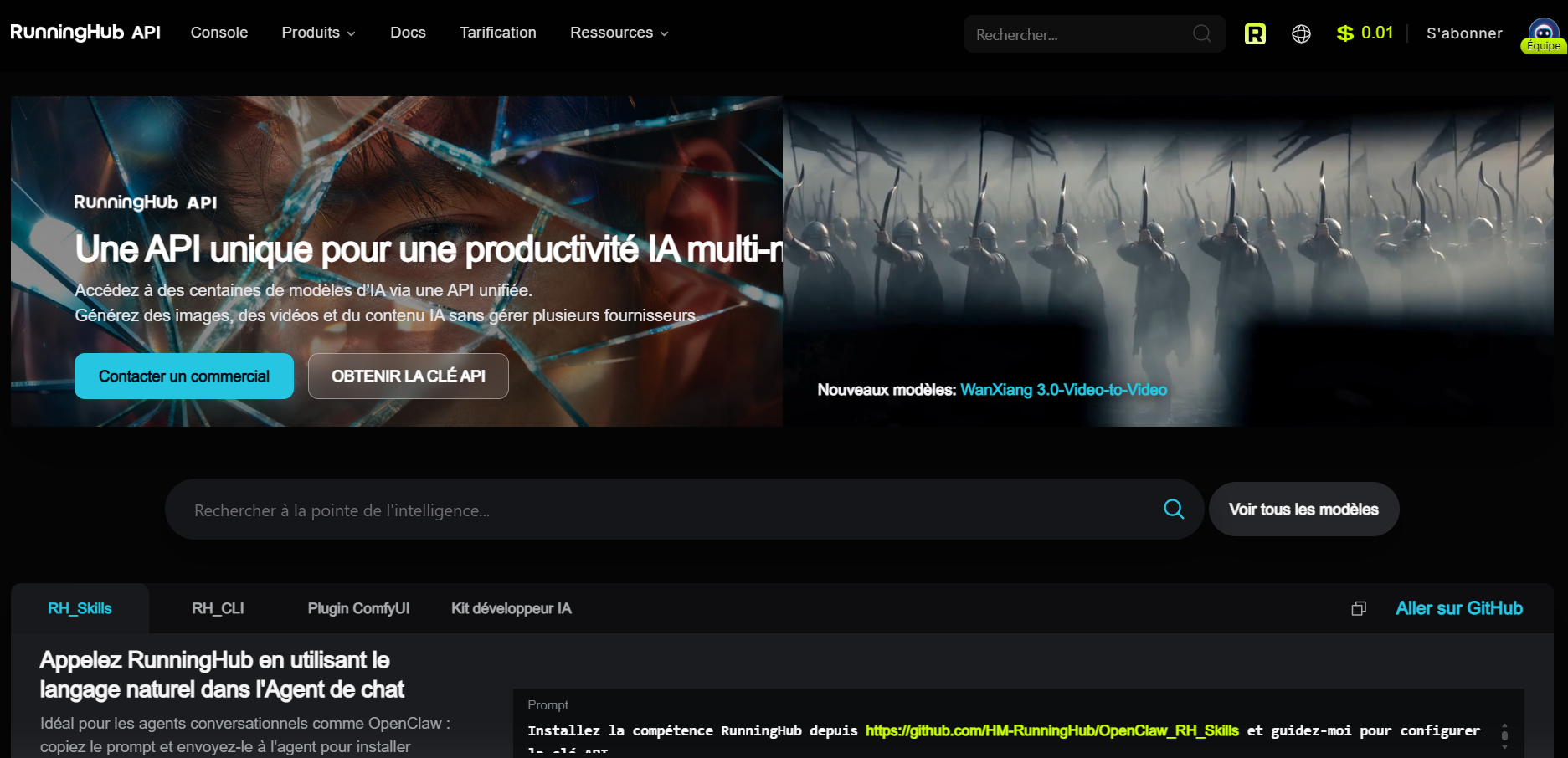
RunningHub is a cloud-based AI creation platform combining model resources, workflow execution, creative applications, and API integration. It supports image and video generation, digital humans, AI short dramas, model training, AI applications, and ComfyUI-related workflows.
Its main entry points include Quick Create, RHTV, ComfyUI, AI Apps, Model Library, API, and Explore.
API capabilities and model ecosystem
RunningHub API provides four integration options:
- Model API: Calls supported image, video, audio, and other AI models.
- AI App API: Integrates packaged AI applications through predefined parameters.
- Workflow API: Executes node-based workflows for complex creative pipelines.
- LLM API: Accesses supported language models through compatible OpenAI, Anthropic, and Gemini protocols.
Model, AI App, and Workflow APIs generally use asynchronous tasks: submit a request, receive a task ID, and retrieve the result. LLM API supports regular and streaming responses depending on the endpoint.
Its model ecosystem includes FLUX, Qwen Image, SDXL, Kolors, and Z-Image for image generation, alongside Wan, LTX, and Hunyuan video models. LoRA, Checkpoint, UNet, and GGUF resources also support its creative ecosystem. Not every model or component is necessarily available through the API.
Understanding RunningHub products
- RunningHub API integrates supported AI capabilities into external applications.
- ComfyUI provides node-based workflow creation and execution.
- RHTV offers an infinite canvas for organizing visual assets.
- Quick Create provides an accessible AI generation interface.
- Model Library helps users discover available models.
These products serve different purposes and are not interchangeable API interfaces.
Pricing, advantages, and limitations
RunningHub uses usage-based pricing. Costs, key permissions, supported endpoints, and concurrency depend on the API type and account configuration. Check the current API console and documentation before estimating production costs.
Its advantages include cloud execution, a broad creative model and workflow ecosystem, and less infrastructure setup for image and video applications. API availability varies by model and service, so developers building conventional LLM applications should also compare dedicated LLM providers.
Best For: AI-powered creative applications, image and video generation, and workflow-based content production.
Explore: RunningHub Official Platform | RunningHub API Documentation
2. OpenAI API: General-Purpose AI Models for Developers
OpenAI provides APIs for text generation, reasoning, image understanding, and multimodal applications. Its developer ecosystem includes Responses API, Chat Completions, and Realtime API.
The Responses API supports text and image inputs, structured outputs, function calling, web search, file search, and streaming.
Pricing and performance: Usage is generally billed by model-specific input and output token rates. Additional tools may cost extra; prompt caching and batch processing can reduce costs where supported.
Advantages: Extensive documentation, SDK support, broad capabilities, and a mature development ecosystem.
Limitations: Advanced models can be expensive at scale, and rate limits depend on account usage tiers.
Best For: General-purpose AI applications, coding assistants, agents, and multimodal products.
3. Anthropic API: Advanced Language Models for Business Applications
Anthropic develops Claude models for reasoning, coding, long-context processing, and agentic applications. Its Messages API supports streaming, tool use, image inputs, and structured workflows. Developers can select models based on capability, speed, and budget.
Pricing and performance: Token-based billing varies by model. Long-context usage, caching, batch processing, and organization usage tiers affect costs and limits.
Advantages: Strong reasoning and coding, long-context support, and enterprise workflow tools.
Limitations: Premium models can be expensive, while usage limits may restrict high-volume applications.
Best For: Coding agents, document analysis, enterprise assistants, and complex reasoning.
4. Google Gemini API: Multimodal AI for Application Development
Google Gemini provides multimodal models through the Gemini API and Google AI Studio. Depending on the model, developers can work with text, images, audio, video, and reasoning capabilities.
Pricing and performance: Selected models have a free API tier, with paid usage-based options offering higher limits and features such as context caching and batch processing.
Advantages: Multimodal capabilities, Google ecosystem integration, and accessible development tools.
Limitations: Free access has model-specific quotas. Preview models may change, so production applications should use stable versions.
Best For: Multimodal applications, AI assistants, document processing, and Google-integrated products.
5. DeepSeek API: Cost-Conscious LLM Development
DeepSeek provides models for reasoning, coding, and general-purpose AI applications. Its API includes DeepSeek-V4.1-Flash and DeepSeek-V4-Pro, supporting thinking and non-thinking modes, JSON output, tool calls, and streaming. Flash also supports vision.
Pricing and performance: Token-based billing includes different peak and off-peak rates and automatic prompt caching discounts. Model input and output prices vary, so check the current rate card.
Advantages: Competitive token pricing, reasoning capabilities, and compatible API interfaces.
Limitations: Model capabilities differ, and developers should monitor updates, availability, and time-dependent pricing.
Best For: Cost-conscious applications, coding assistants, reasoning systems, and high-volume text processing.
6. Mistral AI: Flexible Models and Developer APIs
Mistral AI offers hosted and open-weight models through La Plateforme. Its ecosystem includes general-purpose and coding models, embeddings, OCR, and audio services.
Pricing and performance: Language models are primarily billed by processed tokens. Batch processing and caching can reduce costs where supported. Free experimentation is subject to account and model restrictions.
Advantages: Flexible models, multilingual capabilities, open-weight options, and enterprise services.
Limitations: Free-mode limits can be restrictive, and capabilities vary across models.
Best For: Enterprise applications, multilingual assistants, coding tools, and open-weight model projects.
7. Groq API: High-Speed AI Inference
Groq focuses on low-latency inference and high-throughput workloads. GroqCloud provides API access to supported models, including open-weight language models and speech-related services. Its OpenAI-compatible interface simplifies integration.
Pricing and performance: Pricing and rate limits vary by model and modality. Free and paid accounts have different usage allowances.
Advantages: Fast inference, straightforward integration, and access to multiple hosted models.
Limitations: Developers are restricted to supported models. Preview models should not automatically be considered production-ready.
Best For: Real-time assistants, conversational applications, and high-throughput inference.
8. Together AI: Open-Model Inference Infrastructure
Together AI provides hosted inference for open and commercially available models. Services include serverless inference, dedicated endpoints, fine-tuning, and GPU infrastructure.
Pricing and performance: Serverless inference generally uses model-specific token pricing, while dedicated infrastructure is billed by deployment resources. Together AI has no general free trial; its support documentation specifies a minimum initial credit purchase of $5.
Advantages: Broad model selection, infrastructure flexibility, and fine-tuning.
Limitations: Model performance and availability vary, and dedicated deployments add infrastructure costs.
Best For: Open-model experimentation, inference services, and model customization.
9. OpenRouter: Unified Access to Multiple AI Models
OpenRouter aggregates models from different providers through a unified interface. Developers can use one API key to select supported models, with features including model discovery, routing, provider selection, and usage tracking.
Pricing and performance: Model inference generally follows the selected provider's rates, with platform fees depending on the account plan. Free plans offer selected models with usage limits.
Advantages: Simplified model switching, broad availability, and convenient experimentation.
Limitations: Availability and performance partly depend on underlying providers. Free quotas are restrictive, and production teams should review routing and data policies.
Best For: Testing different LLMs, building multi-model applications, and simplifying integrations.
10. Amazon Bedrock: Enterprise AI Infrastructure
Amazon Bedrock is a managed cloud service providing API access to foundation models from Amazon and selected third-party providers. It supports model inference, customization, enterprise security integration, and agent development.
Pricing and performance: Billing depends on the model, deployment type, and usage. Converse and ConverseStream provide standardized conversational interactions across compatible models.
Advantages: AWS integration, enterprise infrastructure, centralized access, and flexible model selection.
Limitations: Configuration can be more complex than direct APIs. Regional availability, model permissions, and deployment costs require attention.
Best For: Enterprise applications, cloud-native AI products, and businesses using AWS.
API Features and Developer Experience Comparison
Capabilities depend on the selected model and endpoint, particularly for multimodal inputs and tool calling.
| Provider | API Access | Streaming | Tool Calling | Key Considerations |
| RunningHub | Multiple API types | Endpoint-dependent | Model-dependent | Key requirements |
| OpenAI | Multiple interfaces | Yes | Yes | Model-specific pricing |
| Anthropic | Messages API | Yes | Yes | Usage tiers |
| Gemini | Gemini API | Yes | Yes | Model quotas |
| DeepSeek | Compatible APIs | Yes | Yes | Peak/off-peak pricing |
| Mistral | La Plateforme | Supported | Model-dependent | Tier-based limits |
| Groq | OpenAI-compatible | Yes | Model-dependent | Model availability |
| Together AI | Inference APIs | Supported | Model-dependent | Model-specific features |
| OpenRouter | Unified API | Supported | Model-dependent | Provider routing |
| Amazon Bedrock | Multiple APIs | Yes | Supported models | AWS configuration |
Best Large Language Model APIs for Production
Choosing a production LLM API requires more than evaluating model quality. A model that performs well in testing may still be unsuitable if its latency, concurrency, or pricing fails to meet business requirements.
Consider these factors before deployment:
- Model quality: Test actual application tasks rather than relying only on public benchmarks.
- Latency and throughput: Measure response times under realistic traffic.
- Rate limits: Check requests per minute, tokens per minute, and concurrency.
- Scalability: Confirm capacity for expected traffic growth.
- Pricing: Calculate input, output, caching, and tool costs.
- Security: Review data retention, processing regions, and privacy policies.
- Monitoring: Implement request logs, error tracking, and usage alerts.
- Fallback options: Prepare alternative models or providers for service interruptions.
| Provider | Main Strength | Production Considerations | Suitable Workloads |
| RunningHub | Creative workflows | API quotas and model access | Image/video generation |
| OpenAI | General-purpose AI | Token costs and limits | Agents and applications |
| Anthropic | Reasoning and coding | Usage tiers and context costs | Business assistants |
| Gemini | Multimodal processing | Availability and quotas | Media understanding |
| DeepSeek | Cost-conscious inference | Dynamic pricing and capacity | Reasoning and coding |
| Mistral | Flexible models | Deployment and selection | Enterprise apps |
| Groq | Fast inference | Model availability and limits | Real-time apps |
| Together AI | Open-model access | Deployment costs | Custom AI services |
| OpenRouter | Model aggregation | Routing dependencies | Multi-model systems |
| Amazon Bedrock | Enterprise integration | AWS configuration and billing | Enterprise AI |
Production systems should also use load testing, retry strategies, request timeouts, and graceful degradation. Combining providers can improve resilience.
Free LLM API Providers: Which Platforms Offer Free Access?
Free API access helps with prototyping and model evaluation. Developers should distinguish free quotas, trial credits, and free model hosting.
| Provider | Free Access | Usage Limits | Best Use |
| Gemini | Free API tier | Model-specific quotas | Prototyping |
| Groq | Free developer plan | Account and model limits | Inference testing |
| Mistral | Free experimentation | Account restrictions | Initial evaluation |
| OpenRouter | Selected free models | 20 RPM; 50 requests/day | Model testing |
| Anthropic | Check account terms | Trial availability varies | API evaluation |
| Together AI | No general free trial | Minimum $5 purchase | Paid testing |
| DeepSeek | Usage-based billing | No general free API tier | Cost-conscious development |
Five common ways to access AI models without major infrastructure costs include:
- Free API quotas: Limited requests or tokens from official platforms.
- Trial credits: Temporary credits for new accounts.
- Promotional access: Selected models offered free for a limited period.
- Open-weight models: Models hosted independently under their licenses.
- Third-party free access: Aggregators offering selected models with restricted quotas.
OpenRouter lists free models with limits of 20 requests per minute and 50 requests per day for free variants. Purchasing at least $10 in credits increases the daily allowance to 1,000 requests.
Free access is generally suitable for development and testing, not automatically for production. Check current quotas, account requirements, and commercial-use conditions.
Current API Key Providers: Where Can Developers Get AI API Access?
An API key authenticates an application when it sends requests to an AI service. It connects API usage with an account, project, permissions, and billing records.
Direct API Key Providers and Official Model Platforms
Official platforms are generally the most direct way to access specific models. Examples include:
- OpenAI API Platform
- Anthropic Claude Console
- Google AI Studio
- DeepSeek API Platform
- Mistral La Plateforme
They provide documentation, model selection, usage monitoring, and account-level billing.
Third-Party API Key Providers and Model Aggregators
Third-party platforms offer access through their own integration layers:
- RunningHub API for supported models, workflows, and LLM services.
- OpenRouter for multi-provider model access.
- Together AI for hosted model inference.
- GroqCloud for supported inference models.
- Amazon Bedrock for managed foundation model access.
| Provider | Access Method | Model Selection | Pricing | Best For |
| RunningHub | API console | Supported models and workflows | Usage-based | Creative AI |
| OpenAI | Developer platform | OpenAI models | Token-based | Direct model access |
| Anthropic | Claude Console | Claude models | Token-based | Claude apps |
| Gemini | Google AI Studio | Eligible Gemini models | Free and paid | Multimodal development |
| DeepSeek | Official API | DeepSeek models | Token-based | Cost-conscious LLMs |
| OpenRouter | Aggregator dashboard | Multiple providers | Model rates and fees | Unified access |
| Together AI | Developer dashboard | Hosted models | Usage-based | Open-model inference |
| Amazon Bedrock | AWS Console | Available foundation models | Model-dependent | Enterprise deployment |
API key security matters. Developers should:
- Store keys in environment variables or a secrets manager.
- Never expose keys in frontend code or public repositories.
- Set spending limits and monitor usage.
- Rotate compromised credentials immediately.
- Use separate keys for development, testing, and production.
- Apply minimum necessary permissions.
Avoid shared keys, unofficial resellers, and unauthorized API access. Official credentials provide better control over billing, security, and account management.
How to Choose the Best AI API Provider
The right provider depends on the application, not simply the model's popularity.
| Developer Requirement | Providers to Consider | Key Criteria |
| General-purpose LLM apps | OpenAI, Anthropic, Gemini | Quality, documentation, tool calling |
| Enterprise deployment | Amazon Bedrock, Mistral | Security, compliance, scalability |
| Low-cost experimentation | DeepSeek, Gemini, Groq | Free quotas, token pricing |
| High-throughput inference | Groq, Together AI | Latency, throughput, concurrency |
| Multi-model access | OpenRouter | Model variety, unified integration |
| AI image and video apps | RunningHub | Models, workflows, generation |
Before deciding, build a small proof of concept with representative data. Compare response quality, average latency, total request cost, and failure rates.
Also consider whether direct model APIs or an aggregated platform better fit the long-term architecture. Direct integrations offer more control over provider-specific capabilities, while aggregation simplifies model switching.
Conclusion: Which AI API Provider Should You Choose?
The best AI API providers serve different development needs. OpenAI and Anthropic are strong options for general-purpose language applications and advanced reasoning. Gemini offers multimodal capabilities, while DeepSeek provides competitive LLM pricing. Mistral and Together AI offer open-model flexibility; Groq focuses on inference performance; OpenRouter simplifies multi-model access; and Amazon Bedrock supports enterprise cloud deployments.
RunningHub deserves particular attention for AI-powered creative applications. Its supported models, cloud workflows, AI Apps, and API services make it a practical option for image generation, video creation, and automated content production.
Rather than choosing by popularity or advertised performance alone, evaluate actual API capabilities, pricing, documentation, and production requirements. For projects involving AI image generation, video creation, or workflow automation, explore RunningHub and review its API documentation to confirm that supported services meet your needs.
Hurry up and give RunningHub API a try!