
'%3e %3cg id='Vector'%3e %3c/g%3e %3cpath id='Vector_2' d='M14.504 8.522L12.746 4.49C12.6826 4.34486 12.5783 4.22136 12.4458 4.13463C12.3133 4.0479 12.1584 4.0017 12 4.0017C11.8416 4.0017 11.6867 4.0479 11.5542 4.13463C11.4217 4.22136 11.3174 4.34486 11.254 4.49L9.495 8.522C9.305 8.958 8.958 9.306 8.522 9.495L4.49 11.254C4.34486 11.3174 4.22136 11.4217 4.13463 11.5542C4.0479 11.6867 4.0017 11.8416 4.0017 12C4.0017 12.1584 4.0479 12.3133 4.13463 12.4458C4.22136 12.5783 4.34486 12.6826 4.49 12.746L8.523 14.504C8.959 14.694 9.307 15.042 9.496 15.478L11.255 19.511C11.3184 19.6561 11.4227 19.7796 11.5552 19.8664C11.6877 19.9531 11.8426 19.9993 12.001 19.9993C12.1594 19.9993 12.3143 19.9531 12.4468 19.8664C12.5793 19.7796 12.6836 19.6561 12.747 19.511L14.505 15.478C14.695 15.042 15.043 14.694 15.479 14.504L19.512 12.746C19.6571 12.6826 19.7806 12.5783 19.8674 12.4458C19.9541 12.3133 20.0003 12.1584 20.0003 12C20.0003 11.8416 19.9541 11.6867 19.8674 11.5542C19.7806 11.4217 19.6571 11.3174 19.512 11.254L15.479 9.495C15.043 9.30549 14.695 8.95782 14.505 8.522' stroke='var(--stroke-0%2c white)' stroke-width='1.25' stroke-linecap='round' stroke-linejoin='round'/%3e %3cpath id='Vector_3' d='M3 3L5 5' stroke='var(--stroke-0%2c white)' stroke-width='1.25' stroke-linecap='round' stroke-linejoin='round'/%3e %3cpath id='Vector_4' d='M21 3L19 5' stroke='var(--stroke-0%2c white)' stroke-width='1.25' stroke-linecap='round' stroke-linejoin='round'/%3e %3cpath id='Vector_5' d='M3 21L5 19' stroke='var(--stroke-0%2c white)' stroke-width='1.25' stroke-linecap='round' stroke-linejoin='round'/%3e %3cpath id='Vector_6' d='M21 21L19 19' stroke='var(--stroke-0%2c white)' stroke-width='1.25' stroke-linecap='round' stroke-linejoin='round'/%3e %3c/g%3e %3cdefs%3e %3cclipPath id='clip0_0_55'%3e %3crect width='24' height='24' fill='white'/%3e %3c/clipPath%3e %3c/defs%3e %3c/svg%3e)
'%3e %3cg id='Vector'%3e %3c/g%3e %3cpath id='Vector_2' d='M14.375 7.66667H14.385' stroke='var(--stroke-0%2c white)' stroke-width='1.25' stroke-linecap='round' stroke-linejoin='round'/%3e %3cpath id='Vector_3' d='M11.9792 20.125H5.75C4.9875 20.125 4.25624 19.8221 3.71707 19.2829C3.1779 18.7438 2.875 18.0125 2.875 17.25V5.75C2.875 4.9875 3.1779 4.25624 3.71707 3.71707C4.25624 3.1779 4.9875 2.875 5.75 2.875H17.25C18.0125 2.875 18.7438 3.1779 19.2829 3.71707C19.8221 4.25624 20.125 4.9875 20.125 5.75V11.9792' stroke='var(--stroke-0%2c white)' stroke-width='1.25' stroke-linecap='round' stroke-linejoin='round'/%3e %3cpath id='Vector_4' d='M2.875 15.3333L7.66667 10.5417C8.556 9.68587 9.65233 9.68587 10.5417 10.5417L14.375 14.375' stroke='var(--stroke-0%2c white)' stroke-width='1.25' stroke-linecap='round' stroke-linejoin='round'/%3e %3cpath id='Vector_5' d='M13.4167 13.4167L14.375 12.4583C15.0171 11.8412 15.7646 11.6687 16.4661 11.9408' stroke='var(--stroke-0%2c white)' stroke-width='1.25' stroke-linecap='round' stroke-linejoin='round'/%3e %3cpath id='Vector_6' d='M15.3333 18.2083H21.0833' stroke='var(--stroke-0%2c white)' stroke-width='1.25' stroke-linecap='round' stroke-linejoin='round'/%3e %3cpath id='Vector_7' d='M18.2083 15.3333V21.0833' stroke='var(--stroke-0%2c white)' stroke-width='1.25' stroke-linecap='round' stroke-linejoin='round'/%3e %3c/g%3e %3cdefs%3e %3cclipPath id='clip0_0_4'%3e %3crect width='23' height='23' fill='white'/%3e %3c/clipPath%3e %3c/defs%3e %3c/svg%3e)


'%3e %3cg id='Vector'%3e %3c/g%3e %3cpath id='Vector_2' d='M18.3333 10.5001V6.66667C18.3333 5.78261 17.9821 4.93477 17.357 4.30964C16.7319 3.68452 15.8841 3.33333 15 3.33333H5C4.11594 3.33333 3.2681 3.68452 2.64298 4.30964C2.01786 4.93477 1.66667 5.78261 1.66667 6.66667V13.3333C1.66667 14.2174 2.01786 15.0652 2.64298 15.6904C3.2681 16.3155 4.11594 16.6667 5 16.6667H11.6667M15.5 17.0001V12.0001M13 14.5001L15.5 12.0001L18 14.5001' stroke='var(--stroke-0%2c white)' stroke-linecap='round' stroke-linejoin='round'/%3e %3cpath id='Vector_3' d='M8.33333 7.5L12.5 10L8.33333 12.5V7.5Z' stroke='var(--stroke-0%2c white)' stroke-linecap='round' stroke-linejoin='round'/%3e %3c/g%3e %3cdefs%3e %3cclipPath id='clip0_0_4'%3e %3crect width='20' height='20' fill='white'/%3e %3c/clipPath%3e %3c/defs%3e %3c/svg%3e)
'%3e %3cg id='Vector'%3e %3c/g%3e %3cpath id='Vector_2' d='M16.25 10.8333L21.1824 8.36767C21.3475 8.28515 21.531 8.2462 21.7154 8.25451C21.8998 8.26281 22.079 8.3181 22.2361 8.41512C22.3931 8.51214 22.5228 8.64768 22.6127 8.80888C22.7026 8.97007 22.7499 9.15158 22.75 9.33617V16.6638C22.7499 16.8484 22.7026 17.0299 22.6127 17.1911C22.5228 17.3523 22.3931 17.4879 22.2361 17.5849C22.079 17.6819 21.8998 17.7372 21.7154 17.7455C21.531 17.7538 21.3475 17.7148 21.1824 17.6323L16.25 15.1667V10.8333Z' stroke='var(--stroke-0%2c white)' stroke-width='1.25' stroke-linecap='round' stroke-linejoin='round'/%3e %3cpath id='Vector_3' d='M3.25 8.66667C3.25 8.09203 3.47827 7.54093 3.8846 7.1346C4.29093 6.72827 4.84203 6.5 5.41667 6.5H14.0833C14.658 6.5 15.2091 6.72827 15.6154 7.1346C16.0217 7.54093 16.25 8.09203 16.25 8.66667V17.3333C16.25 17.908 16.0217 18.4591 15.6154 18.8654C15.2091 19.2717 14.658 19.5 14.0833 19.5H5.41667C4.84203 19.5 4.29093 19.2717 3.8846 18.8654C3.47827 18.4591 3.25 17.908 3.25 17.3333V8.66667Z' stroke='var(--stroke-0%2c white)' stroke-width='1.25' stroke-linecap='round' stroke-linejoin='round'/%3e %3cpath id='Vector_4' d='M7.58333 13H11.9167' stroke='var(--stroke-0%2c white)' stroke-width='1.25' stroke-linecap='round' stroke-linejoin='round'/%3e %3cpath id='Vector_5' d='M9.75 10.8333V15.1667' stroke='var(--stroke-0%2c white)' stroke-width='1.25' stroke-linecap='round' stroke-linejoin='round'/%3e %3c/g%3e %3cdefs%3e %3cclipPath id='clip0_0_47'%3e %3crect width='26' height='26' fill='white'/%3e %3c/clipPath%3e %3c/defs%3e %3c/svg%3e)
'%3e %3cg id='Vector'%3e %3c/g%3e %3cpath id='Vector_2' d='M4 7H7M11 7H20' stroke='var(--stroke-0%2c white)' stroke-width='1.25' stroke-linecap='round' stroke-linejoin='round'/%3e %3cpath id='Vector_3' d='M4 17H20' stroke='var(--stroke-0%2c white)' stroke-width='1.25' stroke-linecap='round' stroke-linejoin='round'/%3e %3cpath id='Vector_4' d='M7 4L7 20' stroke='var(--stroke-0%2c white)' stroke-width='1.25' stroke-linecap='round' stroke-linejoin='round'/%3e %3cpath id='Vector_5' d='M17 4V13M17 17V20' stroke='var(--stroke-0%2c white)' stroke-width='1.25' stroke-linecap='round' stroke-linejoin='round'/%3e %3c/g%3e %3cdefs%3e %3cclipPath id='clip0_0_60'%3e %3crect width='24' height='24' fill='white'/%3e %3c/clipPath%3e %3c/defs%3e %3c/svg%3e)
'%3e %3cg id='Vector'%3e %3c/g%3e %3cpath id='Vector_2' d='M6 10L4 11L12 15L20 11L18 10' stroke='var(--stroke-0%2c white)' stroke-width='1.25' stroke-linecap='round' stroke-linejoin='round'/%3e %3cpath id='Vector_3' d='M4 15L12 19L20 15' stroke='var(--stroke-0%2c white)' stroke-width='1.25' stroke-linecap='round' stroke-linejoin='round'/%3e %3cpath id='Vector_4' d='M12 4V11' stroke='var(--stroke-0%2c white)' stroke-width='1.25' stroke-linecap='round' stroke-linejoin='round'/%3e %3cpath id='Vector_5' d='M15 8L12 11L9 8' stroke='var(--stroke-0%2c white)' stroke-width='1.25' stroke-linecap='round' stroke-linejoin='round'/%3e %3c/g%3e %3cdefs%3e %3cclipPath id='clip0_0_9'%3e %3crect width='24' height='24' fill='white'/%3e %3c/clipPath%3e %3c/defs%3e %3c/svg%3e)


Best AI Developer Platforms: Top 10 Tools for Models, APIs, and Workflows
Compare the 10 best AI developer platforms for model discovery, APIs, workflows, deployment, and costs, with practical guidance for your next AI project.
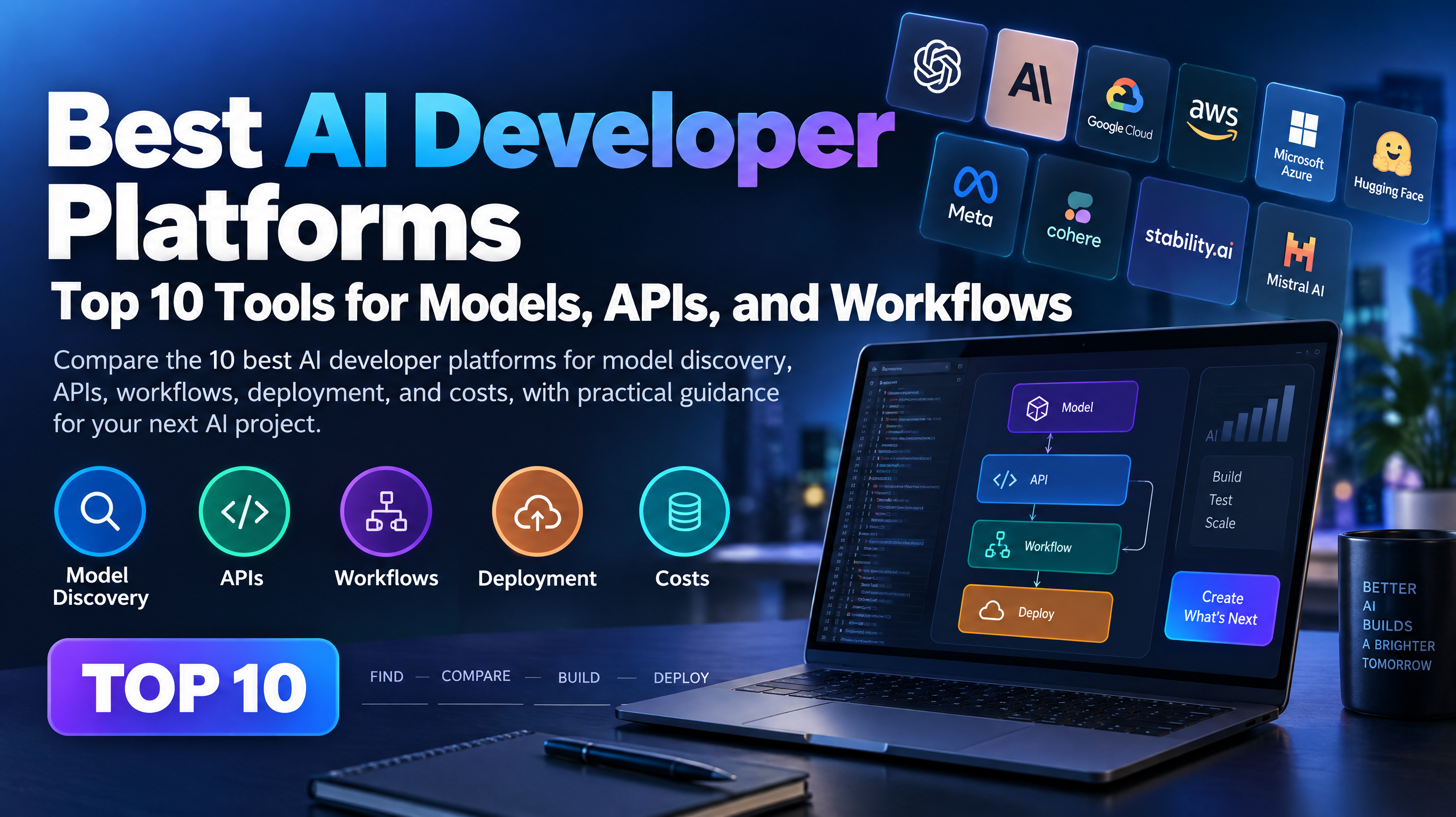
Building an AI application means connecting more than a model endpoint. You need to find suitable models, validate outputs, connect processing steps, handle failures, and understand what production traffic will cost. The best AI developer platforms simplify different parts of that process.
Some provide managed inference. Others organize model discovery, visual workflows, enterprise deployment, or application debugging. Choosing the wrong category can leave your team building infrastructure it expected the platform to supply.
This November 2026 comparison ranks ten options by practical fit, with RunningHub first for creative AI applications. Rankings reflect editorial judgments about use cases, rather than measured performance leadership. Product names follow current official documentation.
List of AI Developer Platforms: Top 10 Tools Compared
This list includes services and frameworks with different responsibilities. “Deployment” may mean hosting model inference, executing a creative workflow, or running application logic.
| Platform | Primary focus | Model access | Workflow capabilities | Deployment options | Best for |
| 1. RunningHub | Creative AI | Models and APIs | Cloud ComfyUI | Hosted workflow execution | Image/video applications |
| 2. Hugging Face | Model ecosystem | Hub and inference | Application-dependent | Endpoints and Spaces | Open-model exploration |
| 3. Google Agent Platform | Enterprise AI | Model Garden | Agents and pipelines | Managed cloud | Google Cloud teams |
| 4. Microsoft Foundry | Enterprise applications | Model catalog | Agents and tools | Azure services | Azure integration |
| 5. Amazon Bedrock | Managed generative AI | Foundation models | Agents and Flows | AWS-managed services | AWS applications |
| 6. Replicate | Hosted inference | Public/private models | Application-defined | Managed deployments | Model experimentation |
| 7. Together AI | Open-model infrastructure | Inference catalog | Application-defined | Serverless/dedicated | Open-model products |
| 8. OpenRouter | API aggregation | Multiple providers | External orchestration | Upstream inference | Multi-model access |
| 9. LangChain/LangSmith | Application lifecycle | Connected providers | Code-based agents | Agent deployment | Evaluation and debugging |
| 10. ComfyUI | Visual generation | Installed/supported models | Node graphs | Local/cloud runtime | Custom creative pipelines |
Best AI Developer Platforms: Detailed Reviews
1. RunningHub — Best for AI Models and Cloud-Based Workflows

RunningHub combines cloud-based ComfyUI execution with AI applications and developer APIs. Its strongest fit is creative application development: connecting image, video, and other supported generation capabilities into repeatable production processes.
Its API documentation distinguishes model, AI App, and workflow interfaces. It also documents task status, output retrieval, cancellation, uploads, and webhook-related operations. Developers should select the appropriate integration path instead of assuming every interface shares the same request structure.
The development advantage is a reusable visual pipeline. A team can configure supported generation and processing nodes, test the workflow in the cloud, and integrate an eligible workflow through documented APIs. RunningHub’s integration guide specifically covers building workflows and exporting API-format configurations.
Treat the product’s entry points as separate tools: Quick Create simplifies generation; ComfyUI exposes workflow logic; AI Apps package creative experiences; model discovery helps identify resources; and API services connect supported capabilities to external software. rhTV provides a canvas-oriented creative environment, rather than an API management console. Availability should be checked in the relevant interface.
Model compatibility requires particular attention. A model family, checkpoint, LoRA, or format available within a workflow does not automatically have a standalone model API. Confirm the exact resource, node dependencies, license, and supported execution route before committing to an application architecture.
Workflow API pricing includes runtime-based billing, with concurrent tasks accumulating their own runtime charges. Consult the applicable API pricing page and any separately charged services when estimating a complete pipeline.
Main advantage: visual creative development with cloud execution. Key limitation: ComfyUI introduces a learning curve, and workflow changes require regression checks. Application-level monitoring, access control, and customer-facing reliability still need deliberate engineering.
Explore RunningHub and the official API documentation to validate a representative workflow.
2. Hugging Face — Best for Model Discovery and Open-Source Development
Hugging Face suits teams starting with model selection rather than a predetermined API. Its ecosystem connects model discovery with inference services, dedicated Inference Endpoints, and Spaces for application demonstrations.
Inference Providers offers routed access to supported models, while Endpoints provides dedicated deployment options. Their billing differs: provider requests follow applicable usage charges, and endpoints depend on compute and replicas.
Main advantage: moving from exploration toward hosted execution. Key limitation: finding a repository does not establish serving compatibility or commercial permission. Check the model card, license, supported runtime, and deployment requirements individually. It fits researchers and developers evaluating open models before standardizing infrastructure.
3. Gemini Enterprise Agent Platform — Best for Google Cloud AI Development
Formerly Vertex AI, Google’s platform combines model-based development with enterprise agent infrastructure. Model Garden provides access to Google, third-party, and open models, while the platform addresses building, deploying, governing, and optimizing applications.
Its appeal is managed infrastructure within an existing Google Cloud environment. The trade-off is configuration and cost complexity: model deployment and tuning can introduce compute charges alongside other services.
Best fit: teams needing cloud integration and lifecycle management. Smaller prototypes should compare the setup burden with a simpler hosted API.
4. Microsoft Foundry — Best for Azure Enterprise Integration
Microsoft Foundry brings models, agents, and tools into a management environment with tracing, monitoring, evaluations, role-based access control, networking, and policies. It supports both portal-driven development and SDK-based approaches.
Main advantage: coordinating AI development with Azure governance. Key limitation: model deployment choices, permissions, and connected resources require planning.
Treat pricing as a collection of underlying model and service charges to verify, rather than assuming one platform subscription covers everything. Foundry best suits organizations already operating Azure infrastructure and formal security requirements.
5. Amazon Bedrock — Best for AWS-Based Generative AI Applications
Amazon Bedrock fits teams building around AWS-managed foundation model access. Bedrock Flows connects prompts, models, knowledge bases, and services such as Lambda through a visual workflow builder.
Pricing varies by model, modality, and features; knowledge bases, guardrails, and evaluation can contribute separate charges.
Main advantage: integrating generation with existing AWS services. Key limitation: availability and architecture must be checked for the chosen model and region. It is particularly suitable when AWS identity, storage, and application infrastructure already anchor the project.
6. Replicate — Best for API-Based Model Experimentation
Replicate offers hosted model execution and custom deployments. Dedicated deployments expose controls over hardware and scaling, with monitoring for latency, throughput, errors, resource utilization, and requests.
Public model billing may depend on runtime or inputs and outputs. Deployment instances can incur setup and idle charges as well as active execution costs.
Main advantage: testing models through hosted APIs before investing in serving infrastructure. Key limitation: an inexpensive experiment may have a different cost profile once deployed with warm capacity.
7. Together AI — Best for Open-Model Inference and Development
Together AI provides serverless inference, dedicated endpoints, and fine-tuning options. Dedicated inference uses reserved resources and offers deployment configuration controls.
Main advantage: a progression from shared inference toward dedicated capacity for suitable workloads.
Key limitation: supported models and customization paths require checking before migration.
Compare inference spending with dedicated endpoint utilization. Fine-tuning introduces training charges, and hosting a tuned model can add deployment costs. Together fits teams that want open-model application infrastructure rather than visual creative orchestration.
8. OpenRouter — Best for Multi-Model API Access
OpenRouter aggregates model access across providers and supports provider routing and fallback behavior. That makes it useful for applications comparing or switching among supported models. Review current pricing and provider policies together.
Main advantage: simplifying multi-provider access.
Key limitation: a shared interface does not make models interchangeable. Tool behavior, supported parameters, output quality, and upstream availability still differ.
Use it for model selection and routing needs; retain application-level evaluation and error handling rather than treating aggregation as a complete deployment stack.
9. LangChain / LangSmith — Best for Orchestration and Evaluation
LangChain supplies application-building abstractions; LangSmith addresses tracing, evaluation, observability, and deployment. LangSmith’s observability and deployment capabilities can work beyond a single framework.
Main advantage: inspecting multi-step application behavior instead of examining isolated model outputs. Key limitation: orchestration introduces dependencies and maintenance work.
These tools complement inference providers. Budget separately for model calls and applicable LangSmith usage or deployment charges. They fit teams debugging agents, retrieval, and tool execution across complex applications.
10. ComfyUI — Best for Custom Visual Generative Workflows
ComfyUI organizes generation through node-based workflows. Its ecosystem includes local execution and cloud experiences, but workflows can require different nodes or models across environments. Custom-node installation and maintenance remain relevant for local users.
Main advantage: detailed control over creative processing graphs. Key limitation: dependency compatibility and resource management require attention.
The framework suits technical creators designing custom pipelines. RunningHub adds a hosted service environment around related workflow development, while ComfyUI itself should be evaluated separately from any hosting provider.
Top AI Developer Platforms Performance Comparison
Performance means more than generation speed. These qualitative assessments describe development responsibilities, rather than benchmark results.
| Platform | Developer experience | Workflow support | Deployment capabilities | Scalability | Cost considerations |
| RunningHub | Visual/API learning | Creative node graphs | Hosted execution | Verify task limits | Runtime and services |
| Hugging Face | Discovery-oriented | Application-defined | Managed endpoints | Endpoint configuration | Compute/provider usage |
| Google Agent Platform | Cloud expertise | Agents/pipelines | Managed cloud | Service quotas | Multiple cloud resources |
| Microsoft Foundry | Azure expertise | Agents/tools | Managed services | Deployment quotas | Model/service charges |
| Bedrock | AWS expertise | Flows/agents | Managed services | Model/region quotas | Feature-dependent |
| Replicate | API-oriented | External logic | Dedicated deployments | Scaling controls | Active/idle capacity |
| Together AI | API-oriented | External logic | Serverless/dedicated | Capacity-dependent | Usage/reserved resources |
| OpenRouter | Unified access | External logic | Upstream providers | Provider-dependent | Model/provider pricing |
| LangChain/LangSmith | Code-oriented | Application graphs | Agent runtime | Deployment-dependent | Traces/compute/models |
| ComfyUI | Node learning | Creative graphs | Runtime-dependent | Operator-managed locally | Hardware/maintenance |
For a fair inference test, hold the model version, hardware, region, input size, output settings, and concurrency constant. Measure completion quality, queue time, failure rate, and cost per accepted result.
Debugging deserves equal attention. A fast model is insufficient if you cannot identify which workflow step failed or reproduce yesterday’s output.
Best API Discovery Solution for AI-First Applications
The best API discovery solution for AI-first applications depends on what you need to discover.
Model hubs help investigate capabilities and licenses. Aggregators simplify comparing supported providers. Cloud catalogs connect discovery with deployment controls. Workflow platforms help identify reusable processing sequences.
RunningHub is relevant when discovery centers on creative pipelines: test a supported workflow, then verify its API integration route. Hugging Face suits repository-level exploration; OpenRouter suits provider selection; cloud catalogs suit infrastructure-led decisions.
Before integrating, confirm input formats, output handling, authentication, versioning, pricing, rate limits, and maintenance status. Test one realistic request end to end, including a failure case. A catalog listing alone does not establish reliability.
Best API Marketplaces for AI Developers
The best API marketplaces make purchasing and integration easier, but these platforms serve different roles.
OpenRouter emphasizes aggregation and routing. Hugging Face connects discovery with several serving options. Replicate emphasizes hosted execution. Together focuses on inference infrastructure. RunningHub connects creative capabilities and workflows with supported APIs.
Compare model-level documentation rather than marketplace branding. Ask whether the service exposes the exact model version, how usage is billed, whether outputs remain retrievable, and what happens when an upstream dependency changes.
A unified account can simplify procurement while leaving technical differences intact.
Top AI Model Marketplaces: Reliable Models and API Access
For top AI model marketplaces, reliable models and API access require separate checks.
| Platform | Model discovery | API access | Workflow integration | Best use case |
| RunningHub | Creative resources | Supported interfaces | Cloud ComfyUI | Creative pipelines |
| Hugging Face | Repository ecosystem | Providers/endpoints | Developer-defined | Open-model evaluation |
| Replicate | Hosted catalog | Model APIs | Developer-defined | Inference experiments |
| Together AI | Supported catalog | Inference endpoints | Developer-defined | Open-model products |
| OpenRouter | Provider/model listings | Aggregated access | External orchestration | Multi-model applications |
How to Choose the Best AI Developer Platform for Your Project
Match the platform category to the application’s main engineering constraint.
| Development requirement | Starting point | Key selection factors |
| Image/video applications | RunningHub | Workflow compatibility, APIs, output quality |
| Open-model research | Hugging Face | Licenses, documentation, serving support |
| Enterprise deployment | Google, Microsoft, AWS | Governance, regions, quotas |
| Hosted experimentation | Replicate, Together AI | Model support, billing, capacity |
| Multi-model integration | OpenRouter | Routing, compatibility, policies |
| Agents and evaluation | LangChain/LangSmith | Tracing, testing, runtime |
| Custom creative graphs | ComfyUI | Nodes, dependencies, infrastructure |
First define required modalities and acceptable outputs. Then identify eligible models, test integration methods, and run representative workloads.
Estimate total operating cost: successful outputs, retries, idle capacity, storage, monitoring, and maintenance. Finally, review deployment and security requirements before expanding usage.
Final Verdict: Which AI Developer Platform Should You Use?
RunningHub is the first recommendation here for developers exploring image and video applications through cloud-based creative workflows. Hugging Face suits open-model discovery; Google, Microsoft, and AWS fit enterprise infrastructure requirements. OpenRouter addresses multi-model access, while LangChain and LangSmith help teams build and inspect complex applications.
ComfyUI offers direct visual workflow control, and hosted inference services reduce model-serving work.
Choose around your application’s hardest requirement. Explore RunningHub’s models, cloud-based ComfyUI workflows, and available API services with a representative project before committing to production.
Come and explore the new world of apis together on RunningHub !