
'%3e %3cg id='Vector'%3e %3c/g%3e %3cpath id='Vector_2' d='M14.504 8.522L12.746 4.49C12.6826 4.34486 12.5783 4.22136 12.4458 4.13463C12.3133 4.0479 12.1584 4.0017 12 4.0017C11.8416 4.0017 11.6867 4.0479 11.5542 4.13463C11.4217 4.22136 11.3174 4.34486 11.254 4.49L9.495 8.522C9.305 8.958 8.958 9.306 8.522 9.495L4.49 11.254C4.34486 11.3174 4.22136 11.4217 4.13463 11.5542C4.0479 11.6867 4.0017 11.8416 4.0017 12C4.0017 12.1584 4.0479 12.3133 4.13463 12.4458C4.22136 12.5783 4.34486 12.6826 4.49 12.746L8.523 14.504C8.959 14.694 9.307 15.042 9.496 15.478L11.255 19.511C11.3184 19.6561 11.4227 19.7796 11.5552 19.8664C11.6877 19.9531 11.8426 19.9993 12.001 19.9993C12.1594 19.9993 12.3143 19.9531 12.4468 19.8664C12.5793 19.7796 12.6836 19.6561 12.747 19.511L14.505 15.478C14.695 15.042 15.043 14.694 15.479 14.504L19.512 12.746C19.6571 12.6826 19.7806 12.5783 19.8674 12.4458C19.9541 12.3133 20.0003 12.1584 20.0003 12C20.0003 11.8416 19.9541 11.6867 19.8674 11.5542C19.7806 11.4217 19.6571 11.3174 19.512 11.254L15.479 9.495C15.043 9.30549 14.695 8.95782 14.505 8.522' stroke='var(--stroke-0%2c white)' stroke-width='1.25' stroke-linecap='round' stroke-linejoin='round'/%3e %3cpath id='Vector_3' d='M3 3L5 5' stroke='var(--stroke-0%2c white)' stroke-width='1.25' stroke-linecap='round' stroke-linejoin='round'/%3e %3cpath id='Vector_4' d='M21 3L19 5' stroke='var(--stroke-0%2c white)' stroke-width='1.25' stroke-linecap='round' stroke-linejoin='round'/%3e %3cpath id='Vector_5' d='M3 21L5 19' stroke='var(--stroke-0%2c white)' stroke-width='1.25' stroke-linecap='round' stroke-linejoin='round'/%3e %3cpath id='Vector_6' d='M21 21L19 19' stroke='var(--stroke-0%2c white)' stroke-width='1.25' stroke-linecap='round' stroke-linejoin='round'/%3e %3c/g%3e %3cdefs%3e %3cclipPath id='clip0_0_55'%3e %3crect width='24' height='24' fill='white'/%3e %3c/clipPath%3e %3c/defs%3e %3c/svg%3e)
'%3e %3cg id='Vector'%3e %3c/g%3e %3cpath id='Vector_2' d='M14.375 7.66667H14.385' stroke='var(--stroke-0%2c white)' stroke-width='1.25' stroke-linecap='round' stroke-linejoin='round'/%3e %3cpath id='Vector_3' d='M11.9792 20.125H5.75C4.9875 20.125 4.25624 19.8221 3.71707 19.2829C3.1779 18.7438 2.875 18.0125 2.875 17.25V5.75C2.875 4.9875 3.1779 4.25624 3.71707 3.71707C4.25624 3.1779 4.9875 2.875 5.75 2.875H17.25C18.0125 2.875 18.7438 3.1779 19.2829 3.71707C19.8221 4.25624 20.125 4.9875 20.125 5.75V11.9792' stroke='var(--stroke-0%2c white)' stroke-width='1.25' stroke-linecap='round' stroke-linejoin='round'/%3e %3cpath id='Vector_4' d='M2.875 15.3333L7.66667 10.5417C8.556 9.68587 9.65233 9.68587 10.5417 10.5417L14.375 14.375' stroke='var(--stroke-0%2c white)' stroke-width='1.25' stroke-linecap='round' stroke-linejoin='round'/%3e %3cpath id='Vector_5' d='M13.4167 13.4167L14.375 12.4583C15.0171 11.8412 15.7646 11.6687 16.4661 11.9408' stroke='var(--stroke-0%2c white)' stroke-width='1.25' stroke-linecap='round' stroke-linejoin='round'/%3e %3cpath id='Vector_6' d='M15.3333 18.2083H21.0833' stroke='var(--stroke-0%2c white)' stroke-width='1.25' stroke-linecap='round' stroke-linejoin='round'/%3e %3cpath id='Vector_7' d='M18.2083 15.3333V21.0833' stroke='var(--stroke-0%2c white)' stroke-width='1.25' stroke-linecap='round' stroke-linejoin='round'/%3e %3c/g%3e %3cdefs%3e %3cclipPath id='clip0_0_4'%3e %3crect width='23' height='23' fill='white'/%3e %3c/clipPath%3e %3c/defs%3e %3c/svg%3e)


'%3e %3cg id='Vector'%3e %3c/g%3e %3cpath id='Vector_2' d='M18.3333 10.5001V6.66667C18.3333 5.78261 17.9821 4.93477 17.357 4.30964C16.7319 3.68452 15.8841 3.33333 15 3.33333H5C4.11594 3.33333 3.2681 3.68452 2.64298 4.30964C2.01786 4.93477 1.66667 5.78261 1.66667 6.66667V13.3333C1.66667 14.2174 2.01786 15.0652 2.64298 15.6904C3.2681 16.3155 4.11594 16.6667 5 16.6667H11.6667M15.5 17.0001V12.0001M13 14.5001L15.5 12.0001L18 14.5001' stroke='var(--stroke-0%2c white)' stroke-linecap='round' stroke-linejoin='round'/%3e %3cpath id='Vector_3' d='M8.33333 7.5L12.5 10L8.33333 12.5V7.5Z' stroke='var(--stroke-0%2c white)' stroke-linecap='round' stroke-linejoin='round'/%3e %3c/g%3e %3cdefs%3e %3cclipPath id='clip0_0_4'%3e %3crect width='20' height='20' fill='white'/%3e %3c/clipPath%3e %3c/defs%3e %3c/svg%3e)
'%3e %3cg id='Vector'%3e %3c/g%3e %3cpath id='Vector_2' d='M16.25 10.8333L21.1824 8.36767C21.3475 8.28515 21.531 8.2462 21.7154 8.25451C21.8998 8.26281 22.079 8.3181 22.2361 8.41512C22.3931 8.51214 22.5228 8.64768 22.6127 8.80888C22.7026 8.97007 22.7499 9.15158 22.75 9.33617V16.6638C22.7499 16.8484 22.7026 17.0299 22.6127 17.1911C22.5228 17.3523 22.3931 17.4879 22.2361 17.5849C22.079 17.6819 21.8998 17.7372 21.7154 17.7455C21.531 17.7538 21.3475 17.7148 21.1824 17.6323L16.25 15.1667V10.8333Z' stroke='var(--stroke-0%2c white)' stroke-width='1.25' stroke-linecap='round' stroke-linejoin='round'/%3e %3cpath id='Vector_3' d='M3.25 8.66667C3.25 8.09203 3.47827 7.54093 3.8846 7.1346C4.29093 6.72827 4.84203 6.5 5.41667 6.5H14.0833C14.658 6.5 15.2091 6.72827 15.6154 7.1346C16.0217 7.54093 16.25 8.09203 16.25 8.66667V17.3333C16.25 17.908 16.0217 18.4591 15.6154 18.8654C15.2091 19.2717 14.658 19.5 14.0833 19.5H5.41667C4.84203 19.5 4.29093 19.2717 3.8846 18.8654C3.47827 18.4591 3.25 17.908 3.25 17.3333V8.66667Z' stroke='var(--stroke-0%2c white)' stroke-width='1.25' stroke-linecap='round' stroke-linejoin='round'/%3e %3cpath id='Vector_4' d='M7.58333 13H11.9167' stroke='var(--stroke-0%2c white)' stroke-width='1.25' stroke-linecap='round' stroke-linejoin='round'/%3e %3cpath id='Vector_5' d='M9.75 10.8333V15.1667' stroke='var(--stroke-0%2c white)' stroke-width='1.25' stroke-linecap='round' stroke-linejoin='round'/%3e %3c/g%3e %3cdefs%3e %3cclipPath id='clip0_0_47'%3e %3crect width='26' height='26' fill='white'/%3e %3c/clipPath%3e %3c/defs%3e %3c/svg%3e)
'%3e %3cg id='Vector'%3e %3c/g%3e %3cpath id='Vector_2' d='M4 7H7M11 7H20' stroke='var(--stroke-0%2c white)' stroke-width='1.25' stroke-linecap='round' stroke-linejoin='round'/%3e %3cpath id='Vector_3' d='M4 17H20' stroke='var(--stroke-0%2c white)' stroke-width='1.25' stroke-linecap='round' stroke-linejoin='round'/%3e %3cpath id='Vector_4' d='M7 4L7 20' stroke='var(--stroke-0%2c white)' stroke-width='1.25' stroke-linecap='round' stroke-linejoin='round'/%3e %3cpath id='Vector_5' d='M17 4V13M17 17V20' stroke='var(--stroke-0%2c white)' stroke-width='1.25' stroke-linecap='round' stroke-linejoin='round'/%3e %3c/g%3e %3cdefs%3e %3cclipPath id='clip0_0_60'%3e %3crect width='24' height='24' fill='white'/%3e %3c/clipPath%3e %3c/defs%3e %3c/svg%3e)
'%3e %3cg id='Vector'%3e %3c/g%3e %3cpath id='Vector_2' d='M6 10L4 11L12 15L20 11L18 10' stroke='var(--stroke-0%2c white)' stroke-width='1.25' stroke-linecap='round' stroke-linejoin='round'/%3e %3cpath id='Vector_3' d='M4 15L12 19L20 15' stroke='var(--stroke-0%2c white)' stroke-width='1.25' stroke-linecap='round' stroke-linejoin='round'/%3e %3cpath id='Vector_4' d='M12 4V11' stroke='var(--stroke-0%2c white)' stroke-width='1.25' stroke-linecap='round' stroke-linejoin='round'/%3e %3cpath id='Vector_5' d='M15 8L12 11L9 8' stroke='var(--stroke-0%2c white)' stroke-width='1.25' stroke-linecap='round' stroke-linejoin='round'/%3e %3c/g%3e %3cdefs%3e %3cclipPath id='clip0_0_9'%3e %3crect width='24' height='24' fill='white'/%3e %3c/clipPath%3e %3c/defs%3e %3c/svg%3e)


Best Free AI APIs for Developers: 6 Options Compared
Compare six free AI APIs for developers by model access, quotas, rate limits, and billing. See where RunningHub offers free endpoints and paid model APIs.

You want to add text summaries, document search, or audio transcription to an app, and your testing budget is zero. Before you pick a provider, find out what is actually free. Signing up for an account, creating an API key, and running inference are three separate steps. A provider can let you complete the first two for free and still charge for the first model request.
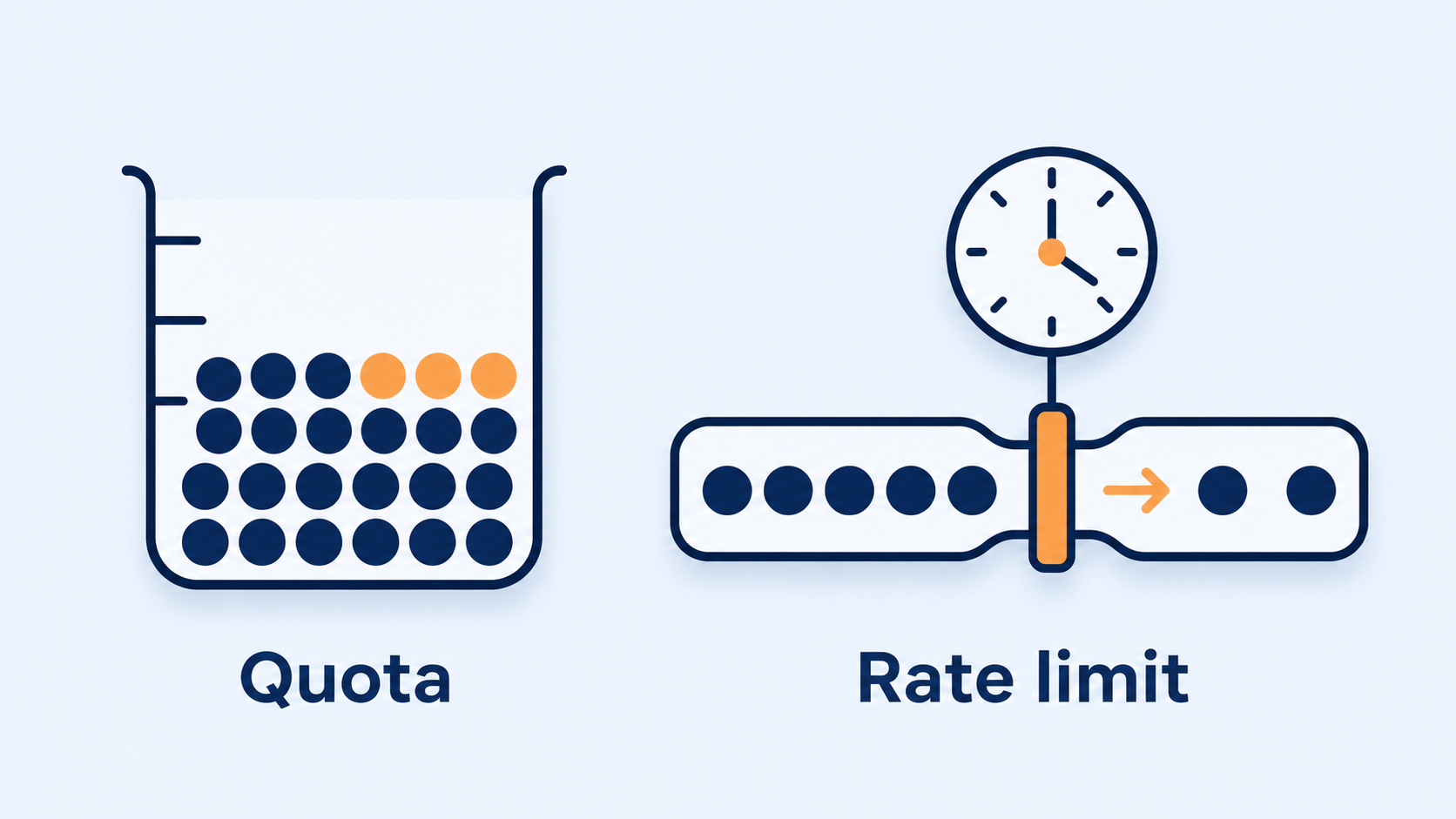
The six services in this guide offer free API calls through eligible models, compute allowances, or evaluation keys. Each entry explains which models or endpoints qualify, how much you can use, and how billing changes when you upgrade. That matters once your prototype has users. You can hit a per-minute rate limit while you still have room under a daily or monthly quota.
Find a Free AI API for Developers
Compare the allowance in its original units. Requests per minute (RPM) measures how quickly calls arrive. Requests per day (RPD) tracks daily volume, and tokens per minute (TPM) limits how much model input or output you can process in a minute under the provider's rules. A monthly request cap and a daily compute allowance tell you different things about how your application will run.
| Platform | Free option and example | Free allowance and rate limits | Getting access | What changes when you need more |
| RunningHub | Selected free Model API endpoints for video preprocessing and asset setup | The catalog marks specific endpoints as free. Endpoint quotas and rate limits are unconfirmed. | Register and create an Enterprise-Shared API Key. | Paid media endpoints and LLMs bill at their listed rates. |
| Google Gemini API | Gemini Developer API Free Tier, including Gemini 3.1 Flash-Lite | Free input and output on eligible models. Check each project's RPM, TPM, and RPD in AI Studio. | Sign in to Google AI Studio and create a key for a Free Tier project. | Link billing to the project and review paid model rates and limits. |
| OpenRouter | Selected model variants ending in :free | 20 RPM and 50 RPD for free variants before a qualifying credit purchase. | Create an account and generate a key from the dashboard. | A qualifying credit purchase raises the cap to 1,000 RPD. The 20 RPM limit still applies. Paid model calls draw from credit balance. |
| GroqCloud | Free Plan, for example GPT-OSS 20B | The published example lists 30 RPM, 1,000 RPD, 8,000 TPM, and 200,000 tokens per day. | Create an account and generate a GroqCloud API key. | Requests that exceed a limit return a rate-limit error. The optional Developer Plan bills by usage. |
| Cloudflare Workers AI | Workers Free daily compute allocation on eligible models | 10,000 Neurons per day. Text generation defaults to 300 RPM for models eligible on Workers Free. | Use a Workers AI binding, or an account ID and API token for REST. | On Workers Free, excess operations fail. Workers Paid meters usage above the allocation. |
| Cohere | Free evaluation key for endpoints such as Embed and Rerank | 1,000 calls per month on trial keys. Rerank has a trial limit of 10 RPM. | Sign up and get the trial key from the API Keys dashboard. | Set up a production key for live usage and check endpoint-specific prices and limits. |
Limits checked on November 18, 2026. Model availability, account eligibility, and quotas can change. Use the limits shown for the exact model and account you will deploy with.
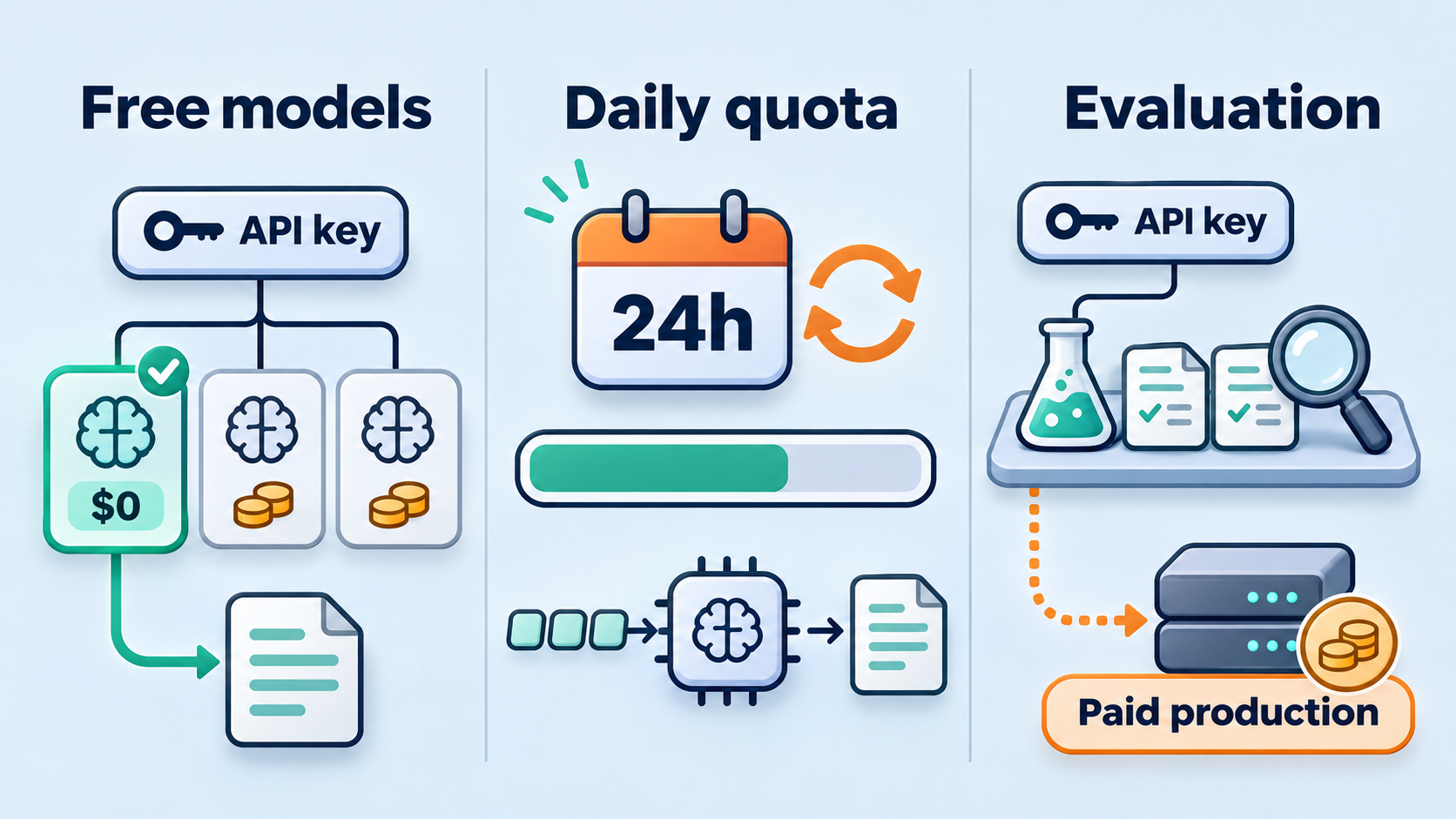
6 Free AI APIs Compared by Model Access, Limits, and Billing
1. RunningHub for Video Preprocessing and Creative Asset Setup
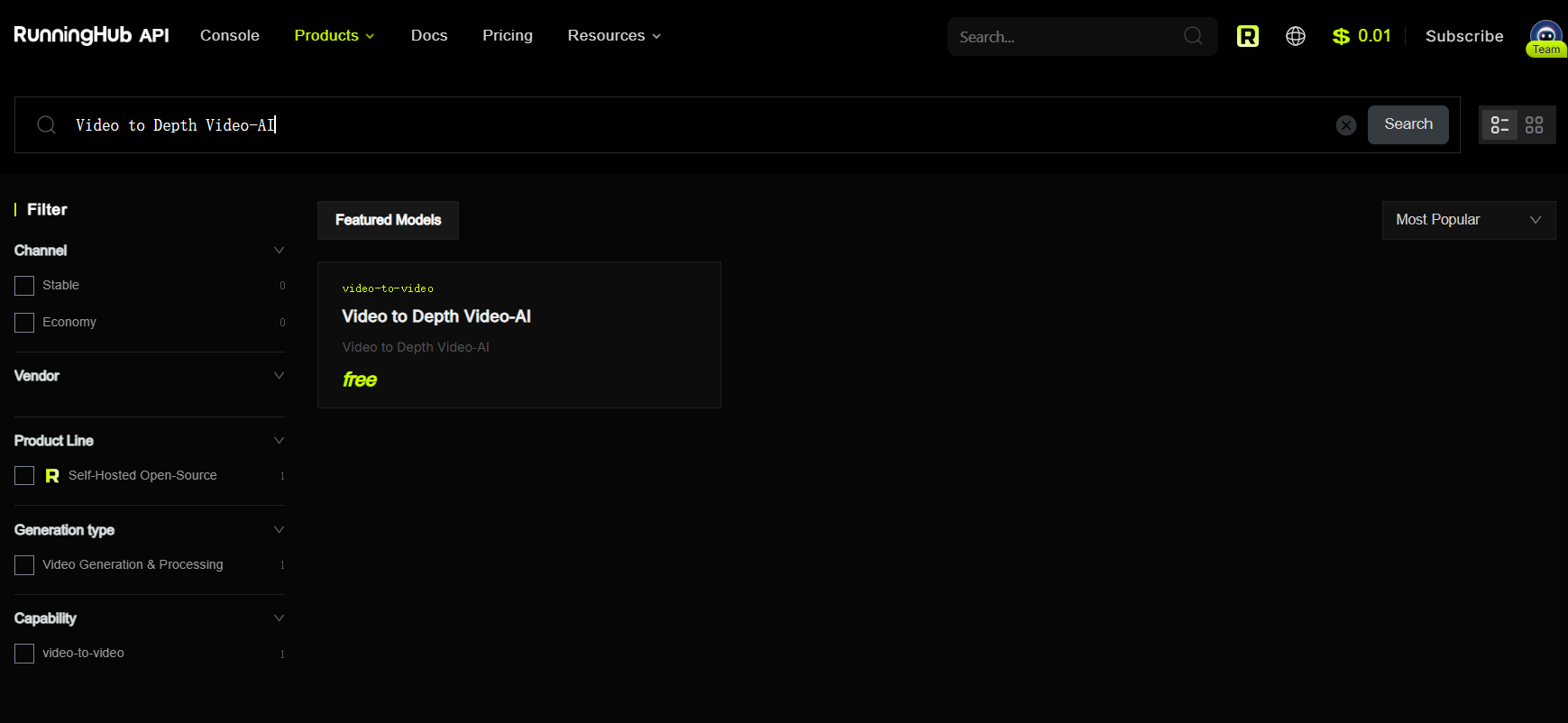
RunningHub lists three examples of free Model API endpoints for video workflows. Video to Depth Video-AI processes an existing clip into a depth video. The kling-v4/custom-element and kling-v4/custom-voice endpoints create reusable elements and voices. A later video generation call using those assets follows the price of the generation endpoint.
Sign up with an email address or Google account and create an Enterprise-Shared API Key. RunningHub requires this key type for direct calls to both its Model API and LLM API. The public documentation leaves the free endpoints’ quotas, rate limits, and zero-balance eligibility unconfirmed. For a task-based request, submit the input and use the returned task ID to check status and retrieve the result.
For a paid text feature, use the LLM API. Pick two models in the language model catalog that support your inputs. A short summarization test can use the same article and the same instructions for both. Compare how much useful information each answer retains and check actual token use in your logs. Budget with separate input and output rates. If you already use a compatible request format, check the supported parameters before reusing it with a different model.
Example prompt
Summarize the article in three bullets. Include its main point, one supporting detail, and any stated caveat. Use only information from the article.
For an image feature, look at the Model API. If you add a thumbnail generator to your tools library, pick a specific image endpoint and confirm that it supports text input and the output settings you need. Check its billing unit and the price listed for that endpoint. Track how many attempts produce a thumbnail you can use, because that affects the cost of each accepted result.
2. Google Gemini API for Multimodal Prototypes
Go to Google AI Studio, create or select a Free Tier project, and generate an API key for it. Gemini 3.1 Flash-Lite is one example with free input and output under Google's published free tier. It is a useful starting point for summaries or questions about an image or document. Check the model's input types and free-tier eligibility before committing to a feature.
Gemini applies limits at the project level. Multiple keys in the same project share those limits, so generating a second key does not double the allowance. AI Studio shows the active limits for your project. Daily request limits reset at midnight Pacific time, which can matter if most of your users are in a different time zone.
To move to paid usage, set up billing for your project and check the model rates. Also review Google's data-use terms for your region and account type before testing with customer data. The rules for unpaid and paid services can differ. Public documents and synthetic inputs make it easy to validate the feature before making that decision.
3. OpenRouter for Comparing Several Model Families
Create an account and generate an API key in the OpenRouter dashboard. You can start without a card by choosing an eligible model variant whose identifier ends in :free. Pin a particular model when you want to compare quality across repeated runs. If you change the model between requests, it is harder to tell whether a difference came from your input or the model.
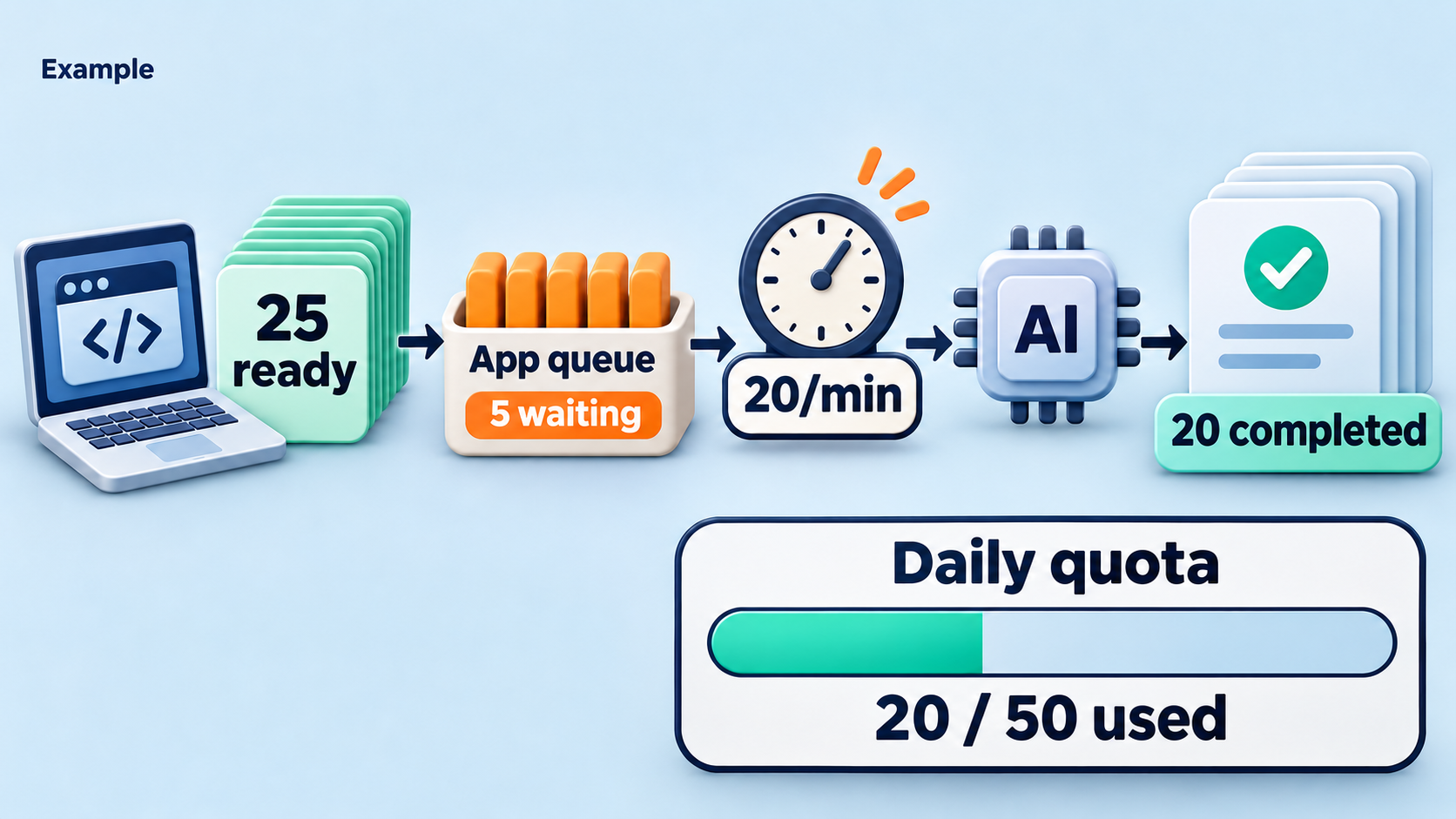
For these free variants, OpenRouter lists 20 requests per minute and 50 per day before a qualifying credit purchase. Failed attempts count toward the daily cap. OpenRouter lists a $10 credit-purchase threshold for 1,000 requests per day and applies the higher cap from $9 in purchased credits to account for top-up fees. The per-minute limit stays at 20. Check the exact variant, since other models listed at zero price can have different access rules.
The same key can also call paid models. Those calls draw from your balance at the model's posted rates, and applicable fees are charged when purchasing credits. Keep model IDs explicit in your test configuration so switching from a free variant to a paid one is a deliberate decision.
4. GroqCloud for Streaming Text and Audio Transcription
Sign up for GroqCloud and create a key in the console. For text generation, GPT-OSS 20B gives a concrete example of how several limits can apply at once. Groq's rate-limit table lists 30 requests per minute, 1,000 per day, 8,000 tokens per minute, and 200,000 tokens per day for that published Free Plan example. Confirm the actual limits in your organization's console.
Short test prompts may use up the request limit first. Long prompts or long generations can reach the token limit with fewer requests. For audio, a supported Whisper endpoint has its own limits, including ones measured in audio duration. A transcription tool should test with representative clip lengths, since a count of uploaded files tells you little about how much audio you will process.
An exceeded rate limit returns an HTTP 429 error. Use the rate-limit headers to decide when to retry and keep retries bounded. When you actively upgrade to the paid Developer Plan, usage is metered. Check the rate for the model or transcription endpoint you intend to run.
5. Cloudflare Workers AI for Small Serverless Features
If your backend already runs on Workers, you can connect Workers AI through a binding. For REST access from another backend, use a Cloudflare account ID and an API token with the appropriate permissions. The catalog includes text generation and embedding models such as @cf/baai/bge-base-en-v1.5. Confirm the exact model is eligible for your plan, because some require a paid billing method.
Cloudflare's 10,000-Neuron daily allocation is a measure of compute usage. Different models and tasks consume different amounts, so the number of requests you fit into that allocation depends on what you send and which model processes it. The daily allocation resets at 00:00 UTC. Text generation defaults to 300 requests per minute for models eligible on Workers Free. Other tasks, such as embeddings, have separate limits.
On Workers Free, operations beyond the allowance fail. Workers Paid retains the daily allocation and bills excess Workers AI usage at the published rate of $0.011 per 1,000 Neurons. Estimate the AI workload separately from any charges for the rest of your Workers application.
6. Cohere for Evaluating Document Search
Sign up for Cohere and use the API Keys dashboard to get an evaluation key. For a document search prototype, Embed converts text into vectors that can be used to find related passages. Rerank can then put a set of retrieved passages in a more useful order. You can test either endpoint independently to see where it improves your search results.
Cohere's rate-limit reference lists 1,000 monthly calls for trial keys and 10 requests per minute for trial Rerank calls. The text Embed endpoint measures throughput in inputs and allows 2,000 inputs per minute. That distinction matters if you run a batch of search tests all at once. Your monthly balance may cover the batch, but you may need to space out the requests to fit the endpoint's minute limit.
Use the trial key for evaluation. For a live deployment, create the appropriate production key and review the endpoint's pricing and limits. Budget for the embedding calls you use to prepare documents and the reranking calls you make when users search. These are different parts of the workload.
How to Choose the Best Free API for AI Projects
Choosing a Free API for an AI Tools Library
Start with the tasks users will run. For a summarizer, check that sample documents fit the model and that the output keeps important details. For document search, count the requests required to process a new batch of documents and handle each search. For transcription, estimate how many minutes of audio users upload. A provider can fit one feature even when another feature needs a different endpoint.
How to Find the Best Free AI API Keys for Your Project
Find out whether billing has to be enabled, which models the key can access, and whether the allowance applies per key, project, or account. Check how the provider treats retries and failed requests. If you only intend to test free models, record the exact IDs in your settings and set an application-side usage cap. That gives you a clear way to pause tests before they consume the day's allocation.
Can the Free Tier Handle Your Traffic?
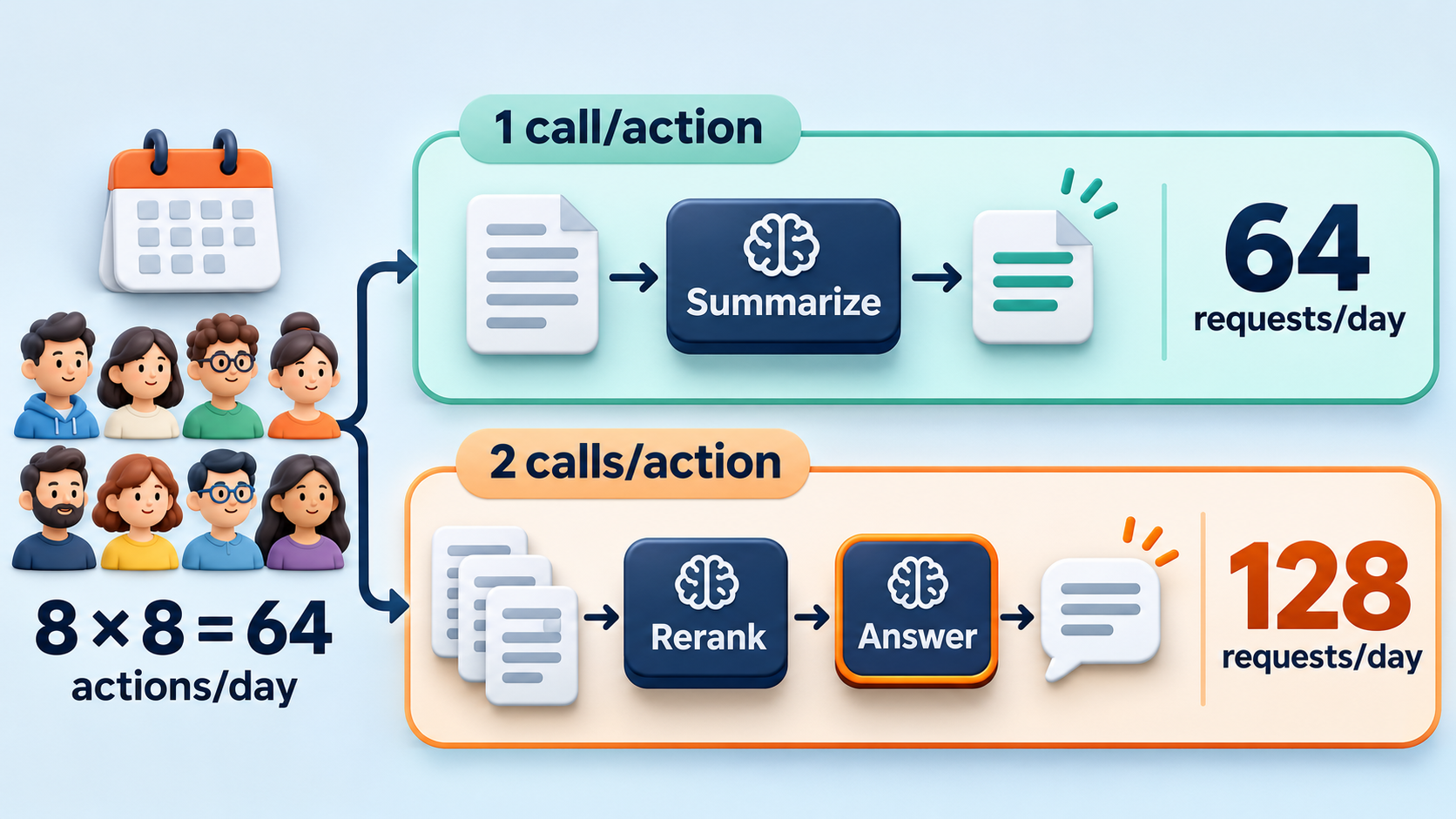
Suppose eight testers use a tool eight times each day, and each operation makes one model request. That is 64 requests per day, already above a 50-request daily allowance. If everyone starts testing at the same time, the per-minute cap can matter before the daily total does. An operation that calls two endpoints or retries a failure can push usage higher still.
Run a small set of real-sized inputs before you budget. Record how many requests each operation takes, the model usage unit, and which calls fail or need a retry. Then estimate demand for a busy day. For a public launch, check that the plan allows your intended use and decide what the app will display if the service runs out of quota.
FAQ
What Is the Best Free AI API?
For a multimodal prototype, start by checking the Gemini API's free models. OpenRouter is useful when you want to try models from several developers using one key. Cohere's evaluation key is a practical starting point if you are testing embeddings or reranking for document search. For video preprocessing, check the free endpoints in RunningHub's Model API catalog. Pick the service whose free limits fit your actual inputs and request volume.
Can I Get a Free AI API Key Without a Credit Card?
Yes. OpenRouter lets developers start with eligible free variants without buying credits. Before signing up for any provider, check whether the specific model requires an active payment method. A key gives your app access to the API, while your plan determines how calls are billed.
What Happens When I Hit a Free AI API Limit?
A rate-limited request may be rejected until the relevant time window clears. If you have used up a daily or monthly allowance, you may need to wait for it to reset or change plans. If paid billing is active, check whether usage above the allowance is billed and how you can control that spend.
Can I Use a Free AI API in Production?
It depends on the plan and endpoint. Some free options work for low-traffic applications if their terms allow the intended use. Evaluation keys such as Cohere's are intended for testing, with production access handled separately. Review the applicable conditions and plan for what users will see if a quota runs out.
Conclusion
Start with Gemini for multimodal prototypes or OpenRouter to compare several models with one API key. GroqCloud is a good fit for testing streaming text and audio transcription. Cloudflare Workers AI suits applications already running on Workers, and Cohere’s free evaluation key is useful for testing embeddings and reranking in document search.
For video preprocessing or creative asset setup, try an endpoint listed as free in the RunningHub Model API catalog, such as Video to Depth Video-AI. If your app also needs image generation, video generation, or a language model, estimate costs using the price and billing unit of the specific endpoint you plan to call.
Before launch, test with realistic inputs. Track how many API requests each user action requires and which limit you hit first. Use those results to decide how much testing the free allowance can cover and which features may need paid API access in production.