
'%3e %3cg id='Vector'%3e %3c/g%3e %3cpath id='Vector_2' d='M14.504 8.522L12.746 4.49C12.6826 4.34486 12.5783 4.22136 12.4458 4.13463C12.3133 4.0479 12.1584 4.0017 12 4.0017C11.8416 4.0017 11.6867 4.0479 11.5542 4.13463C11.4217 4.22136 11.3174 4.34486 11.254 4.49L9.495 8.522C9.305 8.958 8.958 9.306 8.522 9.495L4.49 11.254C4.34486 11.3174 4.22136 11.4217 4.13463 11.5542C4.0479 11.6867 4.0017 11.8416 4.0017 12C4.0017 12.1584 4.0479 12.3133 4.13463 12.4458C4.22136 12.5783 4.34486 12.6826 4.49 12.746L8.523 14.504C8.959 14.694 9.307 15.042 9.496 15.478L11.255 19.511C11.3184 19.6561 11.4227 19.7796 11.5552 19.8664C11.6877 19.9531 11.8426 19.9993 12.001 19.9993C12.1594 19.9993 12.3143 19.9531 12.4468 19.8664C12.5793 19.7796 12.6836 19.6561 12.747 19.511L14.505 15.478C14.695 15.042 15.043 14.694 15.479 14.504L19.512 12.746C19.6571 12.6826 19.7806 12.5783 19.8674 12.4458C19.9541 12.3133 20.0003 12.1584 20.0003 12C20.0003 11.8416 19.9541 11.6867 19.8674 11.5542C19.7806 11.4217 19.6571 11.3174 19.512 11.254L15.479 9.495C15.043 9.30549 14.695 8.95782 14.505 8.522' stroke='var(--stroke-0%2c white)' stroke-width='1.25' stroke-linecap='round' stroke-linejoin='round'/%3e %3cpath id='Vector_3' d='M3 3L5 5' stroke='var(--stroke-0%2c white)' stroke-width='1.25' stroke-linecap='round' stroke-linejoin='round'/%3e %3cpath id='Vector_4' d='M21 3L19 5' stroke='var(--stroke-0%2c white)' stroke-width='1.25' stroke-linecap='round' stroke-linejoin='round'/%3e %3cpath id='Vector_5' d='M3 21L5 19' stroke='var(--stroke-0%2c white)' stroke-width='1.25' stroke-linecap='round' stroke-linejoin='round'/%3e %3cpath id='Vector_6' d='M21 21L19 19' stroke='var(--stroke-0%2c white)' stroke-width='1.25' stroke-linecap='round' stroke-linejoin='round'/%3e %3c/g%3e %3cdefs%3e %3cclipPath id='clip0_0_55'%3e %3crect width='24' height='24' fill='white'/%3e %3c/clipPath%3e %3c/defs%3e %3c/svg%3e)
'%3e %3cg id='Vector'%3e %3c/g%3e %3cpath id='Vector_2' d='M14.375 7.66667H14.385' stroke='var(--stroke-0%2c white)' stroke-width='1.25' stroke-linecap='round' stroke-linejoin='round'/%3e %3cpath id='Vector_3' d='M11.9792 20.125H5.75C4.9875 20.125 4.25624 19.8221 3.71707 19.2829C3.1779 18.7438 2.875 18.0125 2.875 17.25V5.75C2.875 4.9875 3.1779 4.25624 3.71707 3.71707C4.25624 3.1779 4.9875 2.875 5.75 2.875H17.25C18.0125 2.875 18.7438 3.1779 19.2829 3.71707C19.8221 4.25624 20.125 4.9875 20.125 5.75V11.9792' stroke='var(--stroke-0%2c white)' stroke-width='1.25' stroke-linecap='round' stroke-linejoin='round'/%3e %3cpath id='Vector_4' d='M2.875 15.3333L7.66667 10.5417C8.556 9.68587 9.65233 9.68587 10.5417 10.5417L14.375 14.375' stroke='var(--stroke-0%2c white)' stroke-width='1.25' stroke-linecap='round' stroke-linejoin='round'/%3e %3cpath id='Vector_5' d='M13.4167 13.4167L14.375 12.4583C15.0171 11.8412 15.7646 11.6687 16.4661 11.9408' stroke='var(--stroke-0%2c white)' stroke-width='1.25' stroke-linecap='round' stroke-linejoin='round'/%3e %3cpath id='Vector_6' d='M15.3333 18.2083H21.0833' stroke='var(--stroke-0%2c white)' stroke-width='1.25' stroke-linecap='round' stroke-linejoin='round'/%3e %3cpath id='Vector_7' d='M18.2083 15.3333V21.0833' stroke='var(--stroke-0%2c white)' stroke-width='1.25' stroke-linecap='round' stroke-linejoin='round'/%3e %3c/g%3e %3cdefs%3e %3cclipPath id='clip0_0_4'%3e %3crect width='23' height='23' fill='white'/%3e %3c/clipPath%3e %3c/defs%3e %3c/svg%3e)


'%3e %3cg id='Vector'%3e %3c/g%3e %3cpath id='Vector_2' d='M18.3333 10.5001V6.66667C18.3333 5.78261 17.9821 4.93477 17.357 4.30964C16.7319 3.68452 15.8841 3.33333 15 3.33333H5C4.11594 3.33333 3.2681 3.68452 2.64298 4.30964C2.01786 4.93477 1.66667 5.78261 1.66667 6.66667V13.3333C1.66667 14.2174 2.01786 15.0652 2.64298 15.6904C3.2681 16.3155 4.11594 16.6667 5 16.6667H11.6667M15.5 17.0001V12.0001M13 14.5001L15.5 12.0001L18 14.5001' stroke='var(--stroke-0%2c white)' stroke-linecap='round' stroke-linejoin='round'/%3e %3cpath id='Vector_3' d='M8.33333 7.5L12.5 10L8.33333 12.5V7.5Z' stroke='var(--stroke-0%2c white)' stroke-linecap='round' stroke-linejoin='round'/%3e %3c/g%3e %3cdefs%3e %3cclipPath id='clip0_0_4'%3e %3crect width='20' height='20' fill='white'/%3e %3c/clipPath%3e %3c/defs%3e %3c/svg%3e)
'%3e %3cg id='Vector'%3e %3c/g%3e %3cpath id='Vector_2' d='M16.25 10.8333L21.1824 8.36767C21.3475 8.28515 21.531 8.2462 21.7154 8.25451C21.8998 8.26281 22.079 8.3181 22.2361 8.41512C22.3931 8.51214 22.5228 8.64768 22.6127 8.80888C22.7026 8.97007 22.7499 9.15158 22.75 9.33617V16.6638C22.7499 16.8484 22.7026 17.0299 22.6127 17.1911C22.5228 17.3523 22.3931 17.4879 22.2361 17.5849C22.079 17.6819 21.8998 17.7372 21.7154 17.7455C21.531 17.7538 21.3475 17.7148 21.1824 17.6323L16.25 15.1667V10.8333Z' stroke='var(--stroke-0%2c white)' stroke-width='1.25' stroke-linecap='round' stroke-linejoin='round'/%3e %3cpath id='Vector_3' d='M3.25 8.66667C3.25 8.09203 3.47827 7.54093 3.8846 7.1346C4.29093 6.72827 4.84203 6.5 5.41667 6.5H14.0833C14.658 6.5 15.2091 6.72827 15.6154 7.1346C16.0217 7.54093 16.25 8.09203 16.25 8.66667V17.3333C16.25 17.908 16.0217 18.4591 15.6154 18.8654C15.2091 19.2717 14.658 19.5 14.0833 19.5H5.41667C4.84203 19.5 4.29093 19.2717 3.8846 18.8654C3.47827 18.4591 3.25 17.908 3.25 17.3333V8.66667Z' stroke='var(--stroke-0%2c white)' stroke-width='1.25' stroke-linecap='round' stroke-linejoin='round'/%3e %3cpath id='Vector_4' d='M7.58333 13H11.9167' stroke='var(--stroke-0%2c white)' stroke-width='1.25' stroke-linecap='round' stroke-linejoin='round'/%3e %3cpath id='Vector_5' d='M9.75 10.8333V15.1667' stroke='var(--stroke-0%2c white)' stroke-width='1.25' stroke-linecap='round' stroke-linejoin='round'/%3e %3c/g%3e %3cdefs%3e %3cclipPath id='clip0_0_47'%3e %3crect width='26' height='26' fill='white'/%3e %3c/clipPath%3e %3c/defs%3e %3c/svg%3e)
'%3e %3cg id='Vector'%3e %3c/g%3e %3cpath id='Vector_2' d='M4 7H7M11 7H20' stroke='var(--stroke-0%2c white)' stroke-width='1.25' stroke-linecap='round' stroke-linejoin='round'/%3e %3cpath id='Vector_3' d='M4 17H20' stroke='var(--stroke-0%2c white)' stroke-width='1.25' stroke-linecap='round' stroke-linejoin='round'/%3e %3cpath id='Vector_4' d='M7 4L7 20' stroke='var(--stroke-0%2c white)' stroke-width='1.25' stroke-linecap='round' stroke-linejoin='round'/%3e %3cpath id='Vector_5' d='M17 4V13M17 17V20' stroke='var(--stroke-0%2c white)' stroke-width='1.25' stroke-linecap='round' stroke-linejoin='round'/%3e %3c/g%3e %3cdefs%3e %3cclipPath id='clip0_0_60'%3e %3crect width='24' height='24' fill='white'/%3e %3c/clipPath%3e %3c/defs%3e %3c/svg%3e)
'%3e %3cg id='Vector'%3e %3c/g%3e %3cpath id='Vector_2' d='M6 10L4 11L12 15L20 11L18 10' stroke='var(--stroke-0%2c white)' stroke-width='1.25' stroke-linecap='round' stroke-linejoin='round'/%3e %3cpath id='Vector_3' d='M4 15L12 19L20 15' stroke='var(--stroke-0%2c white)' stroke-width='1.25' stroke-linecap='round' stroke-linejoin='round'/%3e %3cpath id='Vector_4' d='M12 4V11' stroke='var(--stroke-0%2c white)' stroke-width='1.25' stroke-linecap='round' stroke-linejoin='round'/%3e %3cpath id='Vector_5' d='M15 8L12 11L9 8' stroke='var(--stroke-0%2c white)' stroke-width='1.25' stroke-linecap='round' stroke-linejoin='round'/%3e %3c/g%3e %3cdefs%3e %3cclipPath id='clip0_0_9'%3e %3crect width='24' height='24' fill='white'/%3e %3c/clipPath%3e %3c/defs%3e %3c/svg%3e)


AI Brand Identity Generators Compared at a Glance
Compare five AI brand identity generator tools for logos, colors, fonts, and brand visuals. Find the right fit and build branded content with RunningHub.
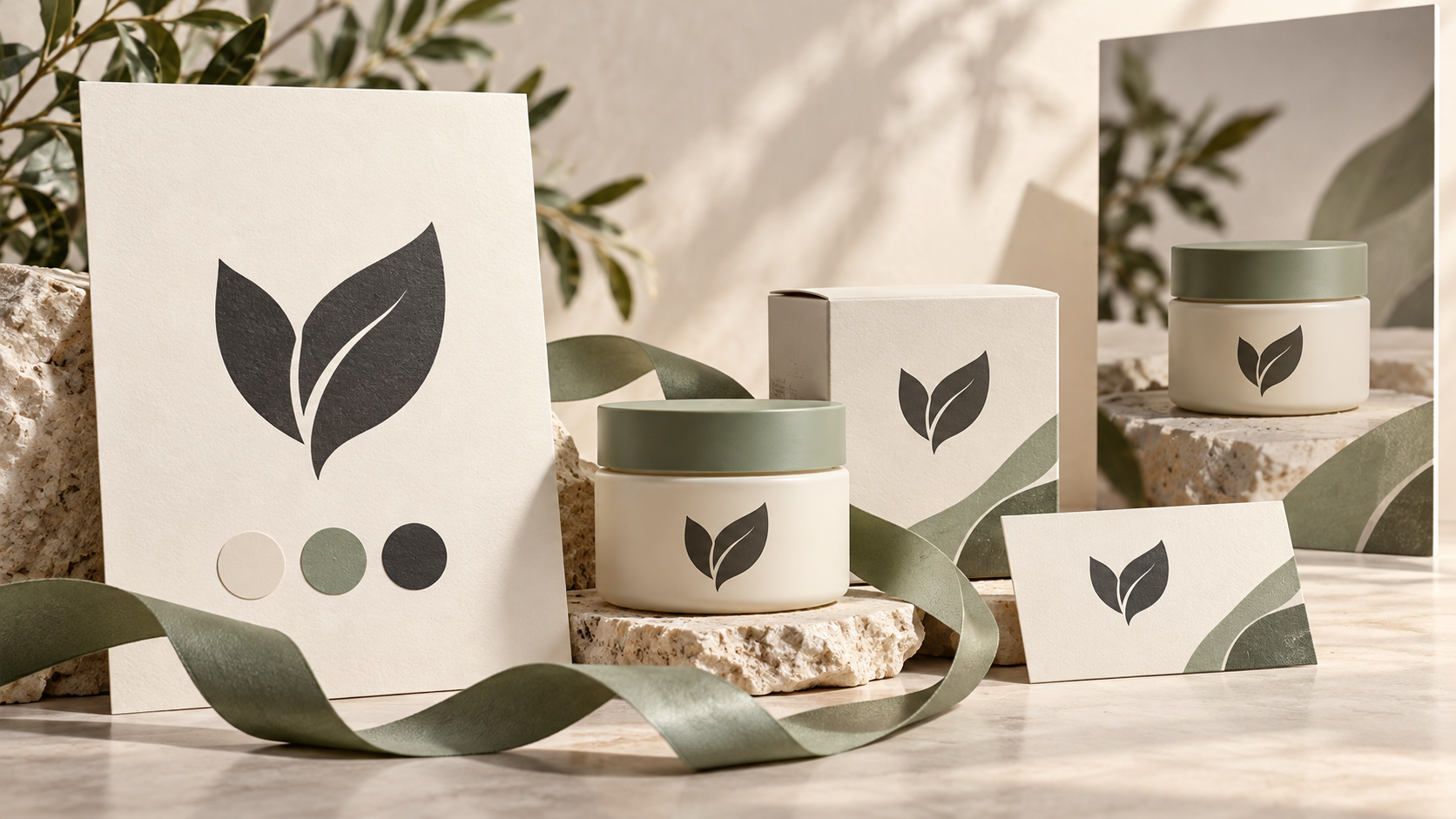
A logo gives your business a recognizable mark. A brand identity connects that mark to colors, typography, imagery, and the way your products appear across different channels.
The challenge starts when those elements need to work together. Your packaging looks minimal, your social posts feel playful, and your website uses an entirely different visual style.
An AI brand identity generator can help you establish a direction and turn it into usable assets. However, different tools handle different parts of that process.
Each tool takes a different approach to AI brand design. RunningHub focuses on flexible visual creation, while Looka, Brandmark, Designs.ai, and Tailor Brands offer different ways to develop logos and supporting brand assets. The right fit depends on what you need to create.
| Tool | Logo capabilities | Colors and typography | Brand visuals and assets | Best fit |
| RunningHub | Prompt-based logo concepts | Visual exploration; finalize exact specifications separately | Custom imagery through image generation and editing | Original brand visuals and ongoing content production |
| Looka | AI-generated logos with editing controls | Logo colors and complementary fonts | Coordinated brand-kit templates | Launching a logo-led identity |
| Brandmark | Automated logos and generative AI icons | Color tools and font-pairing ideas | Brand guides and supporting design assets | Exploring a coordinated visual direction |
| Designs.ai | AI logo concepts | Colors, typography, and visual style within its branding tool | Brand kits and documented guidelines | Building a structured identity system |
| Tailor Brands | AI-generated logos based on business details and preferences | Customizable logo fonts and colors | Brand book and supporting branded materials | A guided small-business launch |
The comparison reflects published capabilities and practical workflow fit, rather than a scored visual-quality benchmark. Available assets and downloads depend on the selected product and plan. RunningHub
What Should an AI Brand Identity Generator Include?
Before choosing an AI brand generator, define what you need to receive.
A useful starting identity usually includes:
Logo: a recognizable symbol or wordmark, including a version that works at small sizes.
Color palette: primary, secondary, and background colors with documented values.
Typography: named fonts, a clear hierarchy, and suitable licenses.
Visual direction: consistent photography, illustration, textures, and composition.
Applications: examples showing the identity on packaging, websites, or social content.
Also check the difference between a visual concept and a production file. A generated image showing an attractive wordmark is not automatically an editable vector logo. A typography sample does not provide a working font.
The strongest AI brand design workflow combines creative exploration with deliberate decisions about the assets you will actually publish.
5 Best AI Brand Identity Generators
1. RunningHub — Best for Custom Brand Visuals and Content Workflows
RunningHub is a good choice for brands that need to keep creating after the first identity concept is approved.
Its browser-based image generation tools support original visual exploration, while its image-to-image tools provide a route for developing existing references. The broader platform also includes AI applications, an infinite canvas, and cloud ComfyUI workflows.
For brand work, that flexibility is valuable. A skincare seller might need a visual direction today, product campaign imagery tomorrow, and seasonal social assets next month. Those tasks require more than placing a logo onto a template.
Start with the to explore materials, lighting, backgrounds, and graphic motifs. Once a direction is approved, use reference-based image editing to develop related scenes, checking each result against the same brief.
RunningHub can also help explore logo concepts and the appearance of typography within a composition. Treat those outputs as design references: establish final fonts in a layout editor and prepare the approved logo in an appropriate editable format.

Where it stands out: connecting brand exploration to original marketing imagery. You can describe a specific product environment instead of relying entirely on predetermined layouts.
What to keep in mind: the tools discussed here do not establish a dedicated brand-kit management system. You should maintain your own approved logo files, color values, font specifications, and reference sheet. Generations still need review for consistency.
For advanced users, the ComfyUI workflow library offers workflows to evaluate for specific production tasks. Check each workflow’s inputs and outputs before adopting it; availability in the library does not guarantee suitability for branding.
Choose RunningHub if: your identity needs to extend into ecommerce scenes, campaign backgrounds, and a growing collection of original content.
2. Looka — Best for Logo-First Brand Kits
Looka provides a guided route from business information and design preferences to AI-generated logo options. You can adjust colors, fonts, icons, and layout after choosing a starting design.
Its Brand Kit extends that logo into coordinated materials. Looka uses the logo’s colors and complementary fonts to prepare branded templates, including social posts, business cards, and other business assets. Start Marketing Your New Business Today
This makes it a practical AI brand kit generator for founders who want recognizable essentials before investing in a larger visual system.

Where it stands out: the connection between logo generation and ready-to-customize materials.
What to keep in mind: coordinated templates and original campaign photography solve different needs. If your launch depends on distinctive product scenes, plan a separate image-creation stage.
Choose Looka if: a logo and matching everyday business materials are your immediate priorities.
3. Brandmark — Best for Logo and Visual Direction Exploration
Brandmark combines automated logo creation with supporting branding assets. Its offering includes generative AI icon creation alongside fonts and templates, with export options including SVG, PNG, and PDF.
Its additional tools cover AI-assisted color exploration and font-pairing ideas. These can help when you have a promising symbol but have not settled on the surrounding visual language.
For example, a software startup could explore a compact icon, compare color treatments, and evaluate typography combinations before applying the identity to launch materials.

Where it stands out: exploring the relationship between a logo, its colors, and its typography.
What to keep in mind: font pairing means choosing compatible typefaces, not generating a new font file. Check which guides and supporting assets are included in your purchase.
Choose Brandmark if: you want a logo-centered starting point with useful visual exploration tools.
4. Designs.ai — Best for Structured AI Brand Kits
Designs.ai offers a branding tool that accepts a company URL or business description. Its published workflow covers logo concepts, brand colors, typography, visual style, and structured brand guidelines. It also describes centralized asset storage and brand application across its creative tools.
That makes it relevant when you want a documented system rather than a folder of disconnected ideas.
A small consultancy, for instance, could use its business description to establish an initial identity, then review the proposed colors, fonts, and guidelines before producing presentation materials.

Where it stands out: organizing identity elements into a brand-kit workflow.
What to keep in mind: website-derived information may reflect outdated branding. Review every imported or proposed element before treating it as approved.
Choose Designs.ai if: your priority is a structured starting kit and documented rules for future content.
5. Tailor Brands — Best for a Guided Business Logo Launch
Tailor Brands starts with your business details, preferred logo type, and font styles. Its AI generates logo options, which you can customize by changing fonts, icons, and colors.
The official product page also describes vector logo downloads and supporting materials such as a brand book, business cards, and letterheads.
Its guided sequence suits an owner who needs a clear starting point without writing detailed creative prompts.

Where it stands out: turning business information and simple style choices into logo options.
What to keep in mind: confirm the package requirements for high-resolution files and supporting assets. Logo generation alone does not determine your photography style or complete campaign direction.
Choose Tailor Brands if: your first milestone is a usable business logo with supporting launch materials.
How to Build a Brand Visual System with RunningHub
The following illustrative project uses a fictional skincare label, Mora Studio. It demonstrates a repeatable process, not a customer case study or a promise of identical results.
The target is a calm, contemporary identity for a moisturizer: warm ivory, muted sage, charcoal accents, soft daylight, and restrained compositions.
Step 1: Turn the Brand Brief into Visual Directions
Open RunningHub’s image creation workspace, sign in, and select an available image-generation option.
Prepare a short brief covering the audience, product, personality, palette, and intended use. Generate separate alternatives rather than asking for many unrelated styles in one image.
Copy this prompt:
Create a brand visual direction board for Mora Studio, a fictional contemporary skincare label for adults who prefer simple daily routines. Show an unbranded moisturizer jar, matte paper packaging, abstract botanical shadows, subtle paper texture, and separate color swatches. Use warm ivory, muted sage, and charcoal. Soft window light, restrained editorial styling, generous negative space. No readable text, no existing trademarks. Landscape composition.
Compare the results for mood, recognizability, and relevance to the audience. Select one direction before generating additional assets.

Step 2: Fix the Logo, Palette, and Typography Rules
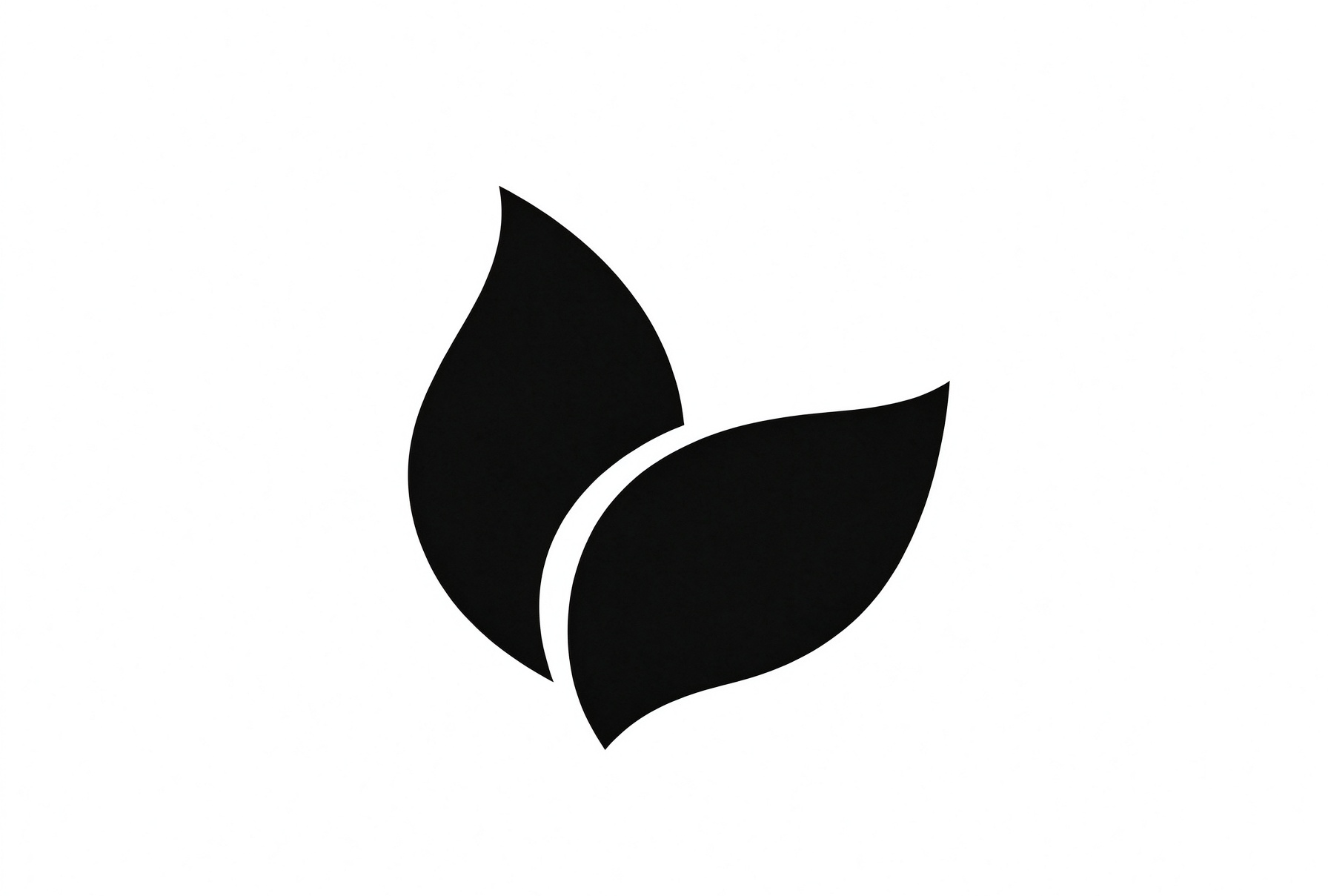
Next, explore a simple logo concept separately:
Create a flat monochrome logo concept for Mora Studio: a simple abstract symbol inspired by two overlapping leaves, balanced geometric construction, strong silhouette, black on white. Show one symbol only. No letters, gradients, shadows, packaging, or mockups. The shape should remain recognizable at a small size.
Evaluate the symbol in black and white before adding color. Redraw or refine the selected concept in a vector editor for final delivery.
Document exact palette values separately. Prompting with a HEX value does not guarantee exact pixel matching.
Choose licensed fonts for headings and body text, then record their names, weights, and usage. Generated lettering can suggest a mood; final typography should use actual font files.
Step 3: Generate a Product Scene from a Reference
Open the and use a mode that accepts a reference image. Upload your product photograph and describe the environment you want to change.
For a real listing, use the actual product as the reference. The unbranded jar from Step 1 is suitable only for this fictional demonstration.
Use the uploaded product image as the reference. Preserve the jar’s shape, proportions, material, lid, and visible label details. Place it on a warm ivory surface with muted sage paper behind it. Add soft window light from the left, realistic contact shadows, and a subtle botanical shadow. Keep the product as the focal point and leave clear space on the right for copy.
Inspect the result for altered packaging, misspelled labels, and inaccurate product details. If precise preservation fails, generate the background separately and composite the original product photograph afterward.
For more editing guidance, see these photo-editing prompt examples.

Step 4: Extend the Direction Across Marketing Formats
Create a horizontal website visual and a portrait social image as separate outputs. Where supported, select each aspect ratio before generating.
Keep the same product reference, palette, materials, and lighting. Change composition deliberately rather than simply requesting “another version.”
Create a portrait social campaign image using the uploaded moisturizer reference. Preserve the product’s appearance. Maintain warm ivory, muted sage, matte paper textures, and soft left-side daylight. Position the product in the lower half with generous clear space above for a headline. Add no text or extra products.
Add approved logos and copy in a layout editor. Compare the finished assets together: they should share recognizable decisions without repeating an identical composition.

Step 5: Review and Save a Reusable Reference
Check the assets as a set. Confirm product accuracy, consistent lighting, suitable text contrast, and correct logo placement.
Save the approved reference image, prompts, palette values, font specifications, and original product files together. Keep high-resolution masters separately from compressed website images.
If you later automate production, use the ww.runninghub.ai/runninghub-api-doc-en/?utm_source=chatgpt.com to select the appropriate API and key type. Image and workflow integrations generally use task submission followed by status and result retrieval. Validate one complete request before scaling. RunningHub-API
Which AI Brand Identity Generator Should You Choose?
Choose around the assets you need next.
Looka suits a logo-led brand kit. Brandmark helps explore coordinated logo directions. Designs.ai emphasizes structured branding, while Tailor Brands provides a guided logo-launch process.
RunningHub is our preferred option for creators and ecommerce teams whose brand identity must keep generating original content. Its value is the connection between visual exploration and the product scenes, backgrounds, and campaign assets that follow.
Start with one brief, approve one direction, and develop a small coordinated set through .
Frequently Asked Questions
What is an AI brand identity generator?
An AI brand identity generator helps create visual identity elements from business details, preferences, prompts, or references. Depending on the tool, outputs may include logo concepts, palettes, typography suggestions, brand kits, or marketing imagery.
How do I use an AI brand generator?
Start with your audience, brand personality, and required assets. Generate initial directions, select one, and refine it. Document the approved logo, colors, fonts, and imagery rules before producing additional materials.
Can AI create a complete brand identity?
AI can help create many components, but a complete identity also requires positioning, selection, refinement, and practical usage rules. Review generated concepts and prepare appropriate production files before launch.
Can I use AI-generated brand assets commercially?
Check the platform’s current terms, selected model license, and rights to uploaded images, fonts, and other materials. Commercial-use permission does not itself establish trademark availability or exclusive rights.
Do I need local deployment to use RunningHub?
No. RunningHub provides browser-based creation and cloud workflows. The available inputs, controls, and outputs depend on the tool or workflow you select.
Conclusion
A useful AI brand identity generator helps connect your logo, colors, typography, and imagery into a recognizable visual system. Looka, Brandmark, Designs.ai, and Tailor Brands approach that task through different logo and brand-kit workflows. RunningHub offers a flexible route for exploring visual concepts and developing the product scenes, campaign images, and social content that bring them to life.
Start with a clear brand brief, choose one visual direction, and apply it across a small set of assets. Review them together, refine inconsistencies, and save the approved references. The goal is a brand people can recognize wherever they encounter it.