
'%3e %3cg id='Vector'%3e %3c/g%3e %3cpath id='Vector_2' d='M14.504 8.522L12.746 4.49C12.6826 4.34486 12.5783 4.22136 12.4458 4.13463C12.3133 4.0479 12.1584 4.0017 12 4.0017C11.8416 4.0017 11.6867 4.0479 11.5542 4.13463C11.4217 4.22136 11.3174 4.34486 11.254 4.49L9.495 8.522C9.305 8.958 8.958 9.306 8.522 9.495L4.49 11.254C4.34486 11.3174 4.22136 11.4217 4.13463 11.5542C4.0479 11.6867 4.0017 11.8416 4.0017 12C4.0017 12.1584 4.0479 12.3133 4.13463 12.4458C4.22136 12.5783 4.34486 12.6826 4.49 12.746L8.523 14.504C8.959 14.694 9.307 15.042 9.496 15.478L11.255 19.511C11.3184 19.6561 11.4227 19.7796 11.5552 19.8664C11.6877 19.9531 11.8426 19.9993 12.001 19.9993C12.1594 19.9993 12.3143 19.9531 12.4468 19.8664C12.5793 19.7796 12.6836 19.6561 12.747 19.511L14.505 15.478C14.695 15.042 15.043 14.694 15.479 14.504L19.512 12.746C19.6571 12.6826 19.7806 12.5783 19.8674 12.4458C19.9541 12.3133 20.0003 12.1584 20.0003 12C20.0003 11.8416 19.9541 11.6867 19.8674 11.5542C19.7806 11.4217 19.6571 11.3174 19.512 11.254L15.479 9.495C15.043 9.30549 14.695 8.95782 14.505 8.522' stroke='var(--stroke-0%2c white)' stroke-width='1.25' stroke-linecap='round' stroke-linejoin='round'/%3e %3cpath id='Vector_3' d='M3 3L5 5' stroke='var(--stroke-0%2c white)' stroke-width='1.25' stroke-linecap='round' stroke-linejoin='round'/%3e %3cpath id='Vector_4' d='M21 3L19 5' stroke='var(--stroke-0%2c white)' stroke-width='1.25' stroke-linecap='round' stroke-linejoin='round'/%3e %3cpath id='Vector_5' d='M3 21L5 19' stroke='var(--stroke-0%2c white)' stroke-width='1.25' stroke-linecap='round' stroke-linejoin='round'/%3e %3cpath id='Vector_6' d='M21 21L19 19' stroke='var(--stroke-0%2c white)' stroke-width='1.25' stroke-linecap='round' stroke-linejoin='round'/%3e %3c/g%3e %3cdefs%3e %3cclipPath id='clip0_0_55'%3e %3crect width='24' height='24' fill='white'/%3e %3c/clipPath%3e %3c/defs%3e %3c/svg%3e)
'%3e %3cg id='Vector'%3e %3c/g%3e %3cpath id='Vector_2' d='M14.375 7.66667H14.385' stroke='var(--stroke-0%2c white)' stroke-width='1.25' stroke-linecap='round' stroke-linejoin='round'/%3e %3cpath id='Vector_3' d='M11.9792 20.125H5.75C4.9875 20.125 4.25624 19.8221 3.71707 19.2829C3.1779 18.7438 2.875 18.0125 2.875 17.25V5.75C2.875 4.9875 3.1779 4.25624 3.71707 3.71707C4.25624 3.1779 4.9875 2.875 5.75 2.875H17.25C18.0125 2.875 18.7438 3.1779 19.2829 3.71707C19.8221 4.25624 20.125 4.9875 20.125 5.75V11.9792' stroke='var(--stroke-0%2c white)' stroke-width='1.25' stroke-linecap='round' stroke-linejoin='round'/%3e %3cpath id='Vector_4' d='M2.875 15.3333L7.66667 10.5417C8.556 9.68587 9.65233 9.68587 10.5417 10.5417L14.375 14.375' stroke='var(--stroke-0%2c white)' stroke-width='1.25' stroke-linecap='round' stroke-linejoin='round'/%3e %3cpath id='Vector_5' d='M13.4167 13.4167L14.375 12.4583C15.0171 11.8412 15.7646 11.6687 16.4661 11.9408' stroke='var(--stroke-0%2c white)' stroke-width='1.25' stroke-linecap='round' stroke-linejoin='round'/%3e %3cpath id='Vector_6' d='M15.3333 18.2083H21.0833' stroke='var(--stroke-0%2c white)' stroke-width='1.25' stroke-linecap='round' stroke-linejoin='round'/%3e %3cpath id='Vector_7' d='M18.2083 15.3333V21.0833' stroke='var(--stroke-0%2c white)' stroke-width='1.25' stroke-linecap='round' stroke-linejoin='round'/%3e %3c/g%3e %3cdefs%3e %3cclipPath id='clip0_0_4'%3e %3crect width='23' height='23' fill='white'/%3e %3c/clipPath%3e %3c/defs%3e %3c/svg%3e)


'%3e %3cg id='Vector'%3e %3c/g%3e %3cpath id='Vector_2' d='M18.3333 10.5001V6.66667C18.3333 5.78261 17.9821 4.93477 17.357 4.30964C16.7319 3.68452 15.8841 3.33333 15 3.33333H5C4.11594 3.33333 3.2681 3.68452 2.64298 4.30964C2.01786 4.93477 1.66667 5.78261 1.66667 6.66667V13.3333C1.66667 14.2174 2.01786 15.0652 2.64298 15.6904C3.2681 16.3155 4.11594 16.6667 5 16.6667H11.6667M15.5 17.0001V12.0001M13 14.5001L15.5 12.0001L18 14.5001' stroke='var(--stroke-0%2c white)' stroke-linecap='round' stroke-linejoin='round'/%3e %3cpath id='Vector_3' d='M8.33333 7.5L12.5 10L8.33333 12.5V7.5Z' stroke='var(--stroke-0%2c white)' stroke-linecap='round' stroke-linejoin='round'/%3e %3c/g%3e %3cdefs%3e %3cclipPath id='clip0_0_4'%3e %3crect width='20' height='20' fill='white'/%3e %3c/clipPath%3e %3c/defs%3e %3c/svg%3e)
'%3e %3cg id='Vector'%3e %3c/g%3e %3cpath id='Vector_2' d='M16.25 10.8333L21.1824 8.36767C21.3475 8.28515 21.531 8.2462 21.7154 8.25451C21.8998 8.26281 22.079 8.3181 22.2361 8.41512C22.3931 8.51214 22.5228 8.64768 22.6127 8.80888C22.7026 8.97007 22.7499 9.15158 22.75 9.33617V16.6638C22.7499 16.8484 22.7026 17.0299 22.6127 17.1911C22.5228 17.3523 22.3931 17.4879 22.2361 17.5849C22.079 17.6819 21.8998 17.7372 21.7154 17.7455C21.531 17.7538 21.3475 17.7148 21.1824 17.6323L16.25 15.1667V10.8333Z' stroke='var(--stroke-0%2c white)' stroke-width='1.25' stroke-linecap='round' stroke-linejoin='round'/%3e %3cpath id='Vector_3' d='M3.25 8.66667C3.25 8.09203 3.47827 7.54093 3.8846 7.1346C4.29093 6.72827 4.84203 6.5 5.41667 6.5H14.0833C14.658 6.5 15.2091 6.72827 15.6154 7.1346C16.0217 7.54093 16.25 8.09203 16.25 8.66667V17.3333C16.25 17.908 16.0217 18.4591 15.6154 18.8654C15.2091 19.2717 14.658 19.5 14.0833 19.5H5.41667C4.84203 19.5 4.29093 19.2717 3.8846 18.8654C3.47827 18.4591 3.25 17.908 3.25 17.3333V8.66667Z' stroke='var(--stroke-0%2c white)' stroke-width='1.25' stroke-linecap='round' stroke-linejoin='round'/%3e %3cpath id='Vector_4' d='M7.58333 13H11.9167' stroke='var(--stroke-0%2c white)' stroke-width='1.25' stroke-linecap='round' stroke-linejoin='round'/%3e %3cpath id='Vector_5' d='M9.75 10.8333V15.1667' stroke='var(--stroke-0%2c white)' stroke-width='1.25' stroke-linecap='round' stroke-linejoin='round'/%3e %3c/g%3e %3cdefs%3e %3cclipPath id='clip0_0_47'%3e %3crect width='26' height='26' fill='white'/%3e %3c/clipPath%3e %3c/defs%3e %3c/svg%3e)
'%3e %3cg id='Vector'%3e %3c/g%3e %3cpath id='Vector_2' d='M4 7H7M11 7H20' stroke='var(--stroke-0%2c white)' stroke-width='1.25' stroke-linecap='round' stroke-linejoin='round'/%3e %3cpath id='Vector_3' d='M4 17H20' stroke='var(--stroke-0%2c white)' stroke-width='1.25' stroke-linecap='round' stroke-linejoin='round'/%3e %3cpath id='Vector_4' d='M7 4L7 20' stroke='var(--stroke-0%2c white)' stroke-width='1.25' stroke-linecap='round' stroke-linejoin='round'/%3e %3cpath id='Vector_5' d='M17 4V13M17 17V20' stroke='var(--stroke-0%2c white)' stroke-width='1.25' stroke-linecap='round' stroke-linejoin='round'/%3e %3c/g%3e %3cdefs%3e %3cclipPath id='clip0_0_60'%3e %3crect width='24' height='24' fill='white'/%3e %3c/clipPath%3e %3c/defs%3e %3c/svg%3e)
'%3e %3cg id='Vector'%3e %3c/g%3e %3cpath id='Vector_2' d='M6 10L4 11L12 15L20 11L18 10' stroke='var(--stroke-0%2c white)' stroke-width='1.25' stroke-linecap='round' stroke-linejoin='round'/%3e %3cpath id='Vector_3' d='M4 15L12 19L20 15' stroke='var(--stroke-0%2c white)' stroke-width='1.25' stroke-linecap='round' stroke-linejoin='round'/%3e %3cpath id='Vector_4' d='M12 4V11' stroke='var(--stroke-0%2c white)' stroke-width='1.25' stroke-linecap='round' stroke-linejoin='round'/%3e %3cpath id='Vector_5' d='M15 8L12 11L9 8' stroke='var(--stroke-0%2c white)' stroke-width='1.25' stroke-linecap='round' stroke-linejoin='round'/%3e %3c/g%3e %3cdefs%3e %3cclipPath id='clip0_0_9'%3e %3crect width='24' height='24' fill='white'/%3e %3c/clipPath%3e %3c/defs%3e %3c/svg%3e)


AI Portrait Prompts: Styles, Examples & Headshots
Explore AI portrait prompts for realistic photos, creative styles, and professional headshots. Copy ready-to-use prompts and create portraits with RunningHub.
AI portrait generators can turn a text description into a realistic photograph, a cinematic character image, or a polished professional headshot. However, the quality of the result depends heavily on the prompt. A vague request such as “a professional portrait of a woman” leaves many visual decisions to the model. A more detailed prompt can specify clothing, expression, lighting, background, composition, and photographic style.
This guide explores eight popular AI portrait prompt styles, provides copy-ready examples, and explains how to write AI prompts for professional headshots. You will also learn how to refine prompts and use RunningHub to explore AI image generation.
1. What Makes a Good AI Portrait Prompt?
A good portrait prompt describes not only who appears in the image but also how the person should look and how the image should be presented.
Consider these six elements:
| Element | What to describe | Example |
| Subject | Age range, appearance, defining features | A young adult with short dark hair |
| Style | Photographic or artistic direction | Realistic studio photography |
| Clothing | Outfit and overall impression | A navy blazer and white shirt |
| Expression | Emotion and pose | Relaxed shoulders, natural smile |
| Lighting | Light source and mood | Soft window light |
| Background and framing | Setting, crop, and composition | Neutral background, head-and-shoulders crop |
Basic prompt formula:
Subject + Visual Style + Clothing + Expression + Lighting + Background + Composition
You do not need to include every detail in every prompt. Start with the most important visual requirements, then refine the result based on what the generator produces.
2. Eight AI Portrait Prompt Styles
Different portrait styles suit different purposes. Use the following prompts as starting points and adjust the subject's appearance, clothing, colors, and composition to fit your project.
2.1 Realistic Studio Portrait
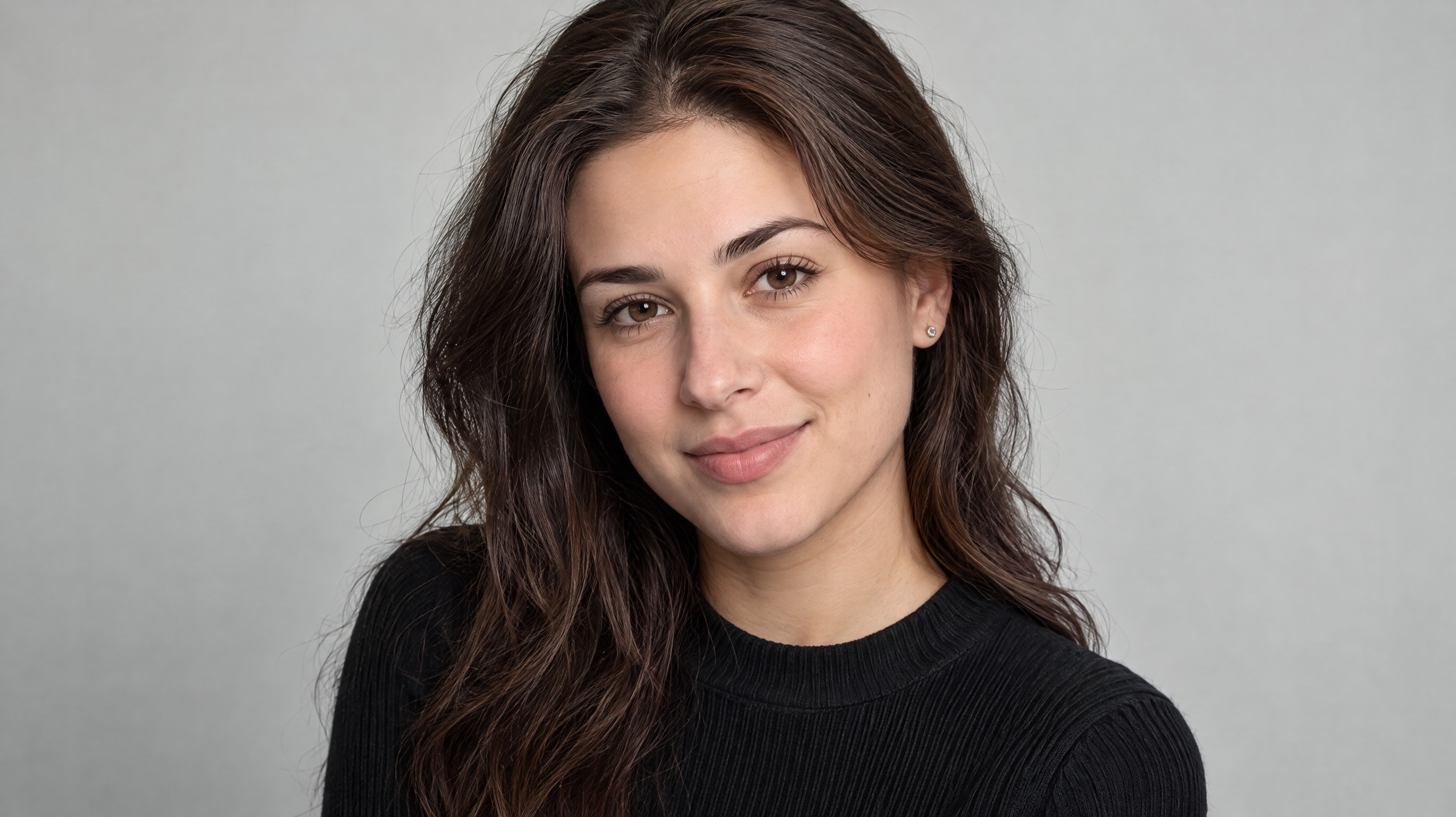
Realistic portraits work well for personal profiles, character references, and general photography projects. Describe natural skin texture, believable lighting, and realistic proportions rather than relying only on words such as “beautiful” or “high quality.”
Copy-ready prompt:
A realistic studio portrait of a young adult with natural skin texture, balanced facial proportions, a relaxed expression, and neatly styled hair. Wearing a simple, well-fitted outfit. Soft diffused studio lighting, a clean neutral background, natural colors, sharp facial details, professional photography, head-and-shoulders composition.
2.2 Cinematic Portrait
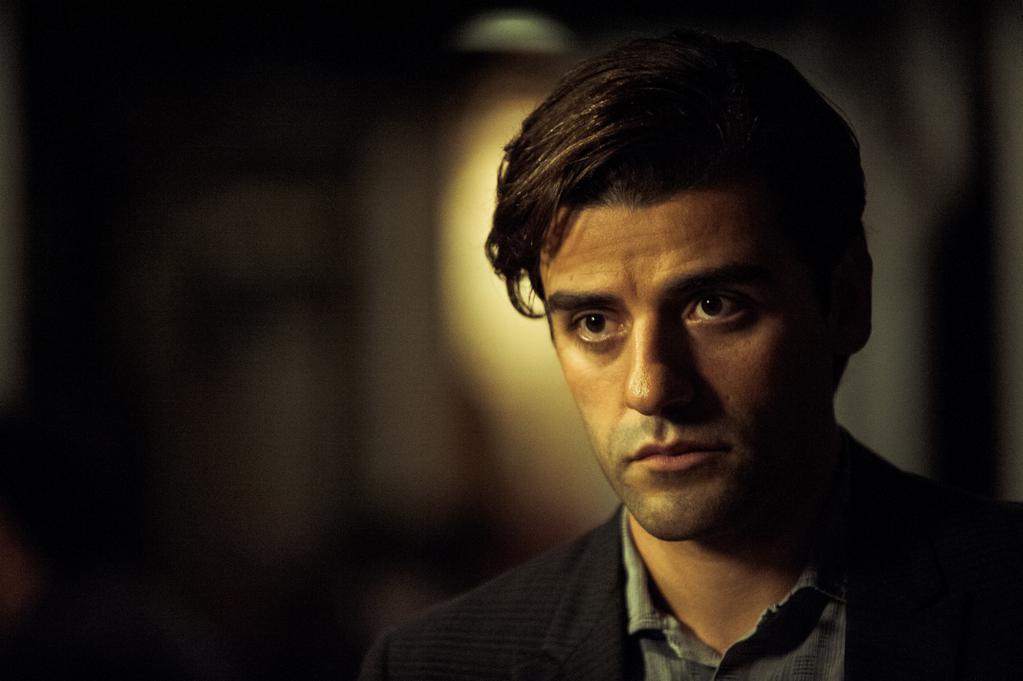
Cinematic portraits use lighting, color, and atmosphere to create a narrative. They are suitable for character concepts, posters, storytelling, and social media visuals.
Copy-ready prompt:
A cinematic portrait of a thoughtful young adult standing in a dimly lit urban setting at dusk. Dramatic side lighting, subtle rim light, rich shadows, muted teal and amber tones, realistic skin texture, shallow depth of field, expressive eyes, film-still composition, atmospheric and emotionally engaging.
2.3 Editorial and Fashion Portrait
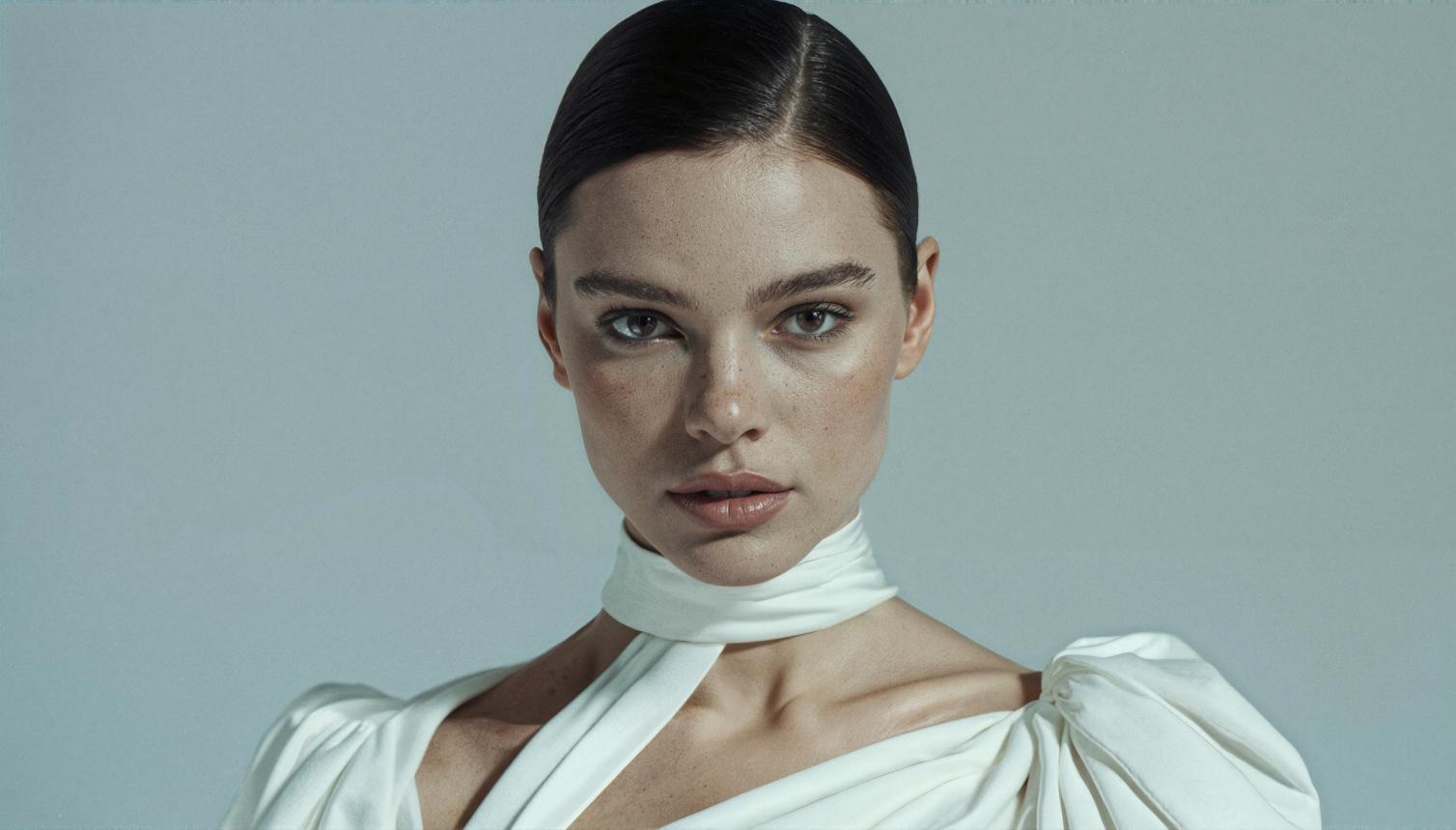
Editorial portraits emphasize styling, composition, and a deliberate visual concept. They are useful for fashion content, beauty campaigns, and creative portfolios.
Copy-ready prompt:
A high-fashion editorial portrait of a confident adult model wearing a contemporary tailored outfit. Sculptural studio lighting, refined makeup, clean geometric background, sophisticated color palette, confident posture, precise composition, magazine-style photography, crisp fabric details, polished editorial aesthetic.
2.4 Natural-Light Portrait
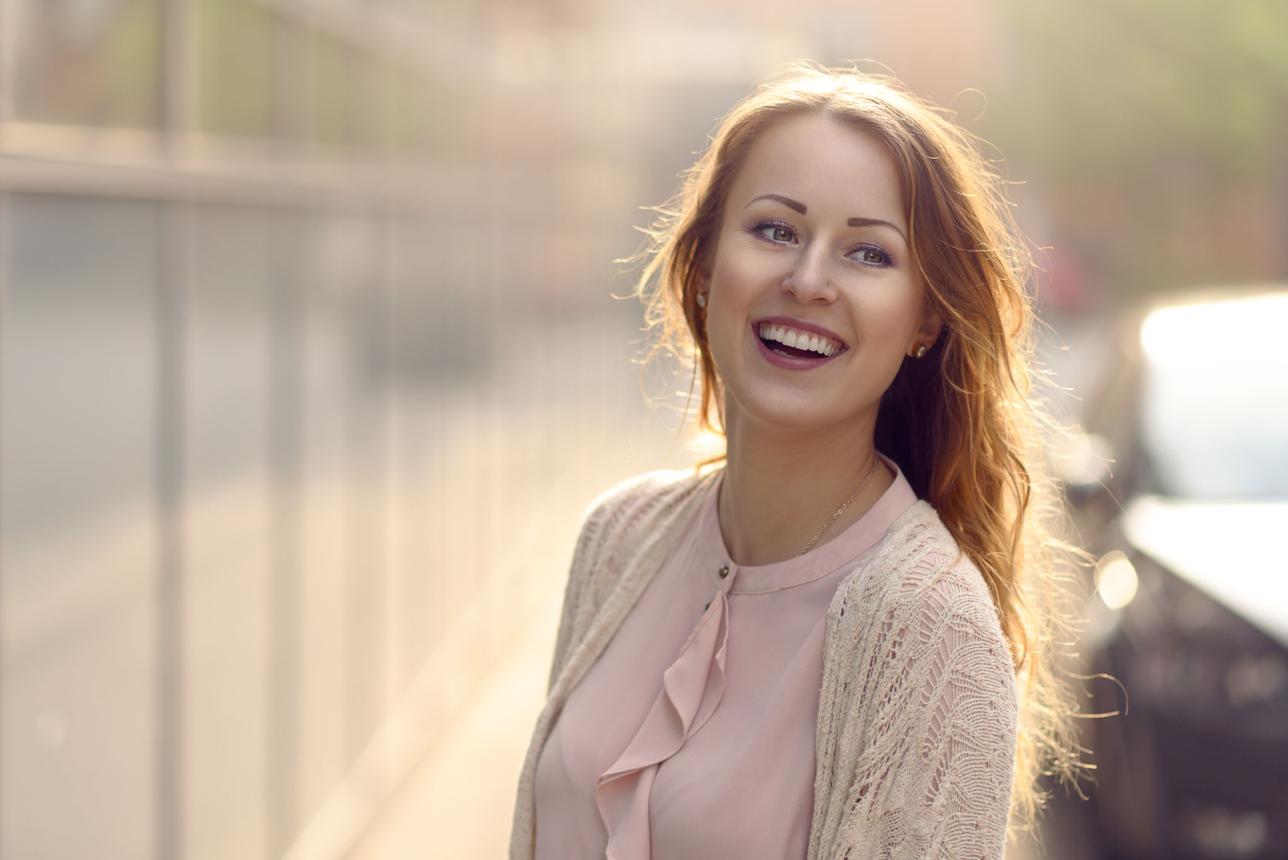
Natural-light portraits feel approachable and relaxed. They work well for personal branding, lifestyle content, and informal profile images.
Copy-ready prompt:
A natural-light portrait of a friendly young adult near a large window, wearing a simple neutral-colored shirt. Soft daylight illuminates the face, gentle shadows, a candid expression, natural skin texture, warm neutral colors, softly blurred background, relaxed posture, realistic lifestyle photography.
2.5 Minimalist Portrait
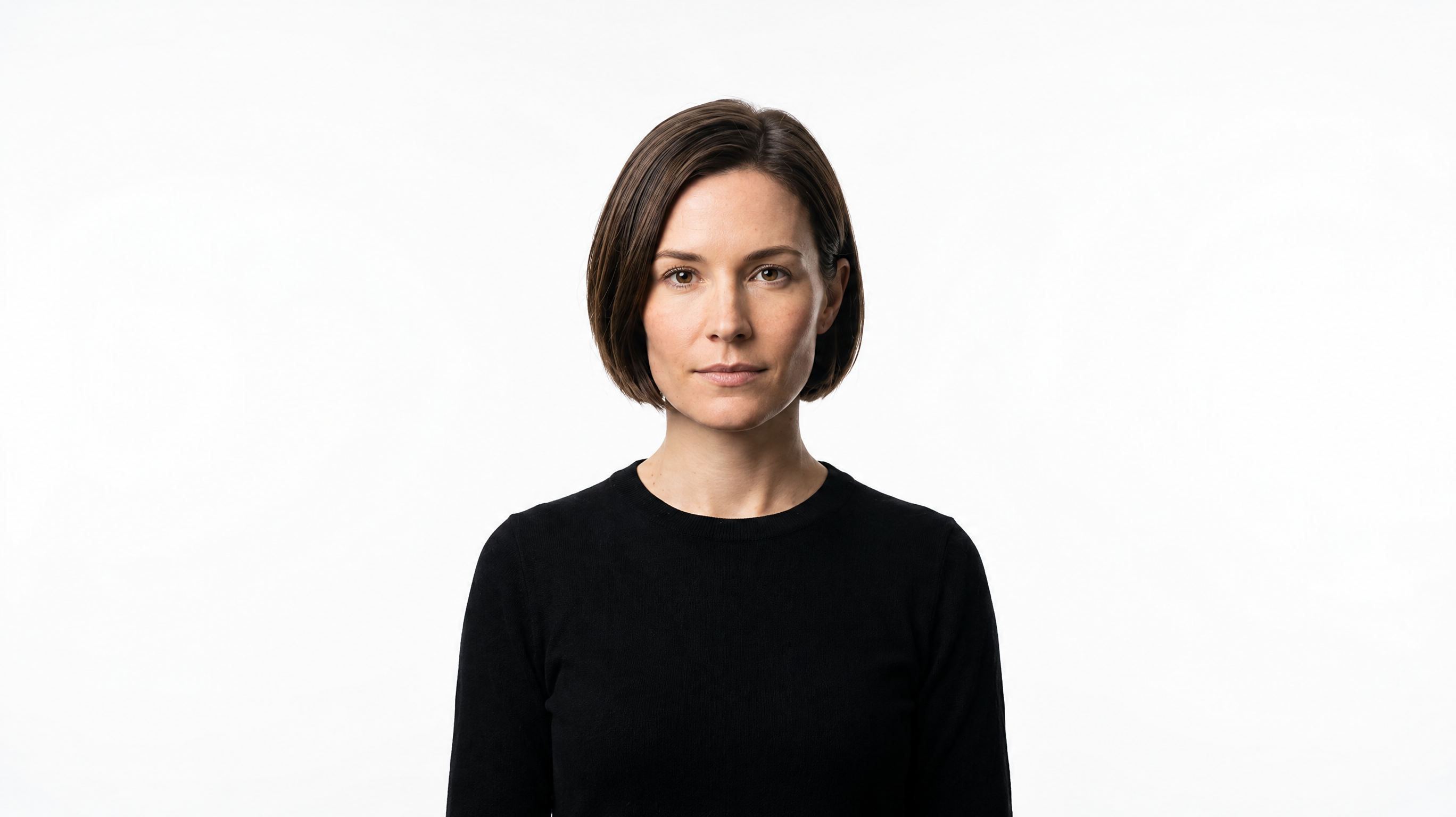
Minimalist portraits reduce visual distractions and direct attention to the subject. They are particularly useful for clean layouts, personal websites, and professional profile designs.
Copy-ready prompt:
A minimalist portrait of an adult with a calm expression, wearing a simple monochrome outfit. Plain off-white background, soft even lighting, centered composition, subtle shadows, natural skin texture, restrained color palette, uncluttered frame, modern and timeless photographic style.
2.6 Black-and-White Portrait
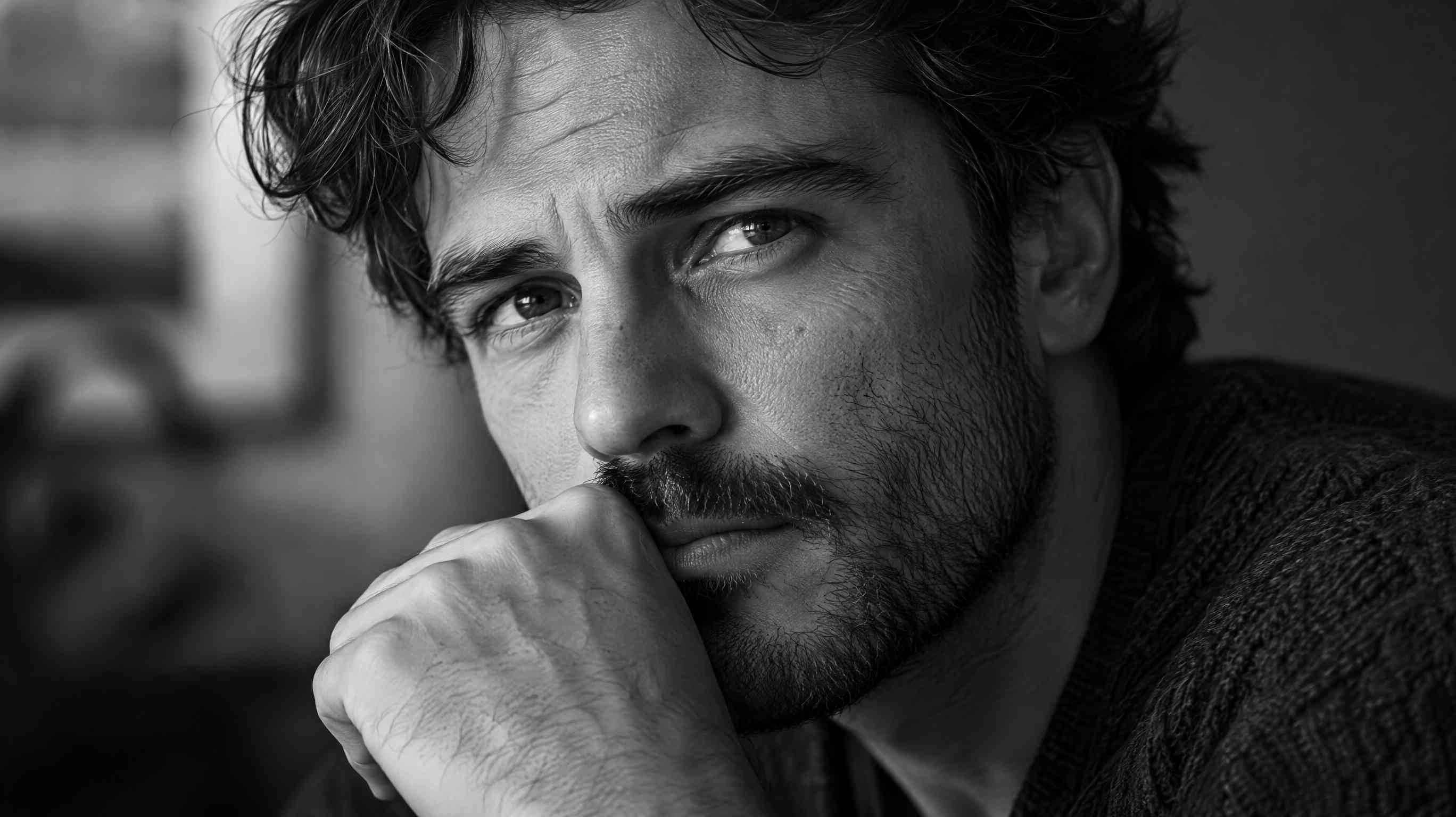
Black-and-white portraits emphasize facial structure, contrast, and emotion. They can create a classic, documentary, or dramatic look.
Copy-ready prompt:
A black-and-white close-up portrait of an adult with a thoughtful expression. Directional light creates defined facial shadows, detailed skin texture, expressive eyes, rich tonal contrast, subtle background blur, classic monochrome photography, carefully balanced highlights and shadows, intimate composition.
2.7 Artistic or Painterly Portrait
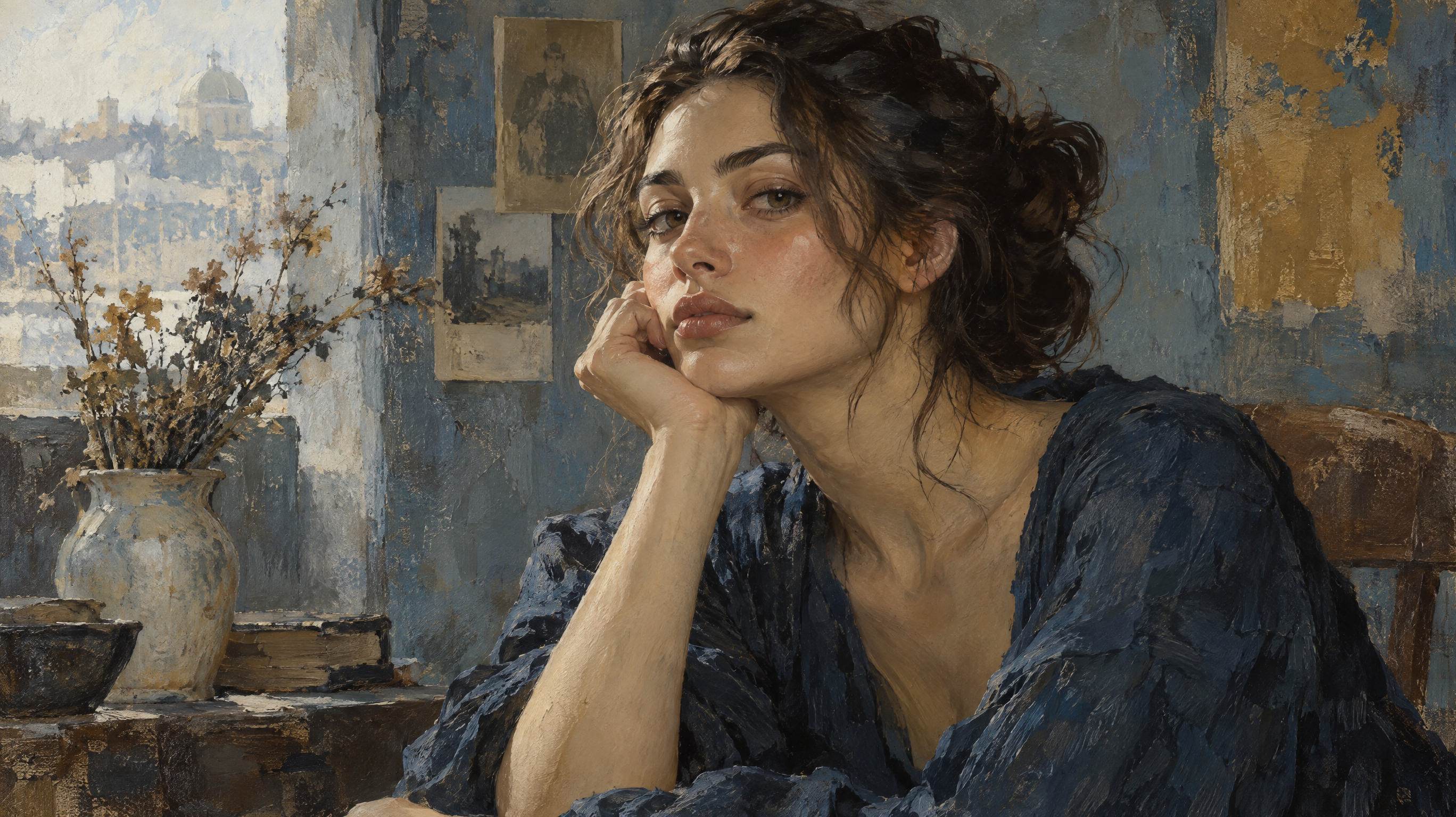
Artistic portraits are useful for illustrations, avatars, concept art, and creative projects. Specify the medium or visual technique to make the intended style clearer.
Copy-ready prompt:
An expressive digital painting of a young adult, with visible brushstroke textures, layered colors, soft edges, and carefully designed facial features. Muted blue and warm ochre palette, painterly lighting, textured background, fine-art illustration aesthetic, balanced composition, distinctive yet harmonious visual character.
2.8 Fantasy Portrait
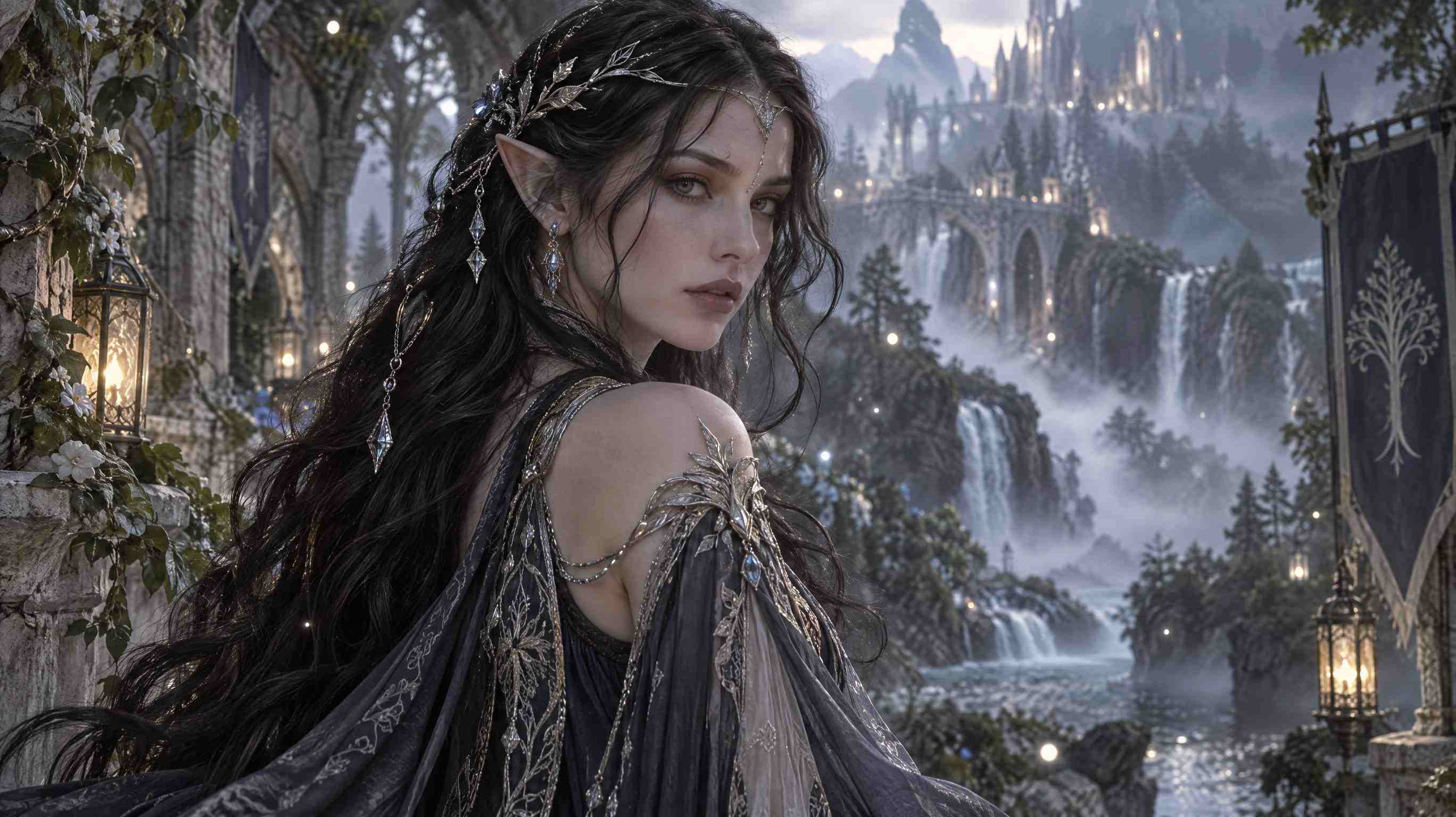
Fantasy portraits combine character design, costume, and imaginative environments. They are ideal for fictional characters, games, and storytelling projects.
Copy-ready prompt:
A fantasy portrait of an original elven character with intricate silver accessories and flowing dark hair. Wearing an ornate fantasy costume, surrounded by a misty enchanted forest. Soft magical glow, delicate particles of light, detailed fabric and jewelry, atmospheric depth, cinematic composition, refined fantasy concept art.
Tip: If the result looks too generic, add one or two distinctive details, such as a specific hairstyle, accessory, color palette, or background feature. Too many competing details can make the image less coherent.
3. AI Prompts for Professional Headshots
Professional headshots require a different approach from artistic portraits. The goal is to look credible, approachable, and appropriate for the intended platform.
3.1 Corporate and LinkedIn Headshot
Best for LinkedIn profiles, resumes, company directories, and professional networking.
Copy-ready prompt:
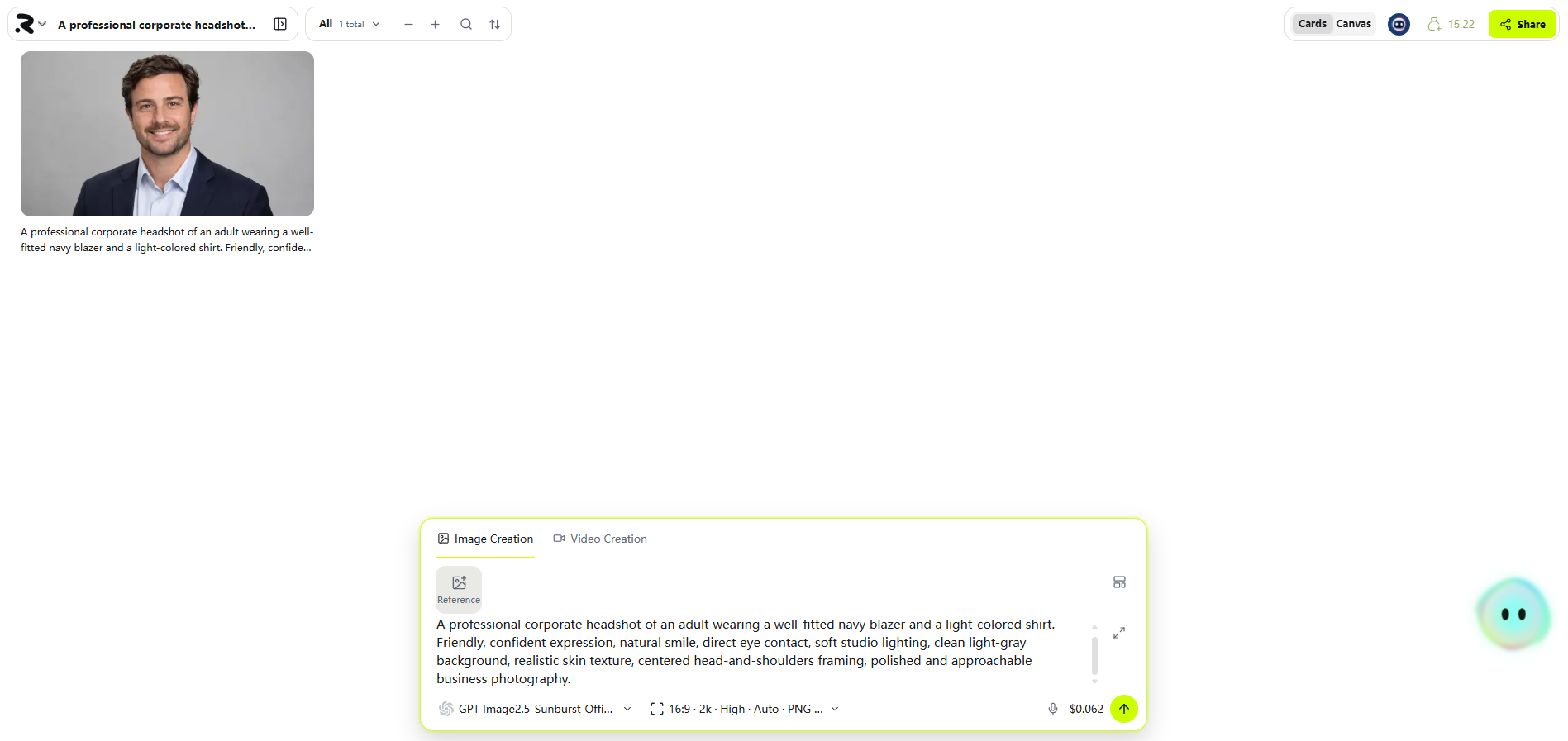
A professional corporate headshot of an adult wearing a well-fitted navy blazer and a light-colored shirt. Friendly, confident expression, natural smile, direct eye contact, soft studio lighting, clean light-gray background, realistic skin texture, centered head-and-shoulders framing, polished and approachable business photography.
3.2 Executive or Business Portrait
Best for company leadership pages, speaker biographies, and business websites.
Copy-ready prompt:
An executive portrait of a confident adult in a tailored charcoal suit, standing with relaxed shoulders and a composed expression. Subtle office background, soft directional lighting, balanced contrast, natural facial details, professional posture, waist-up composition, understated corporate photography.
3.3 Creative Professional Headshot
Best for designers, content creators, marketers, and portfolio websites.
Copy-ready prompt:
A creative professional headshot of an adult wearing smart-casual clothing in a modern studio. Natural expression, soft window light, warm neutral background with subtle visual texture, relaxed posture, authentic personality, realistic skin details, contemporary editorial photography, clean composition.
3.4 Friendly and Approachable Headshot
Best for customer-facing roles, personal websites, and team introductions.
Copy-ready prompt:
A warm professional headshot of an approachable adult wearing a simple business-casual outfit. Genuine-looking smile, relaxed shoulders, natural eye contact, soft daylight, bright uncluttered background, realistic skin texture, balanced exposure, head-and-shoulders framing, friendly and trustworthy professional photography.
How to Customize a Professional Headshot Prompt
| Requirement | Suggested adjustment |
| More formal | Add a tailored suit, neutral background, and structured posture |
| More approachable | Use a natural smile, soft daylight, and relaxed shoulders |
| More creative | Add smart-casual clothing and a subtle contemporary background |
| More polished | Specify balanced lighting, neat clothing, and a clean composition |
| Better for a profile photo | Request a centered head-and-shoulders crop with clear facial visibility |
AI-generated professional photos should represent you honestly. If an image is intended to show your actual identity, review the facial resemblance carefully and follow the relevant platform or employer's rules.
4. How to Improve AI Portrait Prompts
If your first result is not right, change the prompt systematically instead of rewriting everything at once.
Problem: The face looks artificial.Add “natural skin texture,” “realistic facial proportions,” and “soft, believable lighting.” Avoid stacking too many exaggerated beauty descriptors.
Problem: The image looks generic.Specify distinctive but relevant details, such as hairstyle, outfit, expression, or setting.
Problem: The lighting is too harsh.Replace “dramatic lighting” with “soft diffused lighting” or “gentle window light.”
Problem: The background is distracting.Describe a plain background, subtle blur, or a clean studio setting.
Problem: The composition is unsuitable.Specify “close-up,” “head-and-shoulders,” or “waist-up,” depending on the intended use.
A Simple Prompt Refinement Method
- Generate: Start with a clear description of the subject and style.
- Review: Identify the most noticeable mismatch, such as lighting or framing.
- Refine: Change one or two prompt details.
- Compare: Review the new result against the original requirements.
- Finalize: Choose the image that best fits your intended use.
This approach makes it easier to understand which instructions improve the result.
5. How to Create AI Portraits with RunningHub
RunningHub provides an online environment for exploring AI creation tools. Here, we will create ai portraits through the quick creation function of runninghub.
Step 1: Open the AI Generator
Visit RunningHub AI Generator and review the image-generation options currently available.
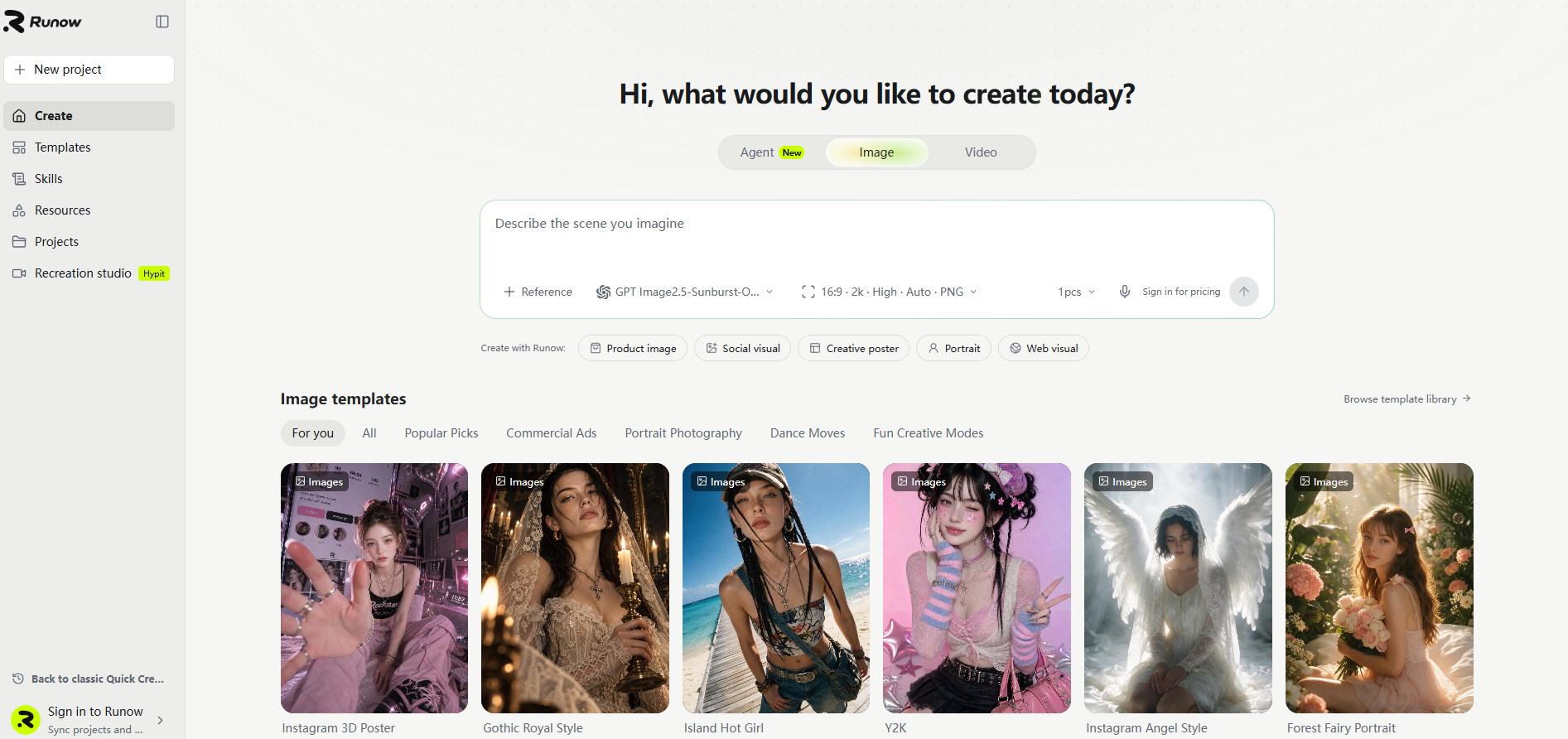
Step 2: Choose an available generation option
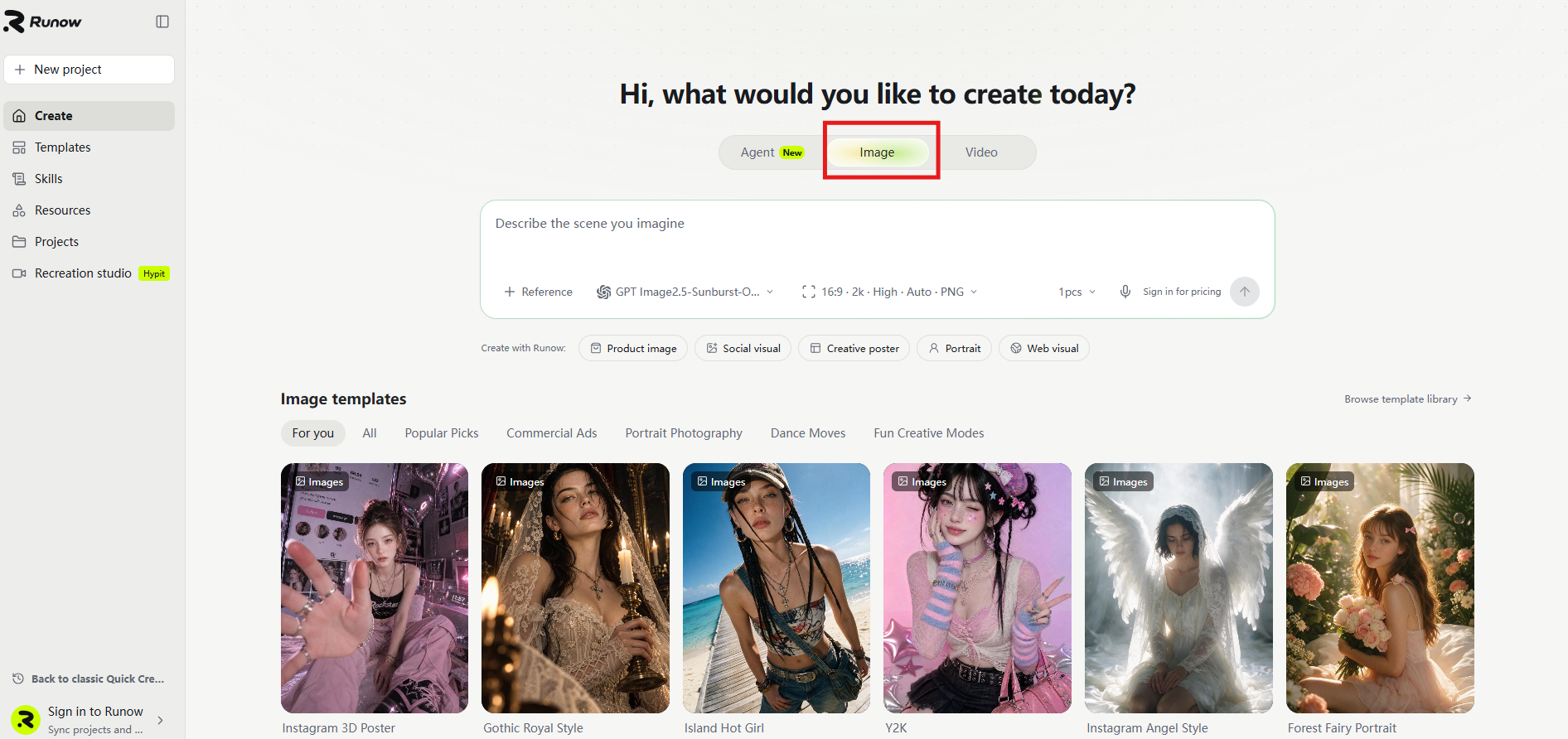
Select a suitable image-generation model or application based on the options and instructions shown on the page.
If we want to create ai portraits, we can click on the image function on the quick creation page. The specific location is shown in the following figure.
Step 3: Enter your prompt
Copy one of the prompts above. Adjust the subject, clothing, expression, lighting, and background to match your needs.
For instance, if we choose the prompt words "Corporate" and "LinkedIn Headshot" for creation, the specific operation is demonstrated as follows.
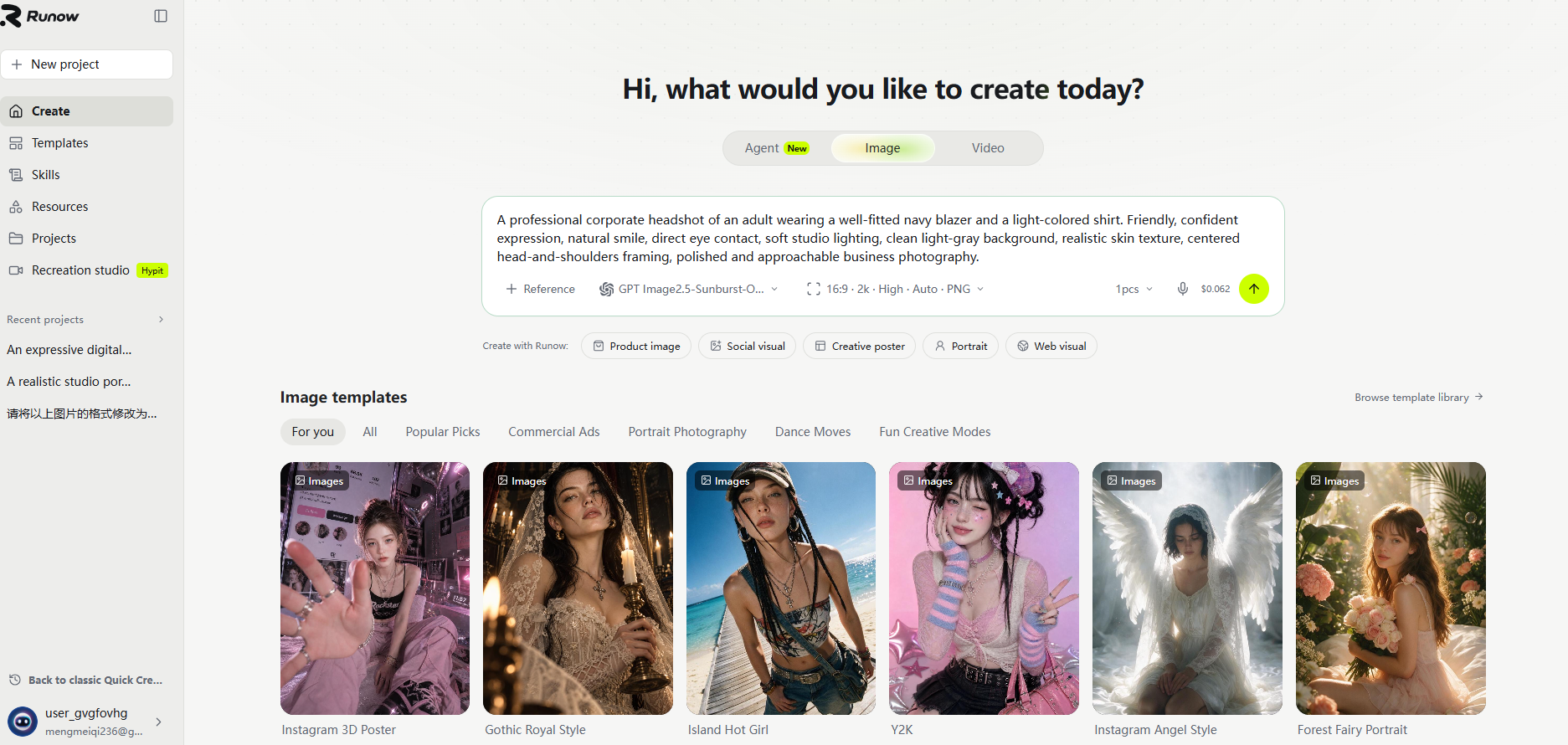
Step 4: Review and refine
Evaluate the generated portrait. If the result does not meet your expectations, revise the relevant prompt details and generate another version where supported.
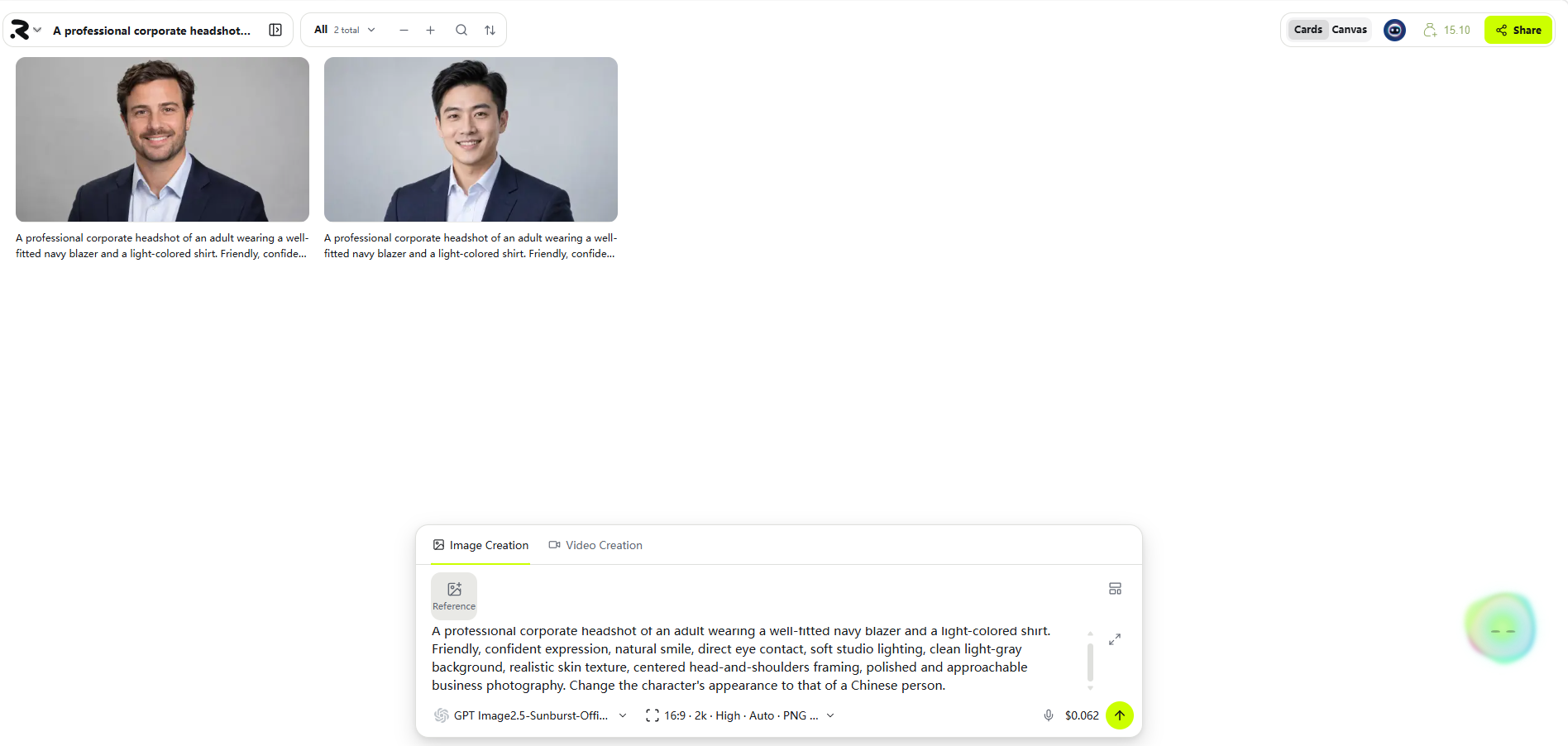
The following is the initial generated effect drawing. If you are not satisfied with the effect, you can make optimization and modification in the chat box. For instance, if I want to change the character's appearance to that of a Chinese person, the specific generation effect is as follows.
For professional use, check the face, hands, clothing, background, and overall realism before publishing. Review the applicable model and platform terms before using generated images commercially.
Try it: Explore RunningHub AI Generator
6. Frequently Asked Questions
What are the best AI portrait prompts?
The best prompts clearly describe the subject, visual style, clothing, expression, lighting, background, and composition. The right combination depends on whether you want a realistic photo, an artistic portrait, or a professional headshot.
How do I write AI prompts for professional headshots?
Start with the intended professional setting, then specify suitable clothing, a natural expression, soft lighting, a clean background, and head-and-shoulders framing. Keep the description consistent with the impression you want to communicate.
How can I make an AI portrait look more realistic?
Use specific photographic descriptions, natural skin texture, believable lighting, and realistic facial proportions. Refine the prompt when the result looks artificial, and inspect the generated image for visual errors.
Can I use AI-generated portraits on LinkedIn?
Potentially, but the image should not misrepresent your identity or qualifications. If the profile is intended to show your actual appearance, ensure that the portrait genuinely resembles you and complies with LinkedIn's current rules and any applicable employer requirements.
Can RunningHub generate AI portraits from text prompts?
RunningHub offers an AI creation environment. To determine which text-to-image options are currently available, visit the AI Generator and check the displayed model or application instructions.
7.Conclusion
Effective AI portrait prompts combine a clear subject description with specific instructions for style, clothing, expression, lighting, and composition. Whether you are creating cinematic characters, artistic portraits, or professional headshots, a structured prompt gives you a practical starting point.
Begin with one of the examples in this guide, review the generated result, and refine the details that matter most. You can explore the available options on RunningHub and adapt your prompts to your creative or professional needs.