
'%3e %3cg id='Vector'%3e %3c/g%3e %3cpath id='Vector_2' d='M14.504 8.522L12.746 4.49C12.6826 4.34486 12.5783 4.22136 12.4458 4.13463C12.3133 4.0479 12.1584 4.0017 12 4.0017C11.8416 4.0017 11.6867 4.0479 11.5542 4.13463C11.4217 4.22136 11.3174 4.34486 11.254 4.49L9.495 8.522C9.305 8.958 8.958 9.306 8.522 9.495L4.49 11.254C4.34486 11.3174 4.22136 11.4217 4.13463 11.5542C4.0479 11.6867 4.0017 11.8416 4.0017 12C4.0017 12.1584 4.0479 12.3133 4.13463 12.4458C4.22136 12.5783 4.34486 12.6826 4.49 12.746L8.523 14.504C8.959 14.694 9.307 15.042 9.496 15.478L11.255 19.511C11.3184 19.6561 11.4227 19.7796 11.5552 19.8664C11.6877 19.9531 11.8426 19.9993 12.001 19.9993C12.1594 19.9993 12.3143 19.9531 12.4468 19.8664C12.5793 19.7796 12.6836 19.6561 12.747 19.511L14.505 15.478C14.695 15.042 15.043 14.694 15.479 14.504L19.512 12.746C19.6571 12.6826 19.7806 12.5783 19.8674 12.4458C19.9541 12.3133 20.0003 12.1584 20.0003 12C20.0003 11.8416 19.9541 11.6867 19.8674 11.5542C19.7806 11.4217 19.6571 11.3174 19.512 11.254L15.479 9.495C15.043 9.30549 14.695 8.95782 14.505 8.522' stroke='var(--stroke-0%2c white)' stroke-width='1.25' stroke-linecap='round' stroke-linejoin='round'/%3e %3cpath id='Vector_3' d='M3 3L5 5' stroke='var(--stroke-0%2c white)' stroke-width='1.25' stroke-linecap='round' stroke-linejoin='round'/%3e %3cpath id='Vector_4' d='M21 3L19 5' stroke='var(--stroke-0%2c white)' stroke-width='1.25' stroke-linecap='round' stroke-linejoin='round'/%3e %3cpath id='Vector_5' d='M3 21L5 19' stroke='var(--stroke-0%2c white)' stroke-width='1.25' stroke-linecap='round' stroke-linejoin='round'/%3e %3cpath id='Vector_6' d='M21 21L19 19' stroke='var(--stroke-0%2c white)' stroke-width='1.25' stroke-linecap='round' stroke-linejoin='round'/%3e %3c/g%3e %3cdefs%3e %3cclipPath id='clip0_0_55'%3e %3crect width='24' height='24' fill='white'/%3e %3c/clipPath%3e %3c/defs%3e %3c/svg%3e)
'%3e %3cg id='Vector'%3e %3c/g%3e %3cpath id='Vector_2' d='M14.375 7.66667H14.385' stroke='var(--stroke-0%2c white)' stroke-width='1.25' stroke-linecap='round' stroke-linejoin='round'/%3e %3cpath id='Vector_3' d='M11.9792 20.125H5.75C4.9875 20.125 4.25624 19.8221 3.71707 19.2829C3.1779 18.7438 2.875 18.0125 2.875 17.25V5.75C2.875 4.9875 3.1779 4.25624 3.71707 3.71707C4.25624 3.1779 4.9875 2.875 5.75 2.875H17.25C18.0125 2.875 18.7438 3.1779 19.2829 3.71707C19.8221 4.25624 20.125 4.9875 20.125 5.75V11.9792' stroke='var(--stroke-0%2c white)' stroke-width='1.25' stroke-linecap='round' stroke-linejoin='round'/%3e %3cpath id='Vector_4' d='M2.875 15.3333L7.66667 10.5417C8.556 9.68587 9.65233 9.68587 10.5417 10.5417L14.375 14.375' stroke='var(--stroke-0%2c white)' stroke-width='1.25' stroke-linecap='round' stroke-linejoin='round'/%3e %3cpath id='Vector_5' d='M13.4167 13.4167L14.375 12.4583C15.0171 11.8412 15.7646 11.6687 16.4661 11.9408' stroke='var(--stroke-0%2c white)' stroke-width='1.25' stroke-linecap='round' stroke-linejoin='round'/%3e %3cpath id='Vector_6' d='M15.3333 18.2083H21.0833' stroke='var(--stroke-0%2c white)' stroke-width='1.25' stroke-linecap='round' stroke-linejoin='round'/%3e %3cpath id='Vector_7' d='M18.2083 15.3333V21.0833' stroke='var(--stroke-0%2c white)' stroke-width='1.25' stroke-linecap='round' stroke-linejoin='round'/%3e %3c/g%3e %3cdefs%3e %3cclipPath id='clip0_0_4'%3e %3crect width='23' height='23' fill='white'/%3e %3c/clipPath%3e %3c/defs%3e %3c/svg%3e)


'%3e %3cg id='Vector'%3e %3c/g%3e %3cpath id='Vector_2' d='M18.3333 10.5001V6.66667C18.3333 5.78261 17.9821 4.93477 17.357 4.30964C16.7319 3.68452 15.8841 3.33333 15 3.33333H5C4.11594 3.33333 3.2681 3.68452 2.64298 4.30964C2.01786 4.93477 1.66667 5.78261 1.66667 6.66667V13.3333C1.66667 14.2174 2.01786 15.0652 2.64298 15.6904C3.2681 16.3155 4.11594 16.6667 5 16.6667H11.6667M15.5 17.0001V12.0001M13 14.5001L15.5 12.0001L18 14.5001' stroke='var(--stroke-0%2c white)' stroke-linecap='round' stroke-linejoin='round'/%3e %3cpath id='Vector_3' d='M8.33333 7.5L12.5 10L8.33333 12.5V7.5Z' stroke='var(--stroke-0%2c white)' stroke-linecap='round' stroke-linejoin='round'/%3e %3c/g%3e %3cdefs%3e %3cclipPath id='clip0_0_4'%3e %3crect width='20' height='20' fill='white'/%3e %3c/clipPath%3e %3c/defs%3e %3c/svg%3e)
'%3e %3cg id='Vector'%3e %3c/g%3e %3cpath id='Vector_2' d='M16.25 10.8333L21.1824 8.36767C21.3475 8.28515 21.531 8.2462 21.7154 8.25451C21.8998 8.26281 22.079 8.3181 22.2361 8.41512C22.3931 8.51214 22.5228 8.64768 22.6127 8.80888C22.7026 8.97007 22.7499 9.15158 22.75 9.33617V16.6638C22.7499 16.8484 22.7026 17.0299 22.6127 17.1911C22.5228 17.3523 22.3931 17.4879 22.2361 17.5849C22.079 17.6819 21.8998 17.7372 21.7154 17.7455C21.531 17.7538 21.3475 17.7148 21.1824 17.6323L16.25 15.1667V10.8333Z' stroke='var(--stroke-0%2c white)' stroke-width='1.25' stroke-linecap='round' stroke-linejoin='round'/%3e %3cpath id='Vector_3' d='M3.25 8.66667C3.25 8.09203 3.47827 7.54093 3.8846 7.1346C4.29093 6.72827 4.84203 6.5 5.41667 6.5H14.0833C14.658 6.5 15.2091 6.72827 15.6154 7.1346C16.0217 7.54093 16.25 8.09203 16.25 8.66667V17.3333C16.25 17.908 16.0217 18.4591 15.6154 18.8654C15.2091 19.2717 14.658 19.5 14.0833 19.5H5.41667C4.84203 19.5 4.29093 19.2717 3.8846 18.8654C3.47827 18.4591 3.25 17.908 3.25 17.3333V8.66667Z' stroke='var(--stroke-0%2c white)' stroke-width='1.25' stroke-linecap='round' stroke-linejoin='round'/%3e %3cpath id='Vector_4' d='M7.58333 13H11.9167' stroke='var(--stroke-0%2c white)' stroke-width='1.25' stroke-linecap='round' stroke-linejoin='round'/%3e %3cpath id='Vector_5' d='M9.75 10.8333V15.1667' stroke='var(--stroke-0%2c white)' stroke-width='1.25' stroke-linecap='round' stroke-linejoin='round'/%3e %3c/g%3e %3cdefs%3e %3cclipPath id='clip0_0_47'%3e %3crect width='26' height='26' fill='white'/%3e %3c/clipPath%3e %3c/defs%3e %3c/svg%3e)
'%3e %3cg id='Vector'%3e %3c/g%3e %3cpath id='Vector_2' d='M4 7H7M11 7H20' stroke='var(--stroke-0%2c white)' stroke-width='1.25' stroke-linecap='round' stroke-linejoin='round'/%3e %3cpath id='Vector_3' d='M4 17H20' stroke='var(--stroke-0%2c white)' stroke-width='1.25' stroke-linecap='round' stroke-linejoin='round'/%3e %3cpath id='Vector_4' d='M7 4L7 20' stroke='var(--stroke-0%2c white)' stroke-width='1.25' stroke-linecap='round' stroke-linejoin='round'/%3e %3cpath id='Vector_5' d='M17 4V13M17 17V20' stroke='var(--stroke-0%2c white)' stroke-width='1.25' stroke-linecap='round' stroke-linejoin='round'/%3e %3c/g%3e %3cdefs%3e %3cclipPath id='clip0_0_60'%3e %3crect width='24' height='24' fill='white'/%3e %3c/clipPath%3e %3c/defs%3e %3c/svg%3e)
'%3e %3cg id='Vector'%3e %3c/g%3e %3cpath id='Vector_2' d='M6 10L4 11L12 15L20 11L18 10' stroke='var(--stroke-0%2c white)' stroke-width='1.25' stroke-linecap='round' stroke-linejoin='round'/%3e %3cpath id='Vector_3' d='M4 15L12 19L20 15' stroke='var(--stroke-0%2c white)' stroke-width='1.25' stroke-linecap='round' stroke-linejoin='round'/%3e %3cpath id='Vector_4' d='M12 4V11' stroke='var(--stroke-0%2c white)' stroke-width='1.25' stroke-linecap='round' stroke-linejoin='round'/%3e %3cpath id='Vector_5' d='M15 8L12 11L9 8' stroke='var(--stroke-0%2c white)' stroke-width='1.25' stroke-linecap='round' stroke-linejoin='round'/%3e %3c/g%3e %3cdefs%3e %3cclipPath id='clip0_0_9'%3e %3crect width='24' height='24' fill='white'/%3e %3c/clipPath%3e %3c/defs%3e %3c/svg%3e)


Best Image-to-Image AI: 7 Tools for Editing and Style Transfer
Compare the best image-to-image AI tools for photo editing, style transfer, character references, product visuals, and flexible creative workflows.
You already have a photo, product shot, sketch, or character design. You want to change its background, explore a new art style, or create several variations without starting from scratch. That is where image-to-image AI can help.
The best image-to-image AI depends on what you want to change and how much of the original image needs to remain recognizable. Some tools focus on direct photo editing, while others use reference images to guide new generations. Customizable platforms also let creators connect models and processing steps into reusable workflows.
This guide compares seven tools for image editing, style transfer, reference-guided generation, product visuals, and creative production. It also explains when a simple editor is enough—and when a flexible platform such as RunningHub may be worth exploring.
What Is Image-to-Image AI?
Image-to-image AI uses an existing image as an input or visual reference to create a modified image or a new variation. Depending on the tool, you might change an artistic style, generate a different scene, or use a reference to guide a new composition.
The main approaches are related but not identical:
- Text-to-image: Generates an image primarily from a written prompt.
- Image-to-image generation: Uses an existing image as the starting point for a transformation.
- AI image editing: Modifies specific parts of an image, such as its background or an unwanted object.
- Reference-guided generation: Uses one or more images to influence a new image's style, composition, or subject characteristics.
A tool that accepts image references may use them as inspiration rather than precisely editing the original. If you need to change one object while preserving the rest of a scene, look for editing features that support targeted changes.
For example, an online seller might transform a plain product photo into a lifestyle scene, while an illustrator might use a sketch as a reference for a polished concept image. In both cases, the source image guides the process, but the degree of control depends on the tool and its settings.
How We Compare the Best Image-to-Image AI Tools
This comparison focuses on practical use cases and documented capabilities rather than unsupported performance scores. We consider editing control, reference handling, style flexibility, consistency, ease of use, and workflow customization.
The tools serve different purposes: some are editing applications, some emphasize image generation, and others provide customizable workflows. These recommendations are based on documented features, not a controlled benchmark using identical images and prompts. Actual results depend on the input image, prompt, model, and settings.
7 Best Image-to-Image AI Tools
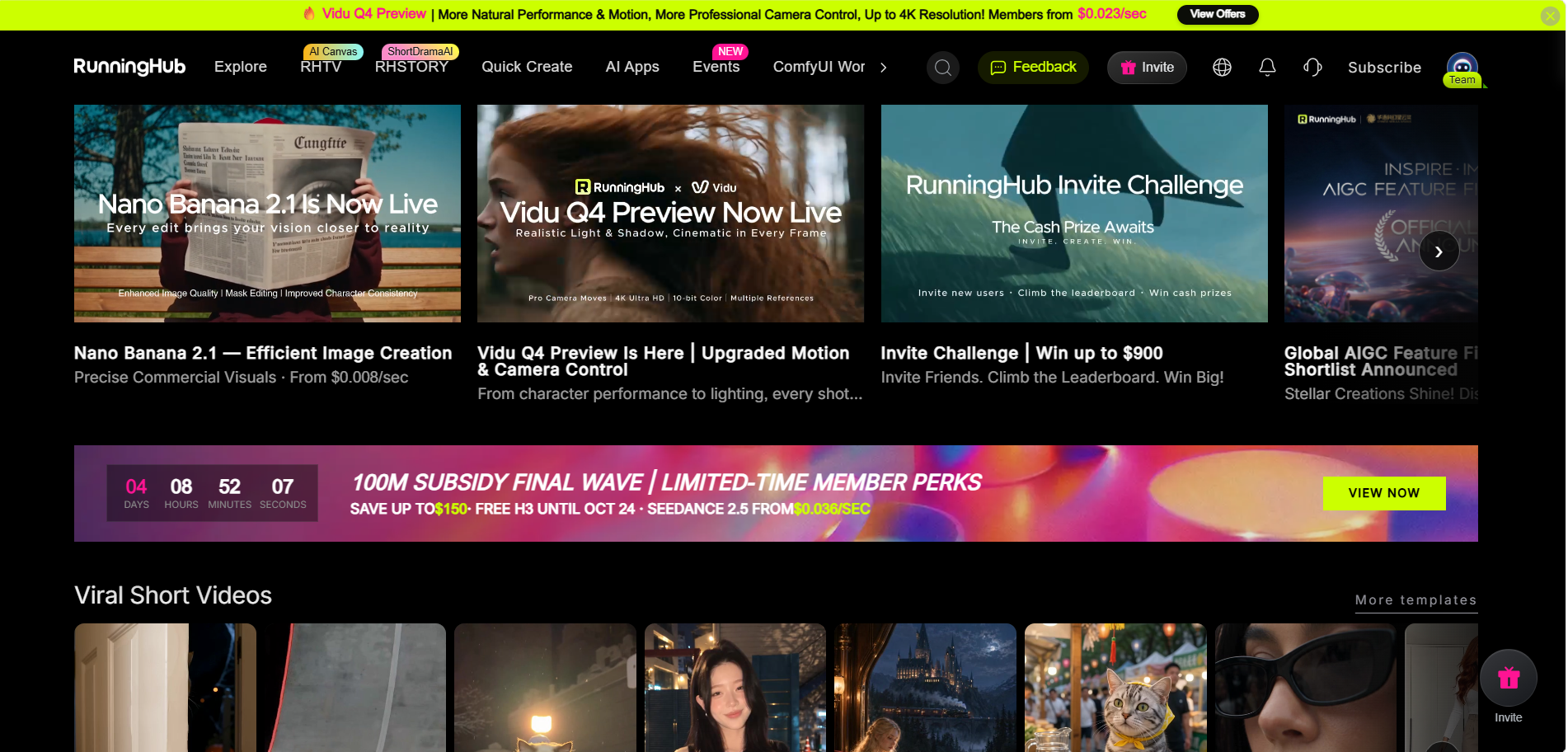
1. RunningHub — Best for Exploring Models and Cloud Workflows
Overview: RunningHub is a broader AI creation platform rather than a single-purpose image editor. Its ecosystem includes Quick Create, cloud-based ComfyUI workflows, AI Apps, and API-related capabilities.
Key capabilities: For image-to-image tasks, users should select a model, AI App, or workflow that explicitly supports the required image input and transformation. ComfyUI workflows can connect compatible operations and expose configurable parameters.
Strengths: RunningHub is worth considering when one fixed tool does not meet all your creative needs. Exploring supported models and workflows can help you compare visual approaches and build repeatable processes.
Limitations: Capabilities depend on the selected model, app, or workflow. Not every model supports image-to-image generation, and not every workflow provides targeted editing or character consistency.
Best for: Creators and teams who want to explore multiple AI models or use customizable cloud workflows.
Example: Test a supported image-to-image workflow on a product reference, compare variations, and refine the settings if necessary.
Official website: RunningHub. You can also explore Quick Create or review the API documentation.
2. ChatGPT Images — Best for Conversational Editing
Overview: ChatGPT Images allows users to create images and request edits to existing images using natural-language instructions.
Key capabilities: Users can upload an image and describe a desired modification, such as changing the background or adjusting the visual style. The result depends on the request and the image being edited.
Strengths: A conversational interface is convenient when you can describe the result more easily than configure technical editing settings.
Limitations: Natural-language instructions cannot guarantee precise preservation of every detail. For small, targeted edits, inspect the output carefully.
Best for: Beginners and content creators who prefer describing edits in plain English.
Example: Upload a portrait and request a professional-looking background while keeping the subject recognizable.
3. Midjourney — Best for Artistic Style Exploration
Overview: Midjourney is suited to creators who want to explore artistic directions using image references.
Key capabilities: Image Prompts influence new generations, while Style References guide visual characteristics such as color, texture, and overall aesthetic. These methods guide generation rather than necessarily editing the original image precisely.
Strengths: Midjourney is useful for illustrations, mood boards, concept visuals, and exploring different artistic treatments.
Limitations: A reference image does not guarantee exact preservation of its subject or composition. For precise object-level editing, confirm that the chosen editing method supports the task.
Best for: Digital artists and illustrators.
Example: Use a reference image to explore several poster concepts with different color palettes and visual styles.
4. Leonardo.Ai — Best for Reference-Guided Generation
Overview: Leonardo.Ai provides image-generation tools with image-guidance options that help shape the output using references.
Key capabilities: Depending on the model and feature, users can explore image-to-image generation and guidance methods related to style, content, pose, or character appearance.
Strengths: It is worth considering when a text prompt alone does not provide enough direction and you want a reference image to influence the result.
Limitations: Guidance modes behave differently, and a reference does not guarantee an exact replica of a character. Model compatibility and feature availability should be checked before use.
Best for: Creators who need more control over reference-guided visuals.
Example: Use a character reference and a separate style reference to explore a new illustration direction.
5. Canva — Best for Marketing and Social Media Images
Overview: Canva combines a design editor with AI-powered photo editing tools.
Key capabilities: Canva documents features including Magic Edit, background tools, and AI-assisted image editing. The exact options available depend on the feature and account access.
Strengths: Its design-first workflow is convenient for marketers and small teams that need to edit an image and place it directly into a social post, presentation, or advertisement.
Limitations: Canva's editing interface is not equivalent to a fully customizable, node-based AI workflow. Some features may also depend on the user's plan.
Best for: Social media managers, small businesses, and marketers.
Example: Replace a distracting background in a promotional image, then add the edited result to a social media design.
6. ComfyUI — Best for Customizable AI Workflows
Overview: ComfyUI is a node-based interface for building generative AI workflows. Instead of relying on one fixed editing interface, users connect compatible models and operations.
Key capabilities: A workflow may combine image input, prompt processing, generation, refinement, and output. The actual functions depend on the selected model and workflow configuration.
Strengths: ComfyUI provides greater control over how a task is structured. It is useful for creators who want to reuse settings, adjust parameters, or connect several compatible processing steps.
Limitations: Its flexibility comes with a learning curve. Users may need to understand nodes, model compatibility, and workflow configuration.
Best for: Advanced creators and technical users.
Example: Build a reusable workflow that accepts a product image, applies a supported transformation, and outputs a new visual.
7. Adobe Firefly — Best for Integrated Image Editing
Overview: Adobe Firefly combines AI image generation with editing tools designed for creative production.
Key capabilities: Its documented features include reference-guided generation and generative editing. Users can explore image variations and make supported changes without treating every task as a new text-to-image generation. Feature availability varies by tool and model.
Strengths: Firefly is useful for designers who need to generate visual ideas and refine creative assets within an established editing environment.
Limitations: Reference-guided generation does not guarantee that every detail of the original image will remain unchanged. Check the current interface for the specific editing controls you need.
Best for: Designers and marketers producing campaign visuals.
Example: Explore several visual directions for an advertising image, then refine the selected result.
Best Image-to-Image AI: Comparison Table
| Tool | Best For | Image-to-Image Approach | Main Trade-Off |
| RunningHub | Multi-model creation | Supported models, AI Apps, and cloud workflows | Capabilities depend on the selected option |
| ChatGPT Images | Conversational edits | Upload an image and describe changes | Fine-grained control may require review |
| Midjourney | Artistic styles | Image prompts and style references | References do not guarantee precise edits |
| Leonardo.Ai | Reference-guided generation | Image-to-image and guidance options | Features vary by model |
| Canva | Marketing visuals | AI-assisted photo editing | Less workflow customization |
| ComfyUI | Custom workflows | Node-based model and operation connections | More technical |
| Adobe Firefly | Creative editing | Reference-guided generation and generative editing | Controls vary by feature |
Which Image-to-Image AI Is Best for Different Tasks?
Image Editing and Background Changes
For background replacement, object removal, or other targeted changes, choose a tool that explicitly supports the required editing operation. Canva and Adobe Firefly provide documented editing tools, while ChatGPT Images is useful if you prefer natural-language instructions.
A localized edit and a full-image restyle are different tasks. If the subject must remain unchanged, inspect the output rather than assuming every detail will be preserved.
Artistic Style Transfer
For transforming a photo into an illustration or exploring different visual aesthetics, consider tools with style-reference or image-guidance features. Midjourney, Adobe Firefly, and Leonardo.Ai offer reference-related options, though their methods differ.
A strong style transformation may also change the subject's details or composition. Test the tool with your actual image if preservation matters.
Character Consistency
Maintaining a recognizable character across different poses, scenes, and lighting conditions is challenging. Reference images, character-reference features, reusable prompts, and compatible workflows may help, but they cannot guarantee a perfect match.
Test several outputs across different scenes instead of judging consistency from one successful image.
E-Commerce Product Images
For product visuals, look for support for background changes, lifestyle scenes, or targeted edits. AI may alter product shape, labels, logos, and colors, so compare every final image with the original before publication.
If you produce variations regularly, a reusable workflow may help structure the process—but it must be tested against your specific product requirements.
Batch Creation and Repeatable Workflows
For a one-off edit, a simple interface may be enough. For recurring tasks, reusable prompts, settings, and workflows can help standardize production. ComfyUI provides node-based customization, while RunningHub offers cloud workflows and API options for supported tasks.
Choose a workflow-based approach when repeatability and customization matter more than the simplest possible interface.
Why Consider RunningHub for Image-to-Image AI?
One tool may not provide the right combination of image transformation, style options, and workflow flexibility. A broader platform can be useful when you want to explore different supported approaches.
Explore Different AI Models
Different models may interpret the same source image and prompt differently. Depending on the model's supported inputs, you may be able to explore alternative styles, compositions, or visual treatments. Always verify image-to-image support before choosing a model.
Use Cloud-Based ComfyUI Workflows
ComfyUI workflows connect operations through nodes. A workflow might include image input, generation, refinement, and output, depending on its configuration.
RunningHub's cloud workflow approach can reduce the need to set up the full generation environment locally. However, some workflows still require configuration and an understanding of their model or node requirements.
Start with Quick Create
If you want a more direct creation path, explore RunningHub Quick Create. Check the current interface to confirm that it supports your intended image input and transformation; Quick Create should not be treated as identical to a custom ComfyUI workflow.
Organize Ideas with RHTV's Infinite Canvas
Visual projects often involve source images, references, alternative directions, and selected results. RHTV's infinite canvas is designed to organize creative assets and develop visual projects.
It can help creators arrange references and compare ideas, but canvas-based organization should not be confused with the image-processing capabilities of a particular model or workflow. Check the current interface before assuming a specific operation is built into the canvas.
Consider API Integration
RunningHub documents API options for supported models, AI Apps, and workflows. These may be relevant when developers want to integrate supported AI capabilities into another application or production process. Review the official API documentation for current requirements and supported options.
How to Transform an Existing Image with RunningHub
Step 1: Define the transformation. Decide what should change and what must remain recognizable.
For example, you want to change the background of the product image.
Step 2: Choose a suitable entry point. Select a model, AI App, or ComfyUI workflow that explicitly supports your intended image-to-image task.
For this sample operation, you can choose Quick Creation, which is friendly to beginners and easy to operate and get started with.
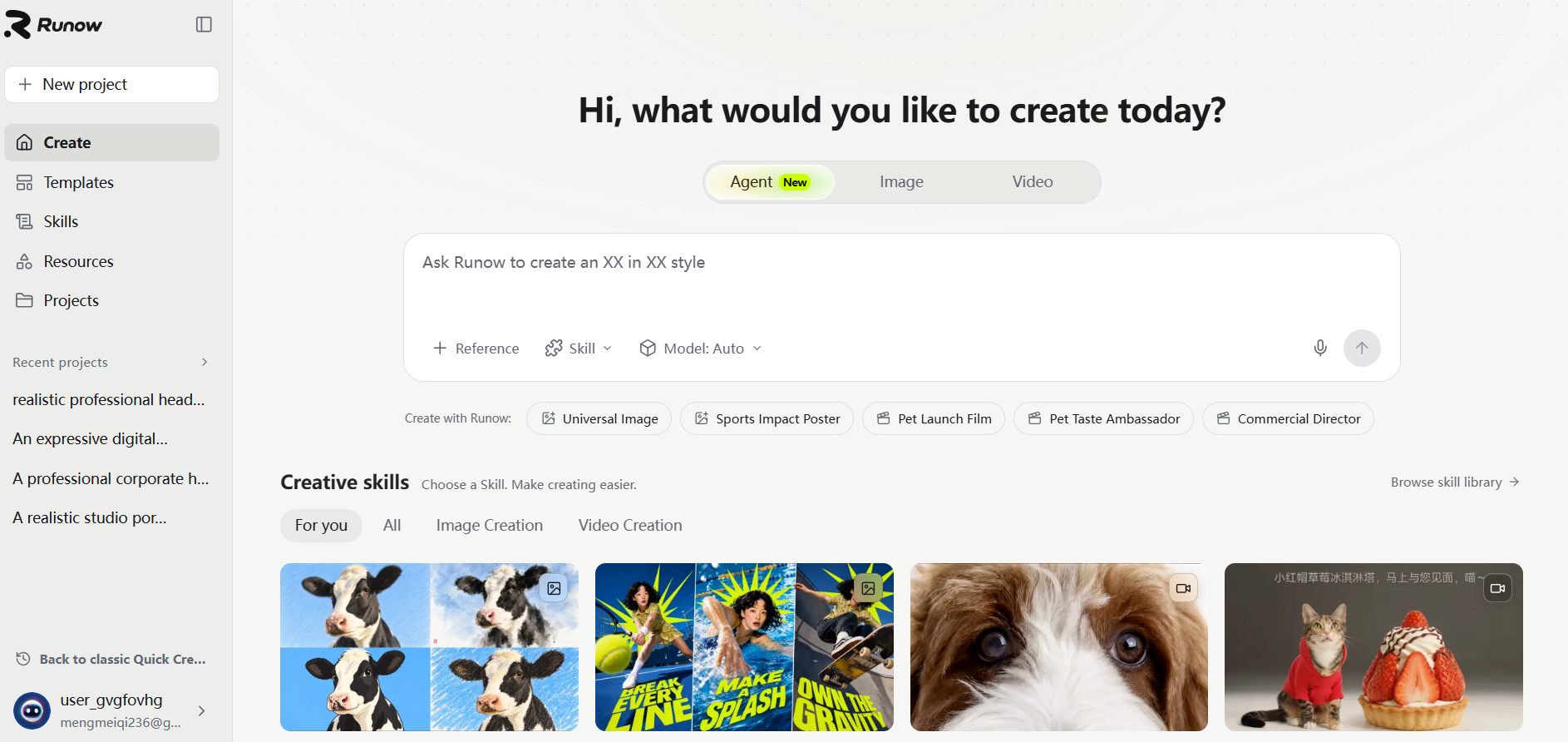
Step 3: Upload the image and describe the goal. Where supported, provide the source image and a clear prompt. For example:
Transform this product photo into a high-end brand promotional image, using soft natural light and a cool-toned indoor background. Retain the original shape, color, Logo, label and proportion of the product as much as possible. Decorative items can be added appropriately, but they should not overshadow the main content, nor should the product design be altered.
A prompt can communicate priorities, but it cannot guarantee perfect preservation.
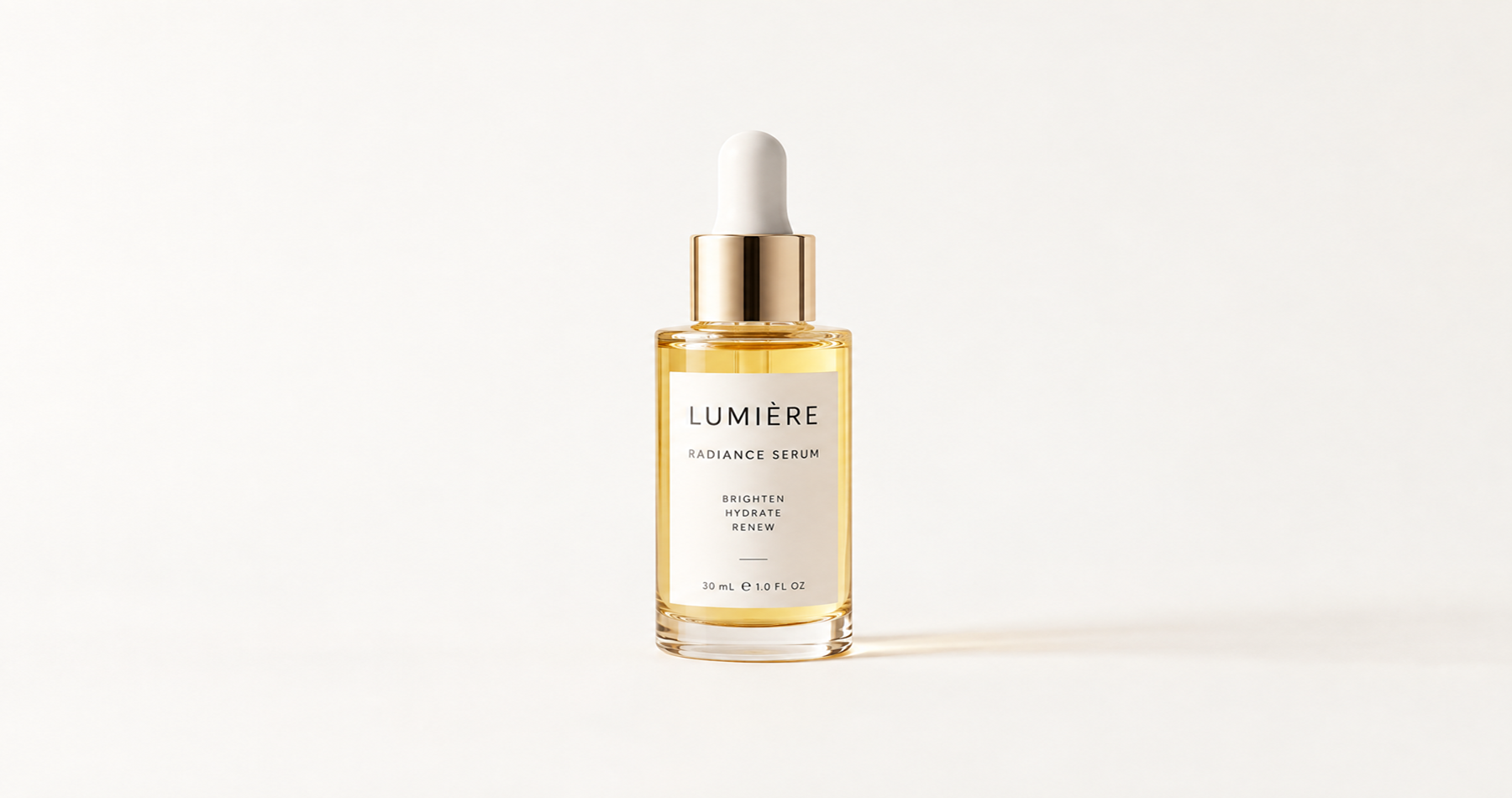
Step 4: Generate and compare variations. Check the results against the original image and your brief.

Step 5: Refine the result. Revise the prompt, adjust supported settings, or try another suitable model or workflow.
Step 6: Check the final image. Inspect logos, text, edges, product details, and unwanted artifacts. For commercial use, confirm accuracy and review the applicable usage terms.
How to Choose the Best Image-to-Image AI
Before choosing a tool, ask yourself:
- What needs to change? Background replacement, style transfer, and new compositions require different capabilities.
- What must remain unchanged? Identify essential details such as a face, product shape, or label.
- How much control do you need? A simple editor may suit occasional tasks; customizable workflows may suit more complex processes.
- Will you create variations regularly? Reusable settings and workflows can help structure recurring production.
- Does the tool support your task? Check the specific model, editing mode, and reference features.
- Is the result suitable for publication? Review image quality, usage terms, and commercial requirements.
When possible, test two or three tools using the same source image and a similar brief. Compare their results against your actual needs instead of choosing solely by popularity.
Frequently Asked Questions
What is the best image-to-image AI generator?
There is no universal winner. Adobe Firefly and Canva provide editing features, Midjourney supports image and style references, and Leonardo.Ai offers reference-guided generation. ComfyUI and RunningHub are worth considering when workflow customization is important.
What is the difference between text-to-image and image-to-image AI?
Text-to-image AI generates an image primarily from a written prompt. Image-to-image AI uses an existing image as an input or reference to guide a transformation or new variation. The degree of control varies by tool.
Which image-to-image AI is best for changing an image's style?
Look for documented style-reference or image-guidance features. Midjourney, Adobe Firefly, and Leonardo.Ai offer reference-related options. Test how well the tool follows your desired style and preserves the original subject.
Can image-to-image AI keep the same character or product across multiple images?
Reference images and specialized guidance features may help maintain recognizable characteristics, but exact consistency is not guaranteed. Test several outputs and inspect the details that matter most.
What is the best image-to-image AI for product photography?
The right choice depends on whether you need background changes, lifestyle scenes, or targeted edits. Always check logos, labels, colors, and proportions before publishing AI-generated product visuals.
Can I use RunningHub for image-to-image generation?
RunningHub offers models, AI Apps, and ComfyUI workflows, but capabilities depend on the selected option. Confirm that it accepts image input and supports the intended transformation before starting.
Is image-to-image AI suitable for commercial projects?
It can be useful for commercial content, but suitability depends on output accuracy, tool-specific usage terms, and applicable rights. Review the current terms and inspect generated images before publication.
Conclusion: Find the Right Image-to-Image AI for Your Workflow
The best image-to-image AI depends on the transformation you need, how much control you require, and whether the task is a one-off edit or part of a repeatable process. Choose a direct editor for simple changes, a reference-guided tool for style exploration, or a customizable workflow when production flexibility matters.
RunningHub is worth exploring if you want to compare supported AI models or work with cloud-based ComfyUI workflows.
Explore AI image creation on RunningHub: Start with Quick Create, or visit the RunningHub platform to find an entry point suited to your task.