
'%3e %3cg id='Vector'%3e %3c/g%3e %3cpath id='Vector_2' d='M14.504 8.522L12.746 4.49C12.6826 4.34486 12.5783 4.22136 12.4458 4.13463C12.3133 4.0479 12.1584 4.0017 12 4.0017C11.8416 4.0017 11.6867 4.0479 11.5542 4.13463C11.4217 4.22136 11.3174 4.34486 11.254 4.49L9.495 8.522C9.305 8.958 8.958 9.306 8.522 9.495L4.49 11.254C4.34486 11.3174 4.22136 11.4217 4.13463 11.5542C4.0479 11.6867 4.0017 11.8416 4.0017 12C4.0017 12.1584 4.0479 12.3133 4.13463 12.4458C4.22136 12.5783 4.34486 12.6826 4.49 12.746L8.523 14.504C8.959 14.694 9.307 15.042 9.496 15.478L11.255 19.511C11.3184 19.6561 11.4227 19.7796 11.5552 19.8664C11.6877 19.9531 11.8426 19.9993 12.001 19.9993C12.1594 19.9993 12.3143 19.9531 12.4468 19.8664C12.5793 19.7796 12.6836 19.6561 12.747 19.511L14.505 15.478C14.695 15.042 15.043 14.694 15.479 14.504L19.512 12.746C19.6571 12.6826 19.7806 12.5783 19.8674 12.4458C19.9541 12.3133 20.0003 12.1584 20.0003 12C20.0003 11.8416 19.9541 11.6867 19.8674 11.5542C19.7806 11.4217 19.6571 11.3174 19.512 11.254L15.479 9.495C15.043 9.30549 14.695 8.95782 14.505 8.522' stroke='var(--stroke-0%2c white)' stroke-width='1.25' stroke-linecap='round' stroke-linejoin='round'/%3e %3cpath id='Vector_3' d='M3 3L5 5' stroke='var(--stroke-0%2c white)' stroke-width='1.25' stroke-linecap='round' stroke-linejoin='round'/%3e %3cpath id='Vector_4' d='M21 3L19 5' stroke='var(--stroke-0%2c white)' stroke-width='1.25' stroke-linecap='round' stroke-linejoin='round'/%3e %3cpath id='Vector_5' d='M3 21L5 19' stroke='var(--stroke-0%2c white)' stroke-width='1.25' stroke-linecap='round' stroke-linejoin='round'/%3e %3cpath id='Vector_6' d='M21 21L19 19' stroke='var(--stroke-0%2c white)' stroke-width='1.25' stroke-linecap='round' stroke-linejoin='round'/%3e %3c/g%3e %3cdefs%3e %3cclipPath id='clip0_0_55'%3e %3crect width='24' height='24' fill='white'/%3e %3c/clipPath%3e %3c/defs%3e %3c/svg%3e)
'%3e %3cg id='Vector'%3e %3c/g%3e %3cpath id='Vector_2' d='M14.375 7.66667H14.385' stroke='var(--stroke-0%2c white)' stroke-width='1.25' stroke-linecap='round' stroke-linejoin='round'/%3e %3cpath id='Vector_3' d='M11.9792 20.125H5.75C4.9875 20.125 4.25624 19.8221 3.71707 19.2829C3.1779 18.7438 2.875 18.0125 2.875 17.25V5.75C2.875 4.9875 3.1779 4.25624 3.71707 3.71707C4.25624 3.1779 4.9875 2.875 5.75 2.875H17.25C18.0125 2.875 18.7438 3.1779 19.2829 3.71707C19.8221 4.25624 20.125 4.9875 20.125 5.75V11.9792' stroke='var(--stroke-0%2c white)' stroke-width='1.25' stroke-linecap='round' stroke-linejoin='round'/%3e %3cpath id='Vector_4' d='M2.875 15.3333L7.66667 10.5417C8.556 9.68587 9.65233 9.68587 10.5417 10.5417L14.375 14.375' stroke='var(--stroke-0%2c white)' stroke-width='1.25' stroke-linecap='round' stroke-linejoin='round'/%3e %3cpath id='Vector_5' d='M13.4167 13.4167L14.375 12.4583C15.0171 11.8412 15.7646 11.6687 16.4661 11.9408' stroke='var(--stroke-0%2c white)' stroke-width='1.25' stroke-linecap='round' stroke-linejoin='round'/%3e %3cpath id='Vector_6' d='M15.3333 18.2083H21.0833' stroke='var(--stroke-0%2c white)' stroke-width='1.25' stroke-linecap='round' stroke-linejoin='round'/%3e %3cpath id='Vector_7' d='M18.2083 15.3333V21.0833' stroke='var(--stroke-0%2c white)' stroke-width='1.25' stroke-linecap='round' stroke-linejoin='round'/%3e %3c/g%3e %3cdefs%3e %3cclipPath id='clip0_0_4'%3e %3crect width='23' height='23' fill='white'/%3e %3c/clipPath%3e %3c/defs%3e %3c/svg%3e)


'%3e %3cg id='Vector'%3e %3c/g%3e %3cpath id='Vector_2' d='M18.3333 10.5001V6.66667C18.3333 5.78261 17.9821 4.93477 17.357 4.30964C16.7319 3.68452 15.8841 3.33333 15 3.33333H5C4.11594 3.33333 3.2681 3.68452 2.64298 4.30964C2.01786 4.93477 1.66667 5.78261 1.66667 6.66667V13.3333C1.66667 14.2174 2.01786 15.0652 2.64298 15.6904C3.2681 16.3155 4.11594 16.6667 5 16.6667H11.6667M15.5 17.0001V12.0001M13 14.5001L15.5 12.0001L18 14.5001' stroke='var(--stroke-0%2c white)' stroke-linecap='round' stroke-linejoin='round'/%3e %3cpath id='Vector_3' d='M8.33333 7.5L12.5 10L8.33333 12.5V7.5Z' stroke='var(--stroke-0%2c white)' stroke-linecap='round' stroke-linejoin='round'/%3e %3c/g%3e %3cdefs%3e %3cclipPath id='clip0_0_4'%3e %3crect width='20' height='20' fill='white'/%3e %3c/clipPath%3e %3c/defs%3e %3c/svg%3e)
'%3e %3cg id='Vector'%3e %3c/g%3e %3cpath id='Vector_2' d='M16.25 10.8333L21.1824 8.36767C21.3475 8.28515 21.531 8.2462 21.7154 8.25451C21.8998 8.26281 22.079 8.3181 22.2361 8.41512C22.3931 8.51214 22.5228 8.64768 22.6127 8.80888C22.7026 8.97007 22.7499 9.15158 22.75 9.33617V16.6638C22.7499 16.8484 22.7026 17.0299 22.6127 17.1911C22.5228 17.3523 22.3931 17.4879 22.2361 17.5849C22.079 17.6819 21.8998 17.7372 21.7154 17.7455C21.531 17.7538 21.3475 17.7148 21.1824 17.6323L16.25 15.1667V10.8333Z' stroke='var(--stroke-0%2c white)' stroke-width='1.25' stroke-linecap='round' stroke-linejoin='round'/%3e %3cpath id='Vector_3' d='M3.25 8.66667C3.25 8.09203 3.47827 7.54093 3.8846 7.1346C4.29093 6.72827 4.84203 6.5 5.41667 6.5H14.0833C14.658 6.5 15.2091 6.72827 15.6154 7.1346C16.0217 7.54093 16.25 8.09203 16.25 8.66667V17.3333C16.25 17.908 16.0217 18.4591 15.6154 18.8654C15.2091 19.2717 14.658 19.5 14.0833 19.5H5.41667C4.84203 19.5 4.29093 19.2717 3.8846 18.8654C3.47827 18.4591 3.25 17.908 3.25 17.3333V8.66667Z' stroke='var(--stroke-0%2c white)' stroke-width='1.25' stroke-linecap='round' stroke-linejoin='round'/%3e %3cpath id='Vector_4' d='M7.58333 13H11.9167' stroke='var(--stroke-0%2c white)' stroke-width='1.25' stroke-linecap='round' stroke-linejoin='round'/%3e %3cpath id='Vector_5' d='M9.75 10.8333V15.1667' stroke='var(--stroke-0%2c white)' stroke-width='1.25' stroke-linecap='round' stroke-linejoin='round'/%3e %3c/g%3e %3cdefs%3e %3cclipPath id='clip0_0_47'%3e %3crect width='26' height='26' fill='white'/%3e %3c/clipPath%3e %3c/defs%3e %3c/svg%3e)
'%3e %3cg id='Vector'%3e %3c/g%3e %3cpath id='Vector_2' d='M4 7H7M11 7H20' stroke='var(--stroke-0%2c white)' stroke-width='1.25' stroke-linecap='round' stroke-linejoin='round'/%3e %3cpath id='Vector_3' d='M4 17H20' stroke='var(--stroke-0%2c white)' stroke-width='1.25' stroke-linecap='round' stroke-linejoin='round'/%3e %3cpath id='Vector_4' d='M7 4L7 20' stroke='var(--stroke-0%2c white)' stroke-width='1.25' stroke-linecap='round' stroke-linejoin='round'/%3e %3cpath id='Vector_5' d='M17 4V13M17 17V20' stroke='var(--stroke-0%2c white)' stroke-width='1.25' stroke-linecap='round' stroke-linejoin='round'/%3e %3c/g%3e %3cdefs%3e %3cclipPath id='clip0_0_60'%3e %3crect width='24' height='24' fill='white'/%3e %3c/clipPath%3e %3c/defs%3e %3c/svg%3e)
'%3e %3cg id='Vector'%3e %3c/g%3e %3cpath id='Vector_2' d='M6 10L4 11L12 15L20 11L18 10' stroke='var(--stroke-0%2c white)' stroke-width='1.25' stroke-linecap='round' stroke-linejoin='round'/%3e %3cpath id='Vector_3' d='M4 15L12 19L20 15' stroke='var(--stroke-0%2c white)' stroke-width='1.25' stroke-linecap='round' stroke-linejoin='round'/%3e %3cpath id='Vector_4' d='M12 4V11' stroke='var(--stroke-0%2c white)' stroke-width='1.25' stroke-linecap='round' stroke-linejoin='round'/%3e %3cpath id='Vector_5' d='M15 8L12 11L9 8' stroke='var(--stroke-0%2c white)' stroke-width='1.25' stroke-linecap='round' stroke-linejoin='round'/%3e %3c/g%3e %3cdefs%3e %3cclipPath id='clip0_0_9'%3e %3crect width='24' height='24' fill='white'/%3e %3c/clipPath%3e %3c/defs%3e %3c/svg%3e)


Best Text to Image AI: Which Model Fits Your Creative Needs
Compare GPT Image 2.5, Nano Banana 2.1, Seedream 5.0 Pro, and Midjourney V8.2. Explore models on RunningHub and choose the best fit for your creative projects.
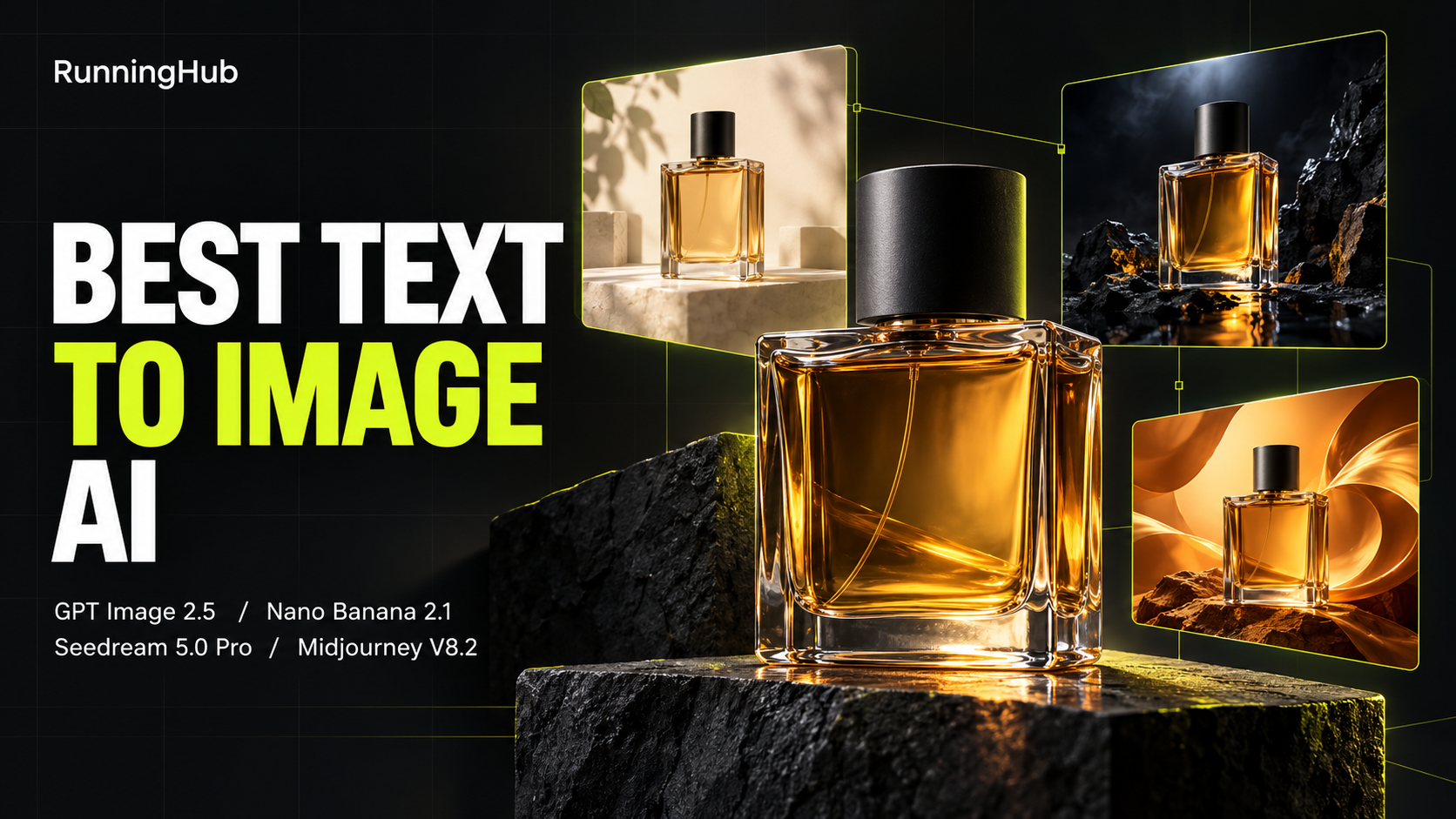
Finding the best text to image AI starts with the image you need to make. A poster needs readable lettering and a clear layout. A product photograph depends on believable materials, lighting, and object structure. A creative campaign may also need a distinctive visual style.
GPT Image 2.5, Nano Banana 2.1, Seedream 5.0 Pro, and Midjourney V8.2 approach these demands with different priorities and controls. Understanding those differences helps you decide which models deserve a place in your workflow.
This guide compares their capabilities, costs, and practical uses, then uses two shared prompts to organize a four-model comparison through RunningHub.
Best Text to Image AI Models at a Glance
| Model | Starting fit | Prompt and layout focus | Visual direction | Cost consideration |
| GPT Image 2.5 | Detailed briefs and precise visual production | Exact wording, multiple constraints, composition | Product imagery, posters, and detailed concepts | Variant, quality, and usage route affect the charge |
| Nano Banana 2.1 | Efficient generation and iterative creation | Natural-language instructions and in-image text | Everyday visuals, marketing concepts, varied styles | Compare resolution, channel, and actual generation cost |
| Seedream 5.0 Pro | Commercial images and organized visual content | Spatial relationships, information arrangement, and design requirements | Product scenes, campaign assets, and text-rich layouts | Check the selected generation route and output settings |
| Midjourney V8.2 | Aesthetic exploration and art direction | Scene description, style instructions, and personalization | Editorial photography, illustration, and expressive concepts | Native subscriptions use GPU allowances; other routes bill separately |
Use this table as a shortlist. Model features indicate what to explore; your own brief determines which output is useful. Record the complete version name, especially when a provider distinguishes preview, stable, or economy options.
How to Choose the Best Text to Image AI Generator
GPT Image 2.5 for Detailed Briefs and Precise Control
GPT Image 2.5 supports image generation and editing, with Sunburst positioned toward precision-sensitive work. For this comparison, use Sunburst consistently rather than switching between it and Flare under the same label.
It is a candidate for posters, product concepts, and illustrations that combine several requirements. Describe the subject, placement, lighting, intended use, and exact wording separately so you can check each instruction.
Its quality settings offer another decision: increasing output quality can change cost, so compare the improvement against what the image actually needs. A draft composition and a finished campaign visual may justify different settings.
For reference, OpenAI lists standard image-output pricing at $30 per million output tokens, with input charged separately. This is an API rate, not a fixed price for one image or a RunningHub canvas quote.
Nano Banana 2.1 for Efficient Image Creation
Nano Banana 2.1 is Google's image-generation and conversational-editing model, updated from Nano Banana 2. Its documented priorities include generation efficiency, improved prompt adherence, text rendering, and visual quality.
It supports 1K, 2K, and 4K output in the native API. The generation interface you use determines which of those options you can select.
For creators producing several concepts, it is worth evaluating alongside GPT Image 2.5: can it satisfy the same essential instructions at an acceptable cost? Test the lettering, object positions, and unwanted additions rather than judging only the overall impression.
Keep Nano Banana 2.1 separate from Nano Banana Pro and earlier versions in your records. Shared family names do not make versions interchangeable. Check the model, resolution, and channel before comparing charges.
Seedream 5.0 Pro for Commercial Visuals and Composition
Seedream 5.0 Pro combines image generation with reasoning and editing capabilities. Its published examples cover information-rich graphics, organized layouts, and visual design tasks, making it relevant beyond decorative artwork.
For product creation, evaluate how it arranges the subject and surrounding materials. A bottle, fabric, and stone surface should look distinct while sharing a coherent light source and perspective.
Its broader capabilities also make it a candidate for campaigns that move from an initial concept into revisions. However, text-to-image generation and reference-based editing are separate tasks; confirm what the selected interface exposes.
Assess cost using the actual model entry and output settings. Avoid transferring a price from Seedream Lite, an older version, or another access route to Seedream 5.0 Pro.
Midjourney V8.2 for Aesthetics and Creative Direction
Midjourney describes V8.2 as an update focused on aesthetics, image quality, and personalization. That makes it relevant when the mood, composition, and visual character of an image are central to the brief.
Evaluate it for editorial imagery, atmospheric product scenes, and artistic concepts. Check whether the result preserves required objects and relationships alongside its visual appeal. A strong aesthetic still needs to serve the intended use.
Record active personalization and style settings because they can influence the comparison. A model's defaults and a carefully customized style setup are different starting conditions.
Native Midjourney subscriptions start at $10 monthly, with the Standard plan at $30 monthly and different GPU allowances. Those subscriptions do not determine third-party usage charges. RunningHub currently labels its listed V8.2 entry as Preview; retain that label when documenting that route.
Compare Text to Image Models on RunningHub with Two Creative Briefs
Trying models often means opening separate services, repeating prompts, and collecting downloads before you can compare anything. RunningHub brings supported image models into one platform, making those trials easier to organize.
Both RHTV canvas and Quick Create offer model choices. The canvas is useful here because you can keep the brief and generated images together and arrange outputs for closer inspection. Choose the model explicitly for each task; simply placing a file on the canvas does not attach it to a generation.
The two cases below use all four models. Start with the same English prompt within each pair, no reference images, a 16:9 output ratio, and the closest comparable resolution. Set the ratio in the actual interface as well as describing it in the prompt.
Keep generation counts equal and note quality settings, prompt enhancement, personalization, and actual charges. Save the original outputs before retouching. These records help explain whether a difference comes from the model, its settings, or later editing.

Case 1: GPT Image 2.5 vs Nano Banana 2.1 for a Perfume Launch Poster
The first brief is a horizontal launch poster for the fictional fragrance AMBER VEIL. Both models receive the same instructions: place the headline and subtitle on the left, keep the perfume bottle on the right, and use an ivory background with generous spacing.
【Prompt 1】

GPT Image 2.5 result

Nano Banana 2.1 result
Both outputs correctly render “AMBER VEIL” and “EAU DE PARFUM” and follow the requested left-text, right-product arrangement. The differences become clearer in typography, bottle presentation, and how closely each follows the remaining instructions.
GPT Image 2.5 uses finer serif lettering for both lines, with a smaller, widely spaced subtitle. The bottle has bright glass edges and a visible reflection beneath it, creating a polished advertising look. Nano Banana 2.1 uses a heavier headline and a larger sans-serif subtitle, giving the wording stronger visual emphasis.
| Comparison point | GPT Image 2.5 | Nano Banana 2.1 |
| Text accuracy | Both requested lines are spelled correctly. | Both requested lines are spelled correctly. |
| Typography | Fine serif lettering and a smaller, widely spaced subtitle. | Heavier headline and a larger sans-serif subtitle. |
| Bottle presentation | Clear, unlabeled bottle with pronounced glass highlights. | Adds a cream bottle label repeating the fragrance name and subtitle. |
| Prompt adherence | Follows the clean bottle presentation, but the liquid level is clearly above half. | Liquid level is closer to the requested halfway point, but the bottle label introduces unrequested lettering. |
For this particular poster brief, GPT Image 2.5 is the closer fit for a restrained layout with an unlabeled bottle. Its main correction would be lowering the liquid level. Nano Banana 2.1 creates stronger text emphasis and a more explicitly branded product presentation, but the added bottle label would need removal to follow the original instructions more closely.
Case 2: Seedream 5.0 Pro vs Midjourney V8.2 for Perfume Photography
The second brief removes lettering and introduces glass, liquid, stone, velvet, and ceramic. This makes it easier to compare how the two outputs handle material separation, lighting, composition, and the placement of supporting objects.
【Prompt 2】

Seedream 5.0 Pro result

Midjourney V8.2 result
Both results include the requested bottle, black cap, amber liquid, stone pedestal, ceramic sphere, and navy fabric. Both also keep the bottle fully visible without adding lettering. Their strongest differences lie in camera angle, surface texture, and lighting.
Seedream 5.0 Pro uses a slightly elevated viewpoint that reveals the bottle cap’s top and the stone slab’s outline. The arrangement is compact, with a neatly folded velvet cloth and visible fabric pile. Midjourney V8.2 uses a more frontal composition, a thicker-looking block of roughly textured stone, and a larger spread of draped fabric. A pronounced diagonal band of light across the background gives it a more dramatic editorial character.
| Comparison point | Seedream 5.0 Pro | Midjourney V8.2 |
| Composition | Slightly elevated view with a clearly defined slab and compact arrangement. | More frontal view with a substantial stone base and broader fabric folds. |
| Materials | Smooth-cut stone, a glossy ceramic sphere, and clearly visible velvet texture. | Coarse stone texture, strong glass reflections, and deep fabric folds. |
| Lighting | More diffuse background transitions, with defined shadows around the objects. | Stronger contrast and a prominent diagonal light pattern, exceeding the requested gentle lighting. |
| Object placement | Places the ceramic sphere on the left side of the slab. | Places the sphere on the surface to the left of the pedestal, following that instruction more literally. |
For this brief, Seedream 5.0 Pro is the stronger starting point for a compact, softly presented product arrangement, although the sphere should be moved off the slab to match the wording precisely. Midjourney V8.2 is better suited to a more dramatic, textured editorial direction. Its lighting would need softening if the original gentle studio look remained the priority.
Together, these results show why model selection benefits from a specific brief: one output may better match the desired visual mood while another follows an individual placement instruction more closely.
Why Comparing Models Helps You Make Better Creative Choices
Identify Which Model Meets the Actual Brief
Comparison turns a vague preference into visible requirements. In the poster case, check spelling and layout. In the still-life case, inspect materials and lighting. This separates personal taste from instructions the image must satisfy.
You can then choose a model for a specific job. The preferred poster generator does not have to be the preferred product-photography model.
Keep Trials and Results Organized
A canvas keeps related outputs close to the task that produced them. Arrange the alternatives and retain their model names and settings so you can revisit a decision without reconstructing it from scattered downloads.
This is useful when you return to a project later or need to explain a choice to a colleague.
Spend Your Trial Budget More Deliberately
Begin with a small, equal number of generations for each candidate. Expand the promising direction after inspecting the results, rather than repeatedly rerunning a model without identifying what is wrong.
Calculate generation spending per accepted image and record editing time separately. A cheaper attempt can lose its advantage if it requires many retries. A more expensive attempt needs a meaningful improvement to justify the difference.
Make Revisions More Targeted
Comparing outputs helps identify the problem. If both models miss the same instruction, clarify the prompt. If one repeatedly distorts the bottle, consider another model or a reference-based workflow.
When only the final wording needs adjustment, editable typography may be more efficient than regenerating the entire composition.
Build a Workflow Around Different Tasks
Keep a short record of which model worked for each requirement and under which settings. Over time, this becomes a practical starting point for similar projects.
RunningHub's value is the ability to explore supported choices within a shared creative environment. You still make the selection based on the image, the task, and the cost.
Which Is the Best AI Text to Image Generator for Your Needs?
For a brief containing exact wording and several layout instructions, shortlist GPT Image 2.5 and Nano Banana 2.1, then inspect the poster comparison before choosing.
For a product scene where material quality and visual direction matter, evaluate Seedream 5.0 Pro and Midjourney V8.2. Consider both physical plausibility and whether the image fits the campaign's mood.
If budget is the deciding factor, compare charges for equivalent output requirements and the number of usable images. Keep subscription, token, and per-generation costs distinct. The RunningHub model catalog identifies available variants; confirm the charge in your actual creation route.
The best text to image choice is the model that meets your requirements with an acceptable amount of iteration. Start with the task you perform most often, then broaden your shortlist when another project needs different strengths.
FAQ
What Is the Best Text to Image AI for Beginners?
Start with one model and a short brief containing a subject, style, and composition. Once you can judge those requirements, try the same prompt in a second model. A small, understandable comparison is more useful than testing many options without clear criteria.
Why Does the Same Prompt Produce Different Results?
Models have different training, defaults, and interpretations. Settings and randomness also affect the output. Keep the wording and comparable settings consistent, then record changes so you can understand the differences.
Which Model Should I Choose for Images with Text?
GPT Image 2.5 and Nano Banana 2.1 are candidates for the poster brief, while Seedream also supports text-rich imagery. Check exact spelling, layout, and unwanted wording in your own results. Use editable typography when final copy must be precise.
How Can I Compare Image Generation Costs?
Use the same output requirements and generation count. Record actual charges, rejected attempts, and accepted images, then track finishing time separately. Avoid treating a subscription price as a direct equivalent to one API image.
Can I Try Different Image Models on RunningHub?
RunningHub provides model choices through its creation tools and lists supported variants in its catalog. Select the required version for each task, check available settings, and organize the resulting images on the canvas to compare them.
Conclusion
The best text to image AI depends on what the image must accomplish. GPT Image 2.5, Nano Banana 2.1, Seedream 5.0 Pro, and Midjourney V8.2 offer different starting points for precise briefs, efficient creation, commercial visuals, and aesthetic exploration.
Use a shared prompt to make the choice concrete: compare lettering and layout in a perfume poster, then materials and lighting in a product photograph. Match the model to the task instead of relying on one preference for every project.
RunningHub makes those supported options easier to explore and organize. Keep settings and costs visible, inspect the original results, and choose the approach that fits your creative needs.