
'%3e %3cg id='Vector'%3e %3c/g%3e %3cpath id='Vector_2' d='M14.504 8.522L12.746 4.49C12.6826 4.34486 12.5783 4.22136 12.4458 4.13463C12.3133 4.0479 12.1584 4.0017 12 4.0017C11.8416 4.0017 11.6867 4.0479 11.5542 4.13463C11.4217 4.22136 11.3174 4.34486 11.254 4.49L9.495 8.522C9.305 8.958 8.958 9.306 8.522 9.495L4.49 11.254C4.34486 11.3174 4.22136 11.4217 4.13463 11.5542C4.0479 11.6867 4.0017 11.8416 4.0017 12C4.0017 12.1584 4.0479 12.3133 4.13463 12.4458C4.22136 12.5783 4.34486 12.6826 4.49 12.746L8.523 14.504C8.959 14.694 9.307 15.042 9.496 15.478L11.255 19.511C11.3184 19.6561 11.4227 19.7796 11.5552 19.8664C11.6877 19.9531 11.8426 19.9993 12.001 19.9993C12.1594 19.9993 12.3143 19.9531 12.4468 19.8664C12.5793 19.7796 12.6836 19.6561 12.747 19.511L14.505 15.478C14.695 15.042 15.043 14.694 15.479 14.504L19.512 12.746C19.6571 12.6826 19.7806 12.5783 19.8674 12.4458C19.9541 12.3133 20.0003 12.1584 20.0003 12C20.0003 11.8416 19.9541 11.6867 19.8674 11.5542C19.7806 11.4217 19.6571 11.3174 19.512 11.254L15.479 9.495C15.043 9.30549 14.695 8.95782 14.505 8.522' stroke='var(--stroke-0%2c white)' stroke-width='1.25' stroke-linecap='round' stroke-linejoin='round'/%3e %3cpath id='Vector_3' d='M3 3L5 5' stroke='var(--stroke-0%2c white)' stroke-width='1.25' stroke-linecap='round' stroke-linejoin='round'/%3e %3cpath id='Vector_4' d='M21 3L19 5' stroke='var(--stroke-0%2c white)' stroke-width='1.25' stroke-linecap='round' stroke-linejoin='round'/%3e %3cpath id='Vector_5' d='M3 21L5 19' stroke='var(--stroke-0%2c white)' stroke-width='1.25' stroke-linecap='round' stroke-linejoin='round'/%3e %3cpath id='Vector_6' d='M21 21L19 19' stroke='var(--stroke-0%2c white)' stroke-width='1.25' stroke-linecap='round' stroke-linejoin='round'/%3e %3c/g%3e %3cdefs%3e %3cclipPath id='clip0_0_55'%3e %3crect width='24' height='24' fill='white'/%3e %3c/clipPath%3e %3c/defs%3e %3c/svg%3e)
'%3e %3cg id='Vector'%3e %3c/g%3e %3cpath id='Vector_2' d='M14.375 7.66667H14.385' stroke='var(--stroke-0%2c white)' stroke-width='1.25' stroke-linecap='round' stroke-linejoin='round'/%3e %3cpath id='Vector_3' d='M11.9792 20.125H5.75C4.9875 20.125 4.25624 19.8221 3.71707 19.2829C3.1779 18.7438 2.875 18.0125 2.875 17.25V5.75C2.875 4.9875 3.1779 4.25624 3.71707 3.71707C4.25624 3.1779 4.9875 2.875 5.75 2.875H17.25C18.0125 2.875 18.7438 3.1779 19.2829 3.71707C19.8221 4.25624 20.125 4.9875 20.125 5.75V11.9792' stroke='var(--stroke-0%2c white)' stroke-width='1.25' stroke-linecap='round' stroke-linejoin='round'/%3e %3cpath id='Vector_4' d='M2.875 15.3333L7.66667 10.5417C8.556 9.68587 9.65233 9.68587 10.5417 10.5417L14.375 14.375' stroke='var(--stroke-0%2c white)' stroke-width='1.25' stroke-linecap='round' stroke-linejoin='round'/%3e %3cpath id='Vector_5' d='M13.4167 13.4167L14.375 12.4583C15.0171 11.8412 15.7646 11.6687 16.4661 11.9408' stroke='var(--stroke-0%2c white)' stroke-width='1.25' stroke-linecap='round' stroke-linejoin='round'/%3e %3cpath id='Vector_6' d='M15.3333 18.2083H21.0833' stroke='var(--stroke-0%2c white)' stroke-width='1.25' stroke-linecap='round' stroke-linejoin='round'/%3e %3cpath id='Vector_7' d='M18.2083 15.3333V21.0833' stroke='var(--stroke-0%2c white)' stroke-width='1.25' stroke-linecap='round' stroke-linejoin='round'/%3e %3c/g%3e %3cdefs%3e %3cclipPath id='clip0_0_4'%3e %3crect width='23' height='23' fill='white'/%3e %3c/clipPath%3e %3c/defs%3e %3c/svg%3e)


'%3e %3cg id='Vector'%3e %3c/g%3e %3cpath id='Vector_2' d='M18.3333 10.5001V6.66667C18.3333 5.78261 17.9821 4.93477 17.357 4.30964C16.7319 3.68452 15.8841 3.33333 15 3.33333H5C4.11594 3.33333 3.2681 3.68452 2.64298 4.30964C2.01786 4.93477 1.66667 5.78261 1.66667 6.66667V13.3333C1.66667 14.2174 2.01786 15.0652 2.64298 15.6904C3.2681 16.3155 4.11594 16.6667 5 16.6667H11.6667M15.5 17.0001V12.0001M13 14.5001L15.5 12.0001L18 14.5001' stroke='var(--stroke-0%2c white)' stroke-linecap='round' stroke-linejoin='round'/%3e %3cpath id='Vector_3' d='M8.33333 7.5L12.5 10L8.33333 12.5V7.5Z' stroke='var(--stroke-0%2c white)' stroke-linecap='round' stroke-linejoin='round'/%3e %3c/g%3e %3cdefs%3e %3cclipPath id='clip0_0_4'%3e %3crect width='20' height='20' fill='white'/%3e %3c/clipPath%3e %3c/defs%3e %3c/svg%3e)
'%3e %3cg id='Vector'%3e %3c/g%3e %3cpath id='Vector_2' d='M16.25 10.8333L21.1824 8.36767C21.3475 8.28515 21.531 8.2462 21.7154 8.25451C21.8998 8.26281 22.079 8.3181 22.2361 8.41512C22.3931 8.51214 22.5228 8.64768 22.6127 8.80888C22.7026 8.97007 22.7499 9.15158 22.75 9.33617V16.6638C22.7499 16.8484 22.7026 17.0299 22.6127 17.1911C22.5228 17.3523 22.3931 17.4879 22.2361 17.5849C22.079 17.6819 21.8998 17.7372 21.7154 17.7455C21.531 17.7538 21.3475 17.7148 21.1824 17.6323L16.25 15.1667V10.8333Z' stroke='var(--stroke-0%2c white)' stroke-width='1.25' stroke-linecap='round' stroke-linejoin='round'/%3e %3cpath id='Vector_3' d='M3.25 8.66667C3.25 8.09203 3.47827 7.54093 3.8846 7.1346C4.29093 6.72827 4.84203 6.5 5.41667 6.5H14.0833C14.658 6.5 15.2091 6.72827 15.6154 7.1346C16.0217 7.54093 16.25 8.09203 16.25 8.66667V17.3333C16.25 17.908 16.0217 18.4591 15.6154 18.8654C15.2091 19.2717 14.658 19.5 14.0833 19.5H5.41667C4.84203 19.5 4.29093 19.2717 3.8846 18.8654C3.47827 18.4591 3.25 17.908 3.25 17.3333V8.66667Z' stroke='var(--stroke-0%2c white)' stroke-width='1.25' stroke-linecap='round' stroke-linejoin='round'/%3e %3cpath id='Vector_4' d='M7.58333 13H11.9167' stroke='var(--stroke-0%2c white)' stroke-width='1.25' stroke-linecap='round' stroke-linejoin='round'/%3e %3cpath id='Vector_5' d='M9.75 10.8333V15.1667' stroke='var(--stroke-0%2c white)' stroke-width='1.25' stroke-linecap='round' stroke-linejoin='round'/%3e %3c/g%3e %3cdefs%3e %3cclipPath id='clip0_0_47'%3e %3crect width='26' height='26' fill='white'/%3e %3c/clipPath%3e %3c/defs%3e %3c/svg%3e)
'%3e %3cg id='Vector'%3e %3c/g%3e %3cpath id='Vector_2' d='M4 7H7M11 7H20' stroke='var(--stroke-0%2c white)' stroke-width='1.25' stroke-linecap='round' stroke-linejoin='round'/%3e %3cpath id='Vector_3' d='M4 17H20' stroke='var(--stroke-0%2c white)' stroke-width='1.25' stroke-linecap='round' stroke-linejoin='round'/%3e %3cpath id='Vector_4' d='M7 4L7 20' stroke='var(--stroke-0%2c white)' stroke-width='1.25' stroke-linecap='round' stroke-linejoin='round'/%3e %3cpath id='Vector_5' d='M17 4V13M17 17V20' stroke='var(--stroke-0%2c white)' stroke-width='1.25' stroke-linecap='round' stroke-linejoin='round'/%3e %3c/g%3e %3cdefs%3e %3cclipPath id='clip0_0_60'%3e %3crect width='24' height='24' fill='white'/%3e %3c/clipPath%3e %3c/defs%3e %3c/svg%3e)
'%3e %3cg id='Vector'%3e %3c/g%3e %3cpath id='Vector_2' d='M6 10L4 11L12 15L20 11L18 10' stroke='var(--stroke-0%2c white)' stroke-width='1.25' stroke-linecap='round' stroke-linejoin='round'/%3e %3cpath id='Vector_3' d='M4 15L12 19L20 15' stroke='var(--stroke-0%2c white)' stroke-width='1.25' stroke-linecap='round' stroke-linejoin='round'/%3e %3cpath id='Vector_4' d='M12 4V11' stroke='var(--stroke-0%2c white)' stroke-width='1.25' stroke-linecap='round' stroke-linejoin='round'/%3e %3cpath id='Vector_5' d='M15 8L12 11L9 8' stroke='var(--stroke-0%2c white)' stroke-width='1.25' stroke-linecap='round' stroke-linejoin='round'/%3e %3c/g%3e %3cdefs%3e %3cclipPath id='clip0_0_9'%3e %3crect width='24' height='24' fill='white'/%3e %3c/clipPath%3e %3c/defs%3e %3c/svg%3e)


Best Text-to-Video AI Tools: 8 AI Video Generators Compared
Compare the best text to video AI tools for video quality, motion, pricing, and free access. Find the right AI video generator for your creative needs.
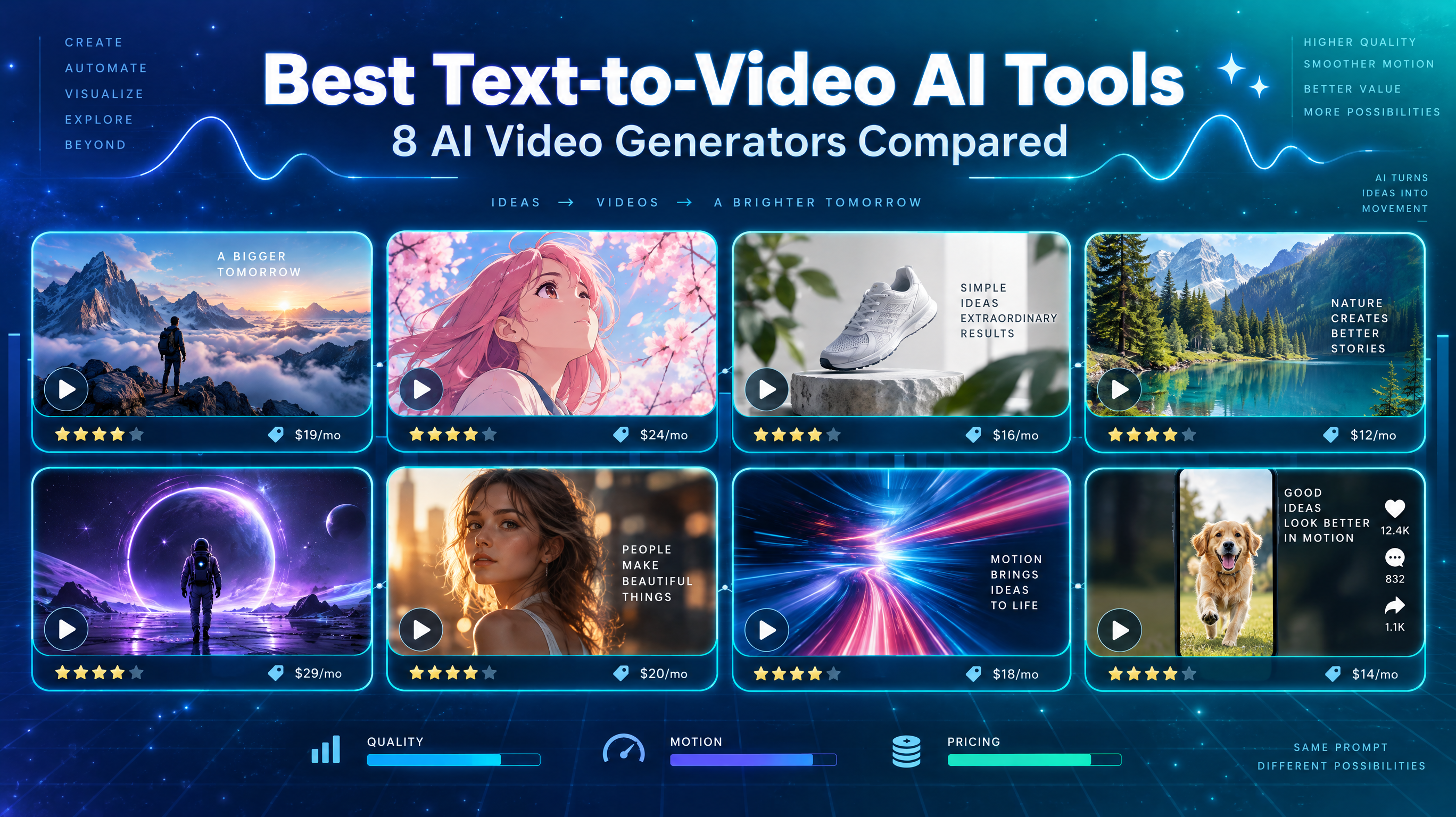
Choosing an AI video generator is not as simple as finding a tool that turns text into video. Some platforms produce realistic characters and cinematic scenes, while others are better at camera movement, creative effects, or short-form marketing content. Free access is another important consideration, especially if you want to experiment before paying for a subscription.
So, which tools are worth trying? And how do you compare different video models without committing to several subscriptions?
This guide compares eight AI video generation options based on visual quality, motion consistency, generation flexibility, pricing, and accessibility. It also introduces RunningHub, a cloud-based creative ecosystem where users can explore available AI video models and workflows instead of relying on a single generation approach.
How to Choose the Best Text to Video AI Tools
Before comparing individual platforms, it helps to understand five factors that affect the usefulness of an AI video generator.
1. Video Quality
Look at image clarity, lighting, textures, and how realistically the model renders people, objects, and environments. Some models are better suited to photorealistic scenes, while others produce more stylized or artistic results.
2. Motion Consistency
Good video generation requires more than attractive frames. Characters should move naturally, objects should maintain their shape, and camera movements should feel coherent. Watch for flickering, distorted limbs, and inconsistent subject details.
3. Generation Speed
Generation time varies according to model version, resolution, video duration, server queues, and subscription tier. A fast-generation model may be useful for rapid experimentation, but speed should not be treated as a guarantee of better output.
4. Pricing and Free Usage Limits
Check whether a platform offers recurring free credits, one-time trial credits, or paid-only generation. Also consider watermarks, resolution restrictions, commercial-use rights, and the number of videos you can generate with your available credits.
5. Ease of Use and Creative Flexibility
Beginners may prefer straightforward text prompts and ready-made effects. More experienced creators may need camera controls, reference images, video extensions, editing features, and access to different generation workflows.
8 Best AI Text-to-Video Tools Compared
The following eight platforms offer different approaches to AI video creation.
1. RunningHub: Explore Multiple AI Video Generation Models
Best for multi-model exploration
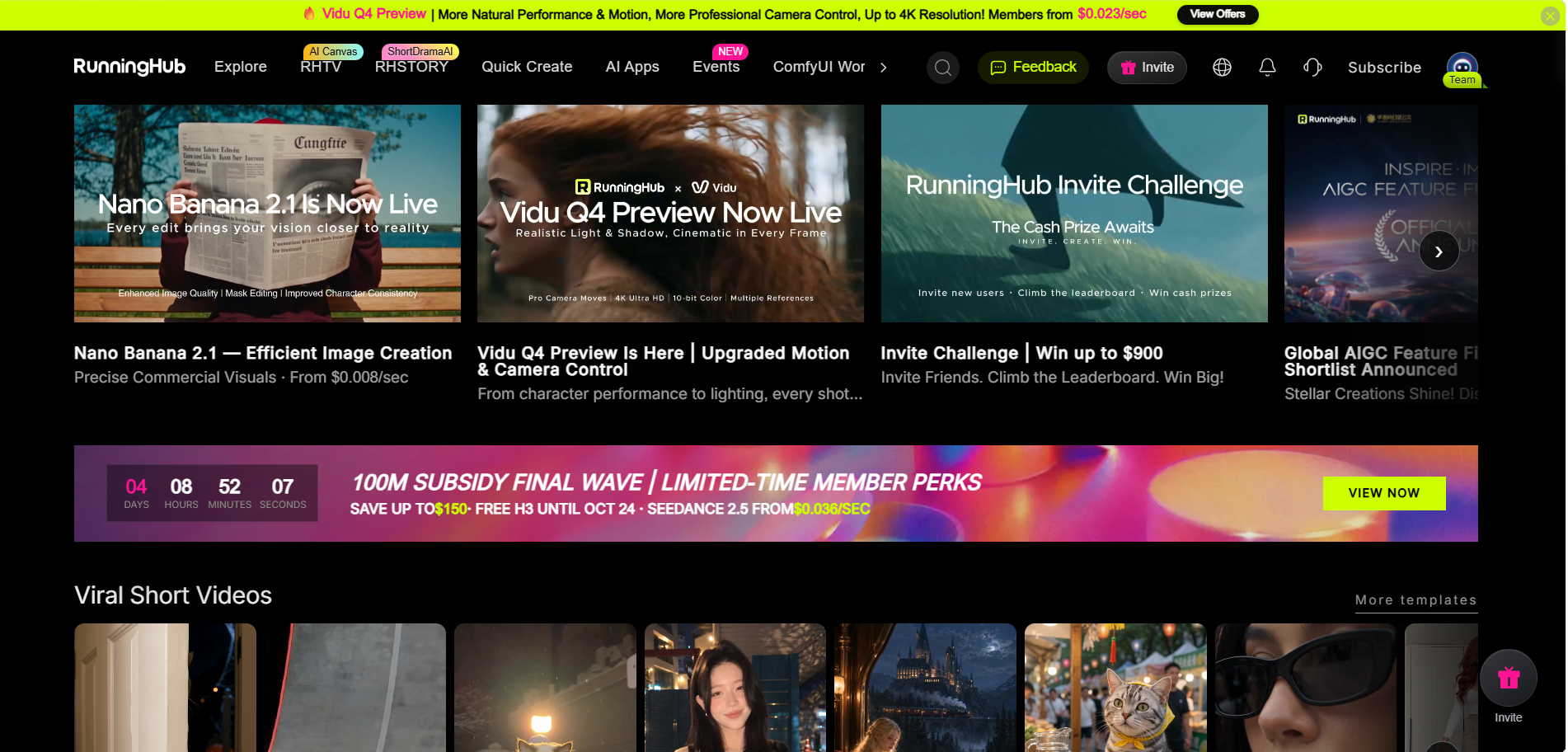
RunningHub is a cloud-based AI creation platform that brings together AI models, applications, workflows, and creative resources. Instead of relying on one video generation model, users can explore available resources and experiment with different approaches.
Video quality and motion consistency: RunningHub provides access to different available video generation models and workflows. Their output quality and motion characteristics depend on the selected model, configuration, and generation settings. This makes it useful for exploring different visual styles and comparing results.
Generation speed: Processing time varies by model, workflow, and resource availability. Cloud-based generation removes the need to configure a complete local AI environment.
Pricing and free access: Usage requirements and costs depend on the selected model, application, or workflow. Check the platform interface before generating.
RHTV and creative workflows
RunningHub also offers RHTV (RHTV.ai), an infinite-canvas environment for organizing and developing visual projects.
Its capabilities include:
- Arranging images, videos, and other creative assets on a multi-layer canvas.
- Exploring backgrounds, scenes, and visual effects.
- Organizing assets for video and visual production.
- Using Canvas Agent for natural-language-assisted creative interaction.
Canvas Agent offers three interaction modes:
- Normal: General conversation without charges for ordinary chat.
- Ask: Requests confirmation before executing chargeable operations.
- Auto: Executes chargeable operations without repeated confirmation.
Main advantages
- Access to a broader AI creation ecosystem.
- Multiple available models and workflows.
- Cloud-based creation without local deployment.
- RHTV supports visual organization and creative development.
Limitations
- Available models and features may change.
- Different workflows can require different learning processes.
- Usage requirements vary between resources.
Best for: Creators who want to explore multiple AI video generation models, compare creative approaches, and organize their projects in one environment.
Explore RunningHub: Quick Create | RHTV
2. Runway: Professional AI Video Generation
Best for creative control
Runway is a video creation platform designed for creators who need more control over generated footage.
Its Gen-4.5 model supports text-to-video and image-to-video generation. Users can describe detailed camera movements, scene compositions, event sequences, and atmospheric changes.
Video quality and motion: Runway emphasizes visual fidelity, prompt adherence, and motion quality. Its detailed prompt controls make it useful for cinematic scenes and carefully directed shots.
Generation speed: Explore Mode offers a different generation experience, while standard generation consumes credits. Actual processing times depend on the selected workflow.
Pricing and free access: The Free plan provides 125 one-time credits and 5GB of asset storage. Free-plan videos include a watermark. The Standard plan starts at $12/month when billed annually and includes 625 monthly credits.
Main advantages: Detailed prompt control, multiple creative tools, and professional-oriented workflows.
Limitations: Credit consumption can increase quickly when generating longer clips or testing multiple versions. Some models require paid access.
Best for: Filmmakers, content creators, and marketers who want more control over their AI-generated footage.
3. Kling AI: Realistic Motion and Cinematic Video
Best for character movement
Kling AI focuses on AI-generated video, motion control, image creation, and other visual production features.
Video quality and motion: Kling is worth considering for character-focused scenes, realistic movement, and cinematic camera effects. Its motion-control capabilities are particularly relevant when creators need more precise action and pose direction.
Generation speed: Processing depends on model, duration, resolution, and queue conditions.
Pricing and free access: Kling advertises limited-time free credits and subscription plans. Its public platform currently displays entry plans from $6.99, although the exact price and benefits depend on the selected plan and region. Credit costs vary by model and generation settings.
Main advantages: Motion-control features, realistic visual styles, and multiple video creation functions.
Limitations: Higher-quality settings and advanced models can require more credits. Features differ between model versions.
Best for: Creators producing character animation, action scenes, and cinematic short videos.
4. Google Veo: High-Quality AI Video Generation
Best for visual fidelity
Google Veo is Google's video generation model family, accessible through products such as Gemini and Google Flow.
Video quality and motion: Veo 3.1 supports text-to-video, image-guided generation, and other creative controls. Its capabilities include native audio generation, reference-based video creation, and video extension in supported modes.
Google's published evaluations also cover prompt alignment, visual quality, and motion-related performance. These are benchmark results, not a guarantee of identical results for every prompt.
Generation speed: Flow offers different model variants, including Fast and Quality options. Actual performance depends on the selected model and available resources.
Pricing and free access: Google Vids introduced 10 free video generations per month for personal Google accounts in April 2026. Other access routes have different credit and pricing requirements.
Main advantages: High-quality visual generation, native audio capabilities, and multiple creative controls.
Limitations: Access and generation limits vary by Google product, region, and subscription. Gemini API preview availability should not be confused with consumer access through Flow.
Best for: Creators who prioritize detailed visuals, cinematic scenes, and audio-supported video generation.
5. Seedance 2.0: Multimodal AI Video Generation
Best for complex creative direction
Seedance 2.0 is developed by ByteDance and supports text, image, audio, and video inputs.
Video quality and motion: Its unified audio-video generation architecture supports complex motion, multiple characters, and more detailed creative instructions. It can also generate multi-shot sequences with synchronized audio.
Generation speed: Processing varies according to the generation task, settings, and access platform.
Pricing and free access: Access is available through platforms such as Dreamina. Exact generation costs and free allowances depend on the selected service and account. A universal starting price is not clearly disclosed.
Main advantages: Multimodal references, scene direction, audio-video generation, and video extension.
Limitations: Complex reference-based workflows require more preparation. Some generated details, including multi-character consistency and text rendering, can still need refinement.
Best for: Creators developing narrative videos, advertisements, and more complex scenes.
6. Luma Dream Machine: Dynamic AI Video Creation
Best for visual experimentation
Luma Dream Machine provides text-to-video and image-to-video generation through its Ray model family.
Video quality and motion: Ray3 focuses on cinematic fidelity, physics, and creative control. Ray3.14 adds native 1080p generation, improved prompt adherence, and performance improvements.
Generation speed: Draft Mode supports faster creative exploration, while higher-resolution output requires more resources.
Pricing and free access: Luma's free access is limited, including draft-resolution video generation. Its current pricing page lists Plus at $30/month, Pro at $90/month, and Ultra at $300/month.
Main advantages: Cinematic visuals, draft generation, and creative video modification features.
Limitations: Higher-resolution generation consumes more credits, and commercial-use rights depend on the plan.
Best for: Creators who want to experiment with cinematic scenes and visually dynamic footage.
7. Pika: Easy-to-Use AI Video Effects
Best for creative effects
Pika focuses on accessible video creation and creative effects.
Video quality and motion: Pika offers text-to-video alongside tools such as Pikascenes, Pikaswaps, and Pikatwists. Its effects-oriented approach makes it useful for short, entertaining, and stylized content.
Generation speed: Credit costs and processing requirements vary according to the model, duration, and resolution.
Pricing and free access: Pika's current pricing page lists a Free option with no recurring monthly credits, while paid Starter plans begin at $10/month with 900 monthly credits. Free users can purchase credit packs.
Main advantages: Accessible creative effects, straightforward workflows, and multiple video transformation features.
Limitations: Some effects are more suitable for short-form entertainment than professional narrative production. Free access is limited.
Best for: Beginners, social media creators, and users who want to experiment with unusual video effects.
8. Hailuo AI: Expressive AI Video Generation
Best for character expression
Hailuo AI is developed by MiniMax and offers models designed for expressive video generation.
Video quality and motion: Hailuo 2.3 improves character expressions, physical actions, motion instructions, and stylized visual generation. It is particularly relevant for character-focused content.
Generation speed: Hailuo also offers Fast model variants. Processing time depends on the selected model and platform conditions.
Pricing and free access: HailuoLabs currently advertises a free plan with 160 monthly credits, supporting watermarked 512p video generation using Hailuo 02. Its Creator plan starts at $14/month.
Main advantages: Expressive characters, improved motion interpretation, and support for different visual styles.
Limitations: Free users have lower-resolution, watermarked outputs. Advanced models require paid access.
Best for: Creators making character-focused stories, expressive scenes, and stylized short videos.
Comparison Table: Best AI Text-to-Video Tools at a Glance
The following table summarizes the main differences between the eight platforms. Prices are indicative starting prices from publicly available official information, not direct comparisons of equivalent subscriptions.
| Tool | Best For | Video Quality | Motion Consistency | Generation Speed | Free Usage | Starting Price |
| RunningHub | Multi-model exploration | Depends on model | Depends on model | Varies | Check resource requirements | Varies |
| Runway | Professional creation | High visual fidelity | Detailed motion control | Varies by mode | 125 one-time credits | $12/mo annually |
| Kling AI | Character movement | Realistic styles | Advanced motion control | Varies | Limited free credits | From $6.99 |
| Google Veo | Cinematic visuals | High-quality output | Reference-based controls | Fast and quality variants | 10 monthly generations in Google Vids | Varies |
| Seedance 2.0 | Complex creative direction | Cinematic output | Strong motion control | Varies | Platform-dependent | Not clearly disclosed |
| Luma | Dynamic scenes | Cinematic output | Physics and consistency controls | Draft mode available | Limited draft access | $30/mo |
| Pika | Creative effects | Stylized output | Effect-dependent | Varies | No recurring monthly credits | $10/mo |
| Hailuo AI | Character expression | Realistic and stylized | Improved character motion | Fast variant available | 160 monthly credits | $14/mo |
Prices and free allowances are subject to change. Subscription prices may differ between monthly and annual billing. Check each provider's official pricing page before purchasing.
There is no universal winner. A model that performs well with cinematic landscapes may not be the best choice for detailed character interactions. Similarly, a tool with attractive free access may have limitations in resolution, watermarks, or commercial usage.
Which Text-to-Video AI Tool Should You Choose?
The best choice depends on what you want to produce.
For Realistic and Cinematic Videos
Consider Google Veo, Runway, and Luma. These platforms provide different approaches to visual fidelity, scene composition, and camera control. Seedance 2.0 is another option when you need more complex creative direction.
For Beginners
Pika and Hailuo AI are worth exploring if you want accessible generation workflows. Their creative tools and relatively straightforward interfaces can help beginners experiment without learning complicated local configurations.
For Free AI Video Generation
If you are searching for the best free text to video ai generator, start by comparing the actual free allowances rather than simply looking for a free registration option.
- Runway: 125 one-time credits, with watermarked exports.
- Hailuo AI: 160 monthly credits and watermarked 512p videos on its free plan.
- Google Vids: 10 monthly video generations for personal Google accounts.
- Pika: Free account access, but no recurring monthly credits on its current pricing page.
These options are useful for testing, but free access does not necessarily include every model or feature.
For Marketing and Social Media Videos
Kling, Seedance, and Runway are worth considering for promotional videos, product demonstrations, and cinematic advertising. Pika is useful when you want attention-grabbing effects for short-form content.
For e-commerce creators, compare how well each model renders product details, materials, lighting, and camera movement. Always review the final output before publishing.
For Exploring Multiple AI Video Models
RunningHub is a practical starting point if you do not want to commit to one generation approach immediately.
Its ecosystem allows users to explore available AI video models, applications, and workflows. You can experiment with different resources and identify which ones suit your visual requirements before developing a more consistent production process.
How to Explore and Compare AI Video Models with RunningHub
RunningHub offers a practical way to explore different AI creation resources in one cloud-based environment. Here is a simple workflow for comparing available video generation options.
Step 1: Explore Available Video Generation Resources
Visit RunningHub and browse the currently available video generation models, applications, and workflows.
Step 2: Choose Models Based on Your Creative Goal
Identify what you want to create. For example, choose resources suited to realistic scenes, cinematic shots, character animation, or marketing videos.
Step 3: Test Similar Prompts
Where possible, use similar prompts and comparable settings across different models. Include consistent descriptions of the subject, environment, camera movement, and lighting.
Step 4: Compare Generated Results
Evaluate the outputs based on:
- Visual clarity and realism.
- Character and object consistency.
- Camera movement and action.
- Composition and prompt adherence.
- Generation requirements and usage costs.
Step 5: Organize Creative Assets with RHTV
Transfer your generated visual materials into RHTV. Its infinite canvas helps organize images, videos, and other assets across multiple layers, making it easier to explore different creative directions and develop project ideas.
RunningHub does not automatically benchmark every external platform. The comparison process is based on the resources currently available within its ecosystem and the results you generate.
For instance, if we want to create a movie-like urban walking video featuring beautiful cityscapes, dynamic camera movements and seamless transitions. Capture the atmosphere of the city through immersive visual effects, natural storytelling and carefully designed film sequences. We can send the above requirements to RHTV, and then continue to refine our own requirements in the dialog box until a video that meets our requirements is generated. Just express your needs in words and you can create videos. It's equally friendly to beginners.
The following is an example of a movie-like urban walking video generated by RHTV:
Ready to experiment? Explore RunningHub's AI Generator and discover which available video generation resources fit your next project.
FAQs About the Best Text-to-Video AI Apps
What Are the Best Text-to-Video AI Tools?
RunningHub, Runway, Kling, Google Veo, Seedance, Luma, Pika, and Hailuo offer different creative capabilities. Some emphasize cinematic quality, others focus on motion control or visual effects. The best choice depends on your budget, workflow, and intended video style.
What Is the Best Free Text-to-Video AI Generator?
There is no single best option for everyone. Runway offers one-time credits, Hailuo provides monthly free credits, and Google Vids offers limited monthly generations. Compare watermarks, resolution, and model restrictions before choosing.
Which AI Is Best for Creating Videos from Text?
Google Veo and Runway are worth exploring for cinematic visuals and creative control. Kling and Hailuo are relevant for character movement, while Seedance offers multimodal creative direction. Test the same prompt across models to identify the best fit.
Can I Compare Different AI Video Models on RunningHub?
Yes. You can explore and experiment with the AI video generation models, applications, and workflows currently available in RunningHub. However, this does not mean every external video platform is integrated into the ecosystem.
How Much Does Text-to-Video AI Cost?
Costs vary according to the platform, subscription tier, generation credits, resolution, and video duration. Some tools offer free trials or limited credits, while others require subscriptions. Always check the official pricing page before generating videos at scale.
Conclusion: Choose the Right Tool for Your Creative Needs
The best text-to-video AI tools offer different strengths in visual quality, motion consistency, creative control, and accessibility. Your ideal platform depends on the type of video you want to create, your budget, and your production requirements.
Rather than choosing a tool based on popularity alone, experiment with different models and compare their actual outputs. RunningHub provides a convenient starting point for exploring available AI video generation resources and organizing your creative workflows through RHTV.
Explore RunningHub and find the AI video generation resources that match your creative ideas.