
'%3e %3cg id='Vector'%3e %3c/g%3e %3cpath id='Vector_2' d='M14.504 8.522L12.746 4.49C12.6826 4.34486 12.5783 4.22136 12.4458 4.13463C12.3133 4.0479 12.1584 4.0017 12 4.0017C11.8416 4.0017 11.6867 4.0479 11.5542 4.13463C11.4217 4.22136 11.3174 4.34486 11.254 4.49L9.495 8.522C9.305 8.958 8.958 9.306 8.522 9.495L4.49 11.254C4.34486 11.3174 4.22136 11.4217 4.13463 11.5542C4.0479 11.6867 4.0017 11.8416 4.0017 12C4.0017 12.1584 4.0479 12.3133 4.13463 12.4458C4.22136 12.5783 4.34486 12.6826 4.49 12.746L8.523 14.504C8.959 14.694 9.307 15.042 9.496 15.478L11.255 19.511C11.3184 19.6561 11.4227 19.7796 11.5552 19.8664C11.6877 19.9531 11.8426 19.9993 12.001 19.9993C12.1594 19.9993 12.3143 19.9531 12.4468 19.8664C12.5793 19.7796 12.6836 19.6561 12.747 19.511L14.505 15.478C14.695 15.042 15.043 14.694 15.479 14.504L19.512 12.746C19.6571 12.6826 19.7806 12.5783 19.8674 12.4458C19.9541 12.3133 20.0003 12.1584 20.0003 12C20.0003 11.8416 19.9541 11.6867 19.8674 11.5542C19.7806 11.4217 19.6571 11.3174 19.512 11.254L15.479 9.495C15.043 9.30549 14.695 8.95782 14.505 8.522' stroke='var(--stroke-0%2c white)' stroke-width='1.25' stroke-linecap='round' stroke-linejoin='round'/%3e %3cpath id='Vector_3' d='M3 3L5 5' stroke='var(--stroke-0%2c white)' stroke-width='1.25' stroke-linecap='round' stroke-linejoin='round'/%3e %3cpath id='Vector_4' d='M21 3L19 5' stroke='var(--stroke-0%2c white)' stroke-width='1.25' stroke-linecap='round' stroke-linejoin='round'/%3e %3cpath id='Vector_5' d='M3 21L5 19' stroke='var(--stroke-0%2c white)' stroke-width='1.25' stroke-linecap='round' stroke-linejoin='round'/%3e %3cpath id='Vector_6' d='M21 21L19 19' stroke='var(--stroke-0%2c white)' stroke-width='1.25' stroke-linecap='round' stroke-linejoin='round'/%3e %3c/g%3e %3cdefs%3e %3cclipPath id='clip0_0_55'%3e %3crect width='24' height='24' fill='white'/%3e %3c/clipPath%3e %3c/defs%3e %3c/svg%3e)
'%3e %3cg id='Vector'%3e %3c/g%3e %3cpath id='Vector_2' d='M14.375 7.66667H14.385' stroke='var(--stroke-0%2c white)' stroke-width='1.25' stroke-linecap='round' stroke-linejoin='round'/%3e %3cpath id='Vector_3' d='M11.9792 20.125H5.75C4.9875 20.125 4.25624 19.8221 3.71707 19.2829C3.1779 18.7438 2.875 18.0125 2.875 17.25V5.75C2.875 4.9875 3.1779 4.25624 3.71707 3.71707C4.25624 3.1779 4.9875 2.875 5.75 2.875H17.25C18.0125 2.875 18.7438 3.1779 19.2829 3.71707C19.8221 4.25624 20.125 4.9875 20.125 5.75V11.9792' stroke='var(--stroke-0%2c white)' stroke-width='1.25' stroke-linecap='round' stroke-linejoin='round'/%3e %3cpath id='Vector_4' d='M2.875 15.3333L7.66667 10.5417C8.556 9.68587 9.65233 9.68587 10.5417 10.5417L14.375 14.375' stroke='var(--stroke-0%2c white)' stroke-width='1.25' stroke-linecap='round' stroke-linejoin='round'/%3e %3cpath id='Vector_5' d='M13.4167 13.4167L14.375 12.4583C15.0171 11.8412 15.7646 11.6687 16.4661 11.9408' stroke='var(--stroke-0%2c white)' stroke-width='1.25' stroke-linecap='round' stroke-linejoin='round'/%3e %3cpath id='Vector_6' d='M15.3333 18.2083H21.0833' stroke='var(--stroke-0%2c white)' stroke-width='1.25' stroke-linecap='round' stroke-linejoin='round'/%3e %3cpath id='Vector_7' d='M18.2083 15.3333V21.0833' stroke='var(--stroke-0%2c white)' stroke-width='1.25' stroke-linecap='round' stroke-linejoin='round'/%3e %3c/g%3e %3cdefs%3e %3cclipPath id='clip0_0_4'%3e %3crect width='23' height='23' fill='white'/%3e %3c/clipPath%3e %3c/defs%3e %3c/svg%3e)


'%3e %3cg id='Vector'%3e %3c/g%3e %3cpath id='Vector_2' d='M18.3333 10.5001V6.66667C18.3333 5.78261 17.9821 4.93477 17.357 4.30964C16.7319 3.68452 15.8841 3.33333 15 3.33333H5C4.11594 3.33333 3.2681 3.68452 2.64298 4.30964C2.01786 4.93477 1.66667 5.78261 1.66667 6.66667V13.3333C1.66667 14.2174 2.01786 15.0652 2.64298 15.6904C3.2681 16.3155 4.11594 16.6667 5 16.6667H11.6667M15.5 17.0001V12.0001M13 14.5001L15.5 12.0001L18 14.5001' stroke='var(--stroke-0%2c white)' stroke-linecap='round' stroke-linejoin='round'/%3e %3cpath id='Vector_3' d='M8.33333 7.5L12.5 10L8.33333 12.5V7.5Z' stroke='var(--stroke-0%2c white)' stroke-linecap='round' stroke-linejoin='round'/%3e %3c/g%3e %3cdefs%3e %3cclipPath id='clip0_0_4'%3e %3crect width='20' height='20' fill='white'/%3e %3c/clipPath%3e %3c/defs%3e %3c/svg%3e)
'%3e %3cg id='Vector'%3e %3c/g%3e %3cpath id='Vector_2' d='M16.25 10.8333L21.1824 8.36767C21.3475 8.28515 21.531 8.2462 21.7154 8.25451C21.8998 8.26281 22.079 8.3181 22.2361 8.41512C22.3931 8.51214 22.5228 8.64768 22.6127 8.80888C22.7026 8.97007 22.7499 9.15158 22.75 9.33617V16.6638C22.7499 16.8484 22.7026 17.0299 22.6127 17.1911C22.5228 17.3523 22.3931 17.4879 22.2361 17.5849C22.079 17.6819 21.8998 17.7372 21.7154 17.7455C21.531 17.7538 21.3475 17.7148 21.1824 17.6323L16.25 15.1667V10.8333Z' stroke='var(--stroke-0%2c white)' stroke-width='1.25' stroke-linecap='round' stroke-linejoin='round'/%3e %3cpath id='Vector_3' d='M3.25 8.66667C3.25 8.09203 3.47827 7.54093 3.8846 7.1346C4.29093 6.72827 4.84203 6.5 5.41667 6.5H14.0833C14.658 6.5 15.2091 6.72827 15.6154 7.1346C16.0217 7.54093 16.25 8.09203 16.25 8.66667V17.3333C16.25 17.908 16.0217 18.4591 15.6154 18.8654C15.2091 19.2717 14.658 19.5 14.0833 19.5H5.41667C4.84203 19.5 4.29093 19.2717 3.8846 18.8654C3.47827 18.4591 3.25 17.908 3.25 17.3333V8.66667Z' stroke='var(--stroke-0%2c white)' stroke-width='1.25' stroke-linecap='round' stroke-linejoin='round'/%3e %3cpath id='Vector_4' d='M7.58333 13H11.9167' stroke='var(--stroke-0%2c white)' stroke-width='1.25' stroke-linecap='round' stroke-linejoin='round'/%3e %3cpath id='Vector_5' d='M9.75 10.8333V15.1667' stroke='var(--stroke-0%2c white)' stroke-width='1.25' stroke-linecap='round' stroke-linejoin='round'/%3e %3c/g%3e %3cdefs%3e %3cclipPath id='clip0_0_47'%3e %3crect width='26' height='26' fill='white'/%3e %3c/clipPath%3e %3c/defs%3e %3c/svg%3e)
'%3e %3cg id='Vector'%3e %3c/g%3e %3cpath id='Vector_2' d='M4 7H7M11 7H20' stroke='var(--stroke-0%2c white)' stroke-width='1.25' stroke-linecap='round' stroke-linejoin='round'/%3e %3cpath id='Vector_3' d='M4 17H20' stroke='var(--stroke-0%2c white)' stroke-width='1.25' stroke-linecap='round' stroke-linejoin='round'/%3e %3cpath id='Vector_4' d='M7 4L7 20' stroke='var(--stroke-0%2c white)' stroke-width='1.25' stroke-linecap='round' stroke-linejoin='round'/%3e %3cpath id='Vector_5' d='M17 4V13M17 17V20' stroke='var(--stroke-0%2c white)' stroke-width='1.25' stroke-linecap='round' stroke-linejoin='round'/%3e %3c/g%3e %3cdefs%3e %3cclipPath id='clip0_0_60'%3e %3crect width='24' height='24' fill='white'/%3e %3c/clipPath%3e %3c/defs%3e %3c/svg%3e)
'%3e %3cg id='Vector'%3e %3c/g%3e %3cpath id='Vector_2' d='M6 10L4 11L12 15L20 11L18 10' stroke='var(--stroke-0%2c white)' stroke-width='1.25' stroke-linecap='round' stroke-linejoin='round'/%3e %3cpath id='Vector_3' d='M4 15L12 19L20 15' stroke='var(--stroke-0%2c white)' stroke-width='1.25' stroke-linecap='round' stroke-linejoin='round'/%3e %3cpath id='Vector_4' d='M12 4V11' stroke='var(--stroke-0%2c white)' stroke-width='1.25' stroke-linecap='round' stroke-linejoin='round'/%3e %3cpath id='Vector_5' d='M15 8L12 11L9 8' stroke='var(--stroke-0%2c white)' stroke-width='1.25' stroke-linecap='round' stroke-linejoin='round'/%3e %3c/g%3e %3cdefs%3e %3cclipPath id='clip0_0_9'%3e %3crect width='24' height='24' fill='white'/%3e %3c/clipPath%3e %3c/defs%3e %3c/svg%3e)


Gemini AI Headshot Prompts: Create Professional Portraits for Every Career
Explore 17 Gemini AI headshot prompts for LinkedIn, resumes, and business profiles. Learn how to create realistic portraits and refine your results.
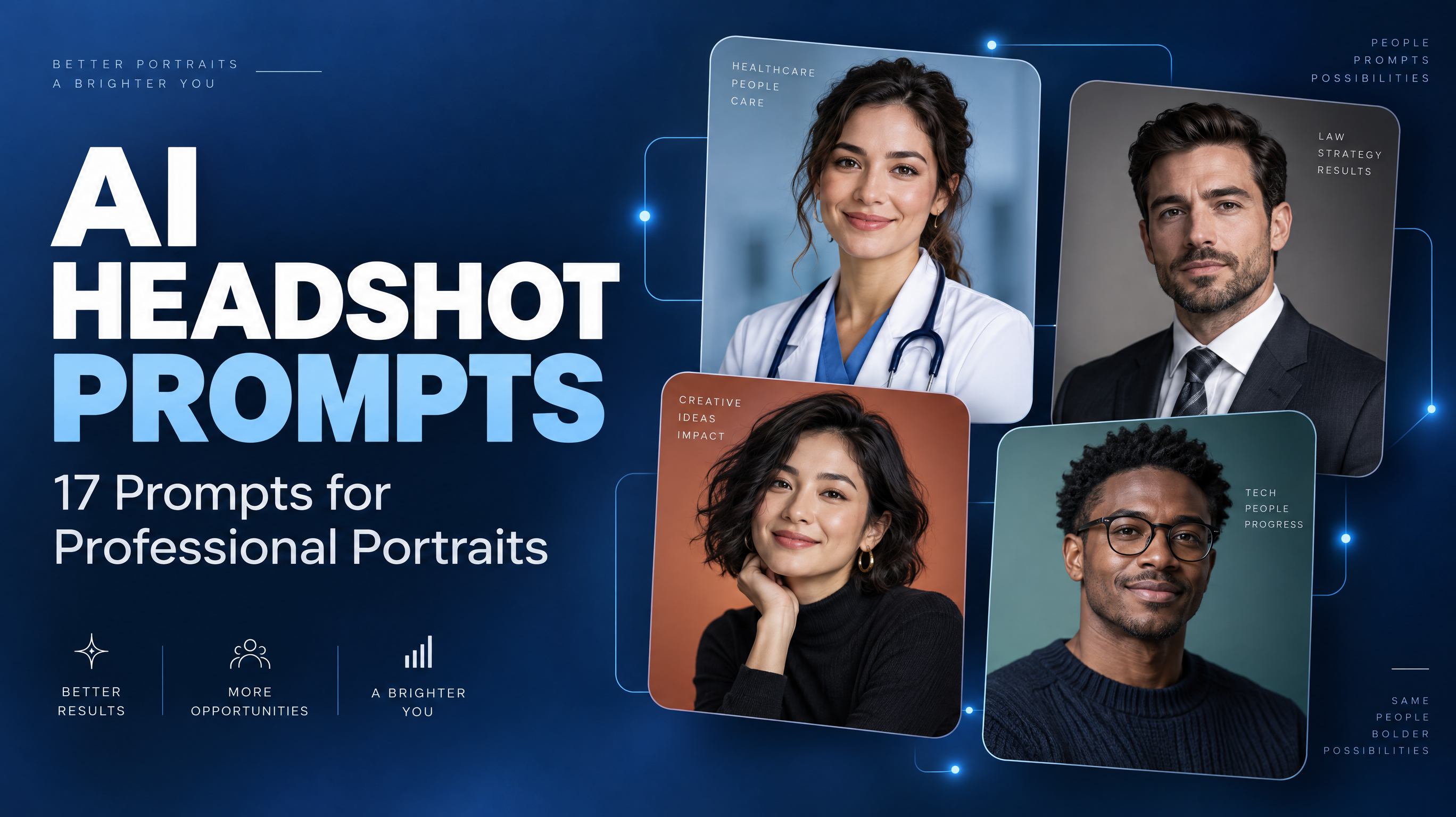
What Can You Create With Gemini AI Headshot Prompts?
A polished headshot can help you present yourself professionally on LinkedIn, a resume, a company website, or a freelance portfolio. However, arranging a traditional photoshoot is not always convenient. With Gemini AI headshot prompts, you can explore different professional portrait styles by describing the clothing, lighting, background, expression, and composition you want.
Whether you need a corporate portrait, a friendly profile photo, or a personal-branding image, the key is to give Gemini specific visual instructions rather than simply asking for a professional-looking picture.
This guide includes 17 copy-ready prompts for different careers, a practical workflow for generating and refining portraits, and troubleshooting tips for common problems such as artificial skin, unsuitable clothing, and inconsistent facial features. You will also learn how to explore alternative image-generation models through RunningHub if you want to compare different visual approaches.
Can Gemini Create Professional AI Headshots?
Gemini's image-generation experience can help users explore professional portrait concepts from text instructions, where image generation is available. Depending on the interface and capabilities available to your account, you may also be able to upload a photograph and request changes to its background, clothing, lighting, or composition.
There is an important distinction between generating a new person and editing a photograph of yourself. Creating a new professional-looking portrait does not automatically reproduce your actual appearance. Even when you provide a reference photo, facial details may change during editing.

How to Write a Gemini Prompt for a Professional Headshot
An effective prompt combines eight elements:
Subject and identity + professional role + clothing + expression + pose + lighting + background + composition and realism.
1. Describe the subject and intended use
Start with the image's purpose: a resume photo, LinkedIn profile, company biography, or creative portfolio. If using a supported reference-image editing workflow, explain which recognizable facial characteristics should remain consistent.
2. Choose appropriate clothing
Use tailored suits for formal corporate roles, smart-casual outfits for technology professionals, and contemporary but polished clothing for creative work. Choose attire that fits the intended role without inventing credentials or affiliations.
3. Specify lighting and background
Soft studio lighting creates a controlled, even appearance. Natural window light can feel more approachable, while a softly blurred office suggests a workplace without distracting from the face. Plain backgrounds are especially useful for small profile images.
4. Control framing and expression
Request a head-and-shoulders or chest-up portrait, eye-level camera angle, relaxed shoulders, and natural eye contact. Leave enough space around the head for square cropping.
5. Add realistic details
Ask for natural skin texture, believable facial proportions, realistic hair, and restrained retouching. Terms such as “flawless skin” or “perfect face” may encourage an overly polished result.
Professional headshot prompt formula
- Subject and professional purpose
- Clothing + Expression + Pose
- Lighting + Background + Framing
- Natural detail + Realistic photography
17 Gemini AI Headshot Prompts You Can Copy and Customize
The following prompts cover different professional settings. Copy one into Gemini and adjust the details to match your role, preferred style, and intended platform.
1. Classic Corporate Headshot
Best for: Office professionals, managers, and consultants.
Visual direction: Understated, polished, and approachable.
Create a professional corporate headshot of an adult professional wearing a tailored navy blazer and a crisp white shirt. Use a clean light-gray studio background, soft even lighting, natural skin texture, realistic facial proportions, and a relaxed, confident expression. Frame the subject from the shoulders up at eye level, with centered composition and subtle, realistic photographic detail. Keep the styling understated and credible, without excessive retouching or distracting elements.
Why it works: It defines clothing, lighting, framing, and realism without overwhelming the image with unnecessary details.
Customize the blazer color, shirt style, or background to suit your workplace.
2. Executive and Leadership Headshot
Best for: Founders, senior professionals, and business owners.
Create a refined executive portrait of an adult professional wearing a well-tailored charcoal suit and understated business attire. Use a softly blurred modern office background, controlled studio lighting, natural skin texture, and balanced contrast. The subject should have relaxed shoulders, an upright posture, and a composed, approachable expression. Use chest-up framing and realistic professional portrait photography. Avoid exaggerated luxury settings, artificial skin smoothing, and distracting props.
Why it works: The restrained styling communicates professionalism without relying on artificial status symbols.
Customize the background and clothing to match your actual industry and working environment.
3. LinkedIn Profile Photo
Best for: Professionals updating their LinkedIn profiles.
Create a polished LinkedIn-style headshot of an adult professional wearing smart business-casual clothing. Use a simple neutral background, soft natural light, eye-level framing, and a friendly, confident expression with natural eye contact. Keep the face clearly visible and centered, with enough space around the head for square cropping. Preserve realistic skin texture and facial proportions, and avoid heavy filters or dramatic color effects.
Why it works: A clear face and uncluttered background remain recognizable when the image appears as a small profile thumbnail.
Customize the clothing and background to reflect your profession.
4. Resume and Job Application Headshot
Best for: Graduates and job seekers.
Create a straightforward professional portrait suitable for a job application. Show an adult applicant wearing neat, conservative business attire against a plain light background. Use even lighting, natural facial details, a neutral-to-friendly expression, and centered head-and-shoulders framing. Keep the image realistic and minimally retouched, with no decorative props, dramatic shadows, or distracting effects.
Why it works: The simple presentation keeps attention on the applicant rather than the visual styling.
Check whether a photograph is expected in your country, industry, or application process before including one on your resume.
5. Technology Professional Headshot
Best for: Software engineers, product managers, and data analysts.
Create a professional headshot of an adult technology professional wearing a smart-casual shirt and a simple blazer. Use soft window light and a subtly blurred contemporary workspace in the background. The subject should look approachable and confident, with relaxed posture and natural facial features. Use chest-up framing and realistic colors. Avoid glowing screens, futuristic interfaces, and stereotypical science-fiction effects.
Why it works: The modern workplace setting adds context without distracting from the subject.
6. Creative Professional Headshot
Best for: Designers, photographers, and illustrators.
Create a contemporary editorial headshot of an adult creative professional wearing stylish but understated clothing. Use a muted, complementary color palette, soft directional lighting, and a minimalist creative-studio background. Capture a thoughtful, confident expression with natural skin texture and realistic fabric detail. Frame the portrait from the chest up, balancing individual personality with professional credibility.
Why it works: Controlled color and directional light introduce personality without making the portrait look like a fashion advertisement.
7. Entrepreneur and Freelancer Headshot
Best for: Independent consultants, coaches, and small business owners.
Create a warm personal-branding headshot of an adult entrepreneur wearing smart-casual clothing. Use natural window light, a simple modern workspace, and a relaxed, confident smile. Keep the background softly blurred, the face clearly visible, and the framing centered from the shoulders up. Use realistic skin texture, natural colors, and understated professional photography without excessive retouching.
Why it works: The combination of natural light and relaxed styling feels approachable while remaining professional.
8. Consultant and Client-Facing Professional
Best for: Sales professionals, account managers, and consultants.
Create a professional portrait of an adult client-facing specialist wearing a tailored blazer and a neat business shirt. Use a bright, uncluttered office background, balanced soft lighting, and a confident yet welcoming expression. Keep the posture upright but relaxed, with natural facial proportions and realistic skin detail. Use eye-level chest-up framing suitable for a company profile page.
Why it works: It balances competence and approachability, two useful qualities for client-facing profiles.
9. Teacher and Educator Headshot
Best for: Teachers, tutors, and lecturers.
Create a friendly professional headshot of an adult educator wearing neat, approachable business-casual clothing. Use soft daylight and a simple, softly blurred classroom or neutral background. The subject should have a genuine-looking smile, relaxed shoulders, and natural eye contact. Maintain realistic facial proportions and skin texture, with centered head-and-shoulders framing and minimal retouching.
Why it works: Gentle lighting and a warm expression suit education-focused profiles without implying a specific school affiliation.
10. Healthcare Professional Portrait
Best for: Healthcare workers creating professional profile images.
Create a clean, professional portrait of an adult healthcare worker wearing simple, appropriate professional attire. If a clinical coat is included, treat it as visual styling rather than a claim of credentials. Use a calm neutral background, soft even lighting, natural skin texture, and a composed, reassuring expression. Frame the subject from the shoulders up with realistic facial proportions and restrained retouching.
Why it works: A calm visual style supports a trustworthy presentation without inventing employment or qualifications.
11. Finance and Legal Professional Headshot
Best for: Accountants, financial consultants, and legal professionals.
Create a formal professional headshot of an adult professional wearing a conservative dark suit and a simple, well-fitted shirt. Use a neutral studio background, even lighting, realistic skin texture, and a composed, natural expression. Keep the framing centered and the color palette restrained. Avoid dramatic shadows, luxury props, exaggerated retouching, or visual elements suggesting an unverified title or affiliation.
Why it works: Conservative styling and neutral colors create a versatile portrait suitable for formal professional services.
12. Marketing and Personal Branding Headshot
Best for: Marketing specialists, speakers, and content creators.
Create a polished personal-branding portrait of an adult marketing professional wearing contemporary business-casual clothing. Use a clean background with subtle complementary colors, soft directional lighting, and an expressive but credible pose. Keep the face prominent, the expression natural, and the skin texture realistic. Use an editorial photographic style that feels modern without excessive saturation or artificial beauty effects.
Why it works: Subtle color and expressive posing create a recognizable visual identity without sacrificing credibility.
13. Business-Casual Headshot
Best for: Professionals in less formal workplaces.
Create a natural professional headshot of an adult wearing a well-fitted knit top and an optional casual blazer. Use soft daylight, a neutral or softly blurred background, and a relaxed posture. Capture a natural smile with realistic facial proportions, believable hair detail, and minimal retouching. Use centered chest-up framing and balanced colors for a polished but informal professional profile.
Why it works: It avoids the stiffness of formal corporate portraits while keeping the overall presentation neat.
14. Minimalist Studio Headshot
Best for: Users who need one versatile portrait for multiple platforms.
Create a minimalist studio headshot of an adult professional wearing a simple, solid-color top. Use a plain off-white background, soft frontal lighting, realistic skin texture, and natural facial proportions. Keep the subject centered, with relaxed shoulders and a neutral, approachable expression. Use clean head-and-shoulders framing, accurate colors, and no decorative props or dramatic effects.
Why it works: A simple background and neutral clothing make the portrait easier to adapt to different profile layouts.
15. Warm and Approachable Professional Headshot
Best for: Recruiters, educators, and customer-facing professionals.
Create a warm professional portrait of an adult wearing neat business-casual clothing. Use soft natural light, a simple light-colored background, relaxed shoulders, and a genuine-looking smile. Keep the eyes naturally directed toward the camera, with realistic skin texture and believable facial proportions. Use eye-level framing and restrained retouching to create a friendly, credible appearance.
Why it works: The emphasis on relaxed posture and natural expression helps avoid the artificial look of exaggerated smiles.
16. Personal Branding Portrait
Best for: Founders, creators, and professionals building a consistent visual identity.
Create a polished personal-branding portrait of an adult professional wearing clothing in a coordinated, understated color palette. Use soft editorial lighting, a clean background, natural facial detail, and a confident but relaxed pose. Keep the composition consistent with a modern professional website, using realistic colors and restrained retouching. Avoid distracting props and exaggerated effects.
Why it works: Coordinated colors and controlled composition can help maintain a consistent brand aesthetic across different materials, although they do not guarantee identical facial features across generations.
17. Reference-Photo-Based Professional Headshot
Best for: Users who want a more professional version of their own photograph.
Using the uploaded reference photo, create a professional headshot of the same person. When supported by the image-editing interface, preserve recognizable facial characteristics, including the overall face shape, hairstyle, and natural expression. Change only the requested elements: replace the background with a neutral studio setting, improve the lighting, and add appropriate business-casual clothing. Keep natural skin texture, realistic facial proportions, and a centered head-and-shoulders composition. Avoid excessive retouching or changes that make the person look substantially different.
Why it works: It separates the requested edits from the characteristics that should remain recognizable. Even with these instructions, the generated result must be checked against the original.
How to Generate a Professional Headshot With Gemini
Step 1: Open Gemini
Open the Gemini interface available to your account and check whether image generation is supported. Available features may differ across interfaces and accounts.
Step 2: Choose a suitable prompt
Start with one clear goal, such as a LinkedIn profile photo or a corporate headshot. Avoid combining unrelated styles in the same request.
Step 3: Add a reference photo if supported
Choose a clear photo with an unobstructed face, even lighting, and minimal filters. Use an image you own or have permission to use. Upload and editing options depend on the available interface.
Step 4: Generate and review
Check facial resemblance, clothing, expression, lighting, background, and crop suitability. Pay particular attention to hair edges, glasses, ears, and clothing details.
Step 5: Refine with follow-up instructions
Try these focused edits:
- “Keep the overall composition, but make the lighting softer and more natural.”
- “Replace the background with a clean, neutral studio backdrop.”
- “Make the clothing more appropriate for a corporate LinkedIn profile.”
- “Reduce the retouching and preserve natural skin texture.”
- “Adjust the framing to a centered head-and-shoulders portrait suitable for a square profile crop.”
Change one or two elements at a time so you can identify which adjustments help.
How to Make Gemini AI Headshots Look More Realistic
Even a detailed prompt may produce an image that needs improvement. Use these adjustments to address common problems.
- Overly smooth skin: Request natural skin texture, realistic pores, and restrained retouching.
- Inconsistent facial features: When reference editing is supported, specify which recognizable features should remain consistent. Review the result against the original.
- Unnatural eyes or expressions: Ask for relaxed facial muscles, natural eye direction, and a subtle expression.
- Unsuitable clothing or backgrounds: Name the exact garment and background you want, and remove unnecessary props.
- Poor cropping: Leave space around the head and check how the portrait looks in the target platform's layout.
- Overly stylized results: Reduce dramatic lighting, cinematic color grading, and beauty filters.
| Problem | Prompt adjustment |
| Skin looks too smooth | Request natural skin texture and restrained retouching. |
| Face differs from the reference | Reiterate recognizable features when reference editing is supported. |
| Background is distracting | Request a plain, neutral background. |
| Clothing looks inappropriate | Specify the role, garment, and formality. |
| Expression looks artificial | Request relaxed facial muscles and a natural expression. |
| Image looks overly stylized | Reduce dramatic effects and beauty filters. |
These adjustments can guide the next generation, but they cannot guarantee that every issue will be corrected.
Looking Beyond Gemini? Explore Other AI Headshot Options With RunningHub
Gemini is one option for prompt-based portrait creation. If you want to compare visual styles or explore different image-generation workflows, RunningHub provides another route.
Why explore other AI image models?
Different models can interpret the same prompt differently. Exploring alternatives may help you find a preferred portrait aesthetic, additional generation controls, or a supported image-to-image workflow.
What is RunningHub?
RunningHub is an online AI creation platform that brings together image-generation models, AI applications, and ComfyUI workflows. Depending on the selected model and interface, users may have access to text-to-image generation, image-to-image creation, and configurable generation options.
Not every model supports reference-photo editing or the same controls. Check the selected tool's capabilities before starting.
How to explore alternative headshot styles with RunningHub
Step 1: Open the AI Generator
Visit RunningHub AI Image Generation to explore the available image-creation options.
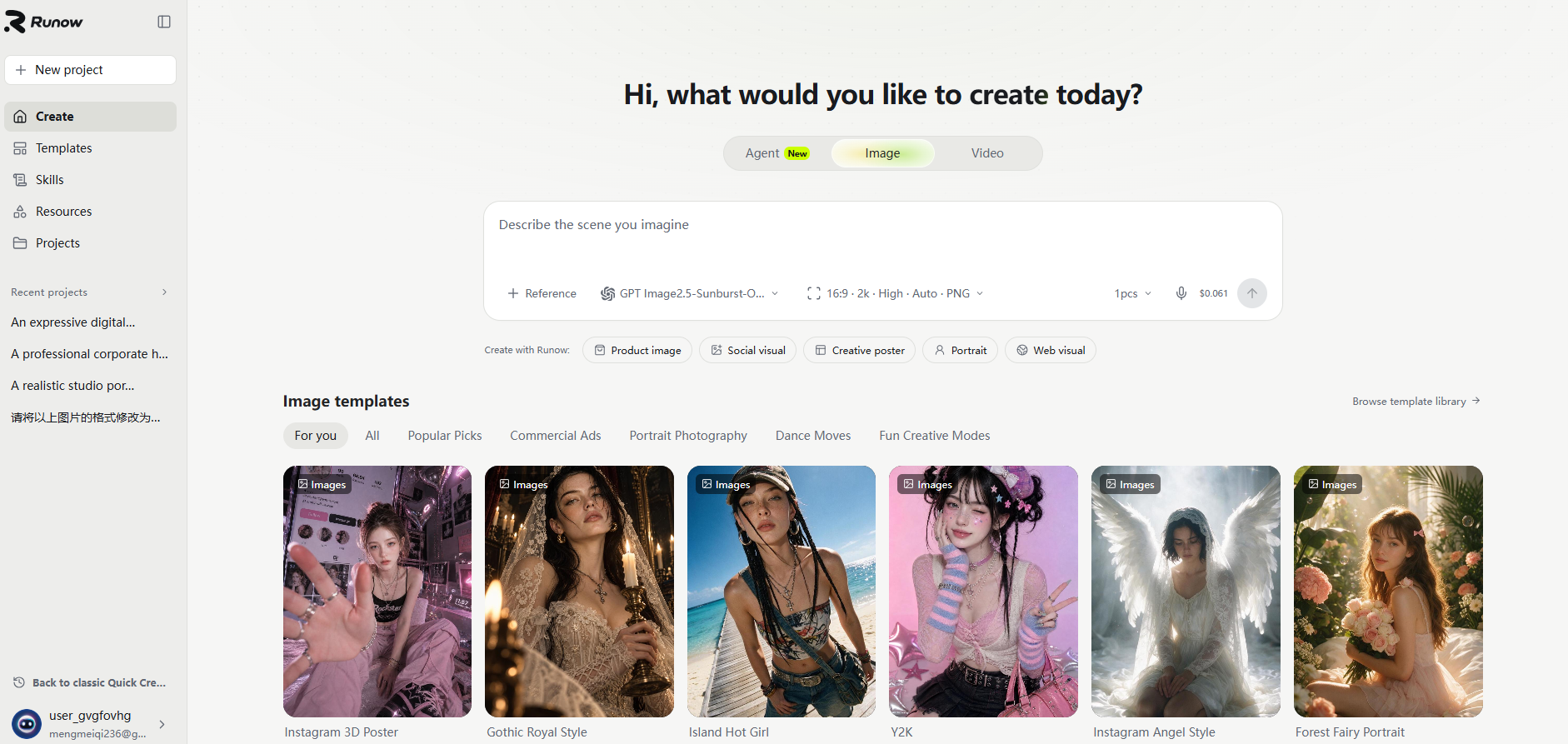
Step 2: Choose an available model
Select a model based on its supported inputs, visual style, and available controls. Do not assume every model offers the same editing capabilities.
Step 3: Enter a portrait prompt
Adapt this example to your needs:
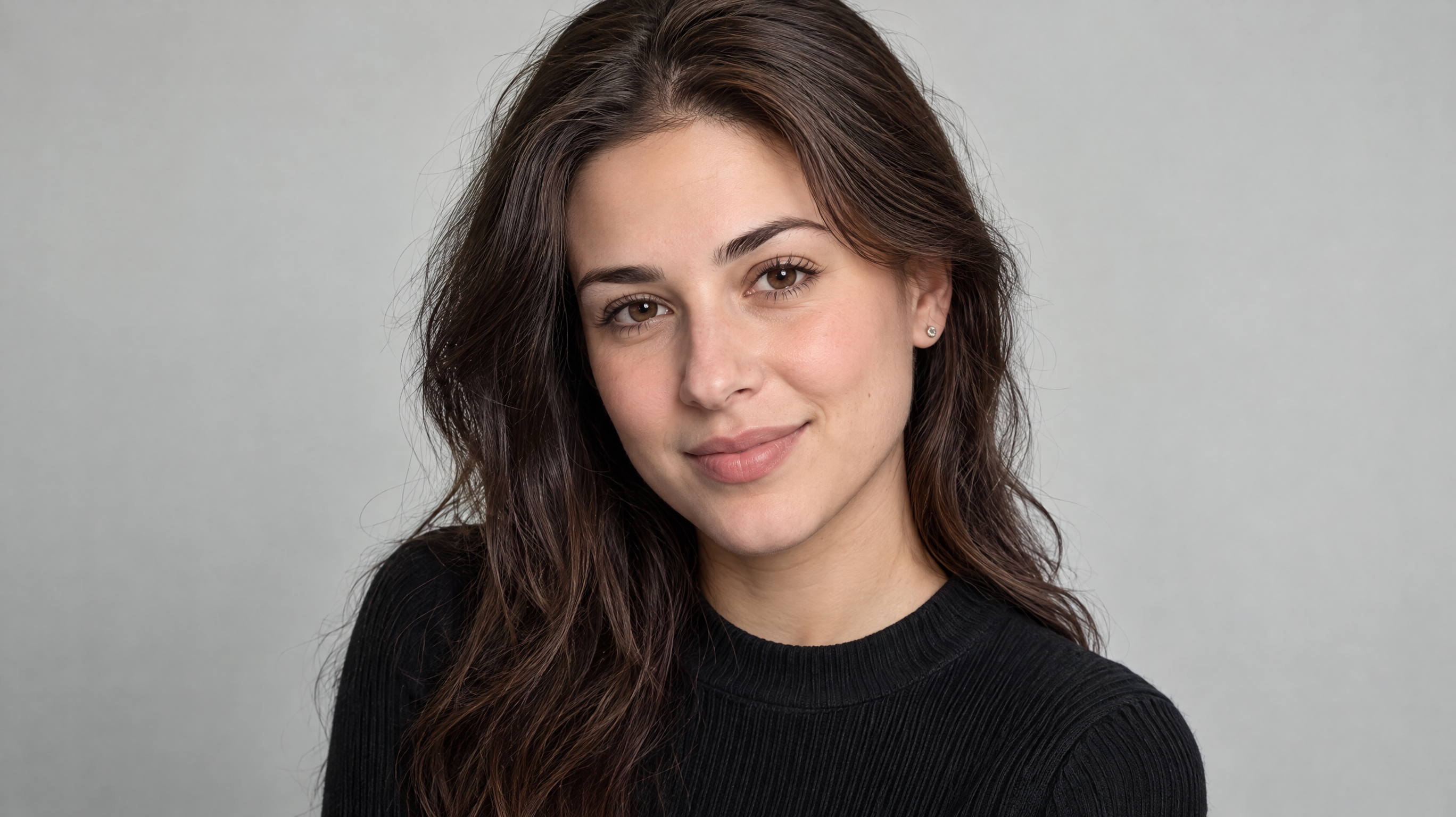
“Create a realistic professional head-and-shoulders portrait of an adult professional wearing a tailored charcoal blazer and a clean, understated shirt. Use a neutral studio background, soft even lighting, natural skin texture, realistic facial proportions, and a relaxed, confident expression. Keep the styling polished but understated, with no exaggerated beauty retouching or distracting visual effects.”
The specific generated effect drawing is as follows:

Step 4: Image optimization.
If necessary, you can continue to optimize the pictures in the chat box.
Why Choose RunningHub Over Gemini for AI Headshots?
- More models, more creative possibilities: RunningHub brings together a range of AI image models, giving you more options to explore different portrait styles, lighting, skin textures, and professional looks—all in one platform.
- Greater creative flexibility: Go beyond a single prompt-based approach by exploring different models, image-to-image generation, and available AI workflows to refine your headshots and experiment with different results.
- More than professional portraits: RunningHub supports a broader creative workflow, making it easier to move from headshot creation to other visual assets, including product images, marketing graphics, and AI-generated videos.
- A workflow that can grow with your needs: Whether you're creating a LinkedIn profile photo, a résumé headshot, personal branding visuals, or a consistent set of professional portraits, you can explore different generation approaches and workflows on the same platform.
If you want more flexibility and more ways to experiment with AI-generated professional headshots, RunningHub is the platform we'd recommend trying first. Instead of being limited to one image-generation experience, you can explore different models and find the approach that best matches your professional image and creative goals.
Ready to create your next professional headshot? Explore RunningHub AI Image Generation and discover more ways to bring your portrait ideas to life.
Frequently Asked Questions About Gemini AI Headshot Prompts
What is the best Gemini prompt for a professional headshot?
A useful prompt specifies the professional context, clothing, lighting, background, framing, expression, and desired realism. For example, request a centered head-and-shoulders portrait, soft lighting, natural skin texture, and a neutral background. The best prompt depends on whether you need a formal corporate image, a friendly LinkedIn photo, or a creative personal-branding portrait.
Can Gemini create a professional LinkedIn headshot from my photo?
That depends on the image-editing features available in your Gemini interface. If reference-photo editing is supported, ask for suitable professional clothing, natural lighting, and a clean background while retaining recognizable facial characteristics. Review the output carefully because facial details may change even when the prompt requests consistency.
How do I make a Gemini AI headshot look more realistic?
Request natural skin texture, realistic facial proportions, restrained retouching, soft lighting, and a simple background. Avoid excessive beauty filters and dramatic effects. If the first result looks artificial, change one element at a time using focused follow-up instructions. These adjustments can improve the result but cannot guarantee photorealism.
Can I use an AI-generated headshot on LinkedIn or a resume?
Suitability depends on platform policies, employer expectations, local conventions, and whether the image accurately represents you. Check the relevant requirements before publishing or submitting it. Do not use a generated portrait to misrepresent your identity, qualifications, or employment history.
What can I use instead of Gemini for AI headshots?
You can explore other AI image models and supported workflows through platforms such as RunningHub. Available features vary by model, so confirm support for reference-photo editing, identity consistency, and your required output format before choosing a workflow.
Final Thoughts: Choose the Right Gemini AI Headshot Prompt for Your Goals
The best Gemini AI headshot prompts begin with a clear purpose. Choose the right clothing, lighting, background, framing, and expression for your intended professional setting. If supported, use an appropriate reference photo and review the output for facial resemblance, natural detail, and suitability before publishing.
There is no single prompt that works equally well for every career. Start with one of the 17 examples, refine one or two elements at a time, and keep the instructions that produce the most useful results.
If you want to explore other image-generation models and workflows, you can also explore AI image-generation options on RunningHub.